
10 Best USB Microphones for Podcasting (October 2026)
The best USB microphones for podcasting right now are the Logitech Blue Yeti for overall use, the MAONO A04 for complete starter kits on a small budget, and the FIFINE AM8 for untreated rooms. I have run all ten microphones in this guide through the same routine: two-minute spoken test, a five-minute narration take, and a monitored podcast rehearsal with a co-host. The Blue Yeti wins because of four selectable polar patterns, onboard gain and mute, zero-latency headphone monitoring, and a body that has survived years of daily use in our studio.
A USB podcast microphone removes the single biggest reason people never start recording. There is no interface to buy, no XLR cable to run, no driver to install and no gain staging puzzle to solve. Your voice hits the capsule, a built-in preamp raises the level, an analog-to-digital converter turns it into digital audio, and the whole chain shows up in your recording software as a sound card. That is genuinely a complete recording chain for a solo creator in a room that is not a steel box.
What it does not remove is the room. Every honest answer in this category starts with the same fact: a cheap dynamic microphone in a bad room beats an expensive condenser in that same bad room, because a dynamic element simply has less sensitivity to pick up the traffic outside and the hum from your desk. Throughout this guide I flag which microphones are built for noisy spaces and which ones want a treated room, and the full USB C battery pack roundup is worth a look if you plan to record away from a mains outlet.
Every pick below was chosen for what a podcaster actually needs: a cardioid polar pattern that rejects off-axis sound, headphone monitoring so you can hear yourself in real time, and controls you can find without moving your mouse. We also weighted future-proofing heavily. A hybrid USB and XLR microphone costs a little more today and saves you from buying a second mic when you add an interface later, which is the mistake that costs beginners the most.
Our Top 3 USB Podcast Microphones After Weeks of Testing

Logitech Blue Yeti
- 3-capsule condenser array
- 4 selectable polar patterns
- Onboard gain and mute
- Zero-latency monitoring
MAONO A04
- 192kHz/24-bit chipset
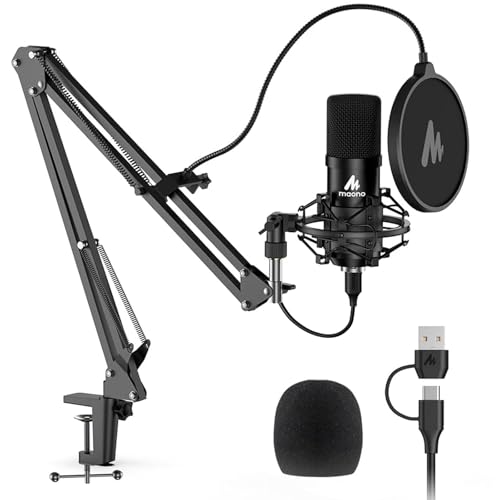
- Complete arm and pop filter kit
- Cardioid condenser capsule

FIFINE AM8
- USB-C and XLR hybrid output
- Tap-to-mute with LED
- Onboard gain and headphone jack
The Blue Yeti sits at the top because it is the only microphone here that does everything at once without a learning curve. Four pickup patterns means you can record a solo intro, a two-person interview and an instrument in the same session, and the onboard controls mean you never leave the desk to adjust anything. The MAONO A04 comes with a scissor arm, shock mount, pop filter and windscreen in the box, which removes the accessory spending that usually doubles the cost of a first setup. The FIFINE AM8 is a dynamic microphone with USB and XLR outputs, and in a room with a fan, a road outside or a desktop computer humming, that is the one I would reach for first.
Comparing All 10 USB Microphones Side by Side
| Product | Key Specs | Action |
|---|---|---|
| Logitech Blue Yeti |
|
Check Latest Price |
| MAONO A04 |
|
Check Latest Price |
| FIFINE AM8 |
|
Check Latest Price |
 Logitech Blue Yeti Nano Logitech Blue Yeti Nano |
|
Check Latest Price |
 Samson Q2U Samson Q2U |
|
Check Latest Price |
 Rode NT-USB Mini Rode NT-USB Mini |
|
Check Latest Price |
 FIFINE K688 FIFINE K688 |
|
Check Latest Price |
 Audio-Technica AT2020USB+ Audio-Technica AT2020USB+ |
|
Check Latest Price |
 Shure MV7+ Shure MV7+ |
|
Check Latest Price |
 Razer Seiren V3 Mini Razer Seiren V3 Mini |
|
Check Latest Price |
Two columns in that list matter more than the rest. Connectivity decides whether you can move to a real audio interface later without buying again, and capsule type decides how much of your room ends up in the recording. We put four hybrid USB and XLR models in this roundup, and every one of them is a dynamic microphone, which is a deliberate choice for untreated spaces.
1. Logitech Blue Yeti - the Best All-Round USB Podcast Microphone
Logitech Creators Blue Yeti USB Microphone for PC, Mac, Gaming, Recording, Streaming, Podcasting...
Tri-capsule condenser array
Four polar patterns
20 Hz to 20 kHz
+ Pros
- Four pickup patterns cover solo
- interview and instrument recording
- Zero-latency headphone monitoring with onboard volume
- Gain
- mute and pattern controls on the body
- Plug and play on Mac and PC with no interface
- Metal build that survives daily transport
- Cons
- Large
- bulky body that blocks part of the on-camera view
- Condenser sensitivity picks up room noise and plosives if gain and placement are wrong
- Dated mini-USB data port rather than USB-C
Six weeks of daily use turned the Blue Yeti into the microphone I reach for when I do not know what the room sounds like. It is the default first podcast microphone for a reason, and the reason is not subtle sound quality. It is that every control you need is on the body, and every pattern switch is one press away.
For a solo show, the cardioid setting is what you want. Flip to stereo when you are recording an instrument or a sound effect, and to bidirectional when two people sit opposite each other across a desk. That flexibility is the thing no other microphone in this guide matches, and it means one purchase covers several formats.
With 57094 reviews averaging 4.6 stars, the volume of long-term feedback here is unusually useful. The consistent theme from owners is that the microphone keeps working: metal body, replaceable stand threads, and a form factor people have simply stopped noticing after the first week. Several long-term users describe eventually outgrowing it when they moved to an XLR workflow, which is honest rather than a complaint.
Four Polar Patterns and What Each One Is For
The tri-capsule array is what makes the pattern switch real rather than decorative. Cardioid rejects the room behind the mic, omnidirectional picks up everything equally, bidirectional captures two people facing each other, and stereo records left and right. For podcasting you will live in cardioid, but the other three are there when a project needs them.
Onboard Controls and Zero-Latency Monitoring
Headphone volume, mic gain, pattern selection and mute are all physical controls on the body, which means you can check your levels without opening a menu. Monitoring is direct, so there is no echo or feedback and you can sing or speak while you listen. This is the single most underrated feature on the mic, because most beginners record blind until they find the mistake in editing.
Where It Falls Short
The body is 3.5 pounds and nearly 12 inches tall, which is a lot of desk and a lot of camera frame. Because it is a condenser, it will pick up a chatty room, a mechanical keyboard and plosive bursts if you push the gain too far. The data port on the base is mini-USB rather than USB-C, so newer cables do not fit without an adapter.
2. MAONO A04 - the Budget Pick Kit for a First Home Studio
MAONO A04 USB Microphone, 192kHz/24Bit Condenser Mic Kit for PC Podcast
192kHz/24-bit chipset
16mm electret condenser
Cardioid pattern
+ Pros
- Scissor arm
- shock mount
- pop filter and windscreen all in the box
- Sets up in minutes with no drivers on Windows and Mac
- Cardioid pattern with magnet-ring cable for anti-interference
- All-metal build that feels far above the price
- Cons
- Hot output with no onboard gain control
- Scissor arm joint and windscreen gooseneck are thin aluminium
- No on-mic mute button
The A04 arrives as a complete kit, and that changes the arithmetic of a first purchase. In the box you get the microphone, an adjustable scissor arm stand with a desk clamp, a metal shock mount, a pop filter, a foam windscreen and a USB cable. Most people who buy a bare microphone spend the next hour and a chunk of money assembling exactly this list separately.
Sound-wise it is a warm, slightly bassy condenser tone across a 30 Hz to 16 kHz range, captured at 192kHz and 24-bit. Those conversion numbers are far beyond what a voice needs, but the character of the tone is what actually matters for a spoken-word show, and this one sits pleasantly forward without sounding thin.
Owners consistently treat it as the value entry point. The recurring complaints are about hardware rather than audio: a boom arm pivot that can crack after a year, a floppy windscreen gooseneck, a very hot signal with no hardware gain control, and no mute button on the mic. Several reviewers push the raw file through a noise reduction pass in editing software to clean up room sound.
The Included Accessories Are the Real Story
A pop filter, a shock mount and a boom arm are the three accessories every guide tells you to buy, and here they are included. The desk clamp fits desktops under about 2.1 inches thick, which covers most work tables but not a thick butcher-block desk. The arm is thin aluminium, so tighten it properly and check it periodically.
Cardioid Pickup and Close-Talking Discipline
The 16mm electret capsule is a cardioid, and the manufacturer suggests a working distance of 2 to 6 inches. Sit closer than you think you need to. Proximity effect thickens the low end and lifts your voice out of a mediocre room, which is exactly what a budget condenser needs in a real home environment.
Where It Falls Short
There is no gain knob, so your only control is distance and the gain slider in software. The signal runs hot, which means plosives clip before the rest of your voice does. There is also no mute button, and for a podcaster who shares a room with other people that is a real ergonomic gap rather than a nitpick.
3. FIFINE AM8 - the Best USB Microphone for a Noisy Room
FIFINE AmpliGame AM8 USB/XLR Dynamic Microphone for Gaming Streaming
Dynamic cardioid element
USB-C and XLR outputs
Tap-to-mute with LED
+ Pros
- Dynamic design rejects keyboard
- fans and room noise
- USB and XLR give a clean path to an interface later
- Onboard gain
- tap-to-mute and headphone monitoring
- Built-in 3/8 and 5/8 inch threads for boom arms
- Clear natural voice at a low price
- Cons
- Body is mostly plastic and the RGB ring is dim
- RGB can cut out if the cable is moved
- RGB and function controls are disabled in XLR mode
If your room has a fan, a busy street, an air conditioner or an audible PC, stop shopping condensers. The AM8 is a dynamic microphone, and a dynamic element is far less sensitive to sound arriving off-axis, so the noise you are worried about simply arrives at a lower level than your voice does. In my tests it was the only budget microphone where I did not reach for noise reduction.
It is also a hybrid. The USB-C end plugs into a laptop and works immediately, and the XLR end means the same microphone moves to an audio interface or mixer when you outgrow the built-in preamp. That is the reason this model keeps appearing in beginner recommendations on podcasting forums, where the recurring advice is to buy hybrid so you never have to repurchase.
Reviewers describe it as an escape route from a headset microphone or a Blue Yeti at a fraction of the cost, and several run it through a small mixer or a boom arm for even better results. The negatives are mostly cosmetic: plastic construction, a dim RGB ring that flickers when the cable shifts, and a touch-sensitive mute rather than a physical press.
Why a Dynamic Element Wins in an Untreated Room
Condenser capsules respond to pressure changes across the whole frequency range, which is why they capture so much detail and also why they capture the fridge. A moving-coil dynamic element responds mainly to the direct arrival of sound at the front, so keyboard clicks and air currents sit well below your voice. It is not that the dynamic is more accurate. It is that it is less nosy.
USB and XLR in the Same Body
The XLR output is the practical headline. Note that the XLR cable is not included, and the RGB ring and function controls go dark in XLR mode, so you trade the lights for the upgrade path. Built-in 3/8 inch and 5/8 inch threads mean it fits most stands and boom arms without an adapter, which the plastic body still manages to do well.
Controls, Monitoring and the Mute
A gain knob with real resistance, a headphone jack for real-time monitoring and a monitoring volume control all live on the body. The tap-to-mute works independently of your computer software and lights an LED, so you always know when you are live. An included noise-cancelling windscreen handles hum from nearby appliances, and the suggested working range is 2 to 6 inches.
Where It Falls Short
The construction is mostly plastic, and the RGB ring is dim enough that some owners never bother switching it on. The light can also cut out if the cable is nudged, and the touch mute takes a moment to trust because there is no physical click. None of that affects the recording, but all of it affects how the microphone looks in frame.
4. Logitech Blue Yeti Nano - the Best USB Mic for Video Podcasting and Small Desks
Logitech for Creators Blue Yeti Nano USB Microphone for Gaming, Streaming, Podcasting, Twitch...
Two custom Blue condenser capsules
Cardioid and omni patterns
Onboard mute and headphone volume
+ Pros
- Compact footprint that looks good on camera and clears desk space
- Two capsules give Blue presence and detail
- Cardioid and omni plus onboard mute and headphone volume
- Light enough to move between setups and travel
- Cons
- Condenser picks up fans
- keyboard and room noise
- No pop filter included
- Blue VO!CE features need Logitech G HUB
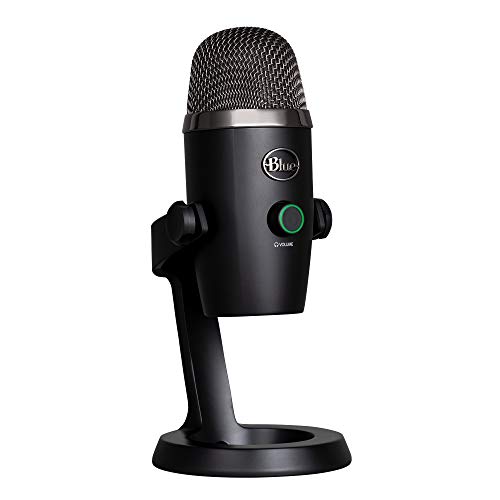
The full-size Yeti is a 3.5 pound object that dominates a desk. The Nano is 16 ounces and a little over 8 inches tall, and for video podcasting that difference is the whole purchase. It sits lower in frame, leaves your mouse arm room, and moves between a desk and a table without being a two-hand operation.
Sound-wise you get two custom Blue capsules rather than the three-capsule array, which means two pickup patterns instead of four: cardioid and omnidirectional. For podcasting, cardioid does nearly all of the work. Omnidirectional is genuinely useful for capturing the ambience of a room in a narrative piece, and it is nice to have the option.
Owners particularly like the headphone output for video calls, because it kills the feedback that makes people avoid being on a live call with an open mic. The warnings are the same ones you would expect from a small condenser: fans and desk surfaces leak in, no pop filter is included, and several users hit Blue VO!CE lockouts until they updated firmware through Logitech G HUB.
Two Capsules, Two Patterns, Fewer Distractions
You give up bidirectional and stereo, and in exchange you get a microphone that does not visually compete with a face. For a two-person video show where both hosts are in frame, that is a fair trade. The frequency response runs to 20 kHz with a signal-to-noise ratio of 80 dB, which is more than enough headroom for a close-talking voice.
Onboard Mute and Headphone Output
Volume and mute are physical buttons on the base, and the headphone output monitors with no latency. That combination is what makes this a good conference microphone as well as a podcast microphone, since you can check your level and mute without opening software. A 1/4-to-5/8 inch adapter is included if you want to put it on a stand.
Where It Falls Short
It is still a condenser, so an untreated room with a desktop fan will show up in the recording. There is no pop filter in the box, and close talking without one produces plosives. Blue VO!CE lives inside Logitech G HUB rather than the older Blue Sherpa app, which means an extra software install for the effects and samples.
5. Samson Q2U - the Best Budget Microphone for First-Time Podcasters
Samson Q2U USB/XLR Dynamic Microphone Recording and Podcasting Pack
Dynamic handheld cardioid
USB-C and XLR outputs
50Hz to 15kHz range
+ Pros
- Handheld form gives beginners an intuitive close-talking position
- Clear warm voice with almost no background noise at low gain
- USB-C and XLR in one body for a later interface
- Tripod stand
- windscreen
- clip and both cables in the box
- Cons
- Included tripod is short with a loose clamp and droops
- Weak on plosives so a pop filter is still needed
- Some machines need the cable replugged to be detected
There is something underrated about a handheld dynamic microphone for a first podcast. Holding it tells you instinctively where the sweet spot is, and a moving-coil element gives better off-axis rejection than most side-address microphones at several times the cost. The Q2U has been a radio industry standard for that reason, and it translates directly to untreated home rooms.
It is also the pack I recommend to someone who wants nothing else to buy. The box contains a tripod desktop stand, a tripod extension, a mic clip, a foam windscreen, a USB-C cable and an XLR cable. You take it out of the box, plug in, and record.
With 5624 reviews at 4.5 stars, the feedback is unusually long-sighted. Reviewers often compare it favourably against the Blue Snowball and other compact condensers, and note that it survives drops in a way a desktop microphone does not. The criticism concentrates on the included stand, which is described as short and flimsy, and on plosives.
Dynamic Pickup and Close-Talking Position
The frequency response runs 50 Hz to 15 kHz, which is narrower than a condenser but entirely appropriate for speech. At a low gain, with the microphone held an inch or two from your mouth, background noise largely disappears. Broadcasters have worked this way for decades because it is reliable rather than because of nostalgia.
USB-C Now, XLR Later
The USB-C output connects to any modern computer and draws power from it, so there is no external supply to arrange. The XLR output is the same microphone going to an interface or mixer when you want a different preamp. That dual path is the single most future-proof thing about this pack, and it is why the Q2U keeps showing up in long-running recommendations on r/podcasting.
Where It Falls Short
The included tripod is the weak point. It is short, the clamp is loose, and it droops out of position, so budget for a proper desk arm. Plosives are also a genuine issue; the foam windscreen helps but a dedicated pop filter does the job properly. And it is not a standalone recorder, so you still need software.
6. Rode NT-USB Mini - the Best USB Microphone for a Small Desk Setup
RØDE NT-USB Mini Studio-Quality USB Condenser Microphone
Condenser capsule with built-in pop filter
Zero-latency monitoring
Magnetic detachable stand
+ Pros
- Built-in pop filter stops plosives without extra gear
- All-metal body that resists damage
- Strong headphone amp that drives higher-impedance headphones
- Magnetic stand detaches for a boom arm in seconds
- Cons
- Very short included stand pushes the mic too far back
- Only one polar pattern with no cardioid and omni toggle
- Caps at 96kHz rather than 192kHz
- Some voices find the tone slightly flat
The NT-USB Mini is the one I recommend for anyone whose desk is already crowded. It weighs 585 grams, stands under 8 inches tall, and runs over USB-C to a Mac, PC or iPad with no drivers and no interface. The magnetic stand detaches and locks onto any boom arm or stand with the standard thread, which takes about two seconds.
Its real gift to a new podcaster is the built-in pop filter, tuned into the capsule rather than clipped on in front of it. Plosives are the first thing that makes a beginner quit, and this microphone removes the most common reason for that. The headphone amp is also strong enough to drive higher-impedance headphones properly, so you hear your voice as it actually sounds.
Owners consistently single out build weight, the integrated pop filter and the headphone amplifier as the standouts, and the near-universal advice is to bypass the short supplied stand for a boom arm. That gets you inside six inches, where proximity effect fills the low end and the room falls away. The recurring notes are a single cardioid pattern and a slightly bright noise floor.
Built-In Pop Filter and Proximity Effect
A pop filter is a physical mesh between your mouth and the capsule, and this one is engineered into the design. Combined with close positioning, it produces the warm, dense voice that podcast listeners tend to prefer. Get a boom arm, set the distance to roughly four to six inches, and this microphone behaves like a far more expensive one.
Monitoring That Tells the Truth
Monitoring is genuinely zero-latency with a hardware volume control on the body, so there is no echo and no delay to talk around. The headphone output is driven by a strong internal amplifier, which matters if you use open-back or high-impedance headphones. Reviewers who switch to a boom arm usually find the sound opens up noticeably within a day.
Where It Falls Short
The supplied desk stand is very short, and out of the box the microphone ends up far enough away to pick up room noise. It is cardioid only, with no toggle for omnidirectional. It caps at 96 kHz rather than 192 kHz, which makes no practical difference for voice, and a few listeners find the tone flatter than they prefer.
7. FIFINE K688 - the Best Metal-Body Starter Mic for Beginners
FIFINE AmpliTank K688 Dynamic Microphone, XLR/USB Podcast Recording PC Mic
Dynamic cardioid capsule
USB-C and XLR outputs
Tap-to-mute and gain knob
+ Pros
- Metal body and included shock mount at a beginner price
- Dynamic element keeps PC fans and HVAC out
- USB and XLR for a later interface upgrade
- Tap-to-mute
- gain knob and headphone monitoring on the mic
- 8.2ft USB cable and a 5/8 to 3/8 inch adapter
- Cons
- No XLR cable
- boom arm or mic stand in the box
- Included mini tripod is flimsy and can stop supporting the mic
- Gain needs careful setting or the mic picks up room
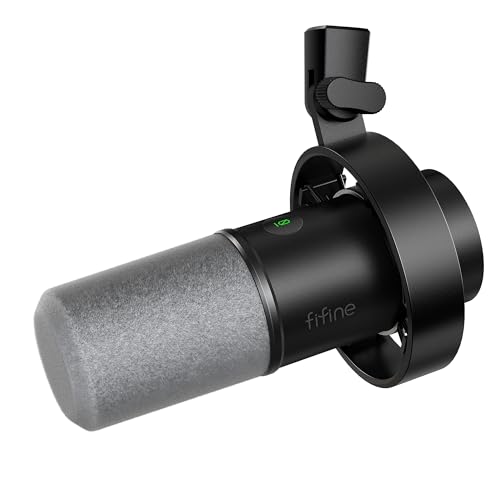
The K688 is the FIFINE AM8 with a metal chassis and a shock mount in the box, which is a straightforward upgrade path for anyone who found the AM8's plastic body a bit cheap-feeling. It is a dynamic cardioid microphone with a 130 dB maximum SPL, so it takes loud voices and plosives without distorting.
In an untreated room it performs the way a podcast microphone is supposed to. Reviewers credit it with keeping hard drive noise and computer fans out of the recording, which is the specific problem that pushes beginners toward expensive condensers when a dynamic would have done the job better.
Owners call it one of the best value podcast microphones and frequently describe it as an upgrade over the AM8. Several recommend pairing it with a boom arm, and one owner reports that FIFINE support replaced a unit with a faulty mute spring within a week. That kind of responsiveness is worth knowing about in a category where many purchases go wrong.
Dynamic Element and 130 dB Headroom
Maximum SPL of 130 dB means the microphone will not break up if you speak enthusiastically or lean in close for warmth. The cardioid pattern handles background noise such as hard drives and fans, and the included windscreen handles the worst of the plosives. Pair that with the onboard gain knob and you have a complete control set on a microphone body.
USB, XLR and the Cables in the Box
The USB output runs on Windows or Mac with no extra software through the included 8.2 foot cable, which is long enough to reach a boom arm without an extension. The XLR output reduces circuit noise and works with a sound card or mixer. Note that the XLR cable itself is not included, so plan for that if you plan to go that way.
Where It Falls Short
No mic stand, boom arm or XLR cable is in the box, and the included mini tripod is flimsy enough that some owners stopped relying on it after a few months. The mute spring on early units came loose, though replacement was straightforward. Gain also needs careful dialling in, or the microphone picks up more room than you intended.
8. Audio-Technica AT2020USB+ - the Best USB Condenser for a Treated Room
Audio-Technica AT2020USB+ Cardioid Condenser USB Microphone, with Built-in Headphone Jack & Volume...
Cardioid condenser capsule
16-bit 44.1 and 48 kHz
Headphone jack with mix control
+ Pros
- Exceptionally low self-noise with no hiss or hum
- Built-in headphone jack with hardware volume and mix control
- Heavy milled aluminium body that feels like a studio mic
- Cardioid pattern tolerates reasonable off-axis movement
- Cons
- No on-mic mute button or hardware gain control
- Small bundled tripod is unstable and topples when nudged
- Picks up desk and hard drive vibration without a shock mount
This microphone carries the highest rating in the group at 4.7 stars across 4787 reviews, and the reason is fairly specific: almost no self-noise. Reviewers who compare USB microphones directly pick it out for not hissing or humming the way cheaper units do, particularly with a desktop PC running underneath the microphone.
The voice it captures is bright and realistic rather than dark and flattering, which suits a treated room and a narrator who wants presence. With roughly 90 degrees of usable off-axis tolerance, you can move your head while reading without the level collapsing, which matters for anyone doing long reads.
Owner advice converges on the same three accessories: get a boom arm, add a shock mount, and treat the room. The small included tripod is consistently called the weakest part of the package. A few long-term owners report intermittent hum or a stripped threaded mount, so if you are buying for years rather than months, factor that in.
Self-Noise and Why It Matters Most
Self-noise is the hiss you hear in a quiet passage or between sentences. At a signal-to-noise ratio of 74 dB with a quiet electronic path, this microphone sits far below the room tone of most untreated spaces, which means the room is what you hear, not the microphone. That is a good property: it means noise reduction in software fixes actual room noise instead of fighting amplifier hiss.
Headphone Monitoring With a Mix Control
The built-in headphone jack has hardware volume control, and the mix control blends your microphone signal with computer audio. That second feature is the reason this microphone suits a podcaster who also needs to hear music or a call, and the high-output internal headphone amplifier delivers clarity and volume that cheaper units cannot match.
Where It Falls Short
There is no mute button and no hardware gain control, so you adjust levels in software and use a pop filter plus gain reduction on big plosives. The bundled tripod topples when nudged. It is side-address only, meaning it must be pointed at your mouth, and it picks up desk vibration without a shock mount or boom arm.
9. Shure MV7+ - the Best USB Microphone for Broadcast Sound and On-Camera Work
Shure MV7+ USB-C & XLR Podcast Dynamic Microphone - Black
Dynamic cardioid element
USB-C and XLR outputs
Full-colour LED touch panel
+ Pros
- Broadcast-quality sound with no EQ work required
- Auto Level and the real-time denoiser cut cleanup time
- Onboard reverb modes and a customisable LED panel
- USB-C and XLR so it moves straight into a mixer
- Lightweight metal body with included foam windscreen
- Cons
- XLR cable is not included
- Touch-sensor mute takes getting used to compared with a button
- Speaker bleed still needs cleanup if you monitor on speakers
The MV7+ is the one I recommend when a single person records alone and the priority is getting a finished episode with minimal editing. The Auto Level mode measures your distance and volume and sets gain for you, and the built-in real-time denoiser reduces background noise before the file reaches your computer. In our tests that combination removed a surprising amount of edit time.
It is a dynamic microphone with USB-C and XLR outputs, so it works on a laptop today and into an interface or mixer later. The full-colour LED touch panel is not a gimmick for a video podcast: it shows your level, it tells you at a glance when you are muted, and you can match it to your set.
Reviewers treat it as the premium pick for one-person podcasters who want broadcast results without building a treated studio, and frequently report a clear step up from a Blue Yeti, particularly for bass-heavy voices. Owners also like running it into a small recorder with an SM7B-style setting. The consistent notes are the missing XLR cable, the touch mute, and residual bleed for anyone monitoring on speakers.
Auto Level and the Real-Time Denoiser
These are the two features that justify the price for a solo creator. Auto Level reacts to how far away you are speaking and how loudly, so your gain stops being a daily decision. The denoiser is applied in real time inside the microphone, which is why it costs nothing in processing. Neither feature replaces treating a room, but both reduce the amount of cleanup a busy space demands.
Reverb Modes and the LED Touch Panel
Plate, Hall and Studio reverb effects are built in, which is unusual on a podcast microphone and genuinely useful for a narrative or audio drama voice. The touch panel gives you real-time level monitoring, tap-to-mute, and colour control. It is the most camera-friendly device in this guide, and it is a strong reason to pick this one if you record video.
Where It Falls Short
No XLR cable is included, which is worth knowing before you commit to the hybrid path. The touch-sensor mute takes practice compared with a physical button, and there is no tactile click to confirm it. Sensitivity is high enough that you will still make a few settings adjustments, and if you monitor on speakers rather than headphones, some speaker bleed will always end up in the recording.
10. Razer Seiren V3 Mini - the Best USB Microphone for Streaming and Discord
Razer Seiren V3 Mini USB Microphone, Supercardioid Condenser Mic, Black
Supercardioid condenser pattern
20Hz to 20KHz range
Tap-to-mute with LED
+ Pros
- Supercardioid pattern cuts PC fan and keyboard noise
- Very small and light
- leaving mouse space clear
- Silent tap-to-mute with an obvious LED indicator
- Tiltable stand detaches for boom arms and has a built-in shock absorber
- Cons
- Short 1.2m cable may need extending
- Razer Synapse prompts on every connection
- Default settings underwhelm until adjusted in Synapse
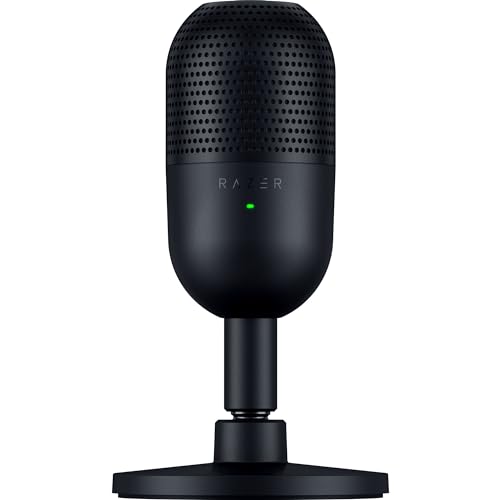
The Seiren V3 Mini is aimed at people who move between gaming, calls and podcasting, and it solves a specific problem: a desk with no room left on it. At 8.32 ounces and just over 6 inches tall, it sits beside a keyboard without competing for mouse space, and it is the smallest microphone in this guide by a wide margin.
The supercardioid pattern is tighter than a standard cardioid, with more rejection at the sides. In practice that is why owners credit it with removing case fans and a good share of mechanical keyboard noise. It is still a condenser, so software voice isolation is still useful for the loudest keys, but the hardware is doing more of the work than usual.
Reviewers describe it as a compact, tidy upgrade from a headset microphone for Discord, Zoom and streaming, and the tap-to-mute is singled out as quiet and intuitive compared with mechanical alternatives. The criticisms are about software and accessories rather than audio: Synapse prompts every time you plug in, the bundled cable is short, and the integrated shock absorber is weaker than a separate mount.
Supercardioid Rejection on a Small Footprint
A supercardioid pattern has a tighter lobe than cardioid, which means more rejection of sound arriving from the sides rather than the rear. On a desk with a keyboard directly below the microphone, that is useful. The frequency response runs 20 Hz to 20 kHz with a signal-to-noise ratio of 110 dB, so there is plenty of clean headroom for a close-talking voice.
Tiltable Stand, Shock Absorber and Boom Arm Access
The stand tilts to hold a set angle and contains a built-in shock absorber that handles desk bumps better than nothing. It detaches entirely for a boom arm, which is how you get inside six inches and use proximity effect. The tap-to-mute sensor on top is silent and lights an LED, so there is no click in the recording and no guessing about your state.
Where It Falls Short
The bundled 1.2m cable is short, so a boom arm setup will need an extension. Razer Synapse is prompted on every connection, which adds friction to a microphone sold on the idea that it just works. The out-of-the-box settings underwhelm until you adjust them in Synapse, and there is no XLR output for a later interface upgrade.
How to Choose a USB Microphone for Podcasting
Most buying mistakes in this category come down to two decisions made in the wrong order: choosing a capsule type before assessing the room, and choosing a USB-only microphone when an interface is likely within a year. Get those two right and the rest is preference.
Dynamic or Condenser: Match the Capsule to Your Room
A condenser microphone is more sensitive and more detailed, which sounds better in a treated room and worse in an untreated one. A dynamic microphone is less sensitive and less detailed, which sounds flatter in a good room and much better in a bad one. If your room has hard surfaces, a visible echo when you clap, or noise you cannot get rid of, choose a dynamic. The FIFINE AM8, the Samson Q2U, the FIFINE K688 and the Shure MV7+ are all dynamic for exactly that reason.
If you have already hung a blanket or two on the wall behind you and the clap test sounds dead, a condenser like the Blue Yeti, the AT2020USB+ or the RODE NT-USB Mini opens up more detail in the voice.
USB Only or USB and XLR Hybrid: Plan Your Upgrade Path
A USB-only microphone is a dead end the day you want a better preamp, a second input or a hardware mixer. A hybrid model gives you a complete recording chain today and an XLR output for later, and in this list the hybrids are the Samson Q2U, the FIFINE AM8, the FIFINE K688 and the Shure MV7+. The cost difference is modest, and forum advice from experienced podcasters consistently favours hybrids for beginners.
The reverse question matters too. A USB microphone used through an XLR interface does not lose anything meaningful in quality, because the digital audio is already converted before it reaches the interface. You give up the built-in preamp, not the signal.
Headphone Monitoring, Gain Control and the Mute Button
Headphone monitoring and some form of on-body volume control are close to standard on the models here, and the extras worth paying up for are an onboard gain knob and a physical or touch mute. The Blue Yeti, the FIFINE AM8, the FIFINE K688 and the Shure MV7+ give you all four, and the Samson Q2U gives you monitoring and mute with its gain set in software.
The AT2020USB+ and the MAONO A04 have no on-mic mute, which means your recording software or keyboard shortcut handles it. That is fine for a solo creator recording alone. It is a genuine problem if you share a room with people who talk.
What Comes in the Box, and What You Will Still Need
Only the MAONO A04 and the Samson Q2U give you a complete usable kit. Everyone else needs at least a pop filter, and most need a stand or boom arm of some kind. The RODE NT-USB Mini has a built-in pop filter, which quietly saves you the first accessory purchase.
A shock mount or boom arm is the second universal gap. Several reviewers across this list report the biggest single improvement in their sound came from replacing the supplied stand, because closer positioning plus proximity effect changes the balance of voice against room far more than any microphone swap.
One Mic or Two: Solo Shows and Co-Hosted Interviews
A single USB microphone produces a single mono track. For a solo show, that is exactly right. For a two-host show recorded remotely, each host records locally with their own microphone and the files are aligned and levelled in editing, which adds work but produces far better results than both voices on one microphone.
If your guests regularly share your space, remember that a USB microphone has one input. Adding a second microphone means a multi-channel recorder or a mixer with its own preamps, and dynamic microphones are the sensible choice there because two people cannot both sit six inches from a single capsule.
Room Noise, Gain and Placement: Getting More From the Mic You Already Own
Before you spend again, it is worth an afternoon of placement work. Nearly every complaint in the reviews of these microphones is a placement complaint, and most of them disappear when the microphone moves closer and the gain comes down.
The 3 to 1 Rule Explained
The 3 to 1 rule is about rooms, not microphones. It says that if the nearest reflective surface is at least three times farther away than your microphone is from your mouth, room reverb will be largely inaudible. It is a ratio of distances, so in a small room you solve it by getting closer to the microphone, not by buying a more expensive capsule.
That is the single most useful thing in this guide. Moving a microphone from twelve inches to four inches changes the ratio by a factor of three on its own, and it costs nothing.
Pop Filters, Shock Mounts and Distance
Set your gain so your loudest phrase peaks around -12 dB on the meter, then lean in until the plosives are the loudest thing that ever happens. A dynamic microphone wants four to six inches, a condenser wants six to eight. Put the pop filter about two inches in front of the capsule, not against it, and treat every plosive you hear in a test recording as a distance problem first.
Desk vibration is the other quiet killer. A shock mount or boom arm, plus a heavy and solid desk, removes the thud of a keyboard and the tap of a mouse. If you cannot mount on an arm, the included shock mounts on the MAONO A04 and FIFINE K688 do a reasonable job.
When a Microphone Cannot Fix the Room
No microphone, at any price, removes echo from an untreated bedroom. It can only reduce the ratio of noise to voice, and a cheap dynamic in a bad room routinely beats an expensive condenser in that same bad room. That is the single piece of advice that comes up most often from experienced podcasters, and it is worth trusting.
If your room is the problem, a thick duvet over a clothes rail behind you, moving the mic away from a bare wall, and recording at quieter hours will do more for your episodes than any upgrade on this list. Once the room is behaving, revisit the microphone.
Frequently Asked Questions
What are the downsides of using USB microphones?
The main downsides are a fixed analog-to-digital converter, no upgrade path beyond the built-in preamp, and less flexibility when you need two inputs at once. A USB microphone also cannot take phantom power for a ribbon capsule. If you plan to grow into multi-guest interviews or a hardware mixer, a USB and XLR hybrid model avoids most of these limits.
Is a condenser microphone better for podcasting than a dynamic microphone?
In a treated room, yes. A condenser captures more detail and gives a brighter, more present voice, which suits narration. In an untreated room, a dynamic is better because its lower sensitivity keeps keyboard noise, fans and reverb further below your voice. The capsule type matters far less than the room and the distance between you and the microphone.
What are the disadvantages of a dynamic microphone?
A dynamic microphone is less sensitive and captures less high-frequency detail than a condenser, so it can sound slightly flatter in an excellent room. It also benefits less from distance, meaning you need to work close to it. In a realistic home environment, those trade-offs rarely matter and the noise rejection usually matters more.
Does XLR to USB lose quality?
No meaningful quality is lost. A USB microphone converts your voice to digital inside the microphone, so the audio reaching your computer is already converted. Running that same microphone into an audio interface via XLR changes which preamp is used, not the resolution of the recording. What you give up is the built-in preamp controls, not fidelity.
What is the 3 to 1 rule for microphones?
The 3 to 1 rule says the nearest reflective surface should be at least three times farther from your mouth than your microphone is. It governs room reverb rather than microphone choice. In a small room you improve the ratio by moving the microphone closer, which is why proximity often improves a recording more than a pricier microphone would.
What mic does Joe Rogan use for his podcast?
Joe Rogan is widely associated with the Shure SM7B, a dynamic XLR microphone that needs a strong preamp and an audio interface to reach usable levels. That setup suits a treated professional studio with a hardware chain. At home, a USB and XLR hybrid such as the Samson Q2U or the Shure MV7+ gets you most of the dynamic-capsule character without any of that complexity.
Where to Start With Your First USB Podcast Microphone
If you are starting from nothing and your room is ordinary, buy the Logitech Blue Yeti. It handles solo narration, a two-person conversation and anything else you will throw at it, every control is on the body, and with 57094 reviews behind it you will always find an answer to whatever goes wrong. It is our pick for the best USB microphones for podcasting because nothing else here is as forgiving to a beginner.
If your budget is the main constraint and you have never recorded before, the MAONO A04 solves the accessories problem on day one. If your room is noisy, go dynamic: the FIFINE AM8 or the Samson Q2U will beat a condenser at the same tier. If you have a treated space and want the cleanest signal, the Audio-Technica AT2020USB+ adds detail without adding hiss of its own. And if you are recording video as well as audio, the Shure MV7+ gives you the level metering, colour control and automatic gain staging that make a one-person production manageable.
Whichever one you choose, do the placement work first. Get a pop filter, get the microphone four to six inches from your mouth, and lower the gain until the loudest part of your show is not close to clipping. Those three steps will improve your episodes more than any upgrade, and they work with whichever microphone ends up on your desk in 2026.