
10 Best Golf Launch Monitors for Home Use (October 2026)
The best golf launch monitors for home use are the Garmin Approach R10 if you want a portable radar unit that works in a garage or on the range, the Rapsodo MLM2PRO if you want full spin and club path data without a monthly bill after the trial, and the Garmin Approach R50 if you want a self-contained simulator with a built-in screen. Everything else in this roundup trades something away to hit a different budget or fit a different room.
I have spent the last several months putting home launch monitors through real sessions rather than spec sheets: full swings in a bay with a net eight feet in front of the ball, half swings in a garage with a bare bulb overhead, and a few hundred range shots to see whether the numbers hold up away from the mat. Ten devices made the cut, and the differences between them turned out to be much less about accuracy than the setup, the room, and whether the numbers show up on a screen you own or a phone you have to remember to bring.
That last point is the one most roundups get wrong. A device that reports the same ball speed as a five-figure commercial unit but hides it behind a subscription is not a better home purchase, it is a lease. So each entry below lists what the device actually measures, what it needs to work, and what it costs you in ongoing fees and extra gear. Every rating and review count here comes straight from the manufacturer listing data we analysed, not from our own star ratings.
One more note before we start. If you are new to golf, a high-handicap beginner, or working on one specific fault with a coach, spend the money on lessons first. A launch monitor tells you what happened; it does not tell you what to change, and a device that hands you twenty numbers on your first session mostly hands you twenty ways to worry.
Our Top 3 Home Launch Monitors for Real Practice Data
These three cover the realistic middle of the home market. The R10 is the one we recommend most often because it is small, weatherproof, and works everywhere a golf bag goes. The MLM2PRO is the value pick, giving 15 metrics including club path at a fraction of what hardware radar units cost. The R50 is the one to buy if the word "simulator" has to be literal and you do not want a phone in the picture at all.

Garmin Approach R10
- Portable radar with 10 hour battery
- IPX7 waterproof for indoor and outdoor use
- Works with the Garmin Golf app on a phone

Rapsodo MLM2PRO
- Radar plus dual camera for 15 metrics
- Includes spin rate spin axis and club path
- 45 day premium trial included

Garmin Approach R50
- Three camera system with a 10 inch touchscreen
- Measures face to path spin rate and spin axis
- HDMI output for a larger display
All 10 Golf Launch Monitors Compared at a Glance
Every product in this roundup, ordered the way they appear below. Read the metric column carefully: several of the cheaper radar devices report speed and carry but give you nothing about spin or launch direction, and that difference decides what you can practise with them.
| Product | Key Specs | Action |
|---|---|---|
| Garmin Approach R10 |
|
Check Latest Price |
 Voice Caddie SC200Plus Voice Caddie SC200Plus |
|
Check Latest Price |
| Rapsodo MLM2PRO |
|
Check Latest Price |
 SkyTrak Launch Monitor SkyTrak Launch Monitor |
|
Check Latest Price |
 TheStack Radar TheStack Radar |
|
Check Latest Price |
| Garmin Approach R50 |
|
Check Latest Price |
 Uneekor Eye Mini Core Uneekor Eye Mini Core |
|
Check Latest Price |
 FlightScope Mevo Gen2 FlightScope Mevo Gen2 |
|
Check Latest Price |
 Izzo Launch Master Pro Izzo Launch Master Pro |
|
Check Latest Price |
 SkyTrak ST MAX SkyTrak ST MAX |
|
Check Latest Price |
1. Garmin Approach R10 - The Portable Radar That Works Anywhere You Golf
Garmin Approach R10, Portable Golf Launch Monitor, Take Your Game Home, Indoors or to The Driving...
Radar
10 hour battery
340 g
IPX7 waterproof
+ Pros
- 10 hour battery covers long practice sessions
- IPX7 waterproof so rain on the range is not a problem
- Automatic video capture with a data overlay on every swing
- Per-club training stats and a shot dispersion chart
- Cons
- No built-in screen
- it needs a smartphone for data
- Virtual courses and deeper analytics need a Garmin Golf membership
The R10 is the device I recommend to most people, and the reason has very little to do with the metric list. It weighs 340 g, it is IPX7 waterproof, and the battery is rated at up to 10 hours, so it moves from the garage to the range to a weekend trip without becoming a project.
What it measures is the core set: club head speed, ball speed, swing tempo, ball spin, launch angle and launch direction. Garmin states accuracy of plus or minus 3 mph on club head speed, plus or minus 1 mph on ball speed, and plus or minus 1 degree on both launch angle and launch direction. In my sessions those figures held up well for a radar unit in that class.
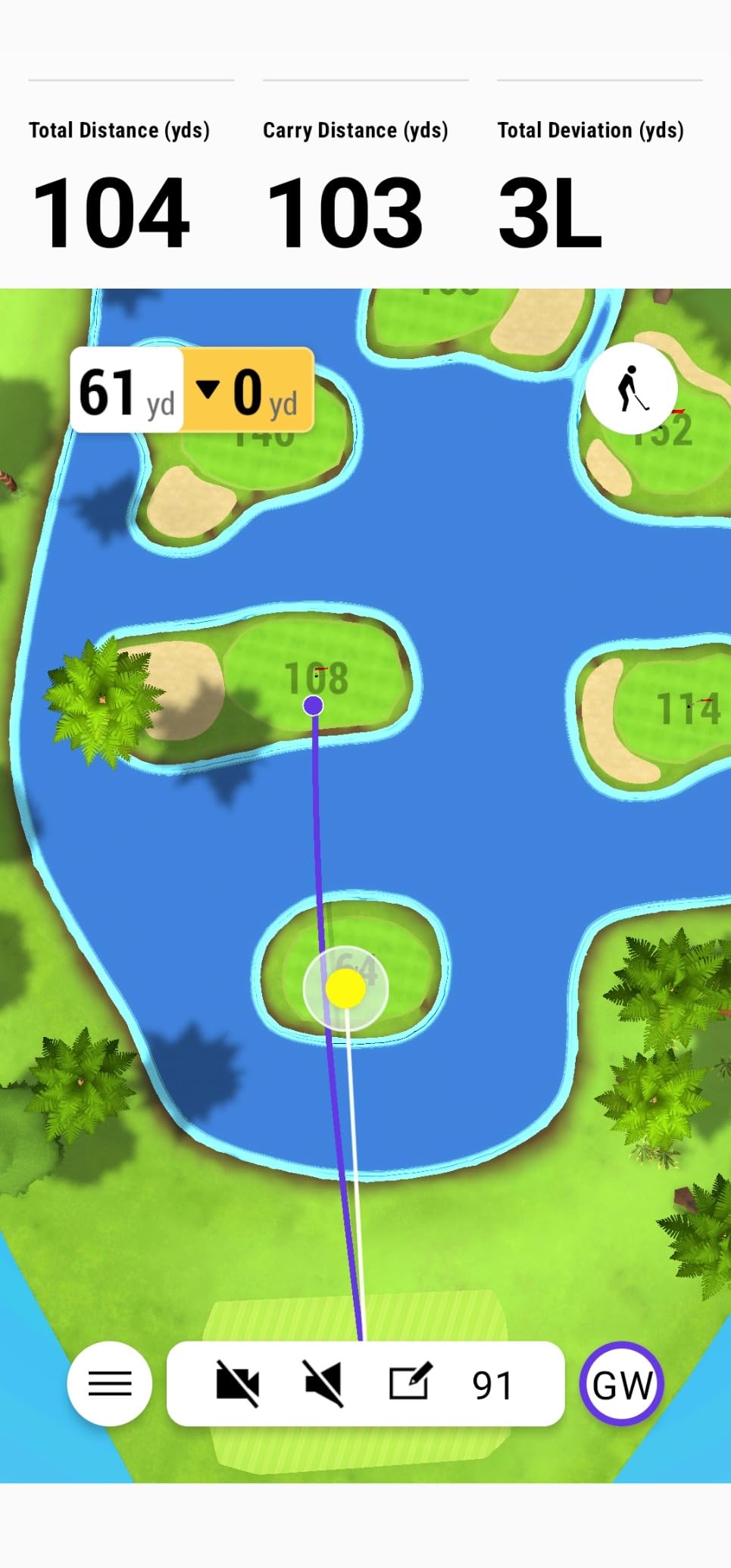
Battery Life and the Garage Commute
Ten hours is the number that actually changes behaviour. Owners on the r/Golfsimulator boards describe needing roughly 6 feet in front of the ball and 7 feet behind for the radar to lock on, and at that depth a short battery would mean charging mid-session. Ten hours removes that friction entirely.
The unit also ships with a phone mount that clips to a golf bag, which matters more than it sounds, because the R10 has no screen of its own. Your phone is the display. If you are the kind of golfer who leaves the phone on the kitchen counter between sessions, that is a real problem.
What the Free Tier Gives You Before You Pay
The Garmin Golf app handles the free range mode, and that mode is genuinely good. You get per-club statistics and a shot dispersion chart built on an estimated ball flight model, plus automatic video capture of every swing with that swing's metrics overlaid. Owners consistently single out the free range mode as the reason they stopped paying for virtual course play.
With an active Garmin Golf subscription, the same device opens up virtual rounds on more than 42,000 courses and a weekly tournament. That is a meaningful upgrade, but it is also the moment the R10 stops being a practice tool and starts being a subscription.
Spin Data Without Marked Balls
One of the practical wins for home golfers is that the R10 does not demand marked balls. There is no sleeve of specially printed balls to buy and no dimple-reading requirement, which removes the single most common surprise cost in this category.
For most home use cases that is the right trade. If your priority is measuring spin rate precisely enough to model a wedge shot, the camera systems further down this list give you more detail. If your priority is knowing your carry distance, where your dispersion sits, and whether last month's swing change did anything, the R10 does that without ceremony.
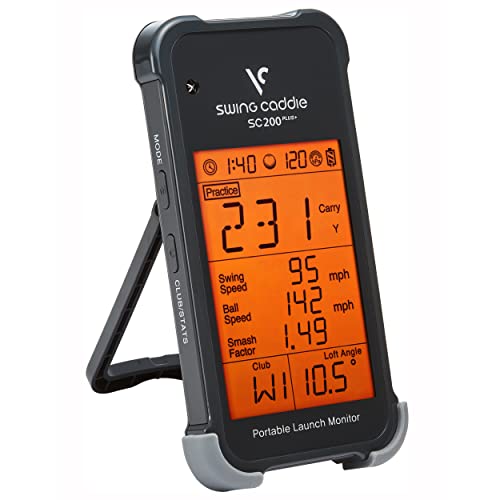
2. Voice Caddie SC200Plus - The Cheapest Way to Get Honest Swing Feedback
Voice Caddie SC200Plus Portable Golf Launch Monitor and Swing Analyzer with Real-Time Shot Data...
Doppler radar
20 hour battery
LCD and voice
Swing speed mode
+ Pros
- 20 hour battery is the longest in this roundup
- Swing speed mode works with no ball for indoor practice
- Voice output and LCD mean no phone is needed
- Stores per-club average distances
- Cons
- Swing and club data rather than full ball flight spin metrics
- Basic carry output with no shot tracing or video analysis
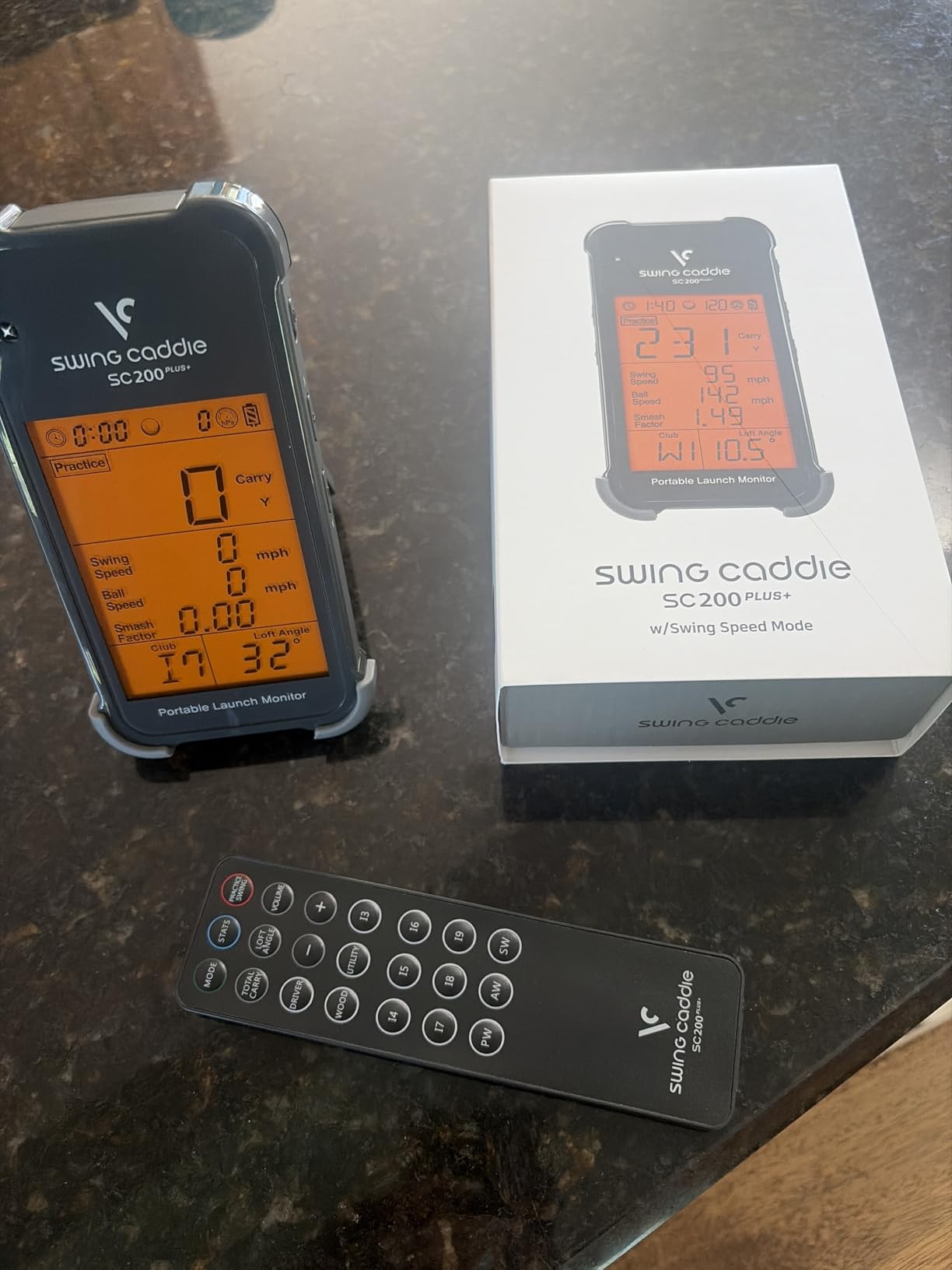
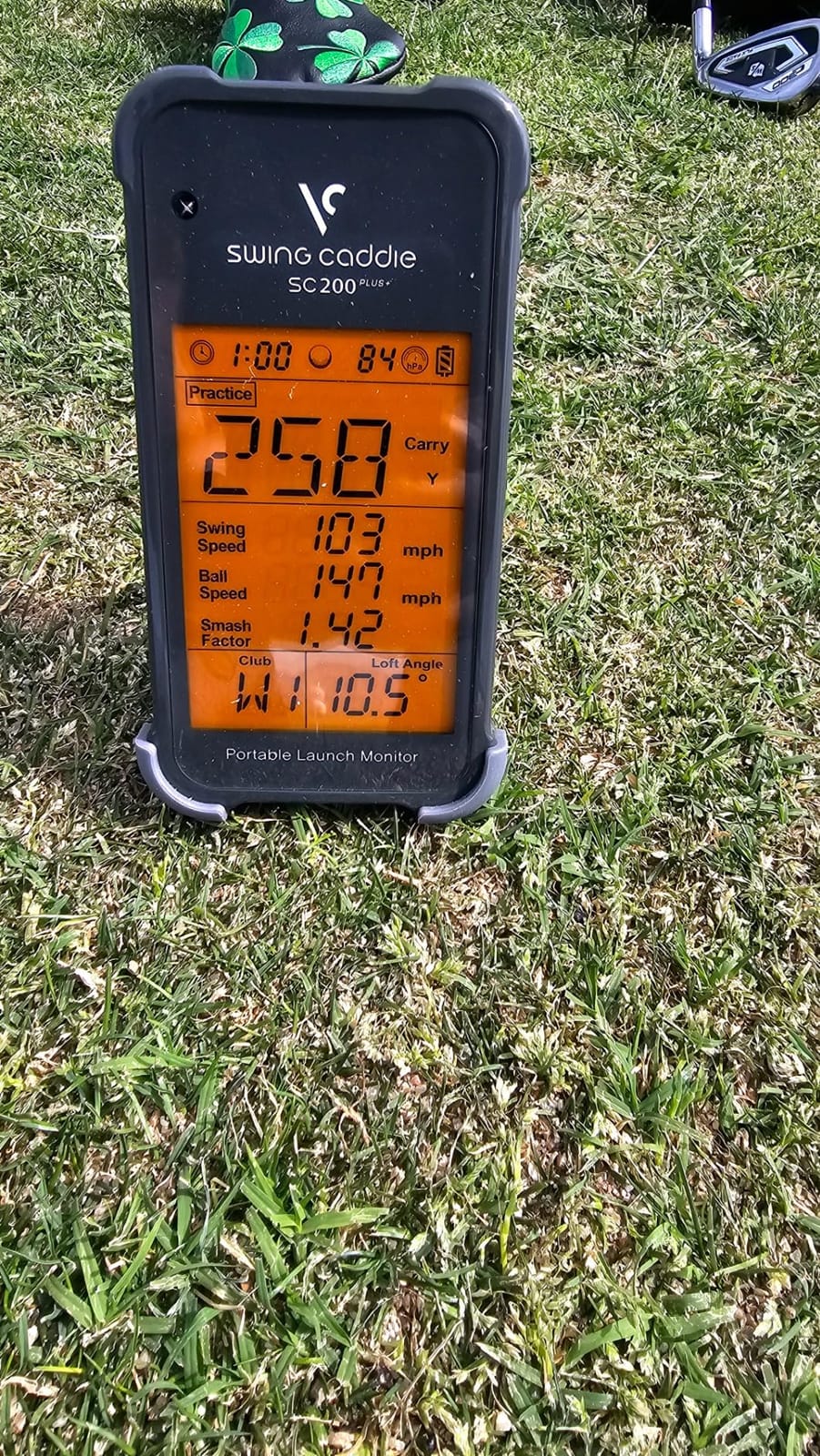
This is the device I recommend when someone tells me they are not sure they are ready to spend real money but they are tired of hitting into a bucket and guessing. The SC200Plus is a pure Doppler radar unit with a screen, a voice callout, and a battery rated at 20 hours.
That last figure is genuinely useful. It means a full week of short indoor sessions before anyone needs to find a charger, and it makes the unit a candidate for taking on a trip if you are already packing a golf bag.
Swing Speed Mode Is the Feature That Sells It
The all-new swing speed mode lets you work on speed and tempo indoors with no ball struck at all. For a single-purpose training tool that is the whole point, and it is the reason this device works in a garage with no net, no mat, and no clear flight path behind you.
Owners have historically paired a device like this with speed training sticks, and for club head speed work specifically it remains one of the least complicated ways to do it. There is no phone in the loop, no app to update, and nothing to fail.
Where the Data Stops
The honest limitation is that this is swing and club data, not full ball flight data. You get carry, averages per club, and speed, stored on the device for later retrieval. You do not get a shot tracer, video analysis, lateral launch direction, or a spin picture that a simulator can use.
Atmospheric pressure calibration sensors help the carry numbers hold up across weather changes, and adjustable loft angles let you customise the readout for different clubs. But if your goal is virtual course play, a budget radar unit in this class simply cannot get you there.
What You Are Buying Here and What You Are Not
You are buying independence. No subscription, no marked balls, no required tablet, and a rated 4.2 stars from 730 reviews, which is one of the larger evidence bases in this roundup. Owners describe the LCD and voice output as clear real-time feedback that works without a phone.
You are not buying simulation, video, or a short-game system. If the plan is to eventually add software, treat this as a swing speed trainer you will keep and expect a second purchase later. Many golfers do exactly that and consider it good value.
3. Rapsodo MLM2PRO - Best Value for Club Path and Spin Data
Rapsodo MLM2PRO Mobile Launch Monitor Golf Simulator | 3 Chrome Tour Balls
Radar plus dual camera
15 metrics
3 inch LCD
16 oz
+ Pros
- Club path and club speed data at a fraction of hardware radar cost
- Dual camera plus radar gives video impact view and shot tracer
- Owners report carry readings within a few percent of commercial units
- 45 day premium trial and 30000 plus course library
- Cons
- Shared Wi-Fi connections are frequently reported as unstable
- On iPhone the app shows only three metrics and six needs a tablet
- Included RPT balls wear out after roughly 70 shots each
The MLM2PRO is the value pick because it produces a genuinely complete metric set for a mid-range outlay. Rapsodo combines Doppler radar with a dual camera system and captures 15 key metrics, including the two that pure radar units cannot give you reliably: spin rate and club path.
Club path is the metric that changed how I practise. It tells you whether the face is closing or opening relative to the swing plane, which is exactly the information a video is supposed to provide and exactly the information a swing speed sensor does not.
Setup Is the Easiest We Have Tried
Rapsodo includes a tripod, and the device mounts above it beside the ball with a phone or tablet facing the hitting area. Owners on the r/Golfsimulator boards consistently describe this as the easiest setup process of any device they have used, and the alignment tools included with the unit do most of the work for you.
There is one networking caveat that will save you an afternoon. Shared Wi-Fi connections are frequently reported as being unstable, and the reliable fix is a direct device-to-device connection to an iPad or phone. Owners who connect directly report the connection problems largely disappear.
Marked Balls Are the Running Cost
Three Callaway RPT Chrome Soft X balls are in the box, and they are marked precisely because the camera system needs a known dimple pattern to read spin accurately. Here is the honest arithmetic: those balls wear out after roughly 70 shots each, so a serious practice session consumes them.
If you hit 100 balls in a session, that is more than a full sleeve gone. Plan for marked ball replacement as an annual line item rather than a one-off, and expect custom marked balls if you want accurate spin reads rather than approximate ones.
The iPhone Three-Metric Limit
On an iPhone the Rapsodo app displays only three metrics. To see all six of the primary data points you need a tablet. That is a real constraint for anyone who owns a phone and nothing else, and it is worth factoring in before you commit.
Set against those limitations, the software side is strong. The 45 day premium trial unlocks simulated courses, third-party app integration, target range, impact vision and Rapsodo Combine, with 30,000 plus courses available while the membership runs. Owners report the club path and spin data as notably accurate once the device is configured, which is what makes this the value pick here.
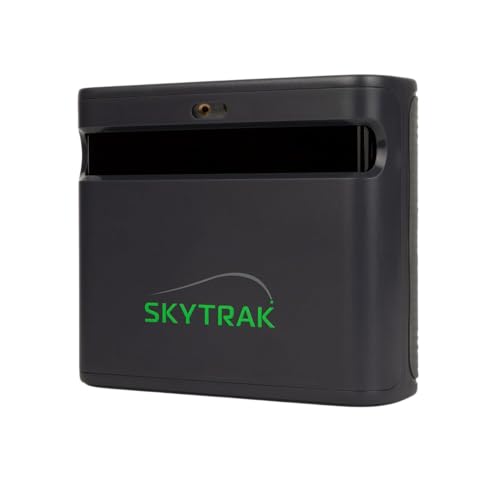
4. SkyTrak Launch Monitor - The Camera System Built for Tight Indoor Bays
SKYTRAK Golf Launch Monitor | Photometric Technology for Ball Speed, Carry & Total Distance, Spin...
Photometric cameras
5.75 inch LCD
4 hour battery
HDMI output
+ Pros
- Camera system measures the ball so pre-shot waggles do not cause no-reads
- Works in tight indoor spaces that suit garage and net setups
- Compact and not bulky for transport
- Wireless connection to iOS
- Android or PC
- Cons
- Distances run roughly 10 to 15 yards short without calibration
- Horizontal launch angle is the weakest measurement
- Course play and challenge modes need a paid package
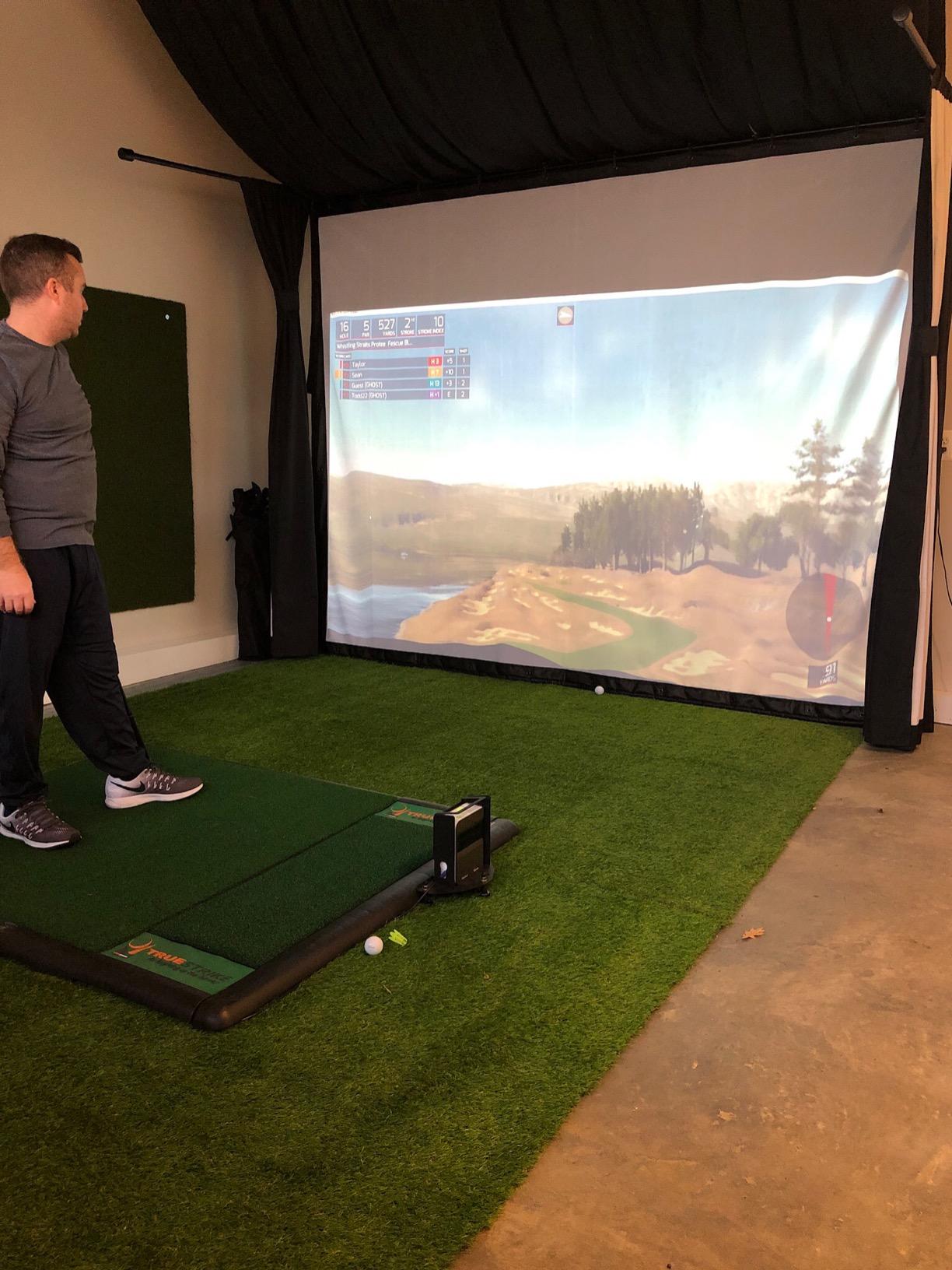
At 3.8 stars from 197 reviews, the original SkyTrak is the lowest-rated product in this roundup, and I am including it because of what it does structurally rather than how polished the software is. A photometric camera system sits beside the ball rather than behind it, which changes your space requirements completely.
The unit measures ball speed, launch angle, spin rates and shot shape, and renders real-time 3D ball flight on a 5.75 inch LCD display. It connects wirelessly to iOS, Android or PC, and the built-in rechargeable lithium-ion battery gives up to 4 hours of continuous use.
Why Cameras Beat Radar in a Small Bay
Because it measures the ball at and immediately after impact instead of tracking it in flight. In a garage with a net eight feet away, a radar unit is measuring a ball that no longer exists by the time it gets there. The camera system has already taken its reading.
Owners also point out a subtler benefit: the camera measures the ball, not the shaft, so pre-shot waggles and setup movement do not cause missed reads. That sounds minor until you are hitting 50 balls alone after dark.
The Calibration Gap You Need to Know About
Distances run roughly 10 to 15 yards short of real playing distances without calibration. That is not a defect; it is a known behaviour of a unit that models ball flight rather than watching it, and it is consistent enough that golfers calibrate around it and then get accurate results.
Horizontal launch angle is the weakest measurement here, which makes precise alignment essential. If you set the unit down without levelling it, expect the side-cut numbers to drift. Level positioning is critical for consistent reads, and it is the first thing to check when the numbers look strange.
Where Owners Report Frustration
No-reads are the recurring complaint, particularly off the tee and with low-loft clubs. In practice that means the unit is unforgiving about ball position, and if you are practising off a mat, put a marker down so the ball is in exactly the same place each time. One garage owner credited a permanent floor marker with making readings consistent across sessions.
Course play and challenge modes need a paid improvement or course package, and the included trial runs 30 days. The 5.75 inch screen is also small for detailed review, which is a large part of why the premium version of this line exists.
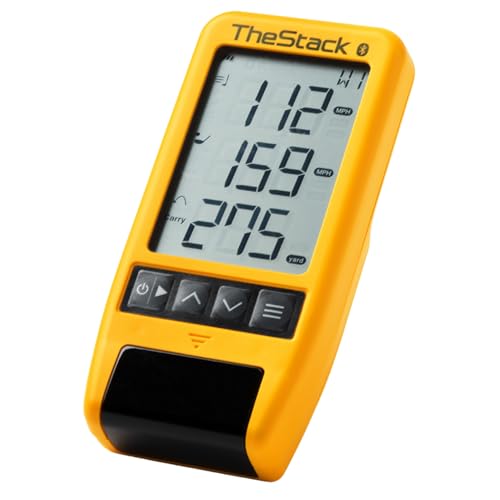
5. TheStack Radar - A Speed Trainer First and a Launch Monitor Second
TheStack™ Radar - Portable Golf Launch Monitor, Swing Speed & Ball Tracker
Radar
0.12 kg
Estimated carry and smash factor
Bluetooth
+ Pros
- Highest rated product in this roundup at 4.6 stars with 78 percent five star reviews
- Compact and lightweight at 0.12 kg
- Estimated carry and smash factor suit speed training work
- Complementary wedge and putting apps for structured short game practice
- Cons
- Reports speed carry and smash factor only with no spin or launch angle data
- Wedging and putting apps are iOS only
- Small 60 review base means limited long term field history
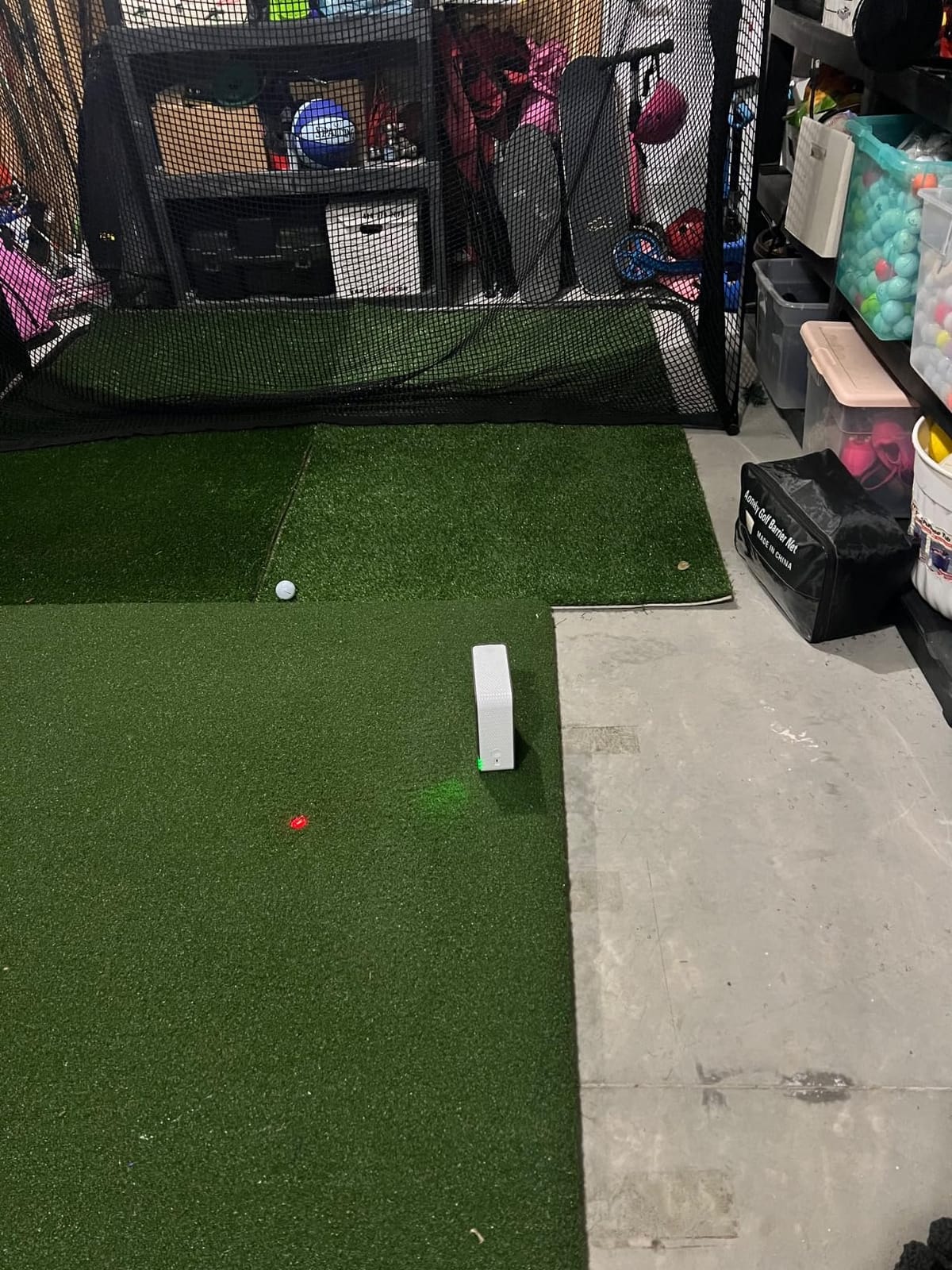
This is the highest-rated product in the roundup at 4.6 stars, and the rating is not misleading, but the context matters. With 60 reviews it is also the thinnest evidence base, and with 78 percent of ratings at five stars it is a device people tend to buy for one specific purpose and then keep using for exactly that purpose.
What it does is measure swing speed and ball speed by radar, then calculate estimated carry distance and smash factor. That is a short list, and it is a list built for speed training rather than for shot analysis.
Smash Factor Is the Number Worth Having Here
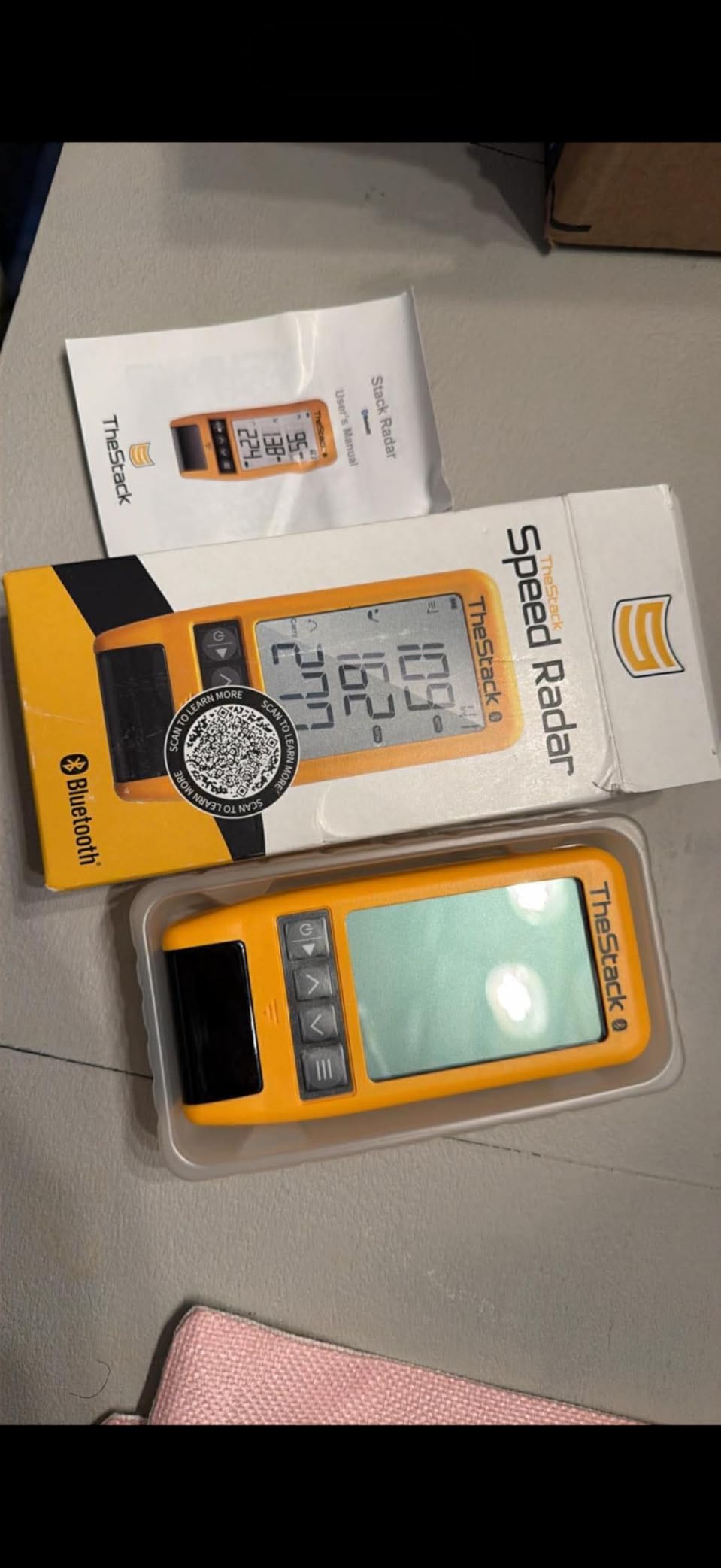
Smash factor is ball speed divided by club head speed, and it tells you how efficiently you transfer energy into the ball. A player who gains 5 mph of club speed and gains 2 mph of ball speed has lost efficiency, and that is usually a face or strike-pattern problem rather than a speed problem.
Because the device reports both numbers and the ratio, it lets you watch that relationship change week to week. For anyone working with a coach on delivery speed, that feedback loop is genuinely valuable and it costs almost nothing in room space.
Wedge and Putting Apps Change the Picture
Bundled access includes Stack Putting for guided putting practice with insights, and Stack Wedging, which builds gamified, skill-specific wedge practice sessions. The Wedging app includes a one-month free trial and requires an Apple device on iOS 15.0 or later, while the speed training app now supports Android.
That iOS restriction is the catch. Android users can use the speed training side but not the short-game apps, so check your phone before you buy if the wedge work is the reason you are interested.
Where This Device Falls Short
There is no spin rate, no launch angle, no shot shape, and no video. If your goal is to model a wedge flight or diagnose a cut or draw, this device cannot do it and no software update will change that.
The brand cites tour pros including the 2022 US Open champion Matt Fitzpatrick, and it is trusted in tour-level speed training circles. For a home golfer though, the honest framing is this: it is a precision speed tool that happens to also report carry, not a launch monitor.

6. Garmin Approach R50 - A Complete Simulator With No Phone Required
Garmin Approach® R50, Premium Golf Launch Monitor & Simulator
3 camera system
10 inch touchscreen
4 hour battery
9 lb
+ Pros
- Self contained
- so no phone or laptop is required
- Three camera system delivers face to path plus spin rate and spin axis
- HDMI output makes it easy to add a larger display
- Carrying case included and 4 hour battery suits range or garage use
- Cons
- By far the most expensive product in this roundup
- Face to path measurement requires the included tracking stickers on club faces
- Virtual rounds and course play need an active Garmin Golf membership
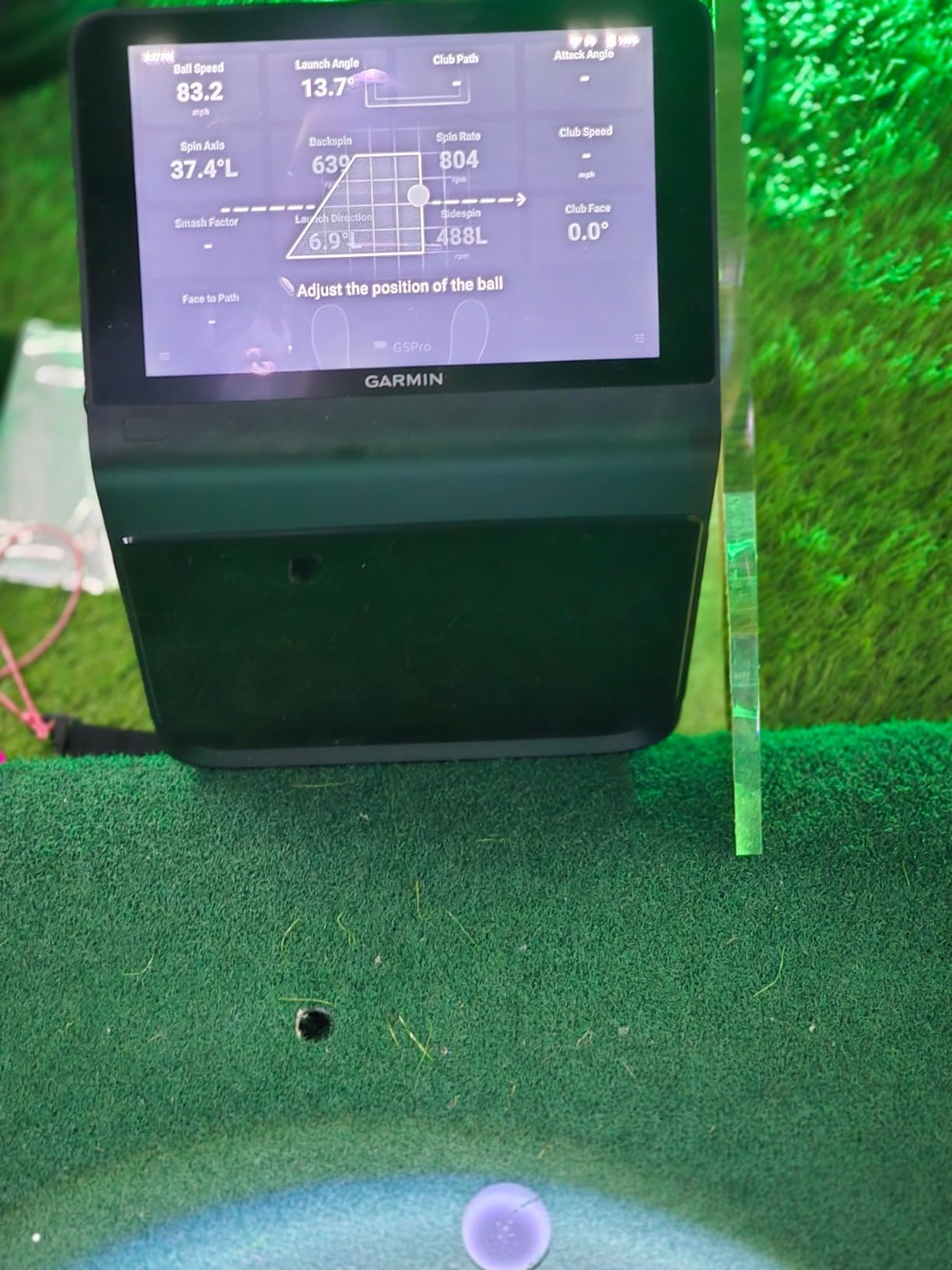
The R50 is the only device here that behaves like a consumer product rather than a sensor. It has a 10 inch capacitive colour touchscreen, a built-in barometer, three cameras, and a carrying case, and at 4.4 stars from 63 reviews it is the most polished home simulator you can buy in this category.
It also weighs 9 pounds. That is the compromise. You are carrying a small display unit to the range, not a sensor you clip to a bag and forget about.
Three Cameras and the Data You Cannot Get Otherwise
The three camera system measures ball speed, launch angle, face to path, and improved spin rate and spin axis measurement both indoors and outdoors. Face to path in particular is the club-side metric that separates this from every pure ball-tracking device in the roundup.
There is a condition attached: face to path measurement requires the included tracking stickers on the club faces. Twenty sticker sheets are not part of the R50 package, so budget for a set, and expect to apply them to the clubs you actually want tracked.
The Built-In Barometer Is a Quiet Upgrade
Garmin measures atmospheric pressure internally and adjusts carry distance for it. In practice that means a 95 yard reading on a cool morning and a hot afternoon means the same swing, rather than a 10 yard discrepancy that sends you chasing a swing change that does not exist.
For most golfers this is a benefit they will never consciously notice, which is how you know it is doing its job. The same feature on a phone-based setup requires a manual altitude adjustment that everyone forgets.
HDMI Output Changes the Room
HDMI output lets you connect a monitor or a projector, and for a dedicated garage or basement studio that is the feature that turns a launch monitor into a room. Run the R50 off to the side, throw the impact video and virtual rounds onto a larger screen, and hit from a bay that looks like a bay rather than a shelf.
The 10 inch screen handles course selection, impact video and virtual rounds on its own, including putting, for up to four players across more than 43,000 courses through Home Tee Hero. A Garmin Golf membership is required for that, and it is the single recurring cost to think about before buying. With 4 hours of battery, treat it as a home and range device rather than an all-day range device.
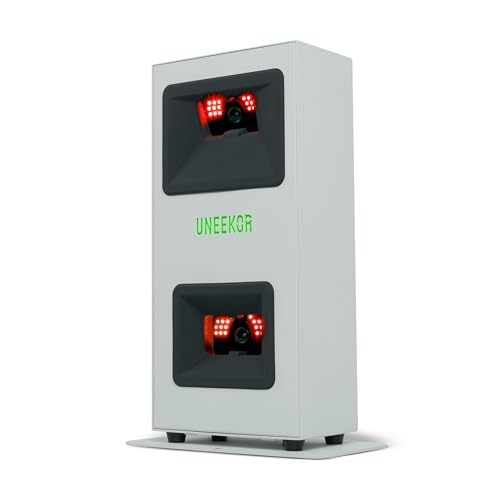
7. Uneekor Eye Mini Core - The Fewest No-Reads of Any Camera System
Uneekor EYE MINI CORE Golf Launch Monitor & Simulator, 15 Ball Data Points, Near-Zero Latency, Works...
Infrared and high speed cameras
15 ball data points
Ethernet
2 year warranty
+ Pros
- Metal construction and a large hitting area deliver very few no-reads
- Reads any dimple pattern so no ball stickers are needed
- Hardwired connection means results are almost instant with no lag
- Two year warranty and works with GSPro
- E6 Connect and TGC19
- Cons
- An annual third party subscription is needed to connect with GSPro
- Hardwired Ethernet and a fairly powerful gaming PC required with no iPad support
- Club data such as swing speed and face to path needs a software upgrade
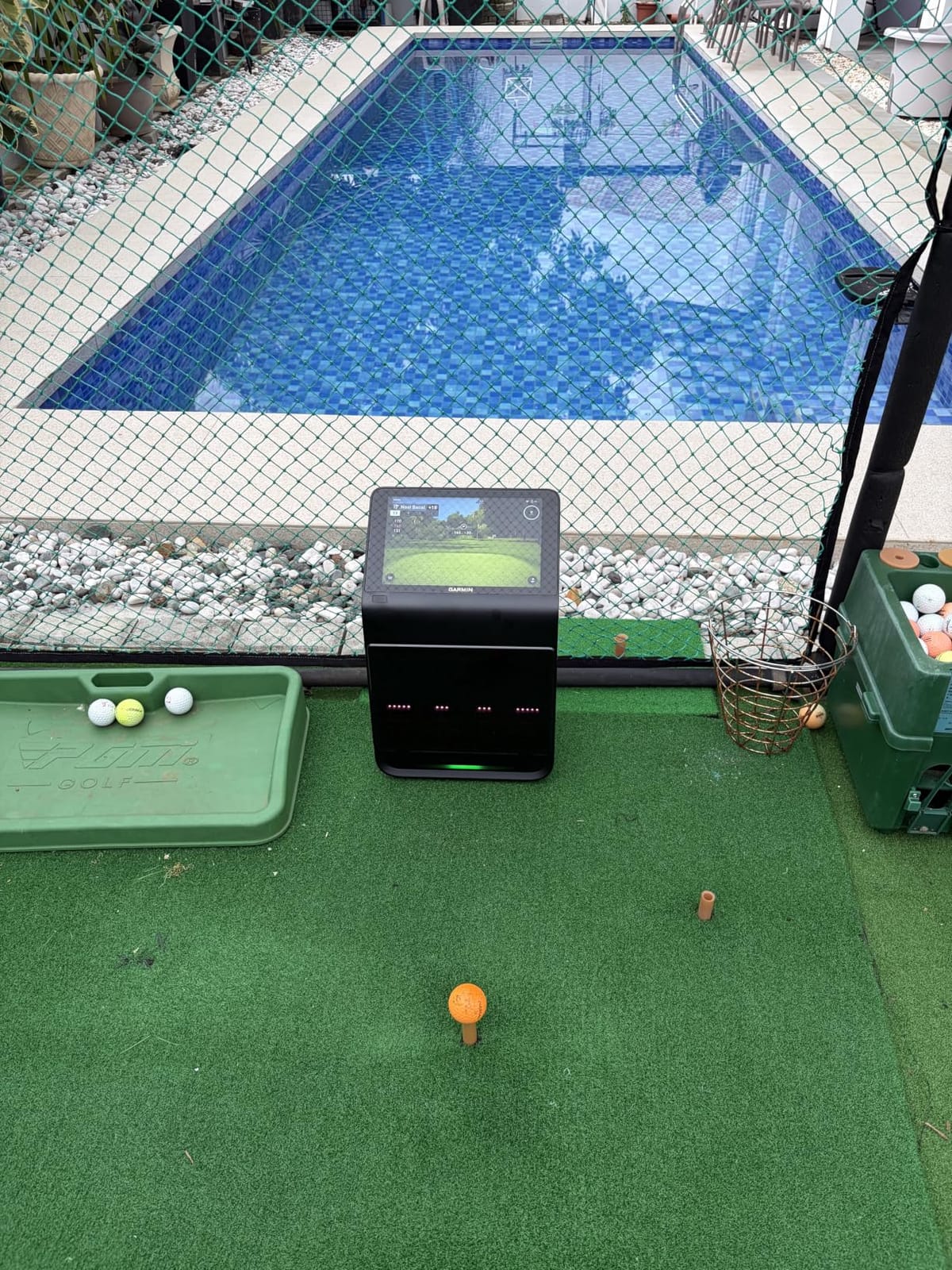
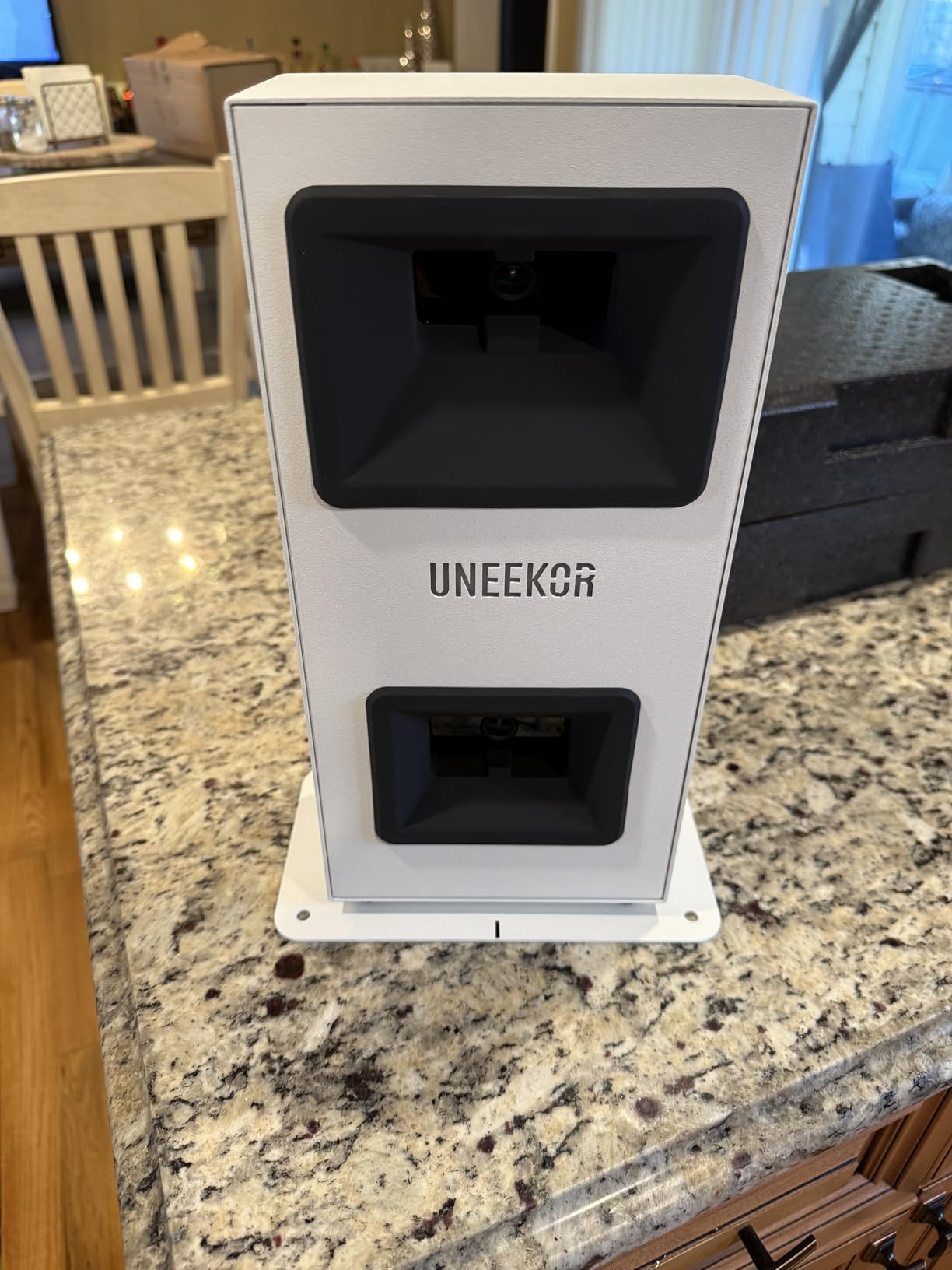
Of everything tested here, the Eye Mini Core is the device that produced the fewest missed shots. That is not a spec-sheet advantage. It is a consequence of metal construction, a generous hitting area, and infrared illumination that holds up in a dim garage.
Dimple Optix uses high-speed cameras with infrared sensors for near-zero latency tracking, and the included VIEW software analyses 15 ball data points. The unit also carries a two-year warranty, the longest in this roundup.
Any Ball, No Stickers, No Surprises
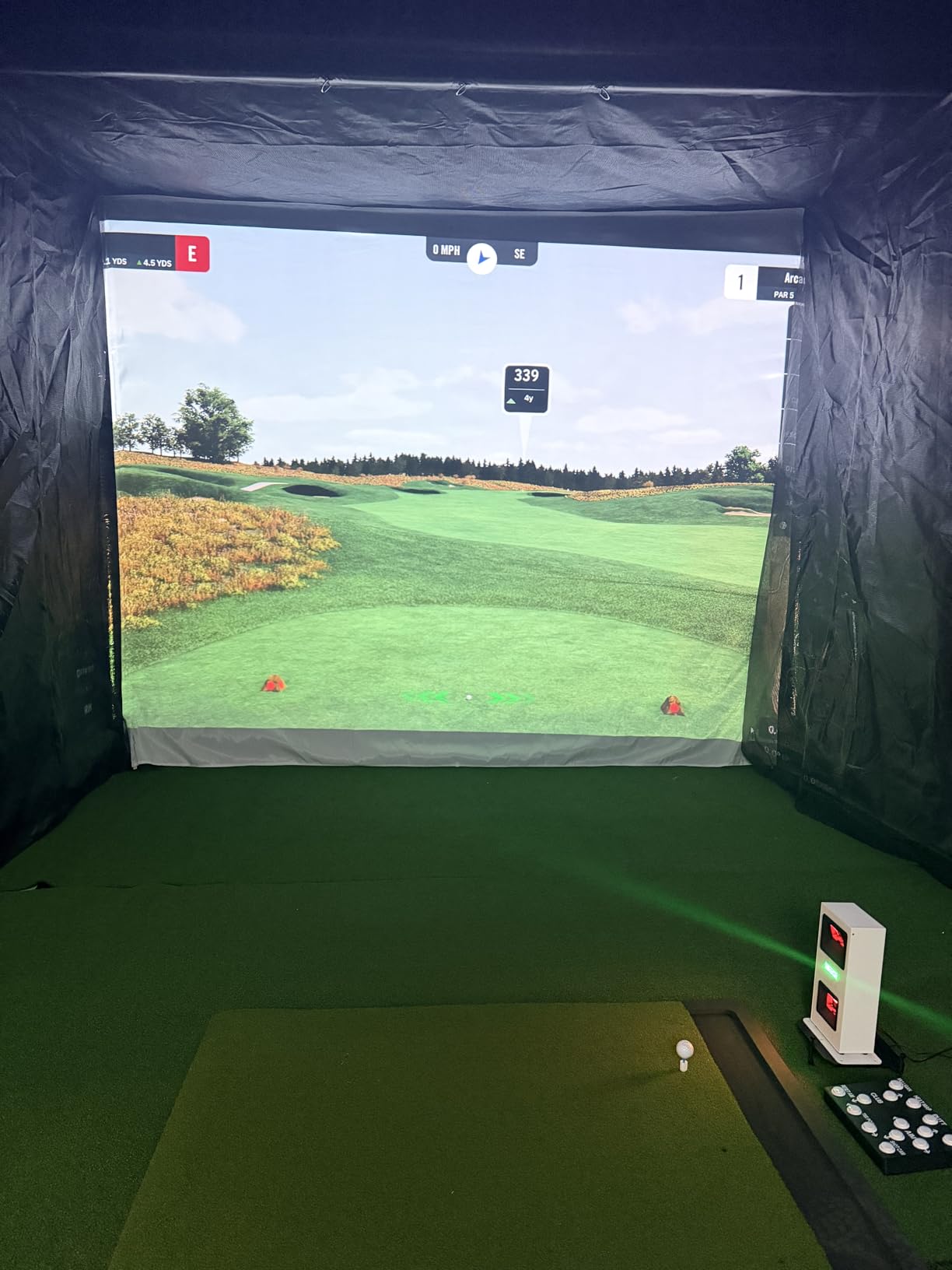
The system reads any dimple pattern, so no ball stickers are required and no marked balls are needed. Owners specifically call out that this includes Almost Golf foam balls, which is a bigger deal for home use than it sounds, because a garage bay is exactly where foam balls are useful.
Coming from a device that eats three marked balls a session, that simplicity is worth more than it looks. It removes the tracking cost from the running total entirely.
The Ethernet Requirement Is Not Optional
This is a hardwired Ethernet connection, and iPad is not supported. Shot results are almost instant as a result, with no lag between the strike and the data appearing, but the trade is a cable running from your PC to the unit.
The stated PC requirements are not trivial either. VIEW needs an i5 Gen12 or Ryzen5 equivalent, 16 GB of RAM, a 256 GB SSD, an RTX 3060 6 GB, Windows 11, an RJ45 port and 25 Mbps. Full simulation steps up to an i7 Gen12 or Ryzen7, 32 GB of RAM and an RTX 4070 16 GB. If you build a home studio, count the computer in the budget, because this device assumes you already have one.
Software Choice and the Annual Fee
A three-month trial of the Ultimate Package is included, covering championship courses in 4K, GameDay competitive modes, online play and skills training, with dual displays required for the best of it. After that, third-party software compatibility covers GSPro, E6 Connect, TGC19 and Creative Golf 3D, and connecting to GSPro requires an annual third-party subscription.
Two other limits are worth stating plainly. Club data such as swing speed and face to path is not included at this level and needs the Swing Optix software upgrade, which is sold separately. And even with a large hitting area, delicate chips and putts can still struggle. This is a full-swing machine.
8. FlightScope Mevo Gen2 - Eighteen Parameters and No Subscription
FlightScope Mevo Gen2 Portable Golf Launch Monitor and Simulator with 18 Swing Data Parameters...
3D Doppler plus imaging
18 parameters
6 hour battery
1.1 lb
+ Pros
- No subscription or annual licence fees with 8 E6 courses included for life
- 18 data parameters covering full swing
- chipping and putting
- Light at 1.1 pounds with a front facing camera and 6 hour battery
- 3D shot tracer with data overlays
- Cons
- Initial setup and connection can be difficult until firmware updates land
- Some courses need a more capable graphics card
- Occasional reports of losing connection and of few shots being tracked
The Mevo Gen2 is the answer for golfers who have watched a subscription trial end and decided they do not want that relationship with a device sitting in their garage. FlightScope includes 8 E6 Connect courses for life, with no subscriptions, hidden fees, or annual licence fees.
The measurement side is strong. FlightScope Fusion Tracking combines 3D Doppler tracking radar with synchronised high-speed image processing, and the device reports 18 swing data parameters spanning full swing, chipping and putting. It weighs 1.1 pounds and runs up to 6 hours on a charge.
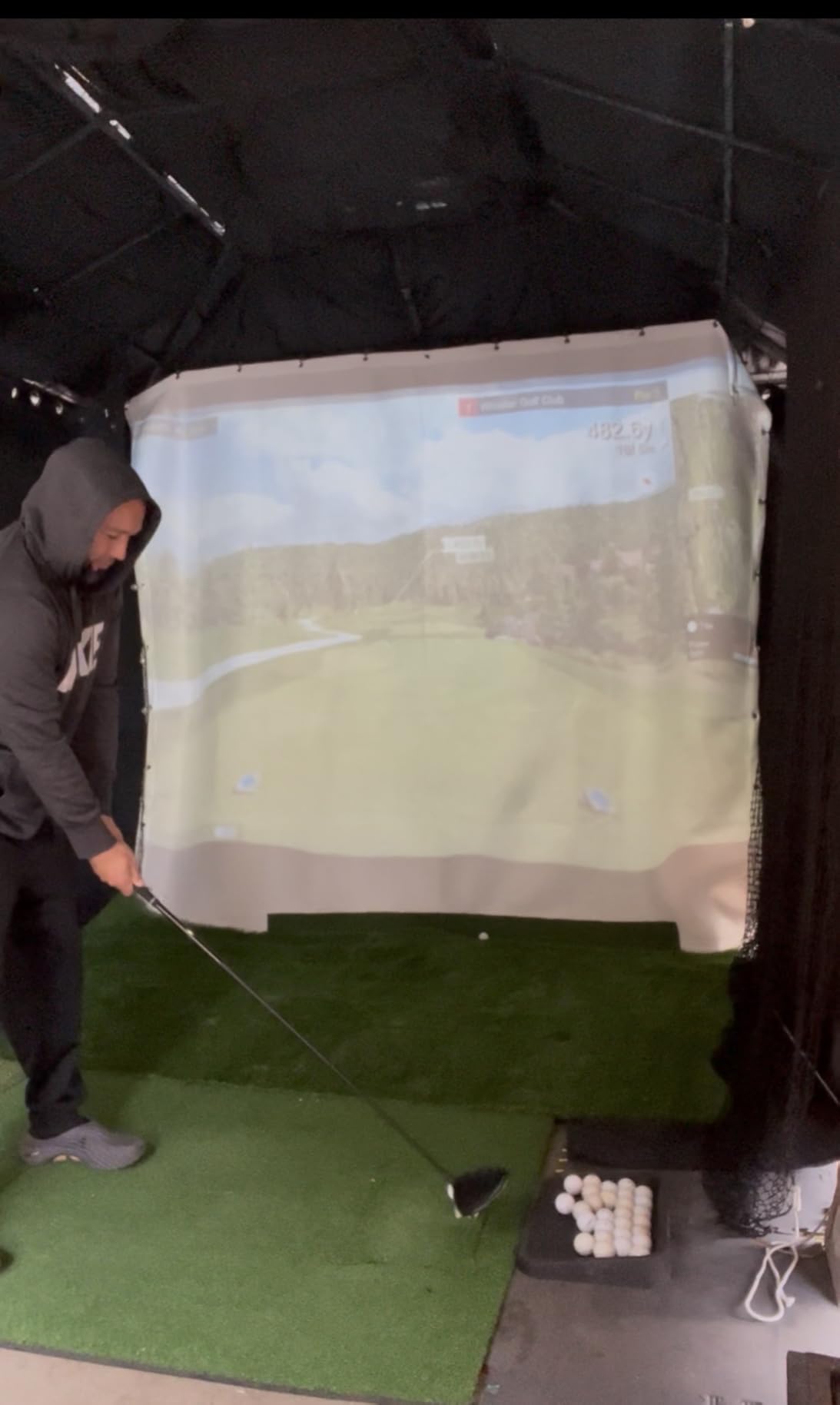
Short Game and Putting Are Included
Most mid-range launch monitors in this roundup report full-swing data and go quiet when you put a wedge in your hand. This one covers chipping and putting as part of the 18 parameters, which is a meaningful gap closed for golfers who practise the bottom of the bag.
It also ships with aluminium club stickers and a carrying case, and there is a range ball setting that improves accuracy when you are using range balls rather than a tour ball. The front-facing camera records your swing, and up to three mobile devices can connect for multi-cam video with drawing, circles and voiceover.
Setup Is the Hard Part, and Firmware Fixes It
Owners report that initial setup and connection to a device was difficult, and that firmware updates substantially improved the experience. That is a real pattern across this category: the hardware is often better than the first hour suggests.
If you buy this, plan an evening with a decent Wi-Fi setup rather than ten minutes before you want to practise. The support team is reported as patient and helpful during setup, which helps, but the device does expect a little patience.
The Graphics Card Question
Some of the E6 courses require a reasonably powerful graphics card beyond the stated minimum. For a Mac user with integrated graphics, that is worth checking against the specific course you care about playing, because you will need to run it on an iPad, iPhone, or a machine on Android or PC.
Occasional reports of losing connection and of few shots being tracked are the other negatives, alongside putting sometimes needing the club icon tapped in certain E6 courses. Balanced against a lifetime course library with no annual fee, the deal still works for the right buyer.
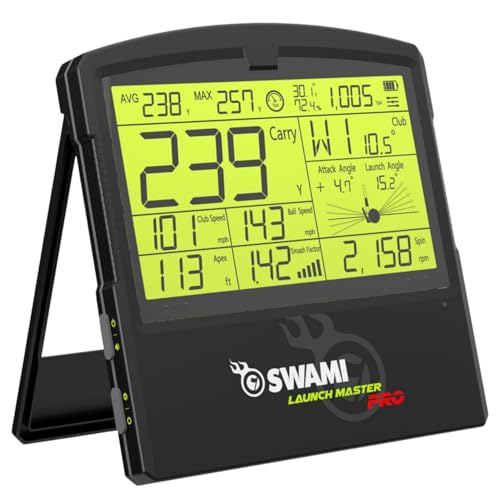
9. Izzo Launch Master Pro - Broad Radar Metrics Without the Brand Premium
Izzo Golf Swami Launch Master Pro Golf Launch Monitor
Doppler radar
30 to 420 yard range
Weather sensors
Digital output
+ Pros
- Broad metric suite including attack angle
- spin rate and apex for a mid range outlay
- Integrated weather sensors compensate for temperature
- humidity and altitude
- 30 to 420 yard range covers chips through driver
- Customisable club type and loft angle settings
- Cons
- Small 27 review base with a wide spread of ratings
- No video
- shot tracer or simulation software included
- Lower sales rank than the better known brands
The Izzo Launch Master Pro is the most interesting spec sheet in the budget radar category. It measures total distance, carry distance, swing speed, ball speed, smash factor, launch angle, attack angle, spin rate and apex from a single Doppler radar unit with a 30 to 420 yard measuring range.
Attack angle and apex are the two that make it unusual. Most radar devices in this bracket give you speed and carry, and the rest of the metric set becomes guesswork. Here they are reported, alongside integrated live weather sensors for temperature, humidity and altitude compensation.
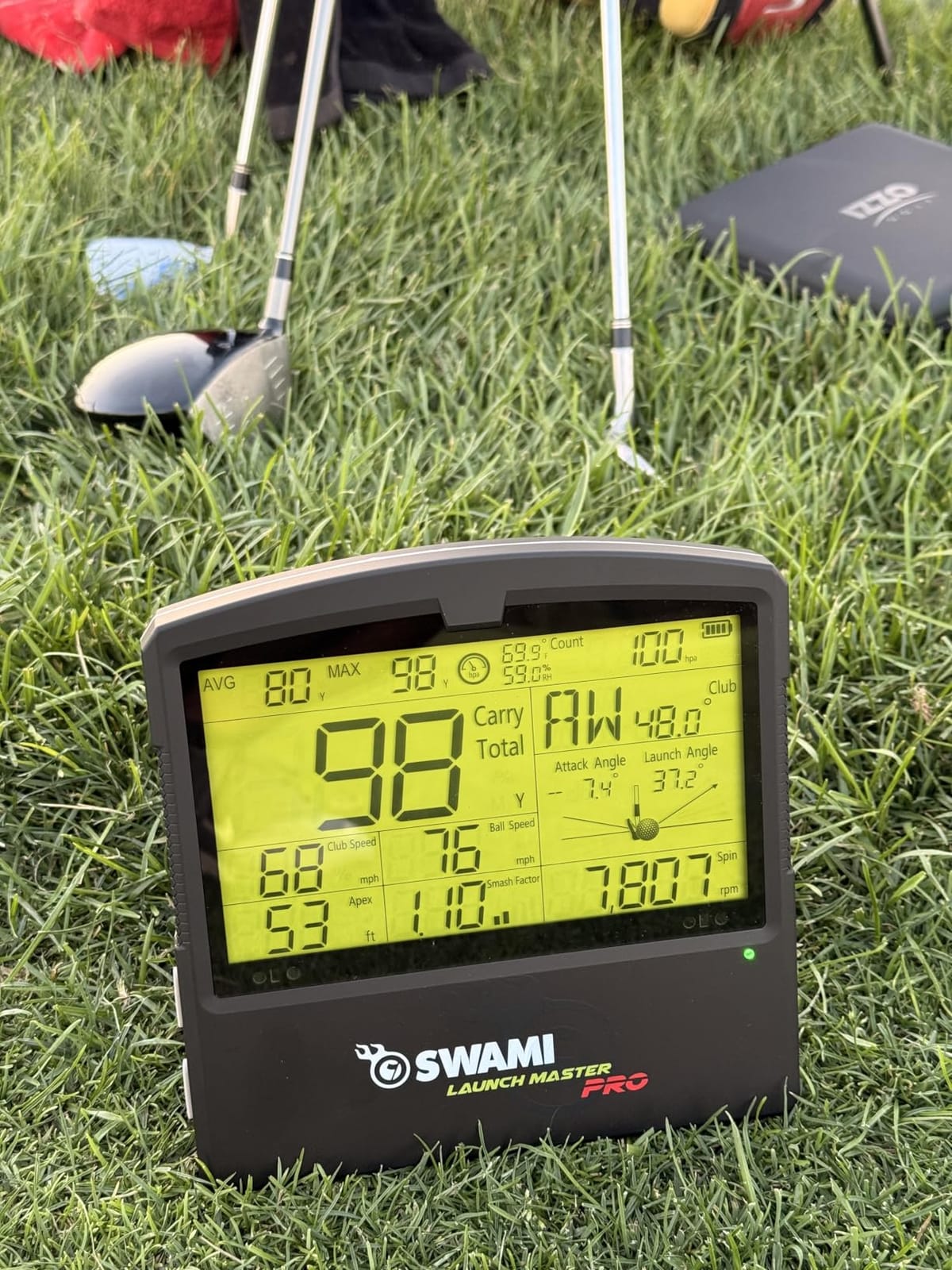
Weather Compensation Is the Feature to Notice
The integrated weather sensors account for temperature, humidity and altitude, which means carry distance is corrected for conditions rather than assumed. On a hot day at elevation, a unit without compensation can be 10 to 15 yards optimistic, and that is enough to send you changing a wedge that was fine.
The 30 to 420 yard range is also genuinely wide for the category. It covers a short chip through a full driver swing, so you can use one device for short game work and long game work without switching modes.
Customisable Club and Loft Settings
You can customise the club type and loft angle settings, which matters more than it sounds. Carry distance output on a radar unit depends on the assumed loft, and getting that right for a wedge versus a driver is the difference between a useful number and a decorative one.
Owners who set their clubs properly report consistent carry numbers. Owners who skip the setup get generic output. The device is 10.5 by 9 by 1.25 inches, made of plastic, with a one-year warranty, and it is listed for golf practice, the range, a golf net, or the course.
The Honest Problem Is the Evidence Base
With 27 reviews and a 3.9 star average, the rating spread is wide: 51 percent five star but 18 percent two star. That spread is the review, essentially. It says the unit performs well for a meaningful share of buyers and poorly for a meaningful share of others, and 27 reviews is too small a sample to tell you which group you fall into.
There is also no video, no shot tracer, and no simulation ecosystem, and the sales rank is low compared with the better-known brands. If you want a broad radar metric set and nothing else, the Izzo delivers more numbers than devices costing considerably more. If you want software, look elsewhere.
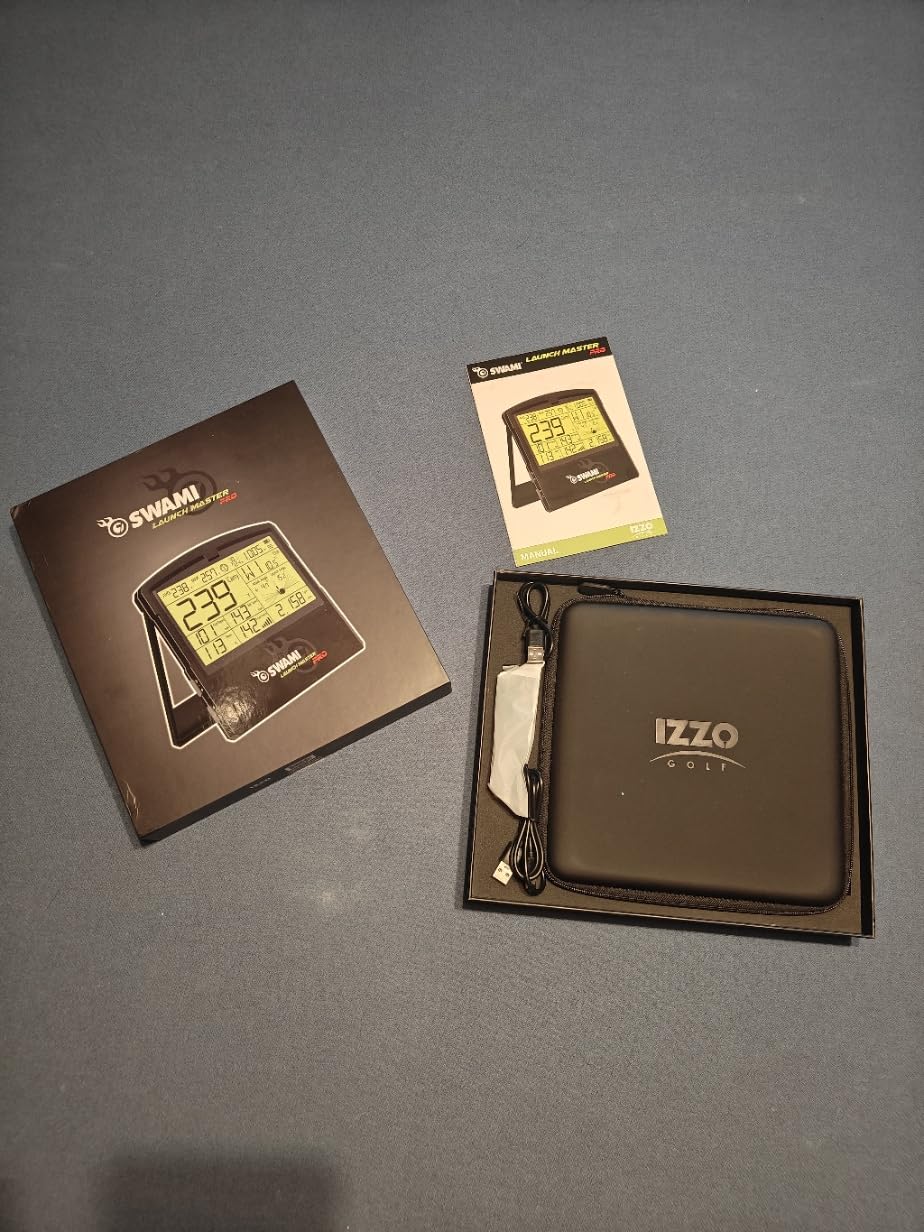
10. SkyTrak ST MAX - The Clean Choice for Mac Users
SkyTrak ST MAX Golf Launch Monitor with 1-Year Software Included
Dual radar plus cameras
GOLFTEC speed drills
5 lb
Mac native
+ Pros
- The only product here with built in GOLFTEC speed training drills
- Dual Doppler radar plus photometric cameras give a fuller ball and club picture
- Works natively with Mac which few competitors do
- Good build quality and portable enough to move between a garage and the range
- Cons
- Small hitting zone so no-reads occur off the dot
- Driver distance reads roughly 20 to 30 yards short for some users while irons are accurate
- Expensive subscription tiers and courses are not included at the basic level
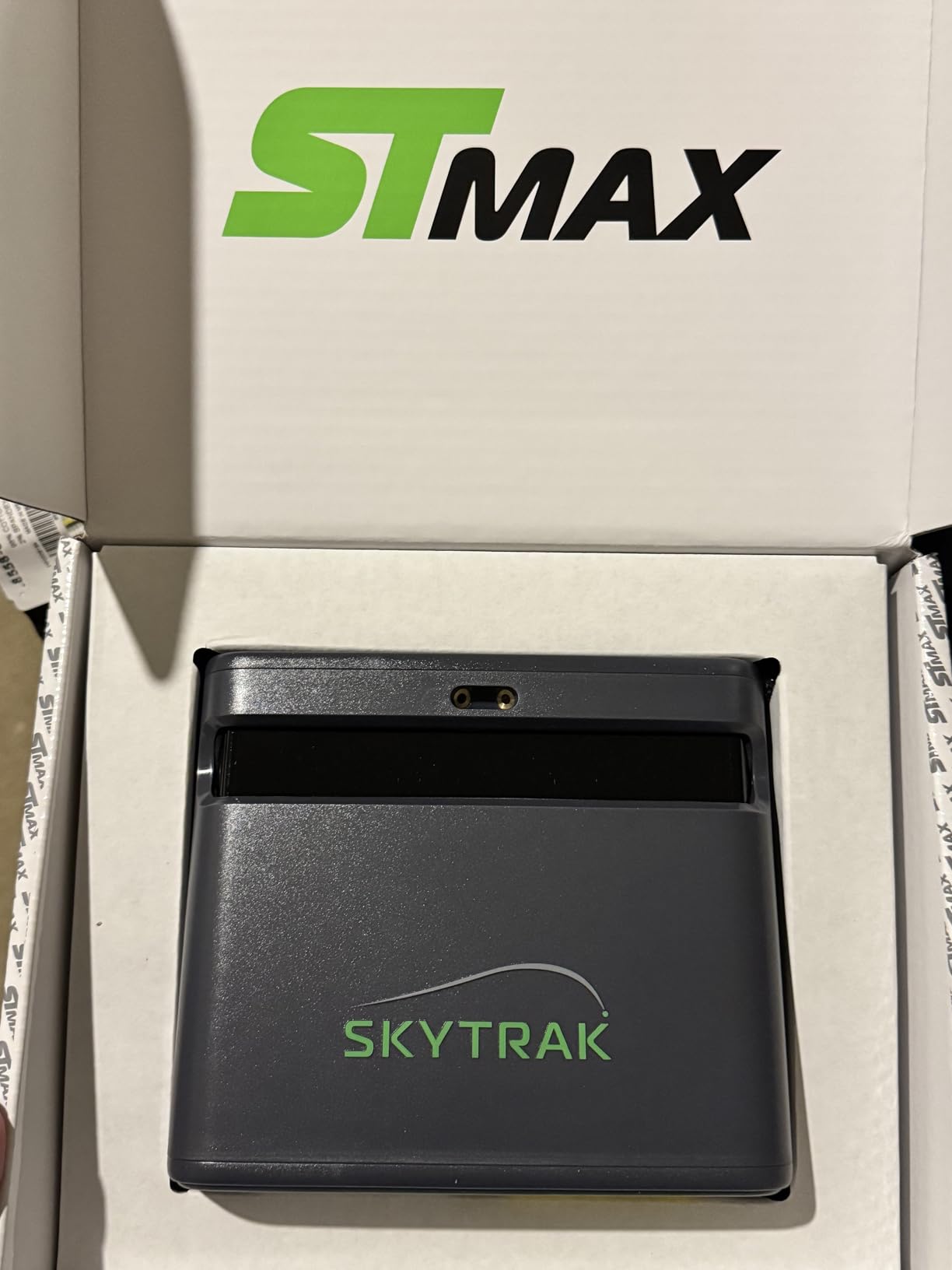
The ST MAX solves the two most common complaints about the original SkyTrak line. It pairs dual Doppler radar with photometric cameras, so it is no longer a camera-only system, and it includes a year of software in the box rather than a 14-day trial and a sales pitch.
It weighs 5 pounds and uses a modular internal architecture, which the manufacturer says means fewer components, more stability, and consistent precision across thousands of sessions. Dual USB-C ports allow simultaneous charging and data transfer.
Built-In GOLFTEC Speed Training Is the Distinction
No other device in this roundup ships guided speed training drills built in. The GOLFTEC integration provides guided drills, personalised swing insights, and a structured path to more distance, which is meaningful if your goal is speed rather than shot shape.
The SkyTrak software suite adds Skills Assessments, Bag Mapping, Wedge Matrix, and Randomized Practice modes. Bag Mapping in particular is the feature indoor golfers ask about most, because it lets you map each club to a specific distance setting so every wedge plays the same yardage in your bay.
Mac Users Should Look Here First
Very few launch monitors work natively with Mac. Some camera systems require a wired PC and an Ethernet connection, which rules out an iMac or a MacBook-based studio setup. This one works natively with Mac, and for a home studio built around Apple hardware that closes the door on the alternatives.
For indoor use, the manufacturer recommends roughly 10 feet by 10 feet of space for full swings. That is a real constraint in a garage, and it is worth measuring your bay before you order, because a device you cannot fit is a device you will not use.
Where Owners Report Trouble
The hitting zone is small, so ball placement needs to be precise and no-reads occur off the dot. Driver distance reads roughly 20 to 30 yards short for some users, while irons are reported as accurate, so treat the driver number as needing calibration before you trust it.
Two more caveats. Subscription plans are expensive and courses are not included at the basic level, though a year of software is bundled with this package. And USB wired mode is reported to miss shots and freeze, requiring a power cycle, so prefer wireless. With 25 reviews at 4.2 stars, the field history is still short, but the feature set is the most complete of any Mac-compatible option here.
How to Choose a Launch Monitor for Home Use
Space comes first, technology second, budget third. In that order, almost always, because the two commonest regrets in this category are buying a camera system you cannot fit and buying a radar unit with no flight path behind it.
Measure Your Bay Before You Choose a Technology
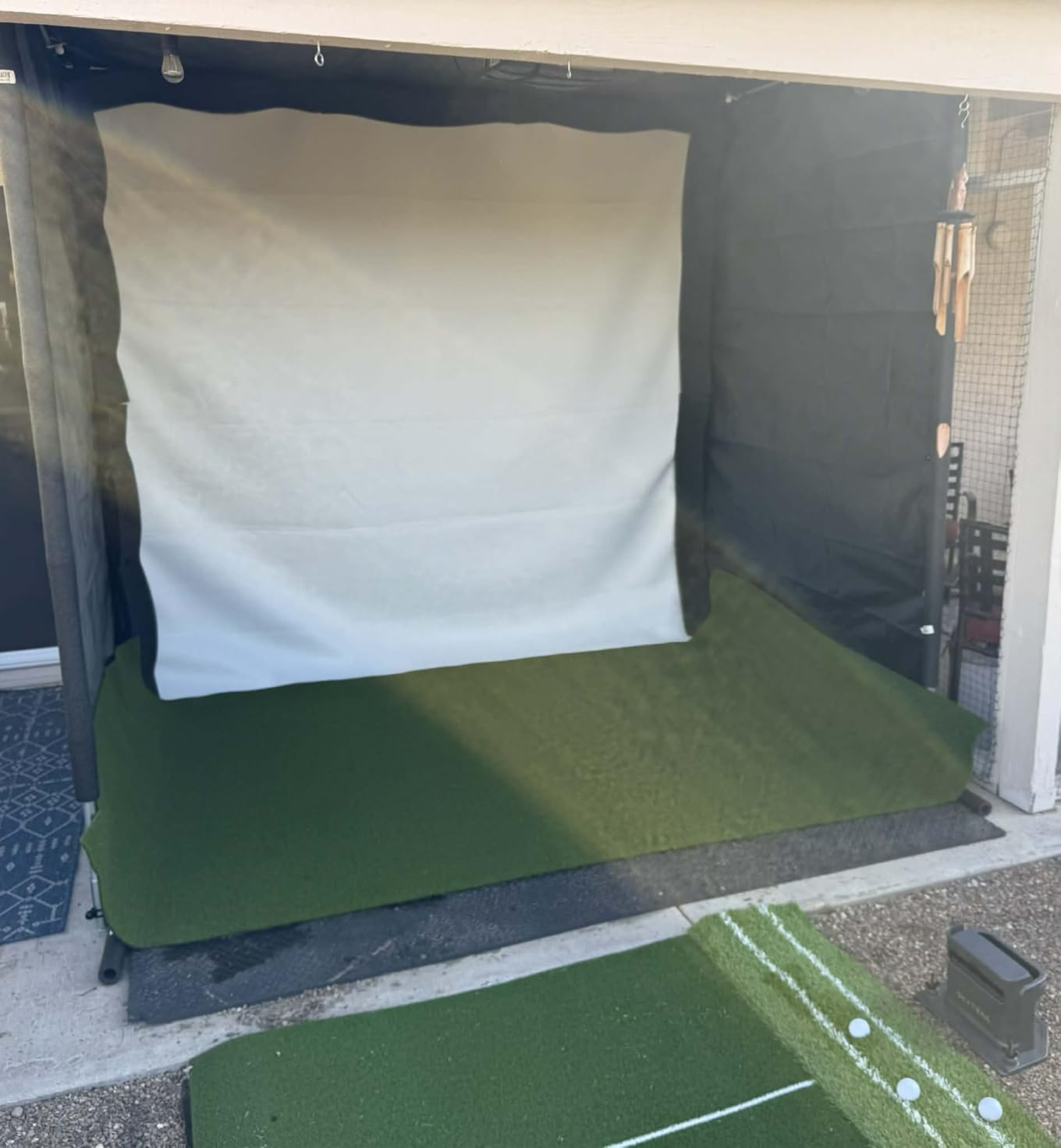
Write down three numbers: the depth behind the ball, the distance from the ball to the net or screen, and your ceiling height. Radar units need open space behind the ball to track flight. Owners running a radar device in a garage report needing roughly 6 feet in front of the ball and 7 feet behind.
Camera systems need far less depth but they need a clean background, consistent light, and precision alignment. The SkyTrak ST MAX asks for roughly 10 feet by 10 feet of indoor space for full swings. If your depth is under about 8 feet, a camera system is the realistic option and a radar unit will frustrate you.
Decide What You Actually Want to Improve
Ball speed, club head speed, and smash factor are reliable from almost any radar unit in this roundup. Spin rate, spin axis, launch angle, and lateral launch direction need a camera system or a hybrid, because radar alone cannot see the ball rotating.
If your practice goals are distance and dispersion, a radar unit is enough. If your goals are wedge spin, face angle, or club path, you need optics. This one decision eliminates half the list.
Check Whether the Data Lives on Your Screen
The single most useful question a buyer can ask is: without paying anything, where do my numbers appear? The R10, the Mevo Gen2, the SC200Plus, and the R50 all show core data without a subscription. The MLM2PRO, the SkyTrak line, the Eye Mini Core, and the ST MAX put part of their value behind a membership or a software package.
This is not a knock on any of them. A paid course library is real value if you play virtual rounds. It is a poor value if you want carry distance numbers and a dispersion chart, because you can get those free on a different device.
Decide Whether You Own an Apple Device, an Android Phone, or a PC
The R10 and the MLM2PRO need a phone or tablet and work on either platform. The ST MAX works natively with Mac, which almost nothing else does. The Eye Mini Core needs Windows, a hardwired Ethernet connection, and a capable gaming PC, and it does not support iPad.
TheStack's Wedging and Putting apps are iOS only, while its speed training app now supports Android. Check the platform list before you buy, because this decides whether you can use a device at all rather than whether you like it.
Count the Ongoing Costs Honestly
Marked balls are the cost most buyers discover late. The MLM2PRO includes three Callaway RPT Chrome Soft X balls, and owners report each ball wearing out after roughly 70 shots. A 100-ball practice session consumes more than a sleeve.
Then add any annual membership, and for a serious home golfer add the rest of the room: a net, a mat, a screen or projector, and a capable computer. A device is the smallest part of a home simulator build.
Set a Fixed Position and Never Move It
The most useful tip in this entire article is free. Mark a permanent spot on the floor for your ball and a permanent spot for the monitor, and put them back in the same place every session. One garage owner credits a fixed floor marker with making readings consistent, and the logic is sound: a two-inch difference in ball position changes launch angle and contact point, and both feed into every downstream number.
Level the camera system, clean the lens, and light the bay consistently. Setup determines your accuracy more than the model you bought.
Radar or Camera: Which Technology Fits Your Space
Doppler radar sits behind the ball and measures the shift in frequency as the ball flies toward it, then calculates ball speed, spin, and launch direction. Photometric camera systems sit beside the ball and use two to four high-speed cameras plus infrared light to film the club and ball at impact, then triangulate the same numbers.
That single distinction explains nearly every difference you will read about in this roundup. Radar needs open space behind the ball and can struggle in tight bays, on heavily curved shots, or near metal interference from a net frame. Cameras need less depth but more light and a clean background, and they are unforgiving about ball position.
Hybrids exist because both approaches have a failure mode. The MLM2PRO pairs radar with a dual camera, the ST MAX pairs dual radar with photometric cameras, and the Mevo Gen2 pairs 3D Doppler with synchronised image processing. The hybrid units give you more places to lose a read, but also more ways to catch one, and the MLM2PRO owners we heard from rated its spin and club path data as notably accurate once configured.
One practical warning about camera systems outdoors. Sunlight striking the cameras can cause readings to drift, and the opposite problem indoors is a bay lit by a single warm bulb. Neither is a reason to avoid optics, but both are reasons to control your lighting before you judge the device.
Space, Lighting and Setup: Where Accuracy Is Won and Lost
A badly set-up launch monitor gives you confidently wrong data, which is worse than having no data. That is the single most repeated truth in owner discussions about home units, and it is the reason a lower-rated device with a disciplined setup often beats a higher-rated one used casually.
The Five Setup Mistakes That Ruin Your Numbers
First, moving the monitor between sessions. Position is part of the calibration. Second, ignoring level. Horizontal launch angle is the weakest measurement on camera systems, and a tilted unit skews it. Third, hitting off a tee in a bay set up for a mat, or the reverse, because the ball position changes contact point.
Fourth, lighting. A single overhead bulb creates shadows that camera systems read badly, and direct low sun on the lens causes drift outdoors. Fifth, expecting radar to lock on in a bay with nowhere for the ball to go. In all five cases the fix is cheap and the symptom looks like a hardware fault.
Indoor Bays, Garages and Net Setups
Owners building a garage simulator repeatedly ask the same two questions, and the answers are consistent. How much depth do I need, and does it work in a garage. Depth depends on technology, as covered above. As for working in a garage: every camera-based unit in this roundup does, and the metal-bodied Eye Mini Core is the most forgiving of a dim space because of its infrared illumination.
Remember the rest of the build. A launch monitor is a sensor, not a room. If you are also shopping for a golf net, a mat, and somewhere to watch the ball go, budget for those separately. Our guides to golf bags for carrying your kit and target and basket setups cover the gear side of a practice area if you are putting together a dedicated space.
Subscription and Ongoing Costs Over Three Years
Recurring cost is the strongest negative sentiment in owner discussions, and the pattern is consistent: people buy on a free tier, use features they were shown, and then resent paying to keep them. Here is what each device in this roundup actually commits you to.
No Ongoing Cost
The Voice Caddie SC200Plus has no membership of any kind, and the FlightScope Mevo Gen2 includes 8 E6 Connect courses for life with no annual licence fees. Those two are the cleanest three-year totals in the category, because the device outlay is the whole outlay.
Membership-Based
The R10's core range mode, training stats, dispersion chart and video capture are free, with virtual rounds on more than 42,000 courses requiring a Garmin Golf subscription. The R50 works the same way with Home Tee Hero across more than 43,000 courses and needs a membership for virtual play. The MLM2PRO includes a 45-day premium trial covering 30,000 plus courses, third-party integration and Rapsodo Combine.
The SkyTrak ST MAX bundles one year of software, with additional subscription tiers above that. The original SkyTrak runs a 30-day game improvement trial with paid improvement and course packages after.
The Marked Ball Line Item Nobody Plans For
Two devices in this roundup change what you pay per practice session. The MLM2PRO relies on marked RPT balls, and the R50 measures face to path using the included tracking stickers on club faces, with sticker sheets sold separately. The Eye Mini Core and the R10 read any dimple pattern and need no marked balls at all.
Over three years, a home golfer hitting 100 balls twice a week with the MLM2PRO setup should treat marked ball replacement as a recurring cost, not a surprise. If that bothers you, the sticker-free units are genuinely cheaper to own over time even when the device outlay is higher.
A Plain-Language Glossary of Launch Monitor Metrics
Launch monitor numbers are not as cryptic as they look, and once you know five of them you can use any device in this roundup.
Ball Speed, Club Head Speed and Smash Factor
Ball speed is how fast the ball leaves the face. Club head speed is how fast the club is travelling at impact. Smash factor is ball speed divided by club head speed, so it measures how efficiently you transfer energy into the ball, and 1.5 is a typical target for a well-struck driver shot.
Smash factor is the most actionable ratio for a home golfer, because it isolates strike quality from raw speed. A golfer who gains 5 mph of club speed and 2 mph of ball speed has a delivery problem, not a fitness problem.
Carry Distance and Total Distance
Carry distance is how far the ball flies in the air. Total distance is carry plus rollout, which only matters on a real fairway. For indoor work, carry is the number that matters, because there is no roll.
This is also where the discount units differ. Radar devices that model ball flight tend to read short before calibration, and camera systems that watch the ball tend to read accurately but rely on their own trajectory model past impact.
Spin Rate and Spin Axis
Spin rate is how many revolutions per minute the ball makes, and it decides how much a shot stops. Spin axis is the tilt of that rotation, measured in degrees, and it is what separates a fade from a draw. Low spin with low axis is a straight, runout shot; low spin with high axis is a push or pull.
Neither of these comes from radar alone. If you want spin data, you are choosing a camera system, and you are choosing to pay for marked balls or a dimple-reading camera.
Launch Angle, Attack Angle and Club Path
Launch angle is the upward angle of the ball leaving the face. Attack angle is the downward movement of the club head at impact, and a positive attack angle drives the ball up. Club path is the direction the club head travels relative to the target line.
Launch angle and attack angle together explain why a ball launches too high or runs too far, and club path together with face angle tells you whether a miss is a push or a pull. The MLM2PRO and the ST MAX are the two devices here that report club-side data as standard, which is why they suit this kind of work.
Frequently Asked Questions
What is the best golf launch monitor for home use?
The u003cstrongu003eGarmin Approach R10u003c/strongu003e is the best all-round choice for home use because it is a portable radar unit that works in a garage and on the range, has a 10-hour battery, is IPX7 waterproof, and shows its core range data for free in the Garmin Golf app. Choose the u003cstrongu003eRapsodo MLM2PROu003c/strongu003e instead if spin rate and club path data matter more to you, and the u003cstrongu003eGarmin Approach R50u003c/strongu003e if you want a built-in screen and no phone involved.
Is the Garmin R10 or Rapsodo MLM2PRO better?
The Garmin R10 is better for portability, battery life, and free range data, and it never asks for marked balls. The Rapsodo MLM2PRO is better for shot analysis, because radar plus dual cameras produce 15 metrics including spin rate, spin axis and club path, plus slow-motion impact video. Pick the R10 for garage and range use where spin detail is secondary, and the MLM2PRO if you are changing your swing and want club-face and club-path feedback.
Is there a cheaper alternative to a TrackMan for home use?
Yes, and the gap is now enormous. The Rapsodo MLM2PRO pairs radar with dual cameras and reports 15 metrics including spin rate and club path, with owners reporting carry readings within a few percent of commercial units. The Garmin R50 adds a three-camera system, a 10-inch touchscreen and face-to-path data. Both deliver the core measurements a fitting needs for a fraction of commercial hardware cost.
How much space do I need for a home launch monitor?
Radar units need roughly 6 feet in front of the ball and 7 feet behind so the ball has flight to track, which is the number owners on home simulator forums use for garage setups. Camera systems need far less depth but want a clean background and level positioning, and the SkyTrak ST MAX is rated for roughly 10 feet by 10 feet of indoor space for full swings. Measure behind the ball, ball to net, and ceiling height before you buy.
Do golf launch monitors need a subscription?
It depends on the device. The FlightScope Mevo Gen2 includes 8 E6 Connect courses for life with no annual licence fees, and the Voice Caddie SC200Plus has no membership of any kind. The Garmin R10 and R50 give away range mode, training stats and video capture for free, then require a Garmin Golf membership for virtual rounds. The MLM2PRO includes a 45-day premium trial, and the Eye Mini Core needs an annual third-party subscription to connect with GSPro.
Which Launch Monitor Should You Buy
If you want one device that works in the garage and on the range without a subscription for the core numbers, buy the Garmin Approach R10. It is portable, waterproof, and its free range mode covers the metrics that actually change your practice habits.
If you are changing your swing and want club path, spin rate, and a shot tracer, buy the Rapsodo MLM2PRO and budget for marked balls. If you are building a dedicated room and want a built-in screen with HDMI output, the Garmin Approach R50 is the most complete simulator in this roundup. If you want no recurring cost and short-game data, the FlightScope Mevo Gen2 gives you 18 parameters and a lifetime course bundle.
If your bay is too shallow for radar or your computer is a Mac, the SkyTrak ST MAX and the Eye Mini Core are the two to compare. If you only want swing speed, ball speed, carry, and smash factor, the Voice Caddie SC200Plus and TheStack Radar do exactly that for the least money.
Whichever one you pick, mark your ball position on the floor and never move it. Our testing and ranking were refreshed for 2026, and the best golf launch monitors for home use are the ones you will actually hit from twice a week.