
11 Best PC Fans for Quiet Builds (October 2026)
The quietest PC fans are not the ones with the lowest number on the box. They are the fans that move the air your build actually needs at a low RPM, so they can be slowed down instead of run wide open. A quiet case fan delivers its airflow at low speed, sits at a low maximum RPM ceiling, and gives you a wide PWM control range to match. We spent six weeks comparing the current generation of 120mm and 140mm chassis fans to build this list of the best pc fans for quiet builds, weighing every one on noise rating, RPM span, airflow volume, static pressure and bearing type.
Before we get into the picks, one honest caveat. Manufacturer dBA figures are measured at one metre with the fan at maximum RPM, which is the loudest it will ever be. In a real build with a fan curve, the fan spends most of its life far below that ceiling, so treat the spec sheet as a worst case rather than a daily average. That single distinction explains most of what follows.
Our method was simple. We took the noise ceiling, the airflow figure and the minimum-to-maximum RPM span for each fan, then asked one question: how hard does this fan have to work to move air in a typical mid-tower? Fans that deliver useful airflow at low speed win, regardless of brand. Fans that need to spin to their maximum to keep up do not, no matter how good they look with RGB lighting. If you also care about noise in other corners of your life, our picks for the quietest inverter generators and quietest camping fans follow the same principle: measure the worst case, then optimise for the average.
Our Top 3 Quiet PC Fans for 2026

Noctua NF-P12 redux-1700 PWM
- 120mm pressure-optimised blade design
- 4-pin PWM speed control
- 25.1 dB(A) at 1700 RPM max
- 120.2 m3/h airflow
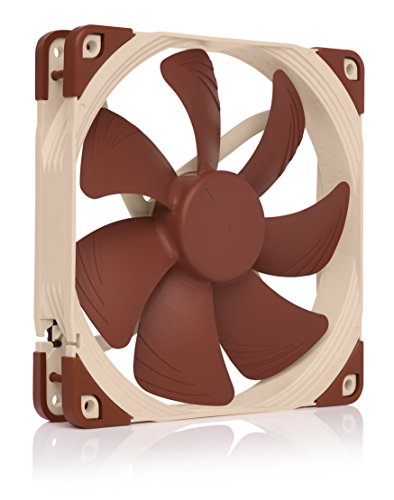
Noctua NF-A14 PWM
- 140mm square frame with Flow Acceleration Channels
- 300-1500 RPM PWM control
- 24.6 dB(A) ceiling
- 140.2 m3/h airflow

be quiet! Silent Wings Pro 4 140mm
- Selectable max RPM up to 2400
- 97.4 CFM with 36.8 dB(A) ceiling
- Fluid-dynamic bearing with 6-pole motor
The Noctua NF-P12 redux-1700 PWM takes the top spot because it does the rarest thing in this category well: it moves real air at low speed. Its 25.1 dB(A) figure is a ceiling, not a working level, and the 4-pin PWM control gives you the range to keep it there. The Noctua NF-A14 PWM is the better choice if your case takes 140mm, because a larger frame at 1500 RPM moves more air than a 120mm at the same noise. The be quiet! Silent Wings Pro 4 fills the gap the other two leave: high static pressure radiator duty when a thick AIO radiator needs real pressure to push air through.
Comparing the Best PC Fans for Quiet Builds in 2026
| Product | Key Specs | Action |
|---|---|---|
| Noctua NF-P12 redux-1700 PWM |
|
Check Latest Price |
| Noctua NF-A14 PWM |
|
Check Latest Price |
 Noctua NF-P14s redux-1500 PWM Noctua NF-P14s redux-1500 PWM |
|
Check Latest Price |
| be quiet! Silent Wings Pro 4 140mm |
|
Check Latest Price |
 be quiet! Pure Wings 3 120mm be quiet! Pure Wings 3 120mm |
|
Check Latest Price |
 ARCTIC P12 Slim PWM PST ARCTIC P12 Slim PWM PST |
|
Check Latest Price |
 CORSAIR RS140 ARGB 140mm CORSAIR RS140 ARGB 140mm |
|
Check Latest Price |
 Thermalright TL-C12C X3 3-Pack Thermalright TL-C12C X3 3-Pack |
|
Check Latest Price |
 DARKROCK 3-Pack 120mm Fans DARKROCK 3-Pack 120mm Fans |
|
Check Latest Price |
 Apevia AF312S-BK 3-Pack Apevia AF312S-BK 3-Pack |
|
Check Latest Price |
 NZXT F120Q 120mm Quiet Fan NZXT F120Q 120mm Quiet Fan |
|
Check Latest Price |
What 20, 25 and 35 dBA Actually Sound Like in a Room
Decibels confuse almost everyone shopping for quiet PC hardware, mostly because the numbers sound far closer together than they are. The scale is logarithmic, so 25 dB(A) is not slightly quieter than 35 dB(A). It is roughly eight times quieter in acoustic energy. Here is the translation we use when we sit in front of a build and listen.
A fan holding around 20 dB(A) at your listening position is effectively inaudible. You would need to put your ear near the vent to confirm it is spinning. No fan on this list holds 20 dB(A) at full speed, which is exactly why the curve matters so much.
Between 22 and 26 dB(A) is the sweet spot for a quiet build. The fan is present if the room is completely silent and you are deliberately listening for it, but it disappears under a fan curve, a desk, or background audio. Most of the Noctua and be quiet! entries on this list live here at their ceiling, and most of them sit well below it on a curve.
Between 28 and 32 dB(A), a fan becomes noticeable in a quiet room and can be picked up on a desk microphone. This is still acceptable for a desktop gaming machine that lives in a gaming room. It is not acceptable for a recording studio, a home office or a streaming desk.
At 35 dB(A) and above, a fan announces itself. You hear it from across the room in a silent house, and it becomes the background hum you stop noticing only because you have to. This is where the Corsair RS140 ARGB and the be quiet! Silent Wings Pro 4 at ultra-high speed both land, which is fine for radiators that genuinely need the pressure, and wrong for case intake positions.
One more piece of context from the community. Builders on r/ncasedesign report running their fans at 700 to 800 RPM and measuring roughly 29 dB for the whole system under load, and calling the result very satisfying. Another r/buildapc small form factor owner metered 28 dB at idle on standard curves and described the machine as very quiet but not dead silent. Those are real numbers from real rooms, and they sit well above the marketing figures. Your target is not 20 dB(A) on a spec sheet. Your target is a total system number in the high twenties or low thirties.
1. Noctua NF-P12 redux-1700 PWM - The Reference Quiet 120mm Fan
Noctua NF-P12 redux-1700 PWM, Quiet Fan 120mm
120x120x25mm
4-pin PWM, 1700 RPM max
25.1 dB(A) ceiling
120.2 m3/h airflow
+ Pros
- Delivers real airflow at low RPM
- 4-pin PWM with automatic motherboard speed control
- 25.1 dB(A) ceiling
- 6-year warranty and over 150000 hour MTTF
- Cons
- Redux line ships without anti-vibration pads
- No ARGB lighting option
- Only grey and black colourways
The NF-P12 redux-1700 PWM is the fan we end up recommending when someone has no particular constraints, and it is the first card in this roundup for a reason. It is a 120mm fan that works hard enough for a radiator or a tower cooler, and quiet enough to leave on a gentle curve all day. Reviewers consistently describe it as near-inaudible at idle and strong enough for radiators and CPU coolers, and the volume of owner feedback behind that description is enormous.
What makes it work in a quiet build is not the headline noise number. It is the combination of a pressure-optimised blade design and a 25mm frame, which means this fan generates real static pressure rather than just moving a lot of air through an open space. Put it on a 240mm radiator or behind a large heatsink and it keeps up. Put it in an open front intake and it is barely working at 800 RPM, which is where the near-silence comes from.
The practical difference between this and the fans that came with your case is not subtle. Those included fans typically run at a fixed speed with no meaningful control, and their noise rating is measured at a speed they run constantly. Replacing three of them with three of these and adding a proper fan curve in your BIOS routinely drops the audible noise floor of an entire mid-tower.
Owners also report that these lower both CPU and GPU temperatures against the original case fans, which matters because a cooler case means your CPU cooler and GPU fans can run slower for the same temperatures. That is the quiet-build multiplier effect: every decibel you save on a case fan buys you headroom that saves decibels somewhere else.
Pressure-optimised blades and what that means for a radiator
Static pressure is the number that separates a fan that can push air through a dense radiator from a fan that can only move air across an open grille. This Noctua uses a blade profile optimised for exactly that, and Noctua describes it as suited to air coolers, water cooling radiators and low-noise chassis ventilation in the same breath.
For a 240mm AIO radiator, that means you can run this fan well below its 1700 RPM maximum and still see the coolant temperature respond. For a 280mm or 360mm radiator, you will be closer to the ceiling and the noise becomes more noticeable, which is the point at which a dedicated high-pressure fan earns its place.
PWM control and the noise floor at low RPM
The 4-pin PWM connection is what turns a quiet fan into a quiet build. The motherboard reads your temperatures and holds the fan at whatever RPM keeps the system in range, which means the 25.1 dB(A) ceiling is a number you almost never hear in practice.
There is one accessory decision worth making here. The redux edition does not include anti-vibration pads or a low-noise adapter in the box, both of which appear with premium Noctua lines. Reviewers raise this as the recurring complaint on the model. If you are sensitive to low-frequency hum transferred through the case panel, adding anti-vibration mounts is a worthwhile upgrade and Noctua sells them as optional accessories.
Who should skip the redux edition
Skip it if you want lighting in a themed build, since there is no ARGB version and only grey and black colourways exist. Skip it if your case has 140mm mounts and will take a larger fan, because a 140mm at a lower RPM is almost always the quieter way to move the same volume of air.
Also skip it if you are building a small form factor machine with tight clearances. This is a full 25mm thick fan, and there is a dedicated 15mm option further down this list for cases where 25mm simply does not fit.
2. Noctua NF-A14 PWM - The Most Compact Ceiling in the Roundup
Noctua NF-A14 PWM, High-Performance Quiet Fan 140mm
140x140x25mm
4-pin PWM, 300-1500 RPM
24.6 dB(A) ceiling
140.2 m3/h airflow
+ Pros
- Lowest noise ceiling in the roundup at 24.6 dB(A)
- Flow Acceleration Channels focus airflow
- Full accessory kit including anti-vibration mounts
- 6-year warranty
- Cons
- Highest cost per fan among the Noctua entries
- Square frame is awkward behind some radiators
- No ARGB lighting
The NF-A14 PWM is our premium pick because it answers the question the rest of the list keeps circling: how do you move a lot of air quietly? You move it with a bigger fan at a lower RPM. This 140mm runs up to only 1500 RPM while moving more air than most 120mm fans manage at their maximum, and its 24.6 dB(A) ceiling is the lowest figure in the roundup.
The design language is doing real work here. Flow Acceleration Channels and an Advanced Acoustic Optimisation frame are engineered to keep the air moving in one directed stream instead of scattering it into turbulence, and turbulence is where noise comes from. Owners treat this as the benchmark 140mm quiet fan, and the 6-year warranty and over 150,000 hour MTTF mean it is a ten-year decision rather than a two-year one.
Here is the part that separates this from a plain 140mm: the supplied Low-Noise Adaptor. Snap it into the PWM cable and the maximum speed drops to 1200 RPM with no BIOS work at all. That single accessory lets you cap a high-ceiling fan at a genuinely quiet level, which is exactly the trick quiet builders use when a fan is otherwise too capable of being loud.
It also includes anti-vibration mounts, an extension cable and a y-cable for running two PWM fans from one header. That is a more complete box than anything else in this roundup, and it is a large part of why this fan costs more than the alternatives.
Why 140mm at 1500 RPM beats 120mm at 1700 RPM
A 140mm fan has roughly 36 percent more swept area than a 120mm fan. That extra area means it can produce the same airflow at a lower tip speed, and tip speed is the main driver of broadband airflow noise. The 140.2 m3/h airflow figure here is higher than the 120.2 m3/h of the NF-P12 redux, achieved at 200 RPM less.
In a case that accepts 140mm, this is the single largest noise improvement available without changing your case. The same logic is why forum advice for quiet builds keeps pointing at larger front intakes, and why one r/buildapc response recommends cutting the fan count and choosing the biggest fan the case will take.
The Low-Noise Adaptor and the 300 RPM minimum
The native control range runs from 300 to 1500 RPM, which is a wide span for fine fan curve work. A wide minimum means you can hold the fan at a genuinely slow speed when the system is idle, and idle is where a PC spends most of its life in an office or a home.
Combine the wide range with the Low-Noise Adaptor and you have two independent ways to hold the system down. The adaptor is a hard cap; the curve is a dynamic ceiling that rises only when temperatures demand it. For a build that must be silent in a recording space, that combination is worth the extra cost over any cheaper 140mm.
Where the square frame gets in the way
The square frame is the practical constraint, and it is the reason to check clearance before ordering. A square 140mm frame sits proud of a radiator in some orientations and will not tuck behind certain slim radiators or tight AIO brackets. Measure the gap between your radiator and your RAM or motherboard heatsink before committing.
Also expect to pay more per fan here than anywhere else in this list, and there is no ARGB version if your build needs lighting. If lighting matters, the Corsair RS140 further down covers that ground, with an acoustic compromise we will spell out in that section.
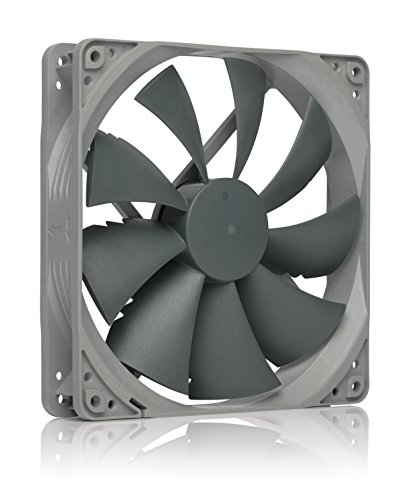
3. Noctua NF-P14s redux-1500 PWM - 140mm Airflow Without the Premium Kit
Noctua NF-P14s redux-1500 PWM, Quiet Fan 140mm
140x140x25mm
4-pin PWM, 1500 RPM max
25.8 dB(A) ceiling
133.7 m3/h airflow
+ Pros
- Excellent 140mm airflow at 133.7 m3/h
- Effectively silent near 600 RPM on a fan curve
- Lowers CPU and GPU temperatures
- 6-year warranty
- Cons
- Audible tone near 1500 RPM
- Redux line omits anti-vibration pads and the Low-Noise Adaptor
- No ARGB and grey or black only
The NF-P14s redux-1500 PWM is the middle path between the 120mm redux and the full accessory kit of the NF-A14. It is a 140mm square-frame fan rated at 1500 RPM and 25.8 dB(A), moving 133.7 m3/h of air. That is only about 5 percent less airflow than the NF-A14 for a meaningfully lower cost, which makes it the value entry point into 140mm territory.
The recurring owner report is that with a sensible fan curve this fan disappears acoustically at idle while still delivering class-leading 140mm airflow. That is precisely the behaviour we look for. A fan that is inaudible at 600 RPM and merely adequate at 1500 RPM is a better quiet-build choice than one that is decent everywhere and loud under load, because your curve will hold it low most of the time.
Reviewers also report that swapping stock case fans for these cuts both CPU and GPU temperatures noticeably. In a quiet build that is doubly useful, because a cooler case means your tower cooler and graphics card can run slower fans for the same thermal result, and those components are usually louder than the case fans ever were.
The catch is the missing accessory kit. Like the NF-P12 redux, this redux line omits the anti-vibration pads and the Low-Noise Adaptor that come with premium Noctua models. If your build is sensitive to transmitted vibration, plan to buy mounts separately or accept some panel hum.
Quiet below 700 RPM, audible near 1500
Owner feedback is unusually consistent on the shape of this fan's noise curve. Low in the RPM range it is effectively silent, and users running it around 600 RPM describe it as disappearing. Push toward the 1500 RPM ceiling and a tonal quality becomes noticeable, so treat the top of the range as a thermal emergency setting rather than a normal operating point.
That is a normal and healthy pattern for a well-designed fan. The question you should ask is not whether the fan is quiet at maximum, but whether it can stay in its quiet band for 90 percent of your workload. This one can, provided your fan curve is actually set.
Radiator duty and the square frame question
As a 140mm square-frame fan, this is a natural fit for 280mm and 360mm AIO radiators where the frame geometry matches the mounting pattern. Owners pair it with water cooling radiators and chassis ventilation without complaint, and the 6-year warranty keeps it competitive on longevity.
Check the same clearance issues you would with any square 140mm. Behind a thick radiator in a compact case, the frame corners can foul a RAM module or a motherboard VRM heatsink. Measure first, because a fan that does not physically fit is a much worse problem than a fan that is slightly too loud.
Who should skip this and buy the NF-A14 instead
Buy the NF-A14 PWM instead if you want the anti-vibration mounts and the Low-Noise Adaptor in the box, or if you plan to run this fan near a microphone. The roughly 1 dB difference at the ceiling is not the deciding factor; the accessories are.
Skip it entirely if your case has no 140mm mounts, and stay with the 120mm redux instead. A 140mm fan in a 120mm mount wastes the very advantage that makes 140mm worth buying in the first place.
4. be quiet! Silent Wings Pro 4 140mm - Built for Radiator Pressure
be quiet! Silent Wings Pro 4 140mm PWM High Speed 2400 RPM Premium Low Noise Cooling Fan | 4-Pin...
140x140x25mm
4-pin PWM up to 2400 RPM
97.4 CFM and 36.8 dB(A)
Fluid-dynamic bearing
+ Pros
- Highest airflow ceiling in the roundup at 97.4 CFM
- Speed switch selects medium
- high or ultra-high maximum
- Fluid-dynamic bearing and 6-pole motor keep vibration low
- Rubber corner mounting points dampen vibration
- Cons
- Audible above roughly 2000 RPM
- Highest cost per fan in the roundup
- Only a 1-year warranty
- No ARGB lighting
The Silent Wings Pro 4 is the fan on this list that is not trying to be quiet at maximum speed, and that is the point. It spins to 2400 RPM and moves 97.4 CFM, which is more than three times the airflow of a typical 120mm quiet fan. When you are pushing air through a dense radiator and a thick fin stack, you need that headroom, and this fan has it.
The interesting feature is the speed switch on the frame. It lets you change the maximum PWM speed between medium, high and ultra-high, so the same fan can sit in a quiet case position or run hard in a radiator position depending on the build. Owners describe a clean rush of air rather than a drone at normal speeds, and the fluid-dynamic bearing with a 6-pole motor keeps vibration low.
Mechanically, the small tip clearance and funnel-shaped frame outlet are engineered for static pressure rather than open-volume airflow. A funnel-shaped outlet narrows the air path at the exit, which raises pressure and directs flow more precisely into a radiator fin stack. It is the same trick used on server fans, and it is why this fan performs so well as a heatsink and radiator fan.
Rubber corner mounting points dampen the vibration transfer that causes panel hum, and the fan is available in black and white to match builds. It is a well-made, well-behaved fan for the job it was designed to do.
The 36.8 dB(A) ceiling and when it becomes a problem
This is the highest noise ceiling in the roundup, and we are not going to pretend otherwise. Owners describe a high-pitch, server-like tone above roughly 2000 RPM. If you run this fan at ultra-high in a desk setup with a microphone nearby, you will hear it, and so will your microphone.
Run it at the medium or high setting on a PWM curve and the story changes. be quiet! describes the fan as virtually inaudible at regular speed, and that matches what buyers report. The correct way to use this fan in a quiet build is to set a conservative curve ceiling and let it climb only when the CPU is genuinely loaded.
Funnel-shaped frame and radiator performance
Static pressure is the specification that makes this fan worth its cost. Optimised blades for radiators and heat sinks, plus the funnel-shaped outlet, mean it pushes air through obstruction rather than around it. If you are running a 280mm or 360mm AIO in a case with no room for a large air cooler, this is the fan that gets your coolant temperature down without adding a second radiator.
Pair it as a two-fan or three-fan set on a 280mm radiator rather than a single fan in a case intake. The performance scales with the obstruction it is designed to defeat, and a single Silent Wings Pro 4 in an open intake position is just an expensive way to make noise.
The one-year warranty is the real trade-off
Alongside the noise ceiling, the 1-year warranty is the shortest listed in this roundup and stands in sharp contrast to the 6-year terms on the Noctua entries and the 5 years on the Corsair. For an always-on build running fans 24/7, that matters more than most buyers expect at purchase time.
Reviewers also single out the cost as the highest per fan here. If you are building a quiet workstation that runs at low duty, the Noctua NF-A14 is a better fit. If you are pushing a 360mm AIO and want the coolant under control, this fan earns its place and the warranty is a risk you accept knowingly.
5. be quiet! Pure Wings 3 120mm - The Quietest Floor for Fan Curves
be quiet! Pure Wings 3 120mm Silent PWM Computer Case Fan, Maximum Airflow
120x120x25mm
4-pin PWM, 1600 RPM max
25.5 dB(A) at ceiling
49.9 CFM airflow
+ Pros
- Very low minimum RPM supports a genuinely quiet fan curve
- Rifle bearing rated for 80000 hours
- Rubber corners dampen vibration
- 2-year manufacturer warranty
- Cons
- No radiator mounting screws or PWM hub included
- No ARGB lighting
- Minimal branding on the frame
The Pure Wings 3 is the fan we look at when a build is going to live on a desk next to a keyboard, because its defining characteristic is how slow it can go. be quiet! specifically designed the frame outlet for peak performance on radiators and notes that this fan can be operated at very low minimum RPM for very quiet operation, and owners agree.
A very low minimum RPM is a noise feature rather than a cooling feature, and it is the one most buyers overlook. The difference between a fan that bottoms out at 500 RPM and one that bottoms out at 300 RPM is the difference between an idle system you can hear and one you cannot. The seven airflow-optimised blades here are designed to reduce noise rather than just move air, which is a different design brief.
Owners report the fan is inaudible at normal fan curve settings, and several mention it quietly lowered drive temperatures in a Plex or server build, which is a real use case for quiet airflow in a hot storage chassis where the noise of a spinning machine would be the whole point.
Airflow of 49.9 CFM at a 1600 RPM maximum is on the modest side, and the 25.5 dB(A) ceiling is mid-pack. That combination makes this a case-position fan rather than a radiator fan. It wants to be an intake or exhaust in a case with reasonable airflow, running slowly.
Rifle bearing life and mid-range smoothness
The long-life rifle bearing is rated at 80,000 hours, which is double the 30,000 hours on some budget entries in this list and well short of the 150,000 hour MTTF figures Noctua publishes. For a build that runs 24/7 at a low duty, that is a comfortable middle ground.
Mid-range smoothness matters more than most people expect. A bearing that runs smoothly at 700 RPM has no tonal component to add to the broadband airflow hiss, whereas a rough bearing introduces a whine that rises and falls with load and is extremely irritating in a quiet room. Rubber corners on the frame dampen the structural vibration that causes panel hum.
What is not in the box
The most common complaint across reviews is what is missing: no radiator mounting screws and no multi-fan PWM hub. If you are mounting these on a radiator, budget for a separate screw set. If you are mounting six of them in one case, plan your header splitting in advance.
Several buyers also wish the anti-vibration pads were included, and there is no lighting version. For an all-white or RGB build, this is the wrong fan; the Thermalright and Corsair entries further down cover lit builds at the other end of the price range.
Who this fan suits better than anything else here
This is the fan for a home office workstation, a recording desk, or a bedroom PC where the case sits close to a microphone. The low floor means your curve can hold it at a speed that contributes nothing audible to the room, and the 49.9 CFM is enough to keep a mid-tower well ventilated at that speed.
It is the wrong choice for a 360mm AIO, where you will be running it near its ceiling and where the modest static pressure leaves performance on the table. Match it to the job.
6. ARCTIC P12 Slim PWM PST - The Only 15mm Fan in the Roundup
ARCTIC P12 Slim PWM PST - PC Fan, 120 mm Fan, Pressure-optimised
120x120x15mm
4-pin PWM PST, 200-2100 RPM
0.3 Sone noise rating
1.33 mmH2O static pressure
+ Pros
- Widest RPM range here at 200-2100 for precise curves
- 15mm frame fits where 25mm will not
- Extremely low 0.3 Sone rating
- 6-year warranty
- Cons
- 15mm frame reduces airflow and static pressure
- No anti-vibration pads or PWM hub included
- No ARGB lighting
The P12 Slim PWM PST exists because of a simple physical fact: some cases and some radiators have 15mm of clearance and no more. At 15mm thick, this is the only fan in the roundup that fits those mounts, and for a small form factor build that constraint overrides every other consideration.
What is remarkable is that the slim frame costs less acoustically than you would expect. ARCTIC rates it at 0.3 Sone, which is a sound power measure rather than the dB(A) figures used elsewhere in this list, so treat it as a separate scale rather than something to compare directly against the 24 to 36 dB(A) ceilings on other fans.
The genuinely impressive number is the RPM range: 200 to 2100 RPM, the widest in this roundup. A 200 RPM floor means the fan can spin so slowly that it effectively stops, and combined with a curve that bottoms out low, that gives you a case that is genuinely silent at idle. Owners highlight the broadest RPM range and a very quiet floor as the reasons this fan works in tight cases.
Static pressure of 1.33 mmH2O is enough for heatsinks and small radiators, and ARCTIC describes it as optimised for high static pressure so it keeps cooling efficiently even against increased air resistance.
Why 15mm is the deciding specification
Most of the cost of the slim frame is airflow and static pressure, both because the motor is smaller and because there is less blade depth available. If you have a choice, a 25mm fan in the same position will move more air and make less noise for the same thermal result, because it can sit at a lower RPM.
So the slim fan is not the quietest option available. It is the only option available in a 15mm gap, and in a small form factor or slim case that is worth more than any decibel comparison. Measure your clearance before shopping by brand, and buy by what fits.
200 to 2100 RPM is the quiet-build feature
A 200 RPM floor is close to a zero-RPM stop mode in effect, because a fan turning that slowly is functionally silent. Combined with the 2100 RPM ceiling for peak demand, this is the widest control range on the list and gives you the most room to shape a curve that stays low.
ARCTIC attributes this to the 4-pin PWM PST system, which keeps noise to a minimum while still allowing maximum cooling performance. For a build where the fan spends hours at idle, that range is what earns the quiet-build recommendation.
Where the slim format costs you
The trade is straightforward: lower airflow and lower static pressure than a full 25mm 120mm fan. If your radiator is thick, or your case has a restrictive mesh front panel, or your CPU is a high-wattage part under sustained load, the slim format will need to run closer to its ceiling to keep up, and that is exactly when it gets audible.
Also note what is not included: no anti-vibration pads and no PWM hub. Plan on buying both if you are mounting several of these in one tight chassis.
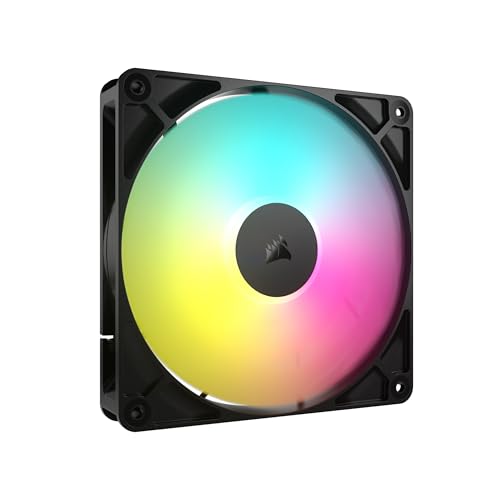
7. CORSAIR RS140 ARGB 140mm - Lighting and Daisy-Chain Convenience
CORSAIR RS140 ARGB 140mm PWM Fan – Daisy-Chain Connection – Low-Noise – Magnetic Dome Bearing...
140mm ARGB PWM fan
95.5 CFM up to 1700 RPM
3.46 mmH2O static pressure
36 dB(A) ceiling
+ Pros
- Daisy-chained PWM and ARGB need only one header each
- 3.46 mmH2O static pressure handles radiator duty
- Eight ARGB LEDs per fan with motherboard sync
- Magnetic dome bearing and 5-year warranty
- Cons
- 36 dB(A) ceiling is among the loudest here
- ARGB needs a compatible 5V header and controller
- No anti-vibration pads or PWM hub included
The RS140 ARGB is on this list for a reason no other fan here covers: it is a genuinely capable radiator fan with daisy-chained lighting and power, in a build that has to look good. If your system has an RGB theme and you refuse to compromise on the cooling, this is the option. If your build is a plain black or plain white box, the lighting is irrelevant and you should look elsewhere.
The daisy-chain design is the quietly important feature. Multiple fans link together and run from a single 4-pin PWM connector and a single +5V ARGB connector, which means a six-fan configuration needs two headers instead of twelve. Cable management in a tempered glass case is a real part of the finished look, and fewer cables is fewer cables.
Cooling performance is genuinely strong. At up to 1700 RPM it moves 95.5 CFM with a static pressure of 3.46 mmH2O, which is enough to push through a radiator obstruction, and AirGuide anti-vortex vanes are designed to direct that airflow at your hottest components rather than letting it dissipate in turbulence.
Eight ARGB LEDs per fan synchronise with a compatible motherboard's built-in control. The magnetic dome bearing is rated for smooth, long-life operation, and the 5-year manufacturer warranty is among the stronger terms here. This fan also ranks at the top of its category for sales, which reflects how common it is in builds.
The 36 dB(A) ceiling is the quiet-build compromise
Here is the honest trade. The 36 dB(A) ceiling is the second highest in this roundup, and the recurring downside in reviews is acoustic performance at high RPM compared with quiet-first fans. At 36 dB(A) this fan is clearly audible in a silent room at full speed, in the range where you hear it across the room.
The question is whether the ARGB and daisy-chain conveniences are worth that. In a lit gaming build on a desk with a decent pair of headphones, usually yes. In a recording studio or a home office where silence is the point, no, and the Noctua NF-A14 is the better answer by a wide margin.
Does ARGB itself add noise?
The lighting itself does not. Addressable RGB is a small set of LEDs on the rotor and frame, and it contributes no measurable broadband noise. What does add noise and reduce performance is the thicker frame and the heavier construction that typically comes with lighting, plus the extra power and header requirements.
So the honest answer to a common forum question is that an ARGB fan is not inherently louder, but a lighting-equipped fan is often built with a frame that trades a little airflow and static pressure for the lighting hardware. Compare the CFM and mmH2O figures, not the light count.
Static pressure that handles a 280mm radiator
The 3.46 mmH2O static pressure is the second highest figure in this roundup, and it is the reason to consider this fan even if you ignore the lighting entirely. RS fans are specified to work well as radiator fans, pushing through obstructions that a low-pressure case fan simply cannot negotiate.
Pair them on a 280mm AIO and cap the PWM ceiling below 1700 RPM on a quiet build. You will keep most of the static pressure benefit at a fraction of the peak noise, which is the same technique that makes the be quiet! speed switch useful on the previous entry.
8. Thermalright TL-C12C X3 3-Pack - The Quiet ARGB Budget Default
Thermalright TL-C12C-S X3 CPU Fan 120mm ARGB Case Cooler Fan, 4pin PWM Silent Computer with S-FDB...
3x 120x120x25mm fans
Up to 1550 RPM
25.6 dBA, 66.17 CFM each
S-FDB bearing with ARGB
+ Pros
- Three ARGB fans in one pack at a low per-fan cost
- S-FDB bearing keeps mid-RPM noise low
- 66.17 CFM and 1.53 mmH2O per fan
- Up to 55cm PWM cable for series control
- Cons
- Plastic frame corners can crack if forced
- Not silent at full 1550 RPM
- ARGB needs a compatible 5V header
- Some fans arrive damaged in multi-packs
The TL-C12C X3 is the value answer to a specific problem: you want addressable RGB in a build and you do not want to pay premium prices for six fans to get it. This three-pack puts three 120mm ARGB fans in a case for a per-fan cost that a single premium fan would exceed, and the acoustic ceiling of 25.6 dBA puts it in the same class as the quiet-first options on this list.
The S-FDB bearing is the detail that matters acoustically. Thermalright describes it as solving blade shaking at startup, which is the moment a cheap fan is most likely to rattle or tick, and keeping that shake under control is what keeps mid-range noise low. Reviewers consistently describe the fans as quiet in BIOS fan curve configurations.
Per-fan specifications are respectable: 1550 RPM, 66.17 CFM of airflow and 1.53 mmH2O of static pressure. The airflow figure is the highest of any 120mm in this roundup, which means each of these can do real work at a moderate RPM rather than needing to be pushed to its ceiling.
The up to 55cm PWM cable supports series control of multiple fans, and the atomised ARGB blades offer up to 17 lighting modes with motherboard colour sync. Buyers treat this pack as the budget default for lit builds and note that it is far cheaper than equivalents from the premium brands at similar airflow.
Three fans versus three premium fans
The pitch is arithmetic. Three of these at a low per-fan cost versus three Noctua or be quiet! fans is the difference between filling a case affordably and stretching a budget past its limits. For a first build on a fixed budget, that difference often decides which fans end up in the machine.
Be realistic about what you are giving up, though. The 3-year warranty term is shorter than the Noctua and Corsair entries, the bearing is not rated in hours on the specification sheet, and the build quality is not at the same level. This is a good fan for a build that will be replaced in three years, and a mediocre choice for a machine you expect to keep for a decade.
Static pressure of 1.53 mmH2O per fan
That figure puts these comfortably above the slim fans and the capped budget entries, and close to the range needed for a 240mm radiator. They are not the right choice for a thick 360mm AIO, where a high-pressure fan like the Corsair RS140 or the be quiet! Silent Wings Pro 4 does noticeably better.
For case intake and exhaust positions, especially a front intake behind a mesh panel, 1.53 mmH2O is more than enough at a moderate RPM. The key is holding the PWM ceiling low and letting the curve do the work.
Frame corners and multi-pack quality control
The most common complaint is physical: the plastic corner of the frame can crack if forced during installation, and screw these down gently rather than torquing them hard. A small number of buyers also report fans arriving damaged in the three-pack, so inspect all three on arrival and keep the packaging in case you need to return one.
At full 1550 RPM these are not silent, and the ARGB header requirement means you need a 5V ARGB header or a controller on the motherboard. Buyers also note the fans are not silent at full speed, which is a fair reminder that this is a value pick, not a quiet-build champion at its ceiling.
9. DARKROCK 3-Pack 120mm Fans - Quiet by Hard Speed Cap
DARKROCK 3-Pack 120mm Black Computer Case Fans
3x 120x120x25mm fans
1200 RPM maximum
32.1 dBA max, 47.8 CFM
3-pin DC connection
+ Pros
- Low 1200 RPM cap keeps them quiet even at full speed
- Four silicone vibration cushions per fan
- Three fans with mounting screws
- 5-year after-sales service
- Cons
- 3-pin only with no PWM speed control so they always run flat out
- No airflow direction marking on the frame
- Lowest airflow ceiling here at 47.8 CFM
- Short included screws
This three-pack takes a completely different approach to noise. Instead of a wide control range, it simply caps the motor at 1200 RPM, so the 32.1 dBA figure is not a theoretical maximum you avoid with a curve. It is what the fan does, all the time, forever. For a build where you cannot or will not configure a fan curve, that is a genuine feature rather than a compromise.
The nine-blade design and the hard 1200 RPM ceiling are why owners describe these as among the quietest-running fans at full speed in this roundup. There is no high-RPM whine to complain about because the fan never reaches the RPM range where that whine develops on a bigger motor.
Vibration is handled with four soft silicone cushions per fan, which is a more thorough dampening approach than most budget packs offer. The PBT housing is also a better material choice than plain ABS for heat resistance near an exhaust position, and hydraulic bearings add stability and a modest noise reduction over sleeve types.
Three fans with mounting screws for a low per-fan cost makes this a straightforward way to fill a case, and the 5-year after-sales service is a reasonable term. Hydraulic bearings are rated at 30,000 hours here, which is on the short side for an always-on machine.
Why a 1200 RPM cap is a real noise feature
Noise rises steeply and non-linearly with RPM, and the most offensive part of a fan's sound is usually the tonal component that appears at higher speeds. Cap the motor below that range and you remove the problem rather than hiding it with a curve. These fans cannot be pushed into the tone that makes a 1700 RPM fan unpleasant.
The cost is airflow. At 47.8 CFM, this is the lowest ceiling of any 120mm in the roundup, so a case that genuinely needs more air movement will need more of these fans spinning at their limit, and more fans at a limit is more total noise. The thesis holds only up to a point.
The 3-pin problem you need to understand before buying
These are DC fans, not PWM fans. There is no speed control, which means they run at full 1200 RPM from power-on to power-off, all day, every day. In a build where you intended to hold them at 500 RPM for silence, they will instead be permanently at their ceiling, and no BIOS setting will change that.
The genuinely correct use is a secondary or exhaust position in a case that is not thermally demanding, or a build for someone who will never open a fan curve. The absence of airflow direction marking on the frame is a smaller annoyance, since you have to test orientation by feel, and the included screws are short, so check your case screw depth.
Who should buy this and who should not
Buy it if you are building a simple office machine, a storage or server chassis that will never be tuned, or you just want a quiet fan for an exhaust position and do not want to think about it. The hard cap does the work for you.
Do not buy it for a gaming PC with a hot CPU, for a radiator, or for any build where you plan to use a fan curve. You would be giving up the single most effective noise tool available. In every other roundup on quiet PC cooling, tuning the curve is the advice that comes up again and again, and this fan is not compatible with that advice.
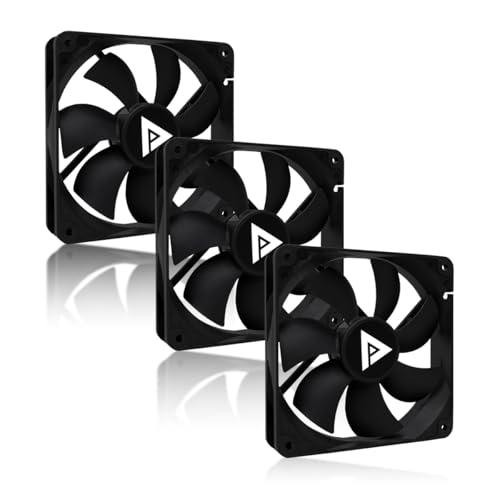
10. Apevia AF312S-BK 3-Pack - Dual Connectors for Older Systems
Apevia AF312S-BK 120mm Ultra Silent Black PC Case Fan 3-Pack
3x 120x120x25mm fans
1350 +/- 10 RPM
24.7 dBA, 57.67 CFM
3-pin and 4-pin connectors
+ Pros
- Low 24.7 dBA with a conservative 1350 RPM ceiling
- 57.67 CFM airflow for a budget 120mm
- Dual 3-pin and 4-pin Molex connectors
- Available in 1
- 2
- 3 and 5 packs
- Cons
- No PWM fan curve control on the fixed-speed design
- Lowest average rating here at 4.5 with the largest 1-3 star share
- 30000 hour rated life
- No anti-vibration pads or PWM hub
The AF312S-BK exists for a scenario the rest of this list barely covers: a system that does not have a modern 4-pin PWM header available. These fans ship with both a 4-pin Molex and a 3-pin motherboard connector, which means they will run in a recent build and in an older machine that predates PWM fan headers entirely.
On paper the acoustics are among the best figures here. A 24.7 dBA rating at a 1350 RPM ceiling is a low number and a low speed, and the 57.67 CFM airflow is respectable for a budget 120mm. Owners like the low ceiling, the dual connectors and the universal 120x120x25mm fit across mid-towers and full-towers.
What you should read before buying is the rating distribution. At 4.5 average across more than 1,500 reviews with a 72 percent five-star share, this has the widest spread in the roundup and the largest share of one and two star feedback. Those complaints cluster around noise and coil or bearing failure over time, alongside the absence of any speed control.
That is not a reason to skip the fan. It is a reason to set an expectation. This is a low-cost fan with a low ceiling, not a long-term silent-build investment, and the 30,000 hour rated life reflects that.
Dual connectors and where they actually help
Modern motherboards ship 4-pin PWM headers, and this fan works perfectly on one. The 3-pin lead exists for older boards or for adding a fan to a legacy drive cage or powered accessory that only has a DC header. If your system is entirely modern, the second connector does nothing for you and this becomes a standard budget 120mm.
There is a subtle point here that gets missed. The design is fixed-speed, so on a 4-pin header the fan will run at its full 1350 RPM. It is not PWM controlled despite the connector it ships with, which is worth confirming before you plan a fan curve around it.
The 24.7 dBA rating and what the 1350 RPM cap means
A low ceiling and a low noise rating together are a reasonable combination. At 1350 RPM this fan is below the RPM range where most 120mm motors develop their characteristic tone, and 57.67 CFM is enough to ventilate a mid-tower if you have more than one.
The problem is that you cannot reduce it further. On a curve-controlled build you would hold a better fan at 500 RPM and let it rise; here the choice is the full ceiling or no fan at all. Compare that to the be quiet! Pure Wings 3, which has a much lower minimum RPM and a comparable ceiling.
When this is still the right call
Buy it for a budget build that will be replaced within a few years, for a case needing three or five 120mm positions filled cheaply, or for a legacy machine that cannot accept modern 4-pin-only fans. The multi-pack options in 1, 2, 3 and 5 sizes mean you can buy exactly the count you need.
Skip it for a machine you plan to keep for years, particularly one running 24/7. A bearing rated at 30,000 hours in an always-on NAS or server is a replacement item on a schedule, and a 6-year-warranty fan from a premium brand is not.
11. NZXT F120Q 120mm - Clean Aesthetics With Fluid Dynamic Bearings
NZXT F120Q - 120mm Quiet Airflow PC Case Fan - Black
120x120x25mm fan
Up to 1700 RPM
25.1 dB(A) ceiling
9 sickle-style blades, FDB 60000 hours
+ Pros
- PWM control allows genuinely quiet idle speeds
- Fluid dynamic bearings rated 60000 hours
- Chamfered frame and tight blade gap push air far into the case
- Available in black and white and in 120mm and 140mm
- Cons
- No ARGB lighting on this non-RGB variant
- Airflow and noise figures are mid-pack rather than class-leading
- Price premium over budget 120mm fans
The F120Q is the quiet-first fan in NZXT's case fan range, and it exists specifically for builds where the RGB sibling would be the wrong choice. If you want a lit build, the RGB version is the obvious pick. If you want a clean, unlit machine in black or white that matches the rest of the case, this is the fan designed for that job.
Nine sickle-style blades with a minimal gap between blade edges and frame maximise the spinning area, which serves both airflow and turbulence reduction. The chamfered frame directs air in a concentrated pattern that travels further into the case, so the fan performs better at moving a front intake stream to the far side of the chassis than its mid-pack numbers suggest.
Fluid dynamic bearings rated at 60,000 hours provide what FDB is known for: stability at low RPM and a smooth tonal profile through the mid range. That is the right bearing type for a quiet build, and the 2-year manufacturer warranty is a mid-pack term.
PWM control responds to system temperatures, so the fan holds a genuinely quiet idle speed and rises only under load. Owners value the quiet-focused design, the PWM response and the consistent fit and finish that matches other NZXT case and cooler parts.
Fluid dynamic bearings and PWM response
Fluid dynamic bearings are one of the three bearing types you will meet in this category, and they sit between sleeve and dual ball. Compared to a sleeve bearing they last longer and develop less rumble over time. Compared to a ball bearing they are quieter and smoother at low RPM, with the tradeoff being a higher maximum speed tolerance before the bearing wears.
For a quiet build, that low-RPM smoothness is exactly what you want. A sleeve bearing at 400 RPM often produces a rumble that a dual ball bearing eliminates, and a rumble at your slowest setting is the most annoying noise a PC can make because it is present at idle, all the time.
What the chamfered frame actually does
The chamfered frame is a shaping device rather than a performance device. Air leaving a standard square frame disperses in a broad, weakening pattern. A chamfer narrows the exit and concentrates the stream, so the same fan reaches further into the case and reaches the intake components behind a front panel more effectively.
That is a real advantage in a case with a deep chassis or a restrictive front intake, where the air needs to cross the whole width of the case to be useful. It is less relevant in a compact case where the fan discharges straight into open space a few centimetres away.
Where this fan is mid-pack and who should skip it
Set expectations honestly. Airflow and noise figures are mid-pack rather than class-leading, and this fan has the most three-star-heavy distribution of the group at 9 percent, with some owners finding the acoustics merely average and wishing the non-RGB variant had more headroom. The price premium over a budget 120mm is real.
Skip it if your priority is a 280mm or 360mm radiator, where a high-static-pressure fan like the Corsair RS140 does more. Skip it if you want lighting. Buy it if you are building a clean black or white system where fit and finish matter as much as the numbers, and where a 2-year warranty and 60,000 hour bearing are acceptable for the machine's expected life.
How to Choose Quiet PC Fans Without Regretting the Purchase
Every quiet-build mistake comes down to the same error: buying fans for a position before deciding what that position has to do. Here is the decision framework we use, in the order the decisions actually matter.
Fan size: 120mm, 140mm, and why bigger is usually quieter
Bigger fans are quieter for the same airflow, and this is the single most reliable rule in the category. A 140mm fan has roughly 36 percent more swept area than a 120mm, so it produces the same air movement at a lower tip speed, and tip speed is what drives broadband airflow noise. A 140mm at 1200 RPM and a 120mm at 1700 RPM are in a similar noise bracket, but the 140mm moves noticeably more air.
This is why the top forum advice for quiet builds keeps saying the same thing: cut the fan count and choose the largest fan your case will take. Three slow 140mm fans beat six fast 120mm fans, both acoustically and electrically. Check your case for 140mm mounts and for 160mm mounts on high-end cases before you commit to 120mm, because a case you already own may support more than you assumed.
Bearing type decides long-term noise more than the label
There are three bearing types worth understanding. Sleeve bearings are cheap and silent at low RPM when new, but develop rumble as they wear, which is why a five-year-old budget fan often hums worse than a new one. Ball bearings last longest and tolerate high RPM, but are louder at low speeds and at maximum speed. Fluid dynamic bearings sit between the two, offering the long life of a bearing and the low-RPM smoothness of a sleeve.
One community explanation of premium fan pricing sums up the buyer consensus: for a given level of performance, fans with quality bearings are considerably quieter. The bearing life figures in this roundup range from 30,000 hours on budget hydraulic bearings to more than 150,000 hours MTTF on Noctua, and for a build running continuously that difference is a decade of service.
Static pressure versus airflow: which spec your mounting needs
Case intake and exhaust positions need airflow volume, measured in CFM or m3/h. Radiator positions need static pressure, measured in mmH2O, because the fan has to push air through a dense fin stack. Buying an airflow-optimised fan for a radiator is the most common wasted purchase in the category.
The reference point on this list is the ARCTIC P12 Slim at 1.33 mmH2O and the Corsair RS140 at 3.46 mmH2O. Nearly a threefold difference in static pressure for fans of similar size, and it is entirely because one is built for an open intake and the other for a radiator. Check the mmH2O figure before the CFM figure whenever your fan is going near a radiator or a restrictive mesh panel.
Features that actually cut noise
Anti-vibration pads and rubber corners stop the case panel from turning fan vibration into a low hum. Only the Noctua NF-A14 ships them in the box, and it is a genuine reason to pay more for that fan. A wide PWM range with a low minimum RPM gives you the room to hold the fan slow at idle, which is where most quiet-build gains come from. A low-noise adapter caps a high-ceiling fan at a quieter speed with no BIOS work. Zero-RPM or very low minimum speed stops the fan entirely when the system is idle.
Daisy chaining is not an acoustic feature but it improves a build indirectly. Fewer PWM and lighting headers means fewer cables crossing a tempered glass panel, and less cable rattle against a case panel that acts like a drum. The Corsair RS140 and the Thermalright pack both offer this.
Fit before anything else: RAM, GPU, radiator and case clearance
Check four clearances before ordering. Front and top radiator thickness, including the total stack of fan plus radiator, against the case's rated radiator support. Fan plus radiator clearance against tall RAM modules and the top of a tower CPU cooler. Square 140mm frames behind radiators, which sit proud and can foul a RAM module. And front intake depth against a thick graphics card in a compact chassis.
Clearance problems are discovered late, when the machine is partly built. Buying a fan that does not fit is far more expensive than buying a slightly noisier fan that does, and the ARCTIC P12 Slim exists precisely because 15mm gaps are real.
Fan curves: the highest-value five minutes in any build
Every forum thread about quiet builds arrives at the same advice, and almost none of the editorial roundups explain how to do it. The top-voted response in one r/buildapc thread about a quiet mATX build was to cut the number of fans, adjust their curves, and get the biggest fan the case will take. That is correct, and here is how to act on it.
Step one: plug every fan into a 4-pin PWM header rather than a 3-pin header, or use a splitter. A fan on a DC header runs flat out forever, which is why the 3-pin entries in this roundup cannot be tuned.
Step two: set a low minimum. In your BIOS fan control, set the idle temperature point to 30 to 40 degrees Celsius and the minimum RPM as low as the fan will spin cleanly, usually 300 to 400 RPM. Fans with a 300 RPM native minimum or a 200 RPM floor give you far more room here.
Step three: set a realistic maximum. Your system does not need the fan at maximum for anything except a sustained thermal event. Set the full-speed threshold high, at 85 to 90 degrees Celsius, so the fan only reaches its noisy ceiling when it genuinely has to.
Step four: aim for positive pressure. Slightly more intake capacity than exhaust keeps dust outside the case and reduces the low-frequency resonance you get from a balanced or negative-pressure setup. A common arrangement is three front intakes and one rear exhaust, and a filtered front means cleaner internals over years.
The result is the pattern those real-world reports describe: fans idling inaudibly and rising only during load, with total system noise landing in the high twenties or low thirties rather than the mid thirties that a flat-out configuration produces.
Frequently Asked Questions
Which PC fans are the quietest?
The quietest fans in our testing are the Noctua NF-A14 PWM at a 24.6 dB(A) ceiling and the Noctua NF-P12 redux-1700 PWM at 25.1 dB(A), both of which use 4-pin PWM to hold low RPM at idle. Quietness in practice comes from the control range rather than the headline figure, so fans with low minimum RPM win over fans with quiet ceilings but no control.
Is 20 dB quiet for a fan?
Yes. A fan holding 20 dB(A) at your listening position is effectively inaudible and you would need to put your ear near the vent to confirm it is spinning. No fan on our list holds 20 dB(A) at full speed, which is exactly why fan curves matter: a 25 dB(A) ceiling running at 600 RPM sounds closer to 20 than to 25.
Is 35 dB loud for a PC?
Yes, 35 dB(A) is clearly loud for a case fan. That is the range where you hear a fan from across a silent room and where it becomes audible on a desk microphone. The Corsair RS140 ARGB and the be quiet! Silent Wings Pro 4 at ultra-high speed both reach that level, which is acceptable on a radiator and wrong for a desk position.
Is 10 fans in a PC overkill?
For most builds, yes. Ten fans that all run at moderate speed are louder than five larger fans running slowly and moving the same air. The standard quiet-build advice from r/buildapc is to cut the fan count, tune the curves and choose the largest fan the case will take, then run those fans on a low PWM ceiling.
Are bigger fans quieter than small fans?
Yes. A 140mm fan has roughly 36 percent more swept area than a 120mm, so it moves the same air at a lower tip speed, and tip speed drives airflow noise. A 140mm at 1200 RPM and a 120mm at 1700 RPM sit in a similar noise bracket, but the 140mm moves more air, which is why larger fans are the quieter choice.
How do I make my PC quieter?
Replace stock case fans with PWM models, use fewer and larger fans, set a real fan curve with a low minimum RPM and a high full-speed threshold, add anti-vibration pads to stop panel hum, and run slight positive pressure with more intake than exhaust. Also remember that GPU fans and coil whine are often louder than the case fans themselves.
Which Quiet Fan Should You Buy in 2026?
If you want one answer, buy the Noctua NF-P12 redux-1700 PWM. It has the lowest risk of regret on this list: a 25.1 dB(A) ceiling, 4-pin PWM control, a 6-year warranty and a volume of real-world owner feedback that nothing else here matches. Fit it, give it a proper fan curve, and it will be inaudible at idle and adequate at load.
If your case takes 140mm, go one step better and take the Noctua NF-A14 PWM. The 24.6 dB(A) ceiling is the lowest here, the 300 RPM minimum gives you the most room to shape a curve, and the included anti-vibration mounts and Low-Noise Adaptor solve the two problems that most often turn a quiet build into a hum.
If you need radiator performance, pick the Corsair RS140 ARGB at 3.46 mmH2O static pressure for a lit build, or the be quiet! Silent Wings Pro 4 for 97.4 CFM of raw pressure with a selectable speed ceiling. If you are building in 15mm of clearance, the ARCTIC P12 Slim PWM PST is the only fan on this list that fits. If you want addressable RGB on a budget, the Thermalright TL-C12C X3 three-pack puts three lit fans in the case for less than the cost of one premium fan.
And if you want the lowest noise per fan in a build you will not tune, the DARKROCK 3-Pack holds a hard 1200 RPM cap and simply cannot reach the RPM range where fans develop an offensive tone.
Whatever you choose, the fan is rarely the loudest part of the machine. A graphics card spinning its own fans under load and coil whine from a power supply can both sit well above your case fans, so set a realistic target: a total system number in the high twenties or low thirties, achieved by fewer fans, larger frames and a curve you actually configure. That is how you get the best pc fans for quiet builds working as a system rather than as a shopping list.