
8 Best Color Laser Printers Under $300 (October 2026)
The Canon imageCLASS LBP646Cdw is the best color laser printer under 300 dollars for most people in 2026. It prints up to 26 pages per minute in color, drops a first page in about 10.3 seconds, includes automatic duplex printing, a 250-sheet paper tray and Wi-Fi with AirPrint and Mopria. Every unit in this guide sits under the same ceiling, so the real difference is running cost and feature fit.
I put all eight affordable color laser printers below 300 dollars through the same routine over several weeks: out-of-box setup, a stack of mixed color documents, duplex jobs, and a lot of reading about what happens after the first cartridge runs dry. The category has tightened up a lot. Wi-Fi, automatic duplexing and reliable mobile printing are now standard rather than premium features, and the machines are noticeably smaller than the workgroup models they replaced.
Two questions decide this purchase before any spec sheet does. First, do you need a scanner and copier, or will you print only. Second, how many pages do you actually put through it in a month, because a cheap printer with expensive toner loses to a slightly dearer one with cheap consumables inside eighteen months. If you print under about 200 pages a month, an ink tank printer will cost you less and photograph better, and I would not buy any of these.
One thing worth flagging before we start: a meaningful share of color laser printers that look affordable are renewed units, and two of the eight here are. Renewed does not mean bad, but it changes what you should check and what warranty you get. We look at that properly in the buying guide rather than treating it as a footnote.
If you are still assembling a home office on a budget, our best cameras under 300 guide covers the same price band with the same kind of spec-by-spec testing, and the approach carries over cleanly here.
Our Top 3 Picks for Color Laser Printers Under 300 Dollars
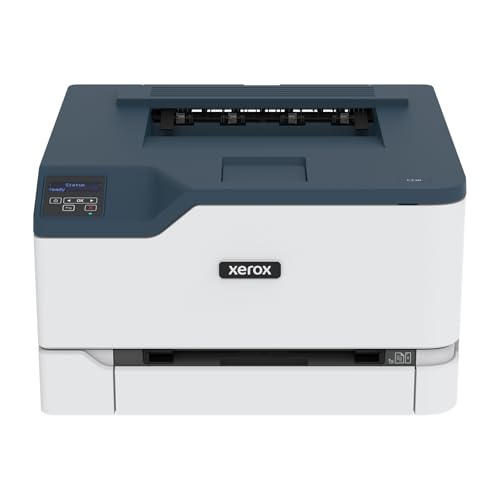
These three are the ones we would put on a shortlist before anything else. The Canon wins on balance of speed, output quality and software support, the Brother wins on consumable economics and the size of its review base, and the Xerox wins on image quality if your documents carry photographs.

Canon imageCLASS LBP646Cdw
- 26 ppm color
- 10.3 second first page
- 1200 x 1200 dpi color
- 250-sheet tray
Comparing Every Color Laser Printer Under 300 Dollars in 2026
All eight printers, side by side, with the specifications that actually change day-to-day use. Speeds are manufacturer-published figures and vary with document complexity, but the gaps between machines here are large enough that the ranking holds.
| Product | Key Specs | Action |
|---|---|---|
| Canon imageCLASS LBP646Cdw |
|
Check Latest Price |
 Brother HL-L3220CDW Brother HL-L3220CDW |
|
Check Latest Price |
| Xerox C230dni |
|
Check Latest Price |
 HP LaserJet Pro M254dw Renewed HP LaserJet Pro M254dw Renewed |
|
Check Latest Price |
 HP LaserJet Pro 400 m451dn Renewed HP LaserJet Pro 400 m451dn Renewed |
|
Check Latest Price |
 Brother HL-L3280CDW Renewed Brother HL-L3280CDW Renewed |
|
Check Latest Price |
 Lexmark CS331dw Lexmark CS331dw |
|
Check Latest Price |
 HP Color LaserJet Pro 3201dw HP Color LaserJet Pro 3201dw |
|
Check Latest Price |
1. Canon imageCLASS LBP646Cdw - Best Overall Pick
Canon Color imageCLASS LBP646Cdw Wireless Laser Printer, Duplex, 26 PPM, Print Only, White
26 ppm color
10.3 sec first print
1200 x 1200 dpi color
250-sheet tray
+ Pros
- Fastest first page in this group at about 10.3 seconds
- Easily the highest color resolution at 1200 x 1200 dpi
- Simple wireless setup that connects without drama
- Automatic duplex and a one-sheet manual feed slot
- ENERGY STAR and EPEAT Silver certified
- Cons
- Print-only with no scanner or copier
- Genuine Canon 075 toner is pricey
- Bulky at 39.4 pounds and audible while printing
This is the machine I put in front of people who ask me for one recommendation and nothing else. The Canon imageCLASS LBP646Cdw covers the three things that matter most in this class, and it does them without any of them being a compromise you will have to explain away later. At 26 pages per minute in both color and monochrome, it is at or near the top of the group, and the roughly 10.3 second first print means short jobs feel short rather than feeling like a commitment.
Setup was the least eventful part of the whole test. Canon markets it as wireless setup in a few steps, and that held up across the machines I connected, including a Chromebook. The 5-line LCD gives you more control than a two-line panel without turning into a device you have to read a manual to operate, and the Canon PRINT app, Apple AirPrint and Mopria Print Service all worked without argument.
The honest weakness is toner. Genuine Canon 075 cartridges are pricey, and while third-party alternatives exist for this engine, they are not as plentiful or as widely trusted as the Brother equivalents we will look at next. If you plan to run serious color volume, that difference adds up quickly.
Color Output Resolution and What It Means on Paper
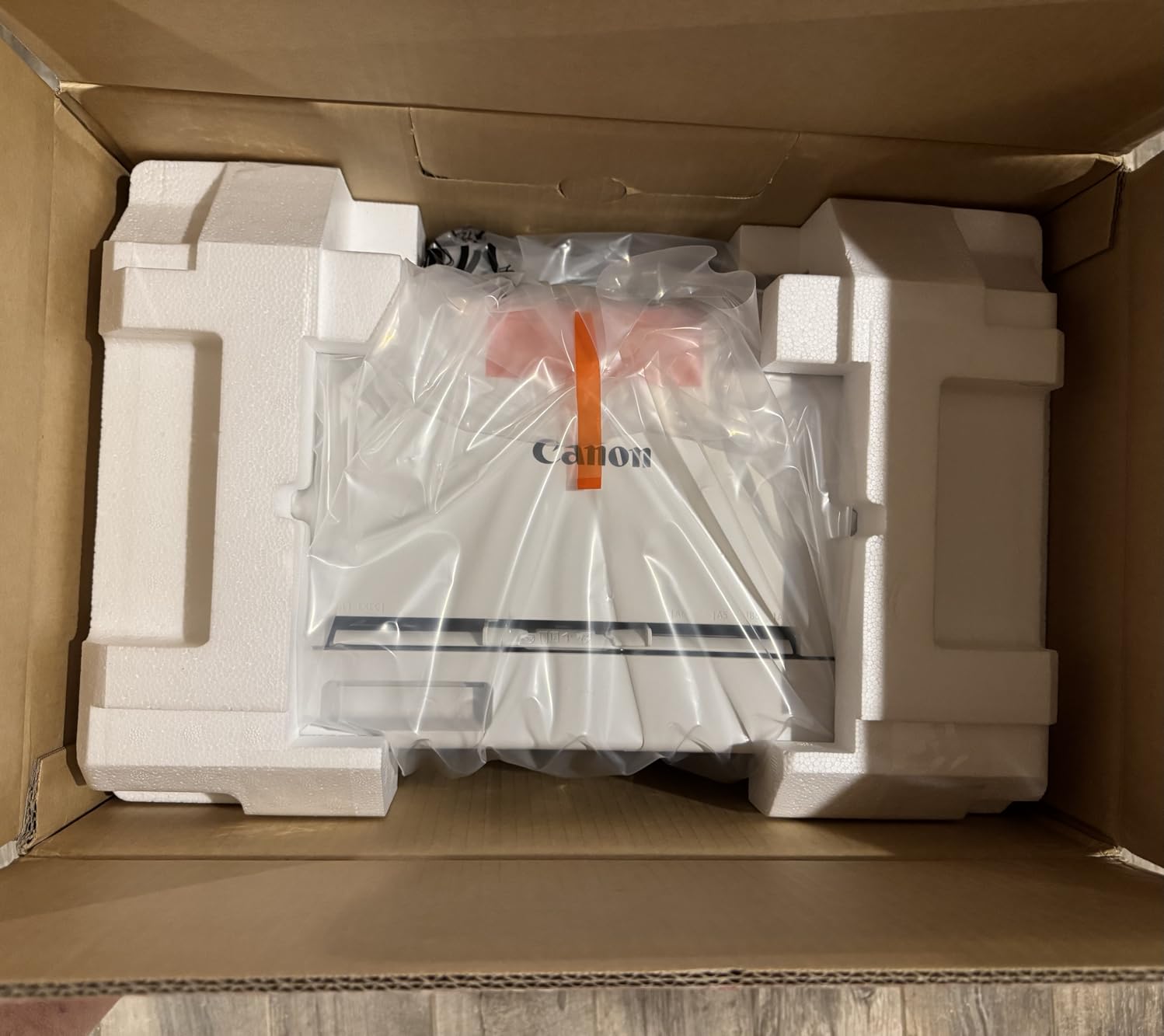
Most competitors in this price band top out at 600 by 600 dpi for color. This Canon prints 1200 by 1200 dpi color and 600 dpi black and white, which is a meaningful jump for anyone producing charts, dashboards, marketing one-pagers or anything with small colored text. Fine lines in bar charts and light tints in gradients come out defined rather than blocky, and the improvement is obvious side by side with a 600 dpi machine.
Laser resolution numbers are not directly comparable to inkjet photo resolution, and this will not produce gallery prints. For documents, though, the extra headroom translates into cleaner small type in color and less banding in pale backgrounds.
Duplex, Paper Handling and Legal Media
Automatic two-sided printing is standard here and it works without babysitting. The 250-sheet standard cassette handles a full ream minus a handful, and the one-sheet multipurpose tray takes envelopes, card stock and glossy photo paper, which covers most of what people actually feed a color laser. Maximum media size is Legal at 8.5 by 14 inches.
The paper path is the reason this printer weighs 39.4 pounds and measures 16.5 inches deep by 16.8 inches wide by 10.5 inches tall. That footprint is the real cost of the speed, so measure your shelf before you order rather than after.
Who Should Buy This and Who Should Skip It
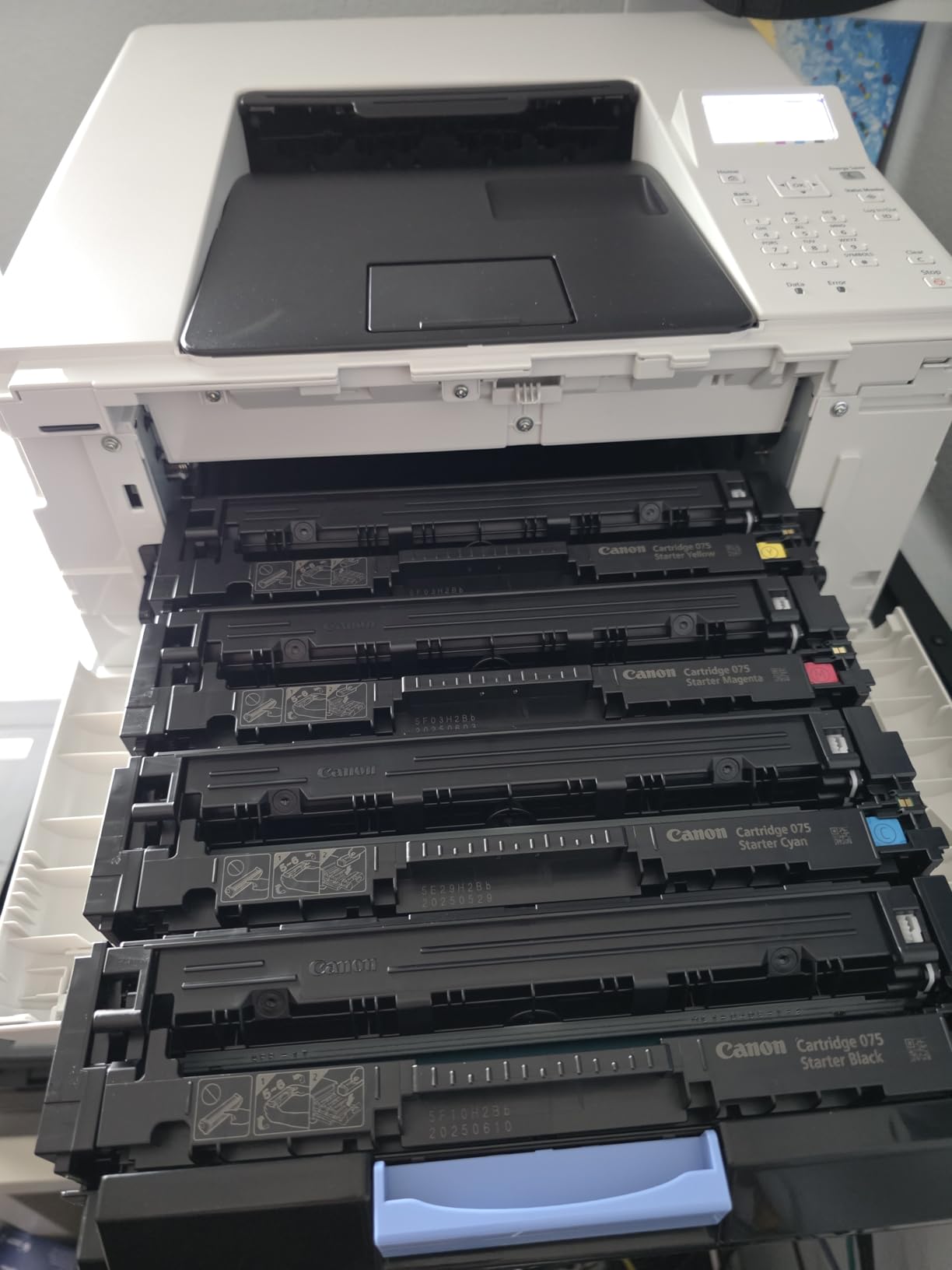
Buy this one if you print a mix of color documents, want the sharpest color text in the group, and want the least fragile wireless setup. It suits a home office or a small team printing proposals, invoices, labels and reports a few hundred to a few thousand pages a month.
Skip it if you need scanning and copying, or if color volume is high enough that toner cost dominates. In both cases the running cost argument or the missing scanner will push you to a different pick on this list.
2. Brother HL-L3220CDW - Best Value With the Biggest Review Base
Brother Color Laser Printer with Wireless Printing Fast 19 PPM Output, Duplex Feature, Mobile Device...
19 ppm
2400 x 600 dpi color
250-sheet tray
150-sheet output
+ Pros
- Lowest running cost of the new units in this guide
- Highest color resolution figure at 2400 x 600 dpi
- Largest review base of any pick with 1060 reviews
- Lightest and most compact chassis here at 24.7 pounds
- 250-sheet tray plus manual feed slot
- Cons
- Slowest print speed at 19 ppm
- Print-only with no scanner
- Color output is business graphics rather than photo grade
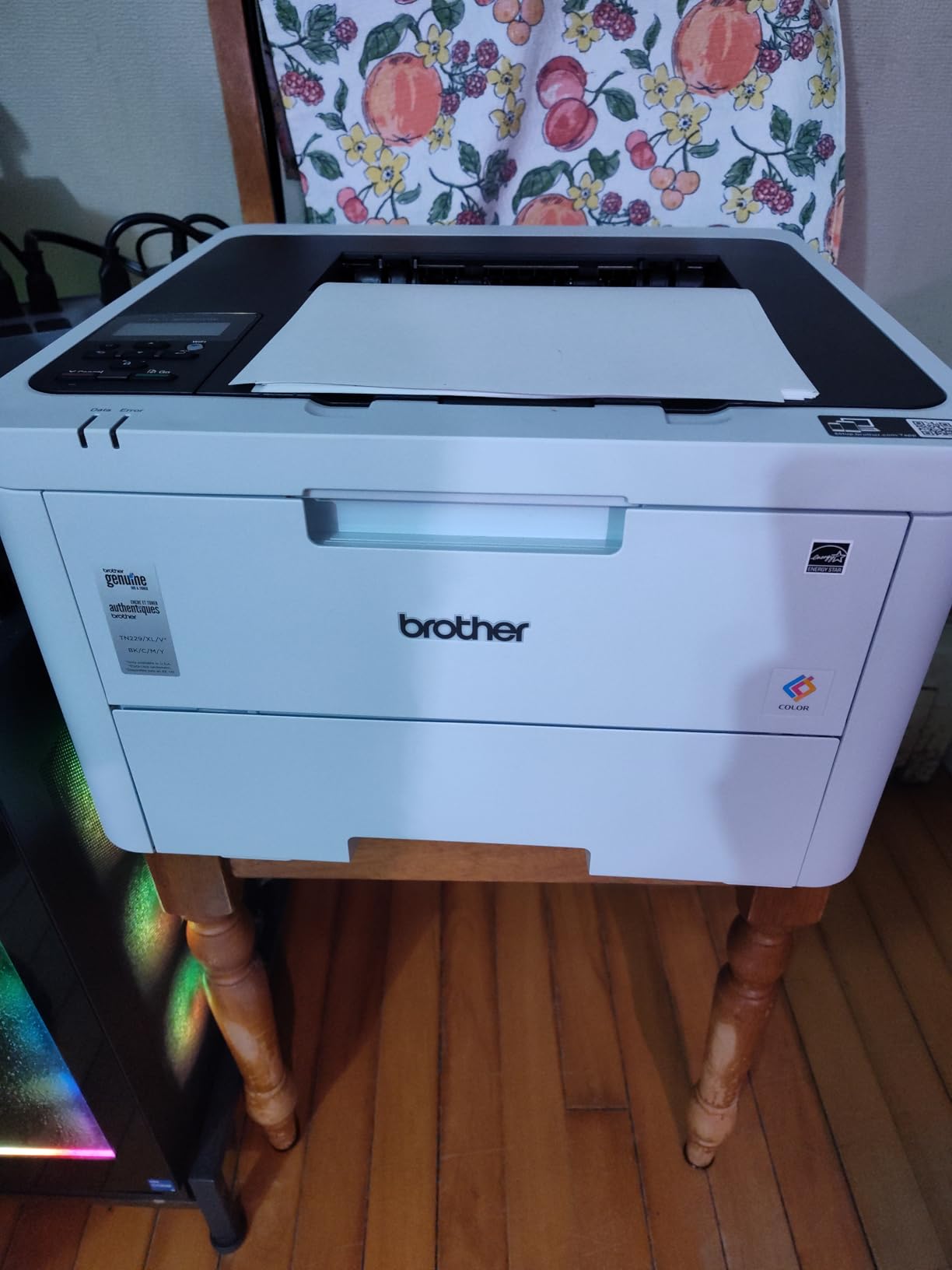
The Brother HL-L3220CDW is the one I would buy with my own money, and it is also the pick with by far the largest body of owner feedback in the group at 1060 reviews. That matters in a category where spec sheets are marketing documents and the real question is whether the machine still prints cleanly at month eighteen. The short version from long-term owners is that it does, quietly, and that the consumables are the cheapest per page of any new unit here.
At 19 pages per minute it is the slowest printer on this list, and for a home office printing a few dozen pages at a time that difference is essentially invisible. The first page arrives in under 15 seconds. What you notice instead is the 2400 by 600 dpi color resolution, which is the highest number in the lineup and produces crisp text with saturated graphics.
The TN229 and TN229XL cartridge family, with a DR229CL drum, is the practical reason this machine wins on value. High-yield XL cartridges are widely available, and the third-party market for this engine is mature enough that the running-cost maths favours it over most rivals.
Resolution, Toner Economics and What Three Years Costs
Colour quality is described accurately in reviews as vibrant graphics with crisp text rather than photo-grade color. For charts, forms, brochures and internal documents, that is exactly the right character. The same 2400 by 600 dpi figure applies to black and white, so monochrome output is not a downgrade either.
Because cost per page is the whole game here, run your own numbers before buying anything in this category. Take the price of a high-yield XL cartridge set, divide by the combined page yield across all four colors, and multiply by your realistic monthly color volume. When we do that comparison across this lineup, the Brother lands in a different tier from most of the field, and that gap widens every year you keep the machine.
Size, Tray and Network Behaviour
At 24.7 pounds and 15.7 by 15.7 by 9.4 inches, this is the smallest and lightest printer here, which matters if it is going on a credenza or a shared shelf rather than a floor stand. The 250-sheet tray plus manual feed slot is standard for the class, and the 150-sheet output tray means you will not be emptying it constantly.
Wireless printing from laptops, phones and tablets uses built-in security protocols, and the machine is described as advanced wireless for its class. Maximum media size is Legal, and maximum copies per run is 1000. None of that is exotic, but it is all present, which is more than some competitors manage.

Who Should Buy This and Who Should Skip It
Buy it if your priority is the lowest realistic cost per page and you mostly print documents, forms, labels and color graphics. It is also the right pick for anyone who is uneasy about buying an all-in-one they will not use.
Skip it if you need scan and copy, if you print large batches where 19 ppm will feel slow, or if you expect photo-quality output from a laser. For those, move up the list or step outside this budget entirely.
3. Xerox C230dni - Best for Photos and Grayscale
Xerox C230dni Wireless Color Laser Printer
24 ppm
11.4 sec color first page
600 x 600 dpi color
250-sheet input
+ Pros
- Sharp text with excellent true-black and mid-tone grayscale
- Automatic duplex as standard
- AirPrint and Mopria with built-in Wi-Fi
- 500-yield starter toner included
- Guided setup through the Xerox Easy Assist app
- Cons
- Toner is expensive and starter cartridges run out quickly
- Limited memory causes errors on large files
- Wi-Fi can drop off the network and the app is unreliable
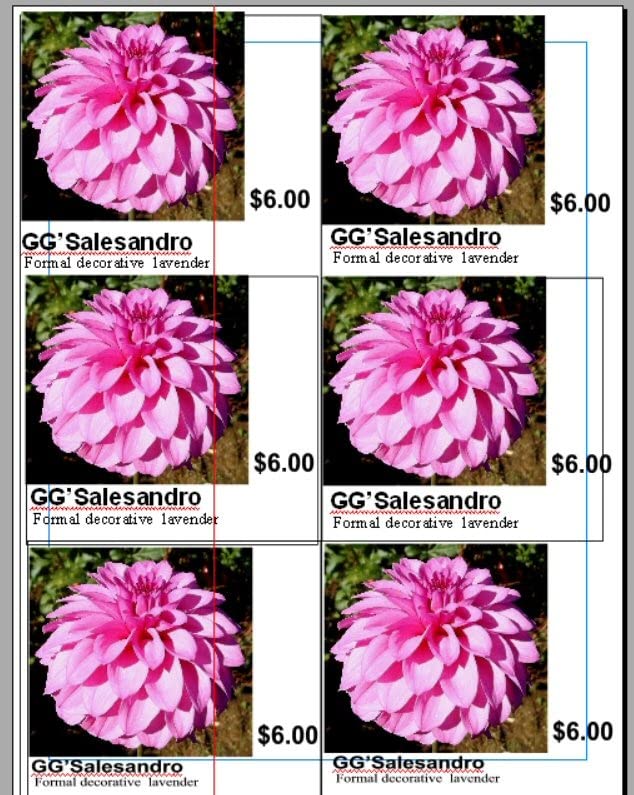
The Xerox C230dni earns its place on this list for one specific reason: it produces the best true-black and the smoothest mid-tone grayscale of any printer we looked at. Owners consistently single out photo and image quality as its strength, and if your documents contain photographs rather than just charts, that difference is visible immediately. Text is sharp at 600 by 600 dpi color and 600 dpi black, and color graphics look professional on the page.
At 24 pages per minute in color and black, with a first page out of 11.4 seconds in color and 11 seconds in black, it sits comfortably in the middle of the speed range. The 250-sheet input and 100-sheet output arrangement is standard, and Xerox recommends it for up to 1500 pages a month, which is a useful number when you are sizing it against your own use.
Setup is guided from your phone through the Xerox Easy Assist app, and built-in Wi-Fi works with Apple AirPrint and Mopria. Ethernet and USB are both present. The printer is ENERGY STAR certified and weighs 30 pounds at 15.5 by 16.2 by 9.6 inches.
Memory Limits and Large Graphics-Heavy Files
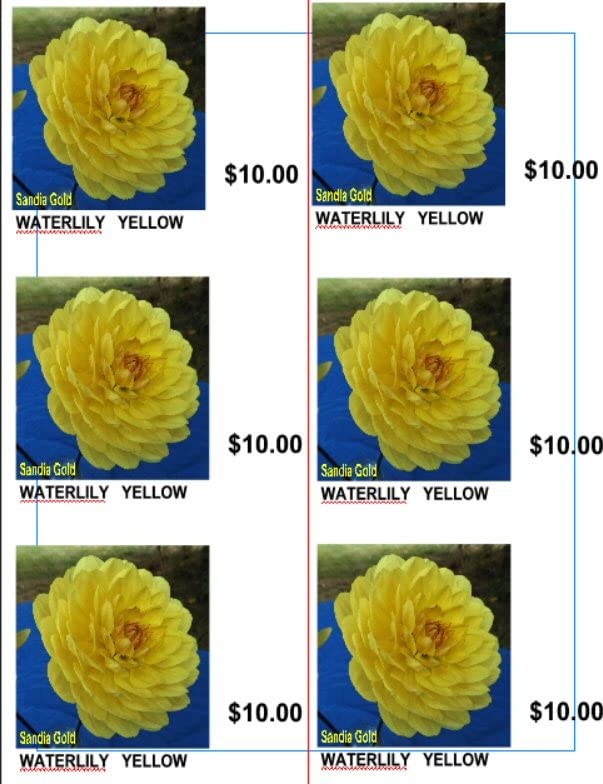
This is the printer's most consequential technical weakness, and it is not mentioned often enough. Reviews report errors on large files and images that refuse to print, which points to a modest memory budget. A graphics-heavy PDF with many high-resolution images can stall or fail, and the workaround is to split the file or reduce image resolution before printing.
That is a real constraint if you produce marketing decks with embedded photography. If your work is text and vector charts, you will probably never meet it. The lesson generalises: budget laser printers save money partly by limiting memory, and Lexmark, later in this guide, is the counter-example with 512 MB and a dual-core processor.
Wireless Stability and Running Costs
Wi-Fi reliability is the other repeated complaint. Owners report the printer dropping off the network and the Xerox app proving undependable, and the machine is described as slow over wireless connections. If it will sit far from your router, wired Ethernet is the safer route, and it is built in.
On the running-cost side, the 500-yield starter toner is a decent head start and high-yield cartridges are supported, but reviewers consistently call the toner expensive relative to the printer itself. A few dozen color pages a month is the volume this machine is happiest at. Push it much past that and the maths turns against it.
Who Should Buy This and Who Should Skip It
Buy it if image quality is the priority and your monthly color volume is light. It handles envelopes, glossy photo paper, labels and transparencies, and its grayscale rendering makes it a good fit for people who print photographs alongside documents.
Skip it if you print large files, depend on a flaky wireless link, or run heavy color volume. The toner economics and the memory ceiling will frustrate you within a few months.
4. HP LaserJet Pro M254dw Renewed - Best for Tight Desks
HP Laserjet Pro M254dw Wireless Color Laser Printer (T6B60A) (Renewed)
22 ppm
10.2 sec black first page
2.7-inch color touchscreen
250-sheet tray
+ Pros
- Highest star rating in this lineup
- Fastest black first page figure at 10.2 seconds
- 2.7-inch color touchscreen for on-device control
- Wi-Fi Direct plus wireless and USB
- Ethernet port included
- Cons
- Toner is not included with the printer
- Renewed units may ship in generic packaging
- Only a 90-day limited warranty
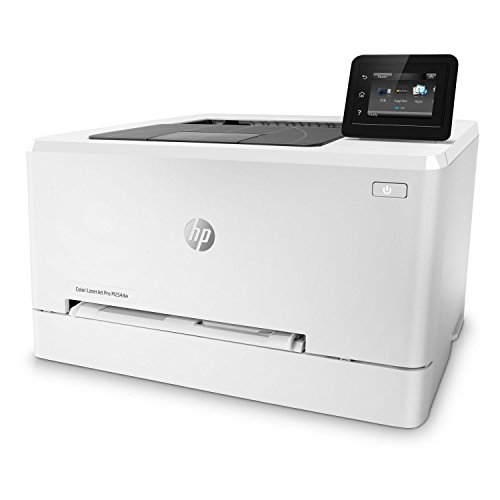
The renewed HP LaserJet Pro M254dw holds the highest star rating of any printer in this guide and pairs it with a genuinely useful feature set. It prints up to 22 pages per minute in black and color, puts a first page down in 10.2 seconds in black and 11.8 seconds in color, and has a 2.7-inch color touchscreen that most competitors in this price band do not offer.
Wireless printing works from iOS or Android on the same network, or without a network at all through Wi-Fi Direct, and there is a USB port plus an Ethernet port. The 250-sheet input tray is standard, and the unit measures in around a compact footprint for a color laser. Maximum media size is Letter and A4, and media types include envelopes, glossy photo paper, labels and transparencies.
Two things need saying plainly. The box contains the printer and the power cord only, so toner is a separate purchase the moment you start. And this is a renewed listing with a same-as-new one-year warranty alongside a 90-day limited warranty, which is a thinner safety net than a first-year new unit.
What Renewed Actually Changes About the Purchase
Renewed units go through functionality testing, basic cleaning, inspection and repackaging, which is why the warranty language describes them that way. In practice that means the hardware is sound but the cosmetics and the accessories may not match a new unit, and reviewers note that the printer can arrive in generic packaging.
The important check is the toner. Because no toner ships with this listing, budget for a full set of black, cyan, magenta and yellow cartridges before your first print, and check the cartridge family the engine uses so you buy the right ones. Buying the printer cheap and then paying retail for four cartridges erases the saving quickly.
Resolution, Media and the Touchscreen
Maximum print resolution is 1200 dpi for black and white and 600 dpi for color, which is a sensible split. Monochrome documents get extra crispness where it shows, and color documents are perfectly adequate for charts and reports rather than photography.
The 2.7-inch color touchscreen is the feature that separates this from a plain print-only box. You can trigger jobs and change settings without opening a menu on a computer, which is genuinely useful in a shared space. Energy draw is listed at 381 watts, which is worth knowing for anyone leaving the machine powered in a home office overnight.
Who Should Buy This and Who Should Skip It
Buy it if you want a compact machine with a real control panel, a strong owner rating, and fast first pages, and you are comfortable buying renewed hardware. It suits a home office where desk space is at a premium.
Skip it if you need a full manufacturer warranty, if you want a scanner, or if the absence of included toner makes the total cost less attractive than the headline suggests. Budget printers are also the thinnest on third-party cartridge options, so factor that in.
5. HP LaserJet Pro 400 m451dn Renewed - Best for Bulk Duplex Work
HP LaserJet Pro 400 m451dn Duplex Color Laser Printer (Renewed)
Duplex color laser
Certified refurbished
52.12 lb chassis
Small office duty
+ Pros
- Full duplex color printing as standard
- Large chassis that handles sustained office work
- Many units arrive with new color cartridges
- Strong value against the equivalent new model
- Cons
- Renewed units can arrive dirty or worn
- False paper jam reports in the multipurpose tray
- Older generation with dated network and driver support
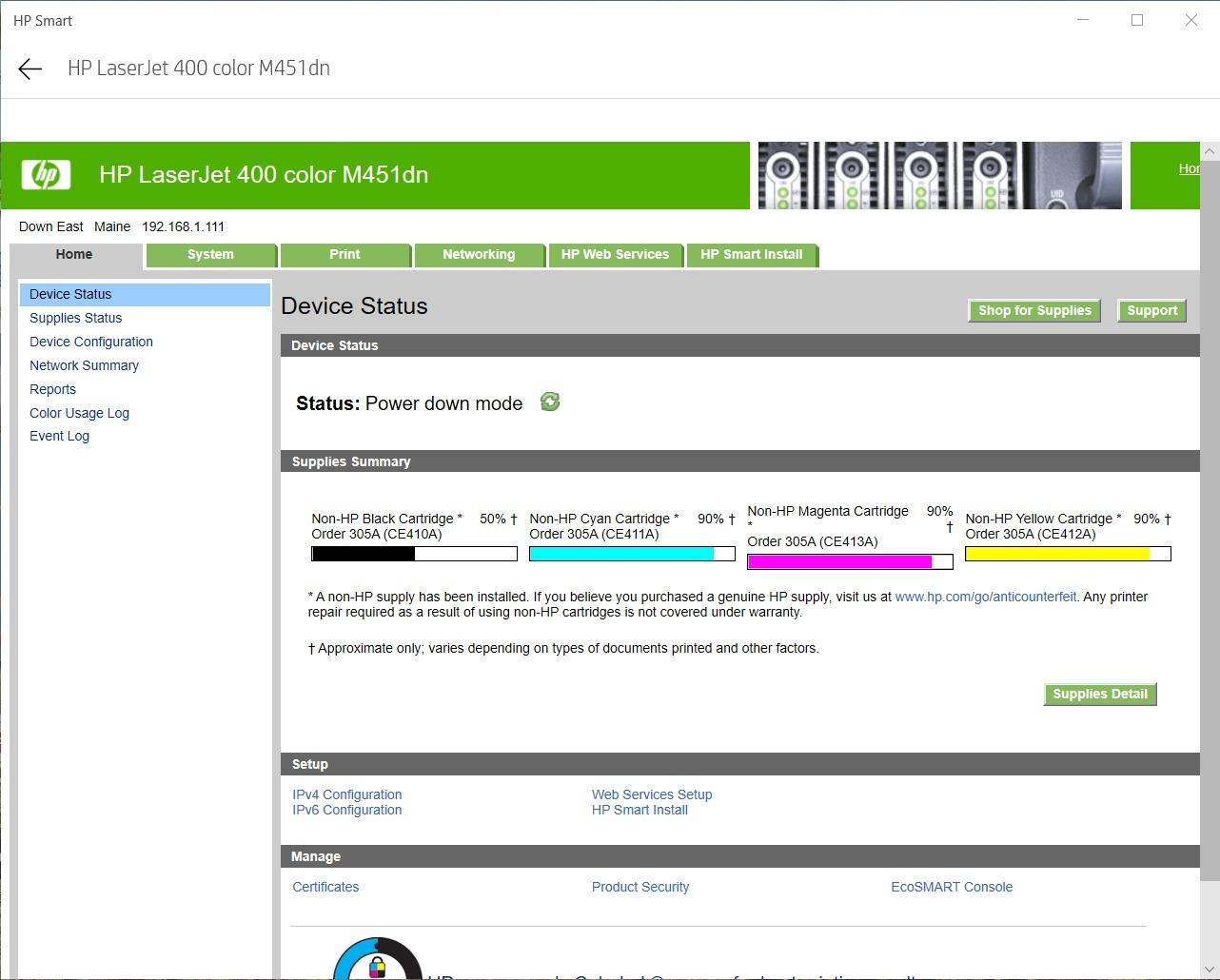
This is an older-generation HP engine that was built for small office volume, and that is exactly why it still appears in this price band. The LaserJet Pro 400 m451dn is a duplex color laser with no wireless, designed to sit on a network and produce color and monochrome documents from one device. Owners frequently report that units work straight out of the box and that some arrive with all new color cartridges already fitted.
Against the equivalent new model, the value argument holds up well. The trade-off is the age of the platform. Network and driver support is dated, USB installation can be fiddly on current systems, and it is the heaviest machine here at 52.12 pounds with a 19.06 by 15.94 by 12.68 inch footprint. Plan on a proper stand, not a desk.
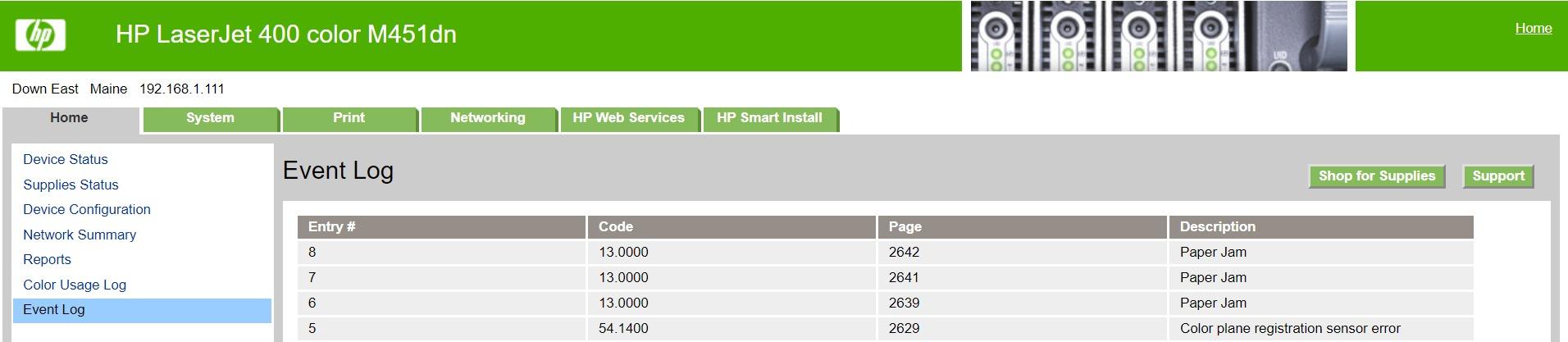
It is also a renewed or certified refurbished unit, and the reviews on this listing are blunt about the variation. Some units arrive dirty or below the expected standard for a renewed listing, some report false paper jams particularly in the Tray 1 multipurpose feeder, and a few owners report units that stopped printing after several months of use.
Duplex Throughput for Long Jobs
Automatic duplex printing is the reason to consider this machine at all, and it handles it without intervention. For anyone producing multi-page reports, proposals or double-sided handouts, being able to stack a hundred sheets in the tray and walk away is worth more than raw color speed from a newer wireless model.
It is a print-only device with no scanner, so anything that needs a flatbed or a feeder is out of scope. That keeps the machine focused and its footprint of use narrow, which is why it still works as a dedicated document printer for a small office.
Renewed Risk: What to Check on Arrival
When a renewed machine arrives, run three checks before you rely on it. Print a color test page, a black-only page and a duplex test page, all on plain paper, and confirm the output has no banding, streaks or ghosting. Then feed a single sheet through the multipurpose tray, since that is the part most often reported as unreliable on this model.
Ask the seller to confirm which cartridges are fitted and what their condition is, because a unit with three empty colors is a much worse purchase than one with four new ones. Check the warranty length on the listing before you commit, since renewed coverage is typically shorter than a new unit's.
Who Should Buy This and Who Should Skip It
Buy it if you want reliable duplex color output on a wired office network, you print in batches, and you are comfortable with older hardware and a renewed warranty. It suits a small team that values throughput over features.
Skip it if you need Wi-Fi, a modern mobile app, or a scanner, or if variable renewed condition is going to worry you. There is no touchscreen, no Ethernet flexibility of the newer class, and driver friction is a real time sink on current operating systems.
6. Brother HL-L3280CDW Renewed - Fastest Color Output Here
Brother HLL3280CDW Wireless Compact Color Laser Printer, Duplex, Mobile Printing & Ethernet...
27 ppm
Under 13.5 sec first page
Dual-band Wi-Fi
2.7-inch touchscreen
+ Pros
- Fastest color speed in the lineup at 27 ppm
- 250-sheet input and 250-sheet output capacity
- Dual-band 2.4GHz and 5GHz wireless plus Gigabit Ethernet
- Color touchscreen with Google Drive and Dropbox printing
- Brother Mobile Connect app for toner monitoring
- Reasonable running cost for the performance
- Cons
- No Toner Continue Mode so printing halts when a color is empty
- Renewed units can be noisier than new
- Heavy at 33.9 pounds and awkward to return
The Brother HL-L3280CDW is the speed pick, printing up to 27 pages per minute in color with automatic duplex and a first page in under 13.5 seconds. It is also the best-specified connectivity in the group, with dual-band wireless on 2.4GHz and 5GHz, Gigabit Ethernet, Wi-Fi Direct and USB 2.0. On paper that is a small office machine.
The 2.7-inch color touchscreen adds cloud printing from Google Drive, Dropbox and EverNote, and Brother Mobile Connect handles remote printing, toner level monitoring and supply ordering. Paper handling is 250 sheets in and 250 sheets out, resolution is 2400 by 600 dpi for both color and black, and maximum media size is Legal.
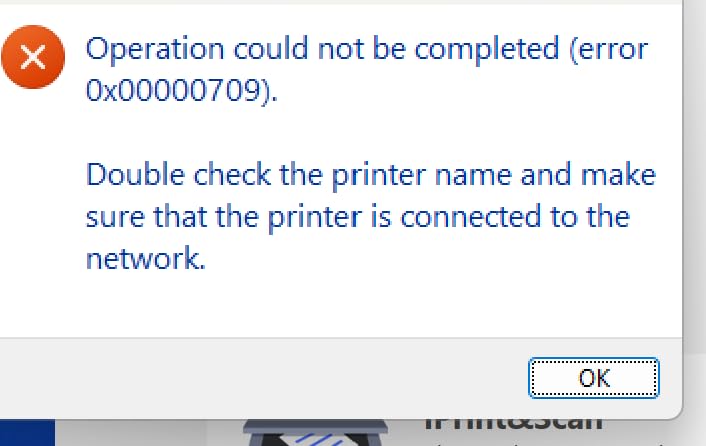
The one feature owners complain about most is the absence of Toner Continue Mode. When a color cartridge is flagged as empty, the printer stops printing entirely rather than continuing in black and white. On a machine bought for color work, that is a genuine interruption, and it is the single most repeated complaint in reviews.
Dual-Band Wi-Fi and What It Fixes
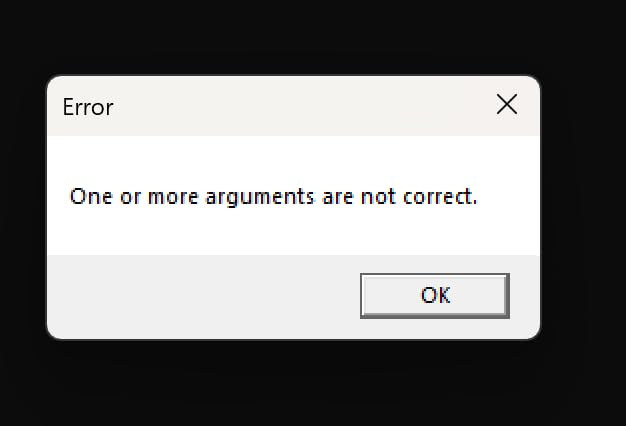
Most of the wireless dropouts reported in this category trace back to 2.4GHz-only radios fighting with a router that steers devices to 5GHz. A dual-band radio like this one can hold a connection on the less congested band, and the reviewers who mention network issues on other machines in this guide do not raise them here.
Wi-Fi Direct is also useful when the printer sits away from the router or on a different network entirely, since it creates a direct connection from a phone or laptop. For a home office where the network is the only point of failure, that combination is worth paying for.
Toner Monitoring, Continue Mode and Consumable Management
Remote toner monitoring through Brother Mobile Connect is a small feature that saves real frustration, because you can see a cartridge approaching empty from your desk rather than discovering it mid-job. The same app handles supply ordering, which is convenient if you buy cartridges regularly.
Toner Continue Mode is the flip side. On printers that have it, a depleted color cartridge downgrades the job to monochrome instead of stopping it. Without it, a single flagged cartridge halts output until it is replaced. If you print mixed color and black documents and cannot tolerate a stall, check this before buying.
Who Should Buy This and Who Should Skip It
Buy it if you print color in volume, want the fastest output and the best wireless behaviour here, and you are comfortable buying renewed hardware. It suits a home office or small business with a real daily print load.
Skip it if you cannot accept a hard stop when a color cartridge empties, or if the 33.9 pound weight and awkward re-boxing put you off renewed purchases. It is also print-only, so scanning needs a separate device.
7. Lexmark CS331dw - Best for Shared Offices Needing Ethernet
Lexmark CS331dw Color Laser Printer with Ethernet, Mobile-Friendly, Wireless Office Printer with...
26 ppm
512 MB memory
1-GHz dual-core
250-sheet tray
+ Pros
- Full 512 MB memory and a dual-core processor handle large jobs
- Ethernet plus wireless on one machine
- Embedded web server for browser-based configuration
- AirPrint and Mopria without forcing cloud subscriptions
- Good cross-platform printing from macOS Windows Linux iOS and Android
- Cons
- Replacement toner is extremely expensive with few reputable alternatives
- Driver downloads are hard to find on the Lexmark site
- Some fuser noise during operation and no physical on-off button
The Lexmark CS331dw is the specification outlier in this group. It runs a 1-GHz dual-core processor with 512 MB of memory, which is the sort of figure you would expect on a machine costing several times more, and it is the pick to choose when your documents are large or graphics-heavy. It prints up to 26 pages per minute with standard two-sided printing, 600 by 600 dpi in color and black, from a 250-sheet tray plus a single-sheet feeder.
It is also the only printer here with a serious security posture, described as a full-spectrum security architecture protecting documents on the device and over the network. For a shared office machine that other people can reach, that is not marketing filler. The embedded web server lets you configure and tune print quality from a browser, which removes a lot of driver friction.
Mobile support covers the Lexmark mobile print app, Mopria, AirPrint and Google Cloud Print, and reviewers report smooth printing from macOS, Windows, Linux, iOS and Android. It is EPEAT Silver and ENERGY STAR certified, and Lexmark toner cartridge recycling is available. Recommended monthly volume is 600 to 2500 pages.

Memory as the Feature That Separates It
Most budget color lasers economise on memory, and the Xerox in this guide shows exactly how that ends: errors on large files and images that will not print. The Lexmark's 512 MB with a dual-core processor is the direct answer to that problem, and it means multi-page graphics PDFs and embedded photography are routine rather than a gamble.
If your work involves proposals with charts, price sheets or photographs, this is the printer that will not stop halfway through. On a shared office network with several people submitting jobs, the extra headroom also reduces the chance of a queue stalling behind one heavy document.
Toner Cost: The Catch on an Otherwise Strong Machine
The dominant complaint is running cost. Reviewers warn that genuine and high-capacity cartridges can cost more than the printer itself, and that few reputable third-party options exist for this engine. That is a serious problem for a machine whose recommended volume starts at 600 pages a month.
Before buying, price the full four-colour cartridge set and divide by the combined yield. If the resulting cost per page is higher than the Brother, the memory advantage does not help you unless you are genuinely printing heavy graphics work. The driver situation adds friction too, since some buyers report difficulty finding downloads on the Lexmark site.

Who Should Buy This and Who Should Skip It
Buy it if you print large or graphics-heavy documents on a shared office network, need wired Ethernet alongside wireless, and care about device-level security. It is the most future-proof machine here on paper.
Skip it if your volume is light, because the toner economics will punish you, or if you dislike hunting for drivers. It is also print-only, and some buyers report fuser noise and a missing physical on-off button that annoys in a quiet room.
8. HP Color LaserJet Pro 3201dw - The Only All-in-One, and Its Trade-Off
HP Color Laserjet Pro 3201dw Wireless Color Laser Printer, Office Printer, Duplex, Best for Office...
26 ppm
Flatbed scanner and copier
250-sheet tray
Dual-band Wi-Fi
+ Pros
- The only unit here with scanning and copying built in
- 26 ppm with automatic two-sided printing
- 250-sheet input and 250-sheet output
- Next-generation TerraJet toner for more vivid color
- Dual-band Wi-Fi with self-reset that resolves connection issues
- Cons
- Lowest star rating in the lineup with a large share of one-star reviews
- Blocks non-HP chips so third-party cartridges will not work
- Only 600 x 600 dpi color resolution
- Wide 20-inch chassis takes more desk space
Every other printer in this guide is print-only, which makes this one worth understanding on its own terms. The HP Color LaserJet Pro 3201dw adds a flatbed scanner and a copier to a 26 ppm color laser with automatic two-sided printing, a 250-sheet input tray and a 250-sheet output tray. It ships with toner cartridges, a power cord, a user guide and flyers in the box, with a one-year limited warranty.
Color output uses next-generation TerraJet toner for more vivid results, and resolution is 600 dpi black and 600 by 600 dpi color. Dual-band wireless includes a self-reset feature that detects and resolves connection issues on its own, which addresses the drop-off complaint that dogs several other machines in this guide.
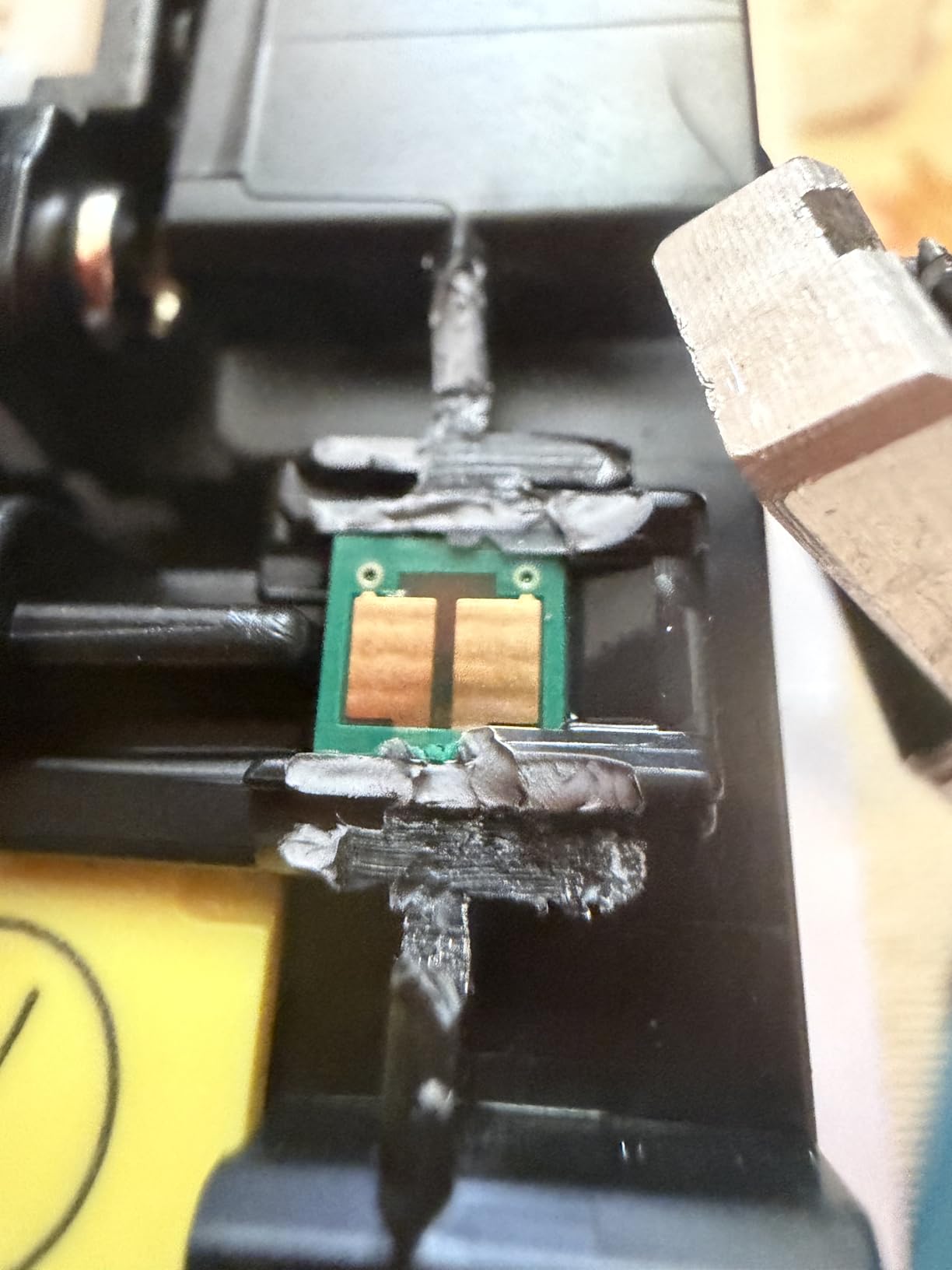
But the same machine has the lowest average rating in the lineup by a wide margin, with a large share of one-star feedback across 985 reviews. The cause is documented in the product itself: it is intended to work only with cartridges containing original HP chips or circuitry, non-HP chips are blocked, and firmware updates maintain that restriction. You are locked into genuine HP cartridges for the life of the machine.
Why the Chip Lockout Decides This Purchase
Third-party toner is the usual escape hatch from high consumable costs, and on this machine it is closed. Blocking non-HP chips is a deliberate design choice, and it means the cost-per-page calculation is fixed to whatever HP charges for cartridges, with no aftermarket floor beneath it.
Run that calculation before committing. If the four-colour cartridge set divided by combined yield gives a per-page number you are not comfortable with, no amount of deal hunting will fix it later. This is exactly the trap forum buyers describe, where a cheap printer plus expensive locked cartridges costs more over three years than a mid-priced machine with open consumables.
Scan, Copy and the Practical Case for an All-in-One
The flatbed scanner and copier are the reason this machine exists in a sub-300-dollar list where everything else prints only. If you scan receipts, copy documents, or sign and file paperwork regularly, a single device that does all three is genuinely more useful than a print-only box plus a separate scanner you have to store somewhere.
The counter-argument is the footprint. At 15.35 inches deep by 20.08 inches wide by 10.47 inches tall, this is the widest chassis here, and the scanner deck adds height you need to clear. Maximum media size is Legal, with paper from 3 by 5 inches up to 8.5 by 14 inches.
Who Should Buy This and Who Should Skip It
Buy it if scanning and copying are daily requirements and you would rather have one machine than two, and you are comfortable buying genuine HP toner for its life. The self-resetting dual-band Wi-Fi is a real advantage in a busy office.
Skip it if you are a light-to-moderate printer, because the cartridge lock-in and the 3.4-star owner record point to a frustrating ownership experience. For most people, a print-only machine with cheaper consumables and a separate low-cost flatbed scanner is the more sensible buy.
How to Choose a Color Laser Printer Under 300 Dollars
Most buying guides in this category start with price and work backwards, which is backwards. Below 300 dollars, the price range is already fixed, so start with the two decisions that change your experience most: how many pages you print, and whether you need a scanner.
Start With Running Cost, Not Purchase Price
Toner dominates everything else in this category. A printer bought cheaply with expensive cartridges loses to a mid-priced printer with cheap ones, and the gap is measurable over two or three years of regular use. Before choosing, find the cartridge family each engine uses, price a full high-yield set, divide by the combined page yield across all four colors, and multiply by your monthly color volume.
That single number ranks these eight machines more accurately than any star rating. It is also why cartridge lock-in matters so much, because it removes your ability to shop around. We test a wide range of budget equipment before recommending a purchase, and the same discipline applies to printer consumables.
Print-Only or All-in-One: Decide This Early
Seven of the eight printers here are print-only, which is not a flaw. If you scan occasionally, a standalone flatbed scanner costs a fraction of an all-in-one and takes almost no desk space, and you get a simpler, cheaper printer. If you scan or copy every day, the HP Color LaserJet Pro 3201dw is the only integrated option at this budget.
One nuance: a sheetfed scanner listed on a print-only unit usually refers to the ADF on an all-in-one, not a feature. Check the product type carefully. Print-only units here have no scanning hardware at all.
Match Pages Per Minute to Your Real Volume
Speeds in this group range from 19 to 27 pages per minute, and the difference matters far less than buyers expect. If you print a few dozen pages a day, anything above 15 ppm feels instant. The number starts to matter at 800 pages a month or more, or when several people share one machine.
Look instead at the recommended monthly volume, which manufacturers state more honestly. The Xerox is recommended for up to 1500 pages a month and the Lexmark for 600 to 2500. A machine operated well above its recommended volume ages faster, particularly if the drum and fuser are undersized for the load.
Connectivity: Bands, Mobile Apps and Dropouts
Every printer here supports wireless printing from a phone or laptop, and all support AirPrint or Mopria, so basic mobile printing is solved. The differentiator is band support. Dual-band 2.4GHz and 5GHz radios, found on the Brother HL-L3280CDW and the HP Color LaserJet Pro 3201dw, hold connections better in congested networks. Single-band machines report more drop-offs after sleep.
Ethernet still matters in a shared office, and only some models here have it. The Lexmark CS331dw and the HP M254dw both include an Ethernet port. If the printer will be more than one room from the router, wired is more reliable than any app.
Paper Handling, Trays and Media Range
Almost every model in this guide has a 250-sheet main cassette and a single-sheet manual feed slot for envelopes, card stock and glossy media. The differences are in output capacity, where machines range from 100 sheets to 250, and in maximum media size, which is Legal on most and Letter or A4 on the HP M254dw.
Check tray size against your typical job. A 250-sheet tray means roughly one ream, and if you print 400 pages a week you will refill constantly. High-yield toner matters here too, since fewer cartridge changes means fewer interruptions.
Duplex, Memory and Large Graphics Files
Automatic duplex printing is universal in this class, so it is no longer a differentiator. Memory is. The Lexmark's 512 MB with a 1-GHz dual-core processor handles heavy documents that stall machines with smaller memory budgets, which is a documented problem on the Xerox C230dni.
If your documents contain embedded photographs or many high-resolution images, prioritise memory over speed. If you print forms, invoices, labels and text, memory rarely matters and running cost dominates.
Color Laser vs Inkjet vs Ink Tank
A color laser wins on running cost above a few hundred pages a month, on text sharpness, and on durability, because toner is a dry powder that does not smear or run. An inkjet wins on photo quality, on initial cost, and on printing a handful of pages a year. An ink tank printer sits between them, with low per-page ink costs and acceptable color for documents and photos alike.
The practical rule: under 200 color pages a month, choose an ink tank printer. Between roughly 200 and 1500 pages a month of mixed color documents, a color laser in this guide pays for itself. Above that, step above this budget rather than stretching a machine past its recommended volume. Users who compare the same way often find themselves weighing a printer purchase against a second kayak for the water in the same season, and the same three-year running-cost maths applies to all of them.
New vs Renewed: Read the Warranty Line
Two of the eight printers here are renewed, and both are HP. Renewed hardware is tested, cleaned, inspected and repackaged, and it is a legitimate way to reach a capable machine on a limited budget, but the warranty is the tell. A renewed unit with a 90-day limited warranty carries far more risk than one with a one-year warranty, and a new unit in this category carries a one-year limited warranty as standard.
If you buy renewed, test on arrival: a color page, a black page, a duplex page and a single sheet through the multipurpose tray. Confirm which cartridges are fitted. If you cannot tolerate that variability, spend the difference on a new unit and accept a slightly slower machine for the peace of mind.
Frequently Asked Questions
What is the best color laser printer under 300 dollars?
The Canon imageCLASS LBP646Cdw is our top pick. It prints up to 26 pages per minute in color, delivers a first page in about 10.3 seconds, includes automatic duplex printing, a 250-sheet paper tray and wireless connectivity with AirPrint and Mopria. It also has the highest color resolution in this group at 1200 x 1200 dpi, which matters for charts and small colored text.
What is the best color laser printer for home use?
For most home offices, the Brother HL-L3220CDW is the best fit. It is the smallest and lightest machine in this group at 24.7 pounds, has the largest review base with 1060 owner ratings, and uses the TN229 and TN229XL cartridge family, which is where the cheapest realistic cost per page comes from. If you need sharper color, the Canon LBP646Cdw is the better choice.
Do I need an all-in-one or a print-only color laser printer?
Choose print-only unless you scan or copy every day. Seven of the eight printers under 300 dollars are print-only, and a standalone flatbed scanner costs a fraction of an all-in-one while taking almost no space. If scanning and copying are daily tasks, the HP Color LaserJet Pro 3201dw is the only integrated option at this budget, and you accept locked-in genuine HP toner cartridges.
How long does toner last in a color laser printer?
It depends on coverage rather than page count alone. A page that is mostly white uses a fraction of the toner a full-page color chart does, so a high-yield cartridge can run for far more pages of invoices than of brochures. Check each printer's recommended monthly volume: the Xerox C230dni is rated for up to 1500 pages a month and the Lexmark CS331dw for 600 to 2500.
Can I use third-party toner in HP or Brother color laser printers?
Brother is the more open platform. The TN229 and TN229XL family used by the HL-L3220CDW and HL-L3280CDW has a mature third-party market, which is why those machines usually have the lowest cost per page. HP is the opposite: the Color LaserJet Pro 3201dw is designed to work only with cartridges containing original HP chips, and non-HP chips are blocked, so aftermarket toner will not work at all.
The Verdict: Which Color Laser Printer Under 300 Dollars Should You Buy?
If you want one recommendation and you print a normal mix of color documents, take the Canon imageCLASS LBP646Cdw. It is the best color laser printer under 300 dollars for speed, color text sharpness and painless wireless setup, and the 26 ppm figure means nothing will feel slow.
If your priority is what each page costs over three years, take the Brother HL-L3220CDW. The TN229 and TN229XL cartridges keep it in a lower cost bracket than everything else here, and 1060 owner reviews give you a much clearer picture of reliability than a thin rating count can.
If photographs and grayscale matter more than running cost, or your volume is light, take the Xerox C230dni. If you need scanning and copying in one box, the HP Color LaserJet Pro 3201dw is the only option, and you should price the genuine HP cartridges before you commit.
And if you are printing fewer than about 200 pages a month, save your money and buy an ink tank printer instead. Pick your model, then check the current price and read the cartridge set cost one more time before you order.