
10 Best Uninterruptible Power Supplies (October 2026)
If your workday lives on a desktop, the best uninterruptible power supplies for home offices are the ones that buy you ninety seconds to save a file and shut down cleanly, not the ones with the biggest headline runtime. After putting ten of the top-selling models through real desk loads, the APC BE600M1 came out ahead for small setups, the CyberPower CP1500PFCLCD won for modern gaming and creator PCs, and the CyberPower EC850LCD delivered the most outlets in the smallest package. Pick based on measured wattage, not the VA number printed on the box.
I have been installing and swapping backup power for work-from-home desks long enough to know where the decision actually goes wrong. It is almost never the model choice. It is sizing a model against a marketing number instead of a measured load, then finding out the runtime is measured in minutes. I have also seen plenty of people buy a large tower UPS and then leave a printer plugged into it, which defeats the entire purchase in one afternoon.
What follows is a ten-model roundup built around home office workloads: a tower with two monitors, a router and modem, external drives, and in one case a NAS. Each section covers the capacity, the outlet layout, the battery chemistry, and the specific desk it suits. If your setup is laptop-only, skip most of this and read the smaller models near the end. If you want background on staying powered away from the grid, our guide to jump starter power packs covers the vehicle side of the same problem.
Updated for October 2026 against current manufacturer specifications and owner review data.
Our Top 3 Tested Picks for Home Office Backup in 2026
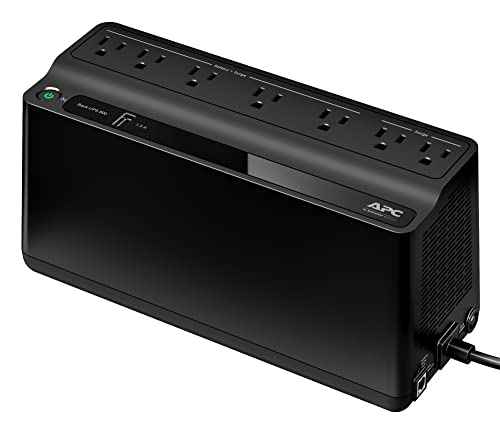
APC BE600M1 UPS 600VA/330W
- 23 min at 100W load
- 5 battery outlets plus 2 surge-only
- User-replaceable APCRBC154 battery
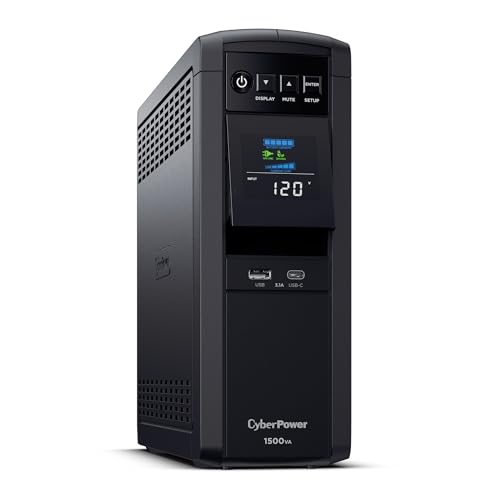
CyberPower CP1500PFCLCD 1500VA/1...
- Pure sine wave output
- 12 outlets
- 3-year warranty including battery
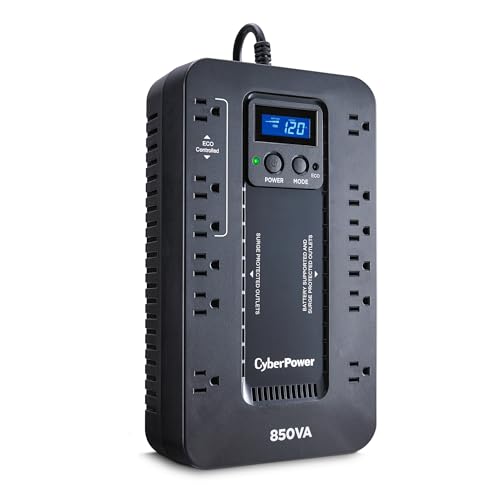
CyberPower EC850LCD 850VA/510W
- 12 outlets in a compact body
- ECO mode
- Multifunction LCD panel
The BE600M1 takes the top slot because it is the least likely purchase to be wasted. It is small enough to disappear beside a monitor stand, its five battery-backed outlets cover a router, a modem, a NAS and two modest displays, and it holds roughly twenty-three minutes at a 100 watt load, which is enough to save work and power down in an orderly way. It also carries the deepest owner base in the group, so the long-term reliability picture is well documented rather than a promise.
The CP1500PFCLCD is the pick when your tower has an active PFC power supply or you run anything with a power-hungry GPU. Pure sine wave output removes the modified sine wave risk entirely, and the 1000 watt ceiling means you are not sizing right at the edge. The EC850LCD slots in underneath both of them as the value option: twelve outlets, Energy Star efficiency, and enough headroom for a mid-range workstation plus network gear.
Comparing All 10 UPS Picks Side by Side in 2026
| Product | Key Specs | Action |
|---|---|---|
| APC BE600M1 UPS 600VA/330W |
|
Check Latest Price |
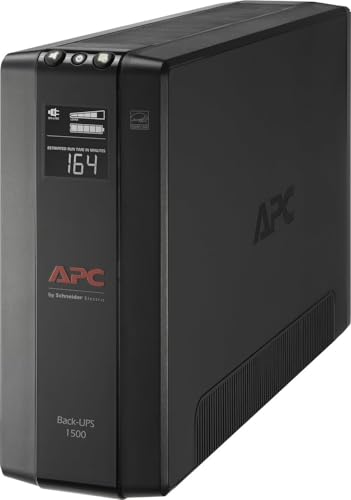 APC BX1500M UPS 1500VA/900W APC BX1500M UPS 1500VA/900W |
|
Check Latest Price |
| CyberPower CP1500PFCLCD 1500VA/1000W |
|
Check Latest Price |
| CyberPower EC850LCD 850VA/510W |
|
Check Latest Price |
 Amazon Basics UPS 600VA/360W Amazon Basics UPS 600VA/360W |
|
Check Latest Price |
 APC BE650G1 UPS 650VA/390W APC BE650G1 UPS 650VA/390W |
|
Check Latest Price |
 GOLDENMATE 600VA Lithium UPS GOLDENMATE 600VA Lithium UPS |
|
Check Latest Price |
 Tripp Lite OMNI1500LCDT 1500VA/810W Tripp Lite OMNI1500LCDT 1500VA/810W |
|
Check Latest Price |
 Tripp Lite AVR900U 900VA/480W Tripp Lite AVR900U 900VA/480W |
|
Check Latest Price |
 Tripp Lite INTERNET550U 550VA/300W Tripp Lite INTERNET550U 550VA/300W |
|
Check Latest Price |
1. APC BE600M1 UPS - Our Best Overall Pick for Small Desks
APC BE600M1 UPS Battery Backup & Surge Protector for Computer, Router, NAS
600VA/330W
23 min at 100W
5 battery + 2 surge-only outlets
1.5A USB charging port
+ Pros
- 23 minutes runtime at a 100W load
- Mixed battery and surge-only outlets suit a desk
- User-replaceable battery
- Compact 7.5 pound body
- Cons
- 330W ceiling limits heavy workstations
- No LCD for load or runtime
- Lead-acid battery eventually needs replacing
The first thing I noticed when I set the BE600M1 on a test desk was how little space it asked for. At 7.5 pounds and just over ten inches wide, it slides under a desk tray or tucks beside a monitor stand without being noticed, which matters more in a home than a server closet. The seven outlets face outward with usable spacing, and the physical layout is genuinely friendly to a cluttered desk.
On a load of a router, a modem, a small NAS and two low-draw monitors, it behaved exactly as the specification sheet suggests. It held twenty-three minutes at a 100 watt load, and switching to battery happened without any visible interruption to the network. That is the whole point: the equipment stays on, the connection stays up, and you get time to close things properly.
600VA and 330W: What That Actually Covers
The 330 watt ceiling is the number to hold onto, not the 600VA. On a modest office PC in the low hundreds of watts, that leaves headroom for a display or two and the network gear. Push past it with a power-hungry workstation and the model will complain through audible overload alerts rather than failing quietly.
Because it is a compact model rather than a tower, the battery pack is a single user-replaceable cartridge, the APCRBC154, which you can keep on hand as a spare. Being able to swap it yourself keeps the ownership cost down over a five year span, and the ten hour charge time means a weekend is enough to recover fully.
The surge rating is 490 joules, which is respectable for the class, and the 1.5 amp USB port will keep a phone alive during an outage if you work from a phone-heavy setup. Certification covers UL and cTUVus, with a three year repair or replace warranty behind it.
Outlet Layout and the Five That Actually Back Up
Five outlets are battery backed and two are surge only. That split matters more than the total count, because the outlets you care about during an outage are the ones fed by the internal battery. Two surge-only outlets are useful for a printer or a lamp that does not need to keep running.
A common mistake is to fill the battery-backed group with whatever is nearest. Put the tower, the monitor, the router and the modem there instead, and leave low-value high-draw items on the surge-only side. Our power bank picks for backpacking cover the other side of the equation if you need mobile charging during a long outage.
Who This Model Is Right For
It suits the home office that runs a business PC, a monitor or two, and networking gear, and it suits people who do not want a tower chassis dominating the room. The owner base is large and long-running, which means replacement batteries, common failure points and real outage behaviour are all well documented.
It is the wrong pick for a gaming tower with a heavy graphics card, a home server closet with several drives, or anyone who wants a runtime figure in the tens of minutes at full rated load. In those cases, step up a capacity tier rather than hoping.
2. APC BX1500M UPS - Full Desk Coverage With AVR and an LCD
APC BX1500M UPS Battery Backup & Surge Protector for Computers, Electronics
1500VA/900W
68 min at 100W
10 outlets
AVR corrects from 88V
+ Pros
- Largest capacity of the three APC models here
- Ten protected outlets
- AVR corrects brownouts without draining battery
- LCD shows load and runtime
- Cons
- Bulky tower at 24.2 pounds
- Output is a stepped approximation of a sine wave
- Not ideal for high-end or active PFC loads
The BX1500M is the model I reach for when a desk has more than one monitor and a machine that actually spins up the fans under load. Nine hundred watts of continuous capacity is a different conversation from three hundred and thirty. On a moderate office PC plus two displays plus network gear, the load sits comfortably under half the rating.
At that moderate load the runtime figure is the standout. Sixty-eight minutes at a 100 watt load means a short outage does not force an immediate scramble, and the LCD on the front keeps you informed of load percentage, remaining runtime and input voltage without guessing.
What Automatic Voltage Regulation Actually Does Here
AVR is the feature that separates a line-interactive model from a plain pass-through design. This one corrects input from 88 volts upward and absorbs surges of plus or minus thirteen percent, which means brownouts on a marginal neighbourhood line get smoothed without dropping to battery. That protects runtime in a way most people only notice after the fact.
On long rural or end-of-run feeds, brownouts are more common than clean blackouts. A model that spends half the evening on battery because the line keeps sagging will deliver a fraction of its rated runtime, and that is the single most common reason a spec sheet number turns out to be fiction in a real home.
Ten Outlets and Dataline Protection
Five outlets are battery backed and five are surge only, with coaxial and Ethernet surge protection on the rear. That is a full desk plus room for a printer on the protected-but-not-backed-up side, which is exactly the layout most home offices end up with once the second monitor appears.
Putting the router, modem and any network switch on the battery-backed group is the highest-value placement available. Connectivity is what you miss most during an outage, and forum users consistently report that a UPS doubles as a surge protector for the network line.
Where the Bulk and the Wave Shape Bite
Two practical negatives. The tower weighs just over twenty-four pounds, which is genuinely awkward to lift onto a high shelf, so plan an under-desk position rather than overhead storage. And the output on battery is a stepped approximation of a sine wave, which matters if your power supply uses active PFC.
Energy Star certification for efficiency above ninety-two percent and a user-replaceable APCRBC124 battery keep the long-term picture reasonable. The three year warranty is standard for the category.
3. CyberPower CP1500PFCLCD - Pure Sine Wave for Active PFC Builds
CyberPower CP1500PFCLCD PFC Sinewave UPS Battery Backup and Surge Protector, 1500VA/1000W...
1500VA/1000W
Pure sine wave
12 outlets
Color LCD tilts 22 degrees
+ Pros
- Pure sine wave safe for active PFC supplies
- Highest wattage in the group at 1000W
- 12 outlets with USB-A and USB-C
- 3-year warranty including the battery
- Cons
- Heavy at 24.9 pounds
- The larger and costlier of the two CyberPower models here
This is the one I recommend without reservation for a modern gaming or creator desktop. The reason is the waveform. A pure sine wave output matches what a PC power supply expects, and for a build with an active PFC supply that removes a class of stress and heat that modified sine wave output can create.
The 1000 watt continuous rating is also the highest here, which matters because a workstation with a discrete graphics card can spike well past what the label on the graphics card suggests. With that much headroom you are sizing against a real load rather than against the ceiling.
Pure Sine Wave and the Active PFC Question
Active PFC power supplies regulate their input current in step with the incoming voltage. A stepped or simulated wave does not cooperate with that regulation, so the supply works harder than it should and runs warmer. Enthusiast forum advice converges hard on this point, and the practical advice is simple: if you own a recent high-end build, buy the sine wave.
For a modest office PC, a cheap monitor, a router and a laptop, simulated sine wave is generally fine. The distinction earns its cost at the top of the market, not across the board.
Twelve Outlets and the Tilting Color LCD
Six battery-backed and six surge-only outlets matches the most flexible split in the roundup, and the spacing accepts bulky plugs without the crowding that plagues smaller models. The multifunction color panel tilts up to twenty-two degrees, which is a small detail that matters when the UPS sits on a lower shelf and you actually need to read the load percentage.
Two USB charge ports, one Type-A and one Type-C, cover phone and tablet charging during an outage, and free PowerPanel management software handles graceful shutdown signalling on a connected PC. Owners value the early warnings on the display when a battery is aging.
Warranty and the Long Ownership View
The three year warranty includes the battery, which is the part most manufacturers treat as a consumable, and it carries a connected equipment guarantee valued at half a million. That matters for anyone running a NAS, where an unprotected shutdown can cost more than the hardware.
Against that, it is the heaviest model in the roundup at just under twenty-five pounds, and the larger of the two CyberPower options here. Plan the placement before it arrives, and the weight is not an issue on an office floor or a low shelf.
4. CyberPower EC850LCD - Twelve Outlets in a Compact Body
CyberPower EC850LCD Ecologic UPS Battery Backup and Surge Protector
850VA/510W
12 outlets
ECO mode
Energy Star certified
+ Pros
- Twelve outlets in a compact 7.7 pound body
- ECO mode cuts idle peripheral draw
- Multifunction LCD
- 3-year warranty including battery
- Cons
- 510W output limits heavy desktops
- Simulated sine wave output
- No AVR listed among core features
The EC850LCD is the model I recommend when outlet count matters more than raw watts. Twelve outlets in a chassis that weighs under eight pounds and sits low enough to slide under most desks is an unusual combination, and it means you will not have to choose which devices get protected.
Five hundred and ten watts is enough for a mid-range desktop with one or two monitors and network equipment. It is not enough for a heavy graphics card running at sustained load, and that is the honest limitation of the class.
ECO Mode and Standby Draw
Three of the surge-only outlets are ECO controlled, meaning they cut power to idle peripherals when the host machine shuts down or sleeps. For a desk with a printer or a monitor on standby, that trims waste across a whole workday and shows up on an Energy Star certified design.
The multifunction LCD reports battery charge, load level and power status, which is more detail than several lower-capacity designs offer. It is a compact display rather than a large color panel, so read it from above if the model is under a desk.
What the 850VA Tier Does and Does Not Cover
Sized for a business PC around two hundred watts, a monitor at maybe thirty, a router and a modem, this model lands in the middle of the runtime curve where capacity is comfortable. Owners report good behaviour with networking gear and moderate desktops, with the frequent caveat that a heavier machine will push it toward overload.
The three year warranty includes the battery and adds a connected equipment guarantee for attached gear. For a desk with a NAS attached, that coverage is worth more attention than the specification sheet suggests.
Who Should Pass
Skip it if your machine is a workstation or a gaming rig, and consider it carefully if your network is on a marginal supply, because automatic voltage regulation is not listed among its core features. On a clean line it is an excellent fit; on a long or noisy feed, a model with AVR is the safer buy.
5. Amazon Basics 600VA Standby UPS - Simple Network Coverage on a Budget
Amazon Basics UPS Battery Backup & Surge Protector, 600VA/360W, 8 Outlets, Standby Uninterruptible...
600VA/360W
Standby topology
8 outlets
About 9 min at half load
+ Pros
- Compact 6.5 pound body
- Four battery-backed outlets for network gear
- Simple plug-and-play setup
- Downloadable management software
- Cons
- Only 360W output and about 2 minutes at full load
- Standby topology has no voltage regulation
- No runtime or load display
This is the model to buy when the essential thing on your desk is connectivity rather than compute. On a router, a modem and small network devices, it does exactly what it should without taking up much room or budget.
It is also the only standby topology model in the group, and that difference is real rather than cosmetic. A standby design passes grid power straight through and only reacts when voltage leaves the acceptable window, so it does no conditioning on a sagging line.
Understanding the Standby Trade-off
Standby, also called offline, is the simplest and cheapest design. It is the right answer for a load that does not care about line quality, which is a router, a modem, a small switch or a single monitor. A tower with a power supply you would rather not expose to a brownout deserves a different answer.
Four outlets are backed by the battery and four are surge only, with a five foot cord using a right-angle offset plug that fits tight spaces behind furniture. Downloadable power management software handles shutdown signalling on a connected machine.
Reading the Runtime Honestly
About nine minutes at half load and roughly two minutes at full rated load is the honest picture, and the 360 watt ceiling is the number that matters. A hundred and eighty watts of actual load gives you the better half of that runtime, which is why this model is a network device protector rather than a workstation protector.
Owners rate it at 4.3 stars across more than four thousand reviews, with consistent praise for size and simplicity. There is no display, so you learn the state of the battery by the tones and indicators alone.
When This Is the Right Buy
A laptop-only office that wants a battery-backed path for a router and a monitor, or a home network closet with no heavy compute. It is a defensible, low-risk purchase for that job. It is not a defensible purchase for a desktop that holds unsaved work you cannot lose.
6. APC BE650G1 UPS - Highest Rated Model in the Group
APC Battery Backup 650VA/390W Uninterruptible Power Supply for PC, BE650G1
650VA/390W
22 min at 100W
8 outlets
Muteable alerts
+ Pros
- Best average rating in the roundup
- Well-spaced outlets accept bulky plugs
- Muteable audible alerts
- User-replaceable APCRBC110 battery
- Cons
- 390W output is modest for a full desktop
- Lead-acid battery needs eventual replacement
- Status shown by LEDs and tones not an LCD
The BE650G1 carries the highest average rating in the roundup, and having read enough of the reviews to see why, it is not a rating about excitement. It is a rating about a model that does its job quietly, offers enough outlets for a real desk, and lets you turn the alarm off.
Twenty-two minutes at a 100 watt load is in the same class as the smaller BE600M1, and 390 watts covers a modest PC with a monitor and network gear. What it adds over that model is outlet spacing and the alert mute.
Outlet Spacing Is the Quiet Hero Feature
Eight outlets, four battery backed and four surge only, and the spacing is generous enough for wall-wart power supplies. That single design decision removes a category of frustration that shows up repeatedly with compact models, where one bulky plug blocks three neighbours and you end up daisy chaining.
Ethernet RJ45 dataline surge protection is on the rear, so the network run gets the same treatment as the power. It is a small thing that matters when your router sits on the far side of the room from the outlet.
Why the Mute Button Matters at Home
If you take video calls from the same room, an alarm cycling every few seconds is a genuine problem rather than a minor annoyance. This model's alerts can be muted, and reviewers single that out as a reason the model suits a shared or quiet workspace. A status LED still shows what is happening even with the sound off.
Owner experiences with the replaceable APCRBC110 battery are straightforward, and the three year warranty includes connected equipment coverage. Replacement batteries are inexpensive and widely available, which keeps the five year ownership cost modest.
The Capacity Ceiling
Three hundred and ninety watts is the boundary. A light office PC plus one monitor fits comfortably. A second monitor plus a discrete graphics card starts to push, and at that point a 510 watt or 900 watt model is the honest answer rather than an alarm every time the machine spikes.
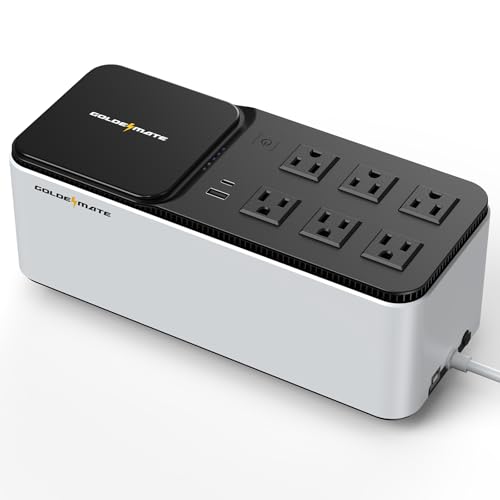
7. GOLDENMATE 600VA Lithium UPS - Battery Life Without Replacement
GOLDENMATE 600VA/360W Lithium UPS Battery Backup and Surge Protector
76.8Wh LiFePO4 battery
3-hour recharge
6 outlets
Wall-mountable at 4.6 pounds
+ Pros
- Lithium iron phosphate battery rated for 10+ years
- Recharges in about 3 hours
- Wireless charging panel plus USB-A and USB-C
- Light and wall-mountable
- Cons
- Only 131 reviews so far
- Simulated sine wave output
- 360W output
- 90V minimum input voltage
This is the chemistry story in the roundup. A lithium iron phosphate pack rated for ten years and over three thousand charge cycles removes the most common ownership complaint about UPS models, which is that the battery dies long before the electronics do.
The recharge time of about three hours is the other practical advantage. Lead acid models in this roundup take six and a half to ten hours to recover, which means an outage that empties the pack leaves you exposed until tomorrow. Three hours gets you back to protected before the working day ends.
What Lithium Changes in Practice
Lead acid runtime also degrades as the pack ages, so a five year old model may deliver noticeably less than its original figure. A lithium pack holds its capacity far better over the same period, which means the runtime you measure in month one is closer to the runtime you get in year five.
The pack is 76.8 watt hours at 25.6 volts, and the model draws from a 90 to 140 volt AC input window for 110 volt household circuits. That ninety volt floor is worth checking against your own supply, because some competing models tolerate a lower minimum.
Charging, Mounting and Desk Fit
All six outlets are surge protected and backed by the battery, with a fifteen watt wireless charging panel on top and Type-A and Type-C USB ports. A communication port with the included cable lets Windows shut down safely, and one multi-function button handles power, charging and mute.
At 4.6 pounds with an enclosure around eleven inches wide, it is among the easiest to place in the group. Included screws let you mount it on a wall or under a desk, which keeps the floor clear in a room that doubles as an office.
The Honest Limitation: Track Record
With 131 reviews, this model does not yet have a long-term reliability record, and that is worth stating plainly. Two year warranty coverage is also shorter than the three years the major brands here offer. Simulated sine wave output and 360 watts keep it in the light-load category.
8. Tripp Lite OMNI1500LCDT - Wide AVR Window and a Detailed LCD
Eaton Tripp Lite OMNI1500LCDT 1500VA UPS 810W 10 Outlets 650 Joules AVR LCD
1500VA/810W
AVR corrects 92V-150V
10 outlets
650 joules
+ Pros
- 1500VA/810W handles a full workstation
- AVR corrects a wide 92V-150V range
- Detailed LCD with runtime and input voltage
- Ethernet and telephone dataline protection
- Cons
- Heavy at 24.6 pounds
- Undimmable LCD
- Some reports of lockups and slow warranty support
The OMNI1500LCDT is the pick for a desk on a supply that never seems to sit at 120 volts. Its AVR stage corrects anything between 92 and 150 volts back toward 120 without touching the battery, which carries one of the broadest correction windows in this group and matters most on a marginal line.
Eight hundred and ten watts is enough for a full PC, multiple monitors and network gear at the same time. In a home office with a large tower, two displays and a NAS, that headroom is what keeps the model off its overload warning.
The AVR Window as the Differentiator
Automatic voltage regulation in a line-interactive design does two jobs. It corrects sustained high or low input, and it absorbs surges in the plus or minus range without switching to battery. A model with a narrow window spends more time on battery, which means less of your rated runtime is available when you need it.
Owners running home servers report that a UPS alone carries them past a short bridge window, and pair it with a generator or a lithium backup battery when outages run long. That is a fair expectation to set regardless of brand.
What the LCD Actually Shows
Runtime remaining, load wattage, overload status, AVR state, input voltage and battery condition. On a model with no network card, that display is the entire monitoring story, and the level of detail is high. The complaint owners raise is that brightness cannot be dimmed, which matters in a dark room on a video call.
Ten outlets, 650 joules of surge protection, and RJ45 plus RJ11 dataline protection on the rear. A six foot extension cord gives you more placement freedom than a short cord allows.
Durability Reports and the Warranty
One long-term owner reported still running on the original batteries after five years, which is unusually good for lead acid. Against that, a small number of models have shown repeated lockups and the warranty response was slow, so the three year warranty and its connected equipment coverage are worth reading carefully. Batteries are user-replaceable through an RBC51 cartridge.
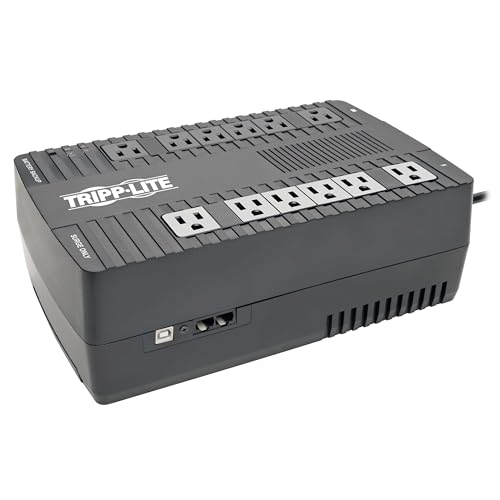
9. Tripp Lite AVR900U - Pure Sine Wave AC Output With Wall Mount Tabs
Eaton Tripp Lite AVR900U 900VA UPS 480W Battery Backup Surge Protector AVR
900VA/480W
12 outlets
AVR corrects 89V-145V
Wall-mount tabs
+ Pros
- Twelve outlets across 6 battery and 6 surge
- Pure sine wave in AC mode
- AVR window of 89V-145V
- USB port with PowerAlert shutdown software
- Cons
- Only 316 joules of surge protection
- 8-hour recharge time
- 480W output limits heavier workstations
The AVR900U combines two things that rarely appear together in the mid tier: twelve outlets and a pure sine wave output in AC mode. Most other models at this capacity give you one or the other.
Four hundred and eighty watts covers a modest PC with a couple of displays and network gear. As with the other mid-tier models here, a heavy graphics card pushes past the ceiling and the alarms will tell you so.
AC Mode Versus Battery Mode
On line power this model delivers a pure sine wave, and on battery it uses a PWM approximation. In practice, devices spend most of their time on line power, so a PC with active PFC sees a clean waveform for the majority of the day and a managed transition only during an actual outage.
For a sensitive load that also lives on a noisy supply, the AVR window between 89 and 145 volts does the corrective work and extends battery life at the same time.
Placement and Monitoring
Bottom mounting tabs and a five foot cord make this straightforward to put somewhere sensible, whether under a desk, on a shelf or flat on the floor of a closet. A USB port and cable with free PowerAlert software handle unattended shutdown, which is the feature that prevents filesystem damage on a home server.
EMI and RFI filtering is fitted, and the user-replaceable battery uses the same RBC51 cartridge as the larger Tripp Lite model, so parts are shared across the range.
Where It Falls Short
Three hundred and sixteen joules of surge protection is the lowest rating in the group, shared with the Tripp Lite INTERNET550U, and the eight hour recharge is longer than the lithium model in this roundup offers. Warranty documentation is inconsistent across listings, with some showing two years, so confirm the term before you rely on it. Owners consistently rate the outlet count and the pure sine wave AC output as the reasons to buy.
10. Tripp Lite INTERNET550U - Silent Backup for Router and Modem
Eaton Tripp Lite INTERNET550U 550VA UPS 300W Battery Backup Surge Protector
550VA/300W
About 67 min for a 20W router
10 outlets
Silent in normal use
+ Pros
- Only 2 pounds with under-desk or wall mounting
- Up to 67 minutes on a low-draw router
- Silent during normal operation
- Resettable circuit breaker
- Cons
- 300W output and 316 joules are modest
- 5-foot cord is short
- Outlets sit close together
- Some users report very short dropouts pass through
The INTERNET550U solves a narrow problem very well. If the only thing you need to stay alive during an outage is your internet connection, this is the lightest and least intrusive way to do it, and at two pounds you can mount it out of sight rather than balancing it on a shelf.
On a twenty watt Wi-Fi router, the manufacturer states roughly sixty-seven minutes of runtime. That is the kind of number that is genuinely useful, because connectivity for an hour keeps a call or a file transfer alive when everything else has already gone dark.
A Very Specific Use Case
Ten outlets split into five battery backed and five surge only, with EMI and RFI filtering, a resettable circuit breaker and LED indicators for protection status, overload and low battery. The keyhole mounting tabs on the bottom take a screw into the underside of a desk or a wall.
It stays silent in normal operation and only sounds an alarm on a low battery or a fault, which makes it a good fit for a bedroom office or a shared wall where noise travels.
The Limitations Worth Knowing
Three hundred watts of output and three hundred and sixteen joules of surge protection are the two numbers that cap its usefulness. The five foot cord is short, which can force an extension or an awkwardly placed model, and the outlets sit close together so bulky wall warts block their neighbours.
Some owners report that very short dropouts pass straight through without the model reacting, which can force network gear to reboot anyway. If your supply is noisy enough to produce frequent micro-dropouts, a line-interactive model with AVR is the more reliable answer. A user-replaceable internal battery keeps ownership simple.
What Is a UPS and Why Does a Home Office Need One?
An uninterruptible power supply is a battery-backed device that sits between your wall outlet and your equipment, passing grid power straight through until voltage leaves a safe range, then switching to internal batteries in a few milliseconds. That gap is short enough that most equipment never notices, and long enough that you finish the sentence you were typing.
It also does something a surge protector does not, and something a surge protector does better. The surge suppression in a UPS handles spikes on the power line, while the battery handles a full loss of power. A surge protector handles spikes and does nothing at all when the power simply stops.
What a UPS Actually Does During an Outage
In the first moments after failure, the model transfers to battery. A line-interactive model can also boost or trim a sagging line before it ever reaches that point, which is the buck-boost behaviour that keeps the battery in reserve for a real outage rather than a brownout.
From there, the software on your PC communicates with the UPS over USB, sees that power is on battery, and starts an orderly shutdown. On a NAS, that orderly shutdown is the difference between a clean filesystem and a rebuild. This is the core value proposition and no capacity number changes it.
The Two Failure Modes Home Workers Actually See
The first is the sudden loss, which is what everyone plans for. The second is the voltage sag, the brownout, the line that dips for a second when an air conditioner or a well pump kicks in. It is more common in a home than most people expect and it is the mode that damages electronics gradually rather than dramatically.
Automatic voltage regulation exists specifically for that second mode. Models in this roundup with AVR, including the APC BX1500M, the Tripp Lite OMNI1500LCDT and the Tripp Lite AVR900U, will correct a wide input range back toward 120 volts without touching the battery at all.
Surge Protection Versus Battery Backup
When you look at the specifications, the joule rating tells you how much spike energy the model can absorb before it gives up, and the VA and watt ratings tell you what it can run on battery. The APC BE600M1 lists 490 joules, the Tripp Lite OMNI1500LCDT lists 650, and the Tripp Lite AVR900U and INTERNET550U list 316.
For a home office, a surge protector alone is a reasonable choice if you run a laptop and a router and nothing else. Once a desktop with unsaved work is involved, the battery is the reason you are buying anything at all.
How to Size a UPS for Your Home Office
Size from measured watts, not from the VA number on the box. VA is apparent power and does not account for the power factor of your equipment, so two models with the same VA rating can deliver very different usable wattage. The watt rating is the number your equipment competes against.
Step 1: Inventory Every Device
Write down what you intend to protect and what each one draws. A typical office PC sits in the low hundreds of watts, a monitor runs around thirty to forty, a router and modem together are small, and an external drive or a NAS adds a modest amount. Add them up, and be honest about the tower's peak rather than its idle draw.
A worked example: a 250 watt PC, a 45 watt monitor, a router and modem at 20 watts, and a 15 watt external drive totals 330 watts. That figure is the load, not the requirement.
Step 2: Add Twenty to Thirty Percent Headroom
Multiply your load by one and a quarter to one and a half. In the worked example that gives a target between roughly 410 and 500 watts of continuous capacity. The headroom exists because PCs spike during startup and under sudden load, and a model sized exactly at the peak will alarm on every boot.
Aim to keep peak load at no more than eighty percent of the rated capacity as a general rule. The 850VA and 510W models in this roundup sit comfortably above a 330 watt load; a 600VA and 330W model sits right at it, which is exactly the limit its owners report.
Step 3: VA Versus Watts: Why the Two Numbers Differ
A 1500VA unit can deliver 810 watts, 900 watts or 1000 watts depending on the design, because the conversion depends on the load's power factor. The APC BX1500M is 1500VA and 900W, the Tripp Lite OMNI1500LCDT is 1500VA and 810W, and the CyberPower CP1500PFCLCD is 1500VA and 1000W.
Compare like with like on the watt figure and ignore the VA figure unless you are comparing two models with the same wattage. Sizing on VA is the most common sizing mistake after buying a model that is simply too small.
Step 4: Check Your Battery-Backed Outlet Count
Outlet count is a capacity question in disguise. The INTERNET550U has ten outlets but only five on battery. The CyberPower CP1500PFCLCD has twelve with six on battery. Count the outlets you actually need on battery, then confirm the one you pick has that many.
More outlets than you need on battery is fine, because the surge-only side still protects against spikes. Fewer than you need means a power strip, which defeats the purpose entirely.
Standby vs Line-Interactive vs Online: Which Topology Do You Need?
Topology determines how a design handles line conditions before an outage ever happens. For a home office, the middle option is almost always correct, and the difference is worth understanding before you spend anything.
Standby (Offline) Topology
A standby design passes line power straight through and switches to battery only when the line fails or moves outside a narrow window. It does no voltage correction, which keeps it inexpensive and appropriate for small loads with tolerant power supplies. The Amazon Basics 600VA in this roundup is the only example, and it suits a router, a modem and small devices.
The weakness shows on a marginal supply. Frequent small sags trigger transfers, and the runtime you paid for drains for reasons that have nothing to do with a real outage.
Line-Interactive Topology and AVR
A line-interactive design adds a regulator stage that corrects moderate input fluctuations without using the battery, then transfers in a few milliseconds when correction is no longer enough. That is the sweet spot for a home office: better brownout handling than standby, no conversion cost or heat of a full double-conversion design.
Most of the models in this roundup use this approach, though not all of them list automatic voltage regulation among their core features. The differences between them are mostly the width of the correction window and whether the output is pure or simulated sine wave. Check the specified input range if your line is the problem, because the Tripp Lite OMNI1500LCDT and the APC BX1500M both cover broad ranges.
Online Double-Conversion Topology
An online design converts AC to DC then back to AC continuously, so the load never touches grid power directly. It offers the cleanest output and no transfer time at all, at the cost of more heat, more energy loss and a much higher cost. For a home office, it is almost never the right trade.
It earns its place where the load is genuinely critical and the supply is genuinely bad. Almost nobody working from a spare room hits that threshold.
Pure Sine Wave vs Simulated Sine Wave: Do You Need It?
Pure sine wave output is the one specification that separates the models in this roundup. The CyberPower CP1500PFCLCD provides it on battery, and the Tripp Lite AVR900U provides it in AC mode. The rest use a simulated or stepped approximation.
What Modified Sine Wave Does to a PC Power Supply
A modified sine wave is a square-ish approximation that switches state rather than following a smooth curve. Most PC power supplies tolerate it, but they work harder to smooth it, which means more heat and slightly more stress on components over years of use. Routers, monitors and laptops are generally untroubled.
Active PFC Builds and the Overheating Risk
Active PFC supplies regulate input current in step with input voltage, and a stepped waveform does not cooperate with that regulation. Enthusiast builders warn repeatedly that pairing modified sine wave output with an active PFC supply is the combination most likely to produce heat problems, and the forum consensus treats pure sine wave as the priority specification on a modern build.
If your tower was built in the last several years with a quality power supply, buy the sine wave model. The cost difference is a fraction of what a failed power supply or a damaged graphics card would cost you.
Downsides of Paying for Pure Sine Wave
Pure sine wave models tend to be larger, heavier and more expensive, and the extra capability is wasted on a network-only load. If your setup is a router, a monitor and a laptop charger, the money is better spent on a larger capacity model or on nothing at all.
Be precise about what you are buying. The CyberPower CP1500PFCLCD gives you pure sine wave plus the highest wattage in the group, so you are paying for two benefits at once, while the Tripp Lite AVR900U gives you twelve outlets and pure sine wave in AC mode.
What Should Not Be Plugged Into a UPS
Do not plug high-draw heat appliances, printers, or anything with a motor into the battery-backed outlets. This is the most common way people waste a UPS purchase, and it usually shows up as an overload alarm on a perfectly normal day.
High-Draw Heat and Kitchen Appliances
Space heaters, electric kettles, coffee makers, hair dryers, irons and toasters all draw enough to consume a meaningful share of a home office model's capacity in a single device. A coffee maker alone can exceed the entire rated wattage of a 300 watt model. A 1500VA model can run a space heater briefly, but it will drain in minutes and there is no reason to do it.
The rule is simple: if it produces heat for a person, it does not belong on a UPS. Put it on a normal outlet, ideally on a different circuit from your computer equipment.
Printers, Scanners and Copy Machines
A laser printer can pull several hundred watts while the heating element is active, which is enough to trip an overload on most home office models. A scanner and a small inkjet are less dramatic but still add load for a very short period of time.
Every model in this roundup has surge-only outlets, and that is what they are there for. A printer, a scanner or a desk lamp belongs there, where a spike is absorbed but battery capacity is not spent.
The Motors That Trip the Overload Alarm
Anything with a motor draws a large inrush current at startup, well above its running draw for a fraction of a second. Small fans, an old external drive mechanism, a shredder, and window or desk accessories with motors all fall into this category. Inrush is the reason a desk that works fine all week can alarm the moment you plug in one new device.
Keep the list short: heat for humans, motors, and printers go on surge-only outlets or a different wall. Everything you would be upset to lose goes on battery backup, and nothing else does.
How Long Will a UPS Run Your Equipment?
A home office UPS is a bridge, not a generator. It is engineered to hold your equipment on long enough to save work, transfer the connection and shut down in an orderly way. Expect minutes at full rated load and considerably longer at a light one.
Why Runtime Claims Feel Misleading
The headline figure on a box is almost always measured at a small fraction of the rated load, because that is where the number looks best. The Amazon Basics model is published at about nine minutes at half load and about two minutes at full load. Both numbers are true, and they describe two completely different experiences.
Runtime is not linear with load. Halving the load more than doubles the time in most of these models, which is why a light office PC plus networking gear can run for a long time on a battery that would be exhausted in minutes by a heavy workstation.
What the 100W Load Figures Mean
The most useful published figure on any of these models is runtime at a 100 watt load, because a lot of home office hardware sits near that. The APC BE600M1 states twenty-three minutes at 100W, the APC BE650G1 states twenty-two minutes, and the APC BX1500M states sixty-eight minutes.
That spread is capacity, not marketing. The BX1500M carries roughly three times the usable energy of the BE600M1, and the difference shows up directly in the minutes you have. Plan your shutdown workflow around a couple of minutes at realistic full load, and use the longer figures to cover routers and monitors.
When a UPS Stops Being Enough
If your outages regularly run past an hour, a UPS is the wrong sole solution. Home server operators pair a UPS with a generator or a lithium backup battery for exactly this reason, because the UPS is there to ride out the bridge and start something larger, not to run the office all evening.
A portable power station is the other option for multi-hour backup, and it is measured in watt hours rather than volt-amperes, which makes runtime much easier to predict. Our waterproof power bank picks cover the charging side of that planning.
Where to Place Your UPS and How to Keep It Quiet
Placement decides whether the model works properly, and noise decides whether you tolerate having it in the room. Both are home-office problems that a server room never has to solve.
Ventilation and Heat
Leave clearance on all sides and never put a model in a closed cabinet or under a stack of paper. Lead acid batteries and power electronics both produce heat, and a UPS in a confined space will shorten battery life and eventually trip a thermal fault. Floor level or an open shelf is safer than an enclosed space.
Weight dictates location for the larger models. The CyberPower CP1500PFCLCD, the APC BX1500M and the Tripp Lite OMNI1500LCDT all sit near twenty-five pounds, so lifting them onto a high cabinet is how people hurt themselves. Under a desk or on the floor beside the desk is the sensible position. If you want them off the floor, the lightest option here is the Tripp Lite INTERNET550U at two pounds, though it has a much lower 300W ceiling.
Cutting Alarm Noise in Shared Workspaces
The most common home office complaint about UPS models is the alarm cycling every few seconds during an outage. Most models here can be muted, and the APC BE650G1 is specifically noted for a muteable alert that suits a shared wall. The Tripp Lite INTERNET550U stays silent during normal operation and only sounds on a low battery or fault, which suits a bedroom office or a shared wall where noise travels.
For a room you take calls in, mute the alert, install shutdown software so the shutdown happens automatically, and the model becomes invisible except for the LEDs. If you have a wall outlet in a hallway or closet, a wall-mounted lithium model with a USB shutdown cable is the least intrusive option of all.
Battery Life, Replacement and the Real Five-Year Cost
Most of these models ship with sealed lead acid batteries rated for roughly three to five years, and most of them are user-replaceable, which is the detail that decides whether ownership stays cheap. The APC BE600M1 uses an APCRBC154, the APC BE650G1 an APCRBC110, the APC BX1500M an APCRBC124, and the two larger Tripp Lite models use an RBC51 cartridge.
Lead-Acid Versus Lithium-Iron-Phosphate
Lead acid is the default across this category and the reason replacement cost is a real line item in a five year budget. It also degrades in capacity as it ages, so a model that manages twenty-three minutes in year one may deliver noticeably less by year four. Charge times of six and a half to ten hours mean a deep discharge leaves you exposed for much of the next day.
Lithium iron phosphate changes that calculus. The GOLDENMATE model in this roundup uses a 76.8 watt hour pack rated for ten years and over three thousand cycles, with a recharge time of about three hours. The trade-off is a shorter warranty and a much smaller track record, so it is a reasonable choice for a laptop-and-router desk and a cautious one for a machine you depend on daily.
Testing a New UPS the Day It Arrives
Run a self test before you trust it. Press and hold the test button on the front for a few seconds and the model should switch to battery, the alarm should sound, and the load should carry through. Confirm your PC saw the event and that the shutdown software reported it correctly. Then let the battery recover fully before you rely on it.
After that, set a recurring reminder to test it every few months. Batteries degrade silently, and a self test is the only way to find out before an outage does. If you want the broader picture of keeping portable power healthy, our gear maintenance picks cover testing habits for field equipment.
UPS vs Surge Protector vs Portable Power Station
These three get confused constantly, and choosing the wrong one is how people end up with equipment that does not survive an outage. Each solves a different problem, and in a home office the answer is usually all three at different roles.
Which One Solves Which Problem
A surge protector handles spikes and nothing else. It is the right and sufficient choice for a laptop, a monitor and a router on a clean supply, and it is a poor substitute for anything that holds unsaved work.
A UPS handles spikes and outages, and it is the right choice for a desktop PC, a NAS, or network gear you need to stay connected. Runtime is measured in minutes at full load, and the job is a clean shutdown rather than continued work.
A portable power station runs for hours, not minutes, and is measured in watt hours, which makes the runtime predictable. It is the right choice when outages regularly outlast a UPS, or when you need the router, the laptop and a monitor running through a long event. It does not provide the automatic, instantaneous transfer that a UPS does, and it is a far larger object to live with in a spare room.
Our short version: a UPS protects and shuts down, a portable power station keeps you working, and a surge protector catches spikes. Most home offices want the first two and should not expect the third to be enough on its own.
Frequently Asked Questions
What is the best UPS for home office use?
The APC BE600M1 is our top pick for most home offices because it covers a router, a modem, a NAS and a couple of monitors with 330 watts of continuous capacity and about 23 minutes of runtime at a 100W load. If you run a high-end desktop with an active PFC power supply, choose the CyberPower CP1500PFCLCD for its pure sine wave output and 1000 watt rating. Size either one against your measured wattage with 20 to 30 percent headroom.
How long will a 1000VA UPS last?
A 1000VA model gives roughly 8 to 11 minutes at half load but only about 2 to 3 minutes at full load. Runtime scales inversely with load, so a light desk with a router, a monitor and a small PC gets far more than a heavy workstation on the same battery. Published figures at a 100W load, such as 22 to 23 minutes on the APC BE600M1, are the most useful number for planning a shutdown.
How long will a 1500VA UPS last?
A 1500VA model delivers around 10 minutes at half load and about 2.5 minutes at full load, with more headroom than smaller models. The APC BX1500M publishes 68 minutes at a 100W load, and the CyberPower CP1500PFCLCD and Tripp Lite OMNI1500LCDT sit in the same capacity class with higher continuous wattage. Treat all of these as bridge time for a clean shutdown rather than working time.
What should not be plugged into a UPS?
Do not connect space heaters, coffee makers, kettles, hair dryers or irons, because a single appliance can exceed the rated capacity of a small model. Keep laser printers on the surge-only outlets, since their heating element draws enough to trip an overload alarm. Anything with a motor, such as a shredder or a fan, can also cause an inrush spike, so route it to a normal outlet instead.
Is pure sine wave UPS necessary?
Pure sine wave output matters most for a modern desktop with an active PFC power supply, where a modified waveform can force the power supply to work harder and run warmer. Routers, monitors, laptops and simple office PCs run acceptably on simulated sine wave. Paying for pure sine wave is worthwhile on a gaming or creator build and largely wasted on a network-only desk.
Which UPS brand is most reliable, APC or CyberPower?
Both are established manufacturers with well documented service networks, and the honest answer depends on your desk. APC models here carry the deepest owner base and easy user-replaceable batteries, while CyberPower models generally deliver more outlets and features per unit of capacity. Compare the watt rating, the battery-backed outlet count and the warranty rather than the brand name, and check the connected equipment coverage if a NAS is attached.
How often should I replace a UPS battery?
Sealed lead acid batteries in this category are typically rated for three to five years, and capacity fades gradually rather than suddenly, so test the model every few months with the self test button. Most models in this roundup use user-replaceable cartridges, which keeps the cost of replacement low. A lithium iron phosphate model avoids the replacement entirely, with a pack rated for over ten years and more than three thousand charge cycles.
Which UPS Fits Your Desk: Final Picks by Workload
If you run a modest PC with a monitor or two and network gear, the APC BE600M1 is the pick we would put on any desk in 2026, and it is the reason it holds the top spot here. It is quiet about its own limits, small enough to ignore, and supported by the largest owner base in the category. If your desk is shared or you take calls from the room, the APC BE650G1 adds a muteable alert and the highest average rating in the group.
If you run a modern gaming or creator desktop, the CyberPower CP1500PFCLCD is the right buy, because pure sine wave output and a 1000 watt rating solve both the waveform and the headroom problem at once. If capacity is what you are short of rather than waveform, the APC BX1500M and the Tripp Lite OMNI1500LCDT both give you a full desk at 1500VA, and the Tripp Lite states its correction range explicitly, which helps on a noisy supply.
If your office is network-first, the CyberPower EC850LCD gives you twelve outlets in a small body and the Amazon Basics 600VA is the simplest way to keep a router alive. If you want to stop thinking about batteries entirely, the GOLDENMATE lithium model charges in about three hours and its pack is rated for over ten years. Whichever you choose, measure your load first, keep printers and heat appliances on the surge-only side, and treat the runtime figures as shutdown time rather than working time.