
10 Best Webcams (October 2026) for Calls and Streaming
The Logitech C920x HD Pro is the best webcam for most people in 2026: it records 1080p at 30fps from a 1/2.9 inch CMOS sensor, holds a 4.6 rating across more than 22,000 reviews, and needs nothing but a USB port to work.
I have spent the last several months putting budget and premium cameras through the same routine: plugged into a Windows laptop, a Mac, and a desktop, then used on daily calls from the same dim corner office with a window behind me. That last detail matters more than most spec sheets admit. A laptop camera looks acceptable in a showroom and falls apart the second the room is not perfectly lit.
What separates the picks below is not resolution. It is sensor size, autofocus behaviour, exposure handling, and whether the software the camera needs is even allowed to run on your machine. Two of the ten cameras here look excellent on paper and are the wrong choice for most people, and I explain exactly why in their sections.
This roundup covers video calls, streaming, teaching, and the presenters who spend hours standing at a whiteboard. Every camera listed is a standard UVC device, so Zoom, Microsoft Teams, Google Meet and OBS pick them up without hunting for drivers. Where a camera needs companion software for framing or exposure controls, I flag it, because corporate IT blocks installs more often than buyers expect.
If you want the short version: the C920x is the safe default, the Logitech Brio 4K is the one to buy when image detail and Windows Hello both matter, and the EMEET C960 is the value pick that punches above its weight on microphone noise filtering. Everything else fits into a specific room, a specific platform, or a specific person.
Our Top 3 Webcams for Calls, Streaming and Dim Rooms in 2026
Before the full breakdown, these are the three we kept coming back to. The C920x survived the most abuse, the Brio 4K produced the best image, and the C960 quietly did the best job of making our voice sound good in a noisy room.

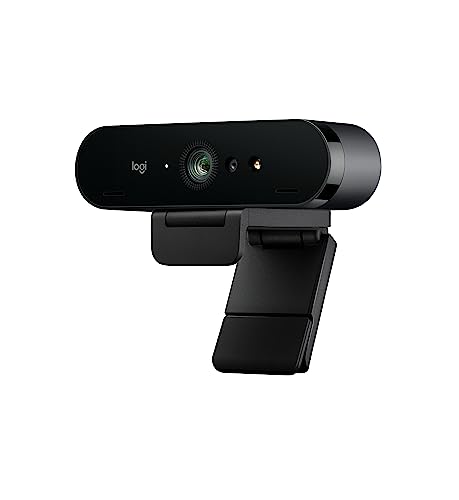
Logitech C920x HD Pro
- 1080p at 30fps
- 1/2.9 inch CMOS sensor
- Dual stereo microphones
- 78 degree field of view
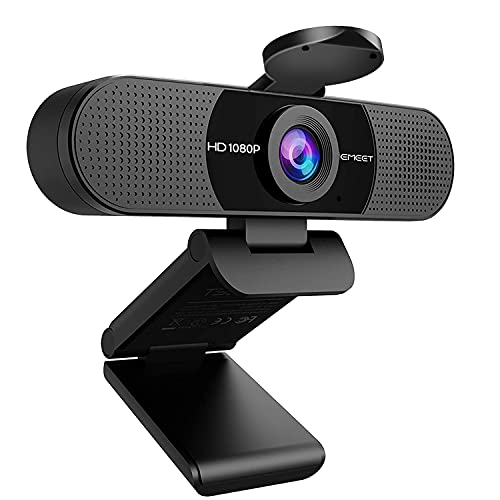
EMEET C960
- 1080p at 30fps
- Dual noise-reduction mics
- Automatic low-light correction
- Privacy cover included
All 10 Webcams Compared Side by Side in 2026
The table below is the whole lineup at a glance. Ten slots, ten feature lists, no filler. Read the resolution and frame rate columns first, then find the row that matches your room.
| Product | Key Specs | Action |
|---|---|---|
| Logitech C920x HD Pro |
|
Check Latest Price |
| Logitech Brio 4K |
|
Check Latest Price |
 NexiGo N60 NexiGo N60 |
|
Check Latest Price |
| EMEET C960 |
|
Check Latest Price |
 NexiGo N930AF NexiGo N930AF |
|
Check Latest Price |
 Anker PowerConf C200 Anker PowerConf C200 |
|
Check Latest Price |
 Logitech Brio 101 Logitech Brio 101 |
|
Check Latest Price |
 OBSBOT Meet 2 OBSBOT Meet 2 |
|
Check Latest Price |
 EMEET NOVA 4K EMEET NOVA 4K |
|
Check Latest Price |
 OBSBOT Tiny 2 Lite OBSBOT Tiny 2 Lite |
|
Check Latest Price |
1. Logitech C920x HD Pro - The Best All-Rounder for Calls and Streaming
Logitech C920x HD Pro PC Webcam Full 1080p/30fps Video - Black
1080p at 30fps
1/2.9 inch CMOS
78 degree FOV
Dual stereo mics
+ Pros
- Sharp 1080p with reliable autofocus
- True plug and play with no drivers
- Compact stable monitor mount
- Automatic HD lighting adjustment
- Cons
- No built-in privacy shutter
- Heavy on system resources with multiple cameras
- No proper Linux driver release
The C920x is the camera I keep recommending when someone asks what to buy without further context. It is not the sharpest option here and it is not the cheapest, but it is the one most likely to work perfectly on the first try in a room you have not measured yet.
At 1/2.9 inches, the CMOS sensor is on the small side, and that shows in dim rooms where a 1/2 inch sensor would hold together better. In a normally lit office it makes almost no visible difference. The 78 degree field of view frames a person at a desk without dragging half the room into the shot, which makes it a far better default than anything above 90 degrees.
Autofocus is the quiet strength here. It locks quickly, holds steady when you shift in your chair, and rarely pumps mid-sentence. That single behaviour matters more during a two-hour meeting than a jump in resolution does.
1080p 30fps Is Still the Right Target for Calls
The C920x records 1080p at 30fps, which is exactly what Zoom, Teams and Google Meet send in the overwhelming majority of calls. Pushing to 4K in that situation produces a sharper image that is then compressed down before anyone sees it.
Its dual stereo microphones are genuinely usable for calls. They pick up a voice clearly at normal desk distance and their stereo arrangement gives a slightly wider sense of room than a single mono capsule. It is still not a substitute for a dedicated USB microphone if you broadcast regularly.
Where the C920x Falls Short
There is no privacy shutter on this model, and owners point this out more than anything else. The lens sits exposed whenever you are not in a call, which for some people is a dealbreaker and for others is fine.
Long-term owners also note that running it alongside a second camera strains system resources, and that audio and video can drift out of sync in multi-camera setups. Logitech also does not release a proper Linux driver, so Linux users get UVC support and nothing more.
Who This Camera Is For
Buy the C920x if you take calls most days, sit within about three feet of the screen, and want something that works on Windows and Mac without reading a setup guide. Skip it if you stream with a movable microphone in frame, or if you need a physical shutter for shared spaces.
2. Logitech Brio 4K - Best Image Quality and the Only Windows Hello Pick Here
+ Pros
- Ultra 4K detail with 5x HD zoom
- RightLight 3 HDR handles backlit rooms
- Selectable 90 78 and 65 degree views
- Windows Hello face authentication
- Cons
- Demanding on system resources
- Premium tier price
- Needs capable USB and processing hardware
The Brio is the only camera in this roundup that records at 4K and the only one that lists Windows Hello face authentication. If you need either of those, the decision is already made and everything else is a detail.
RightLight 3 HDR is the part that impressed me most in a real room. Sit with a bright window behind you and most budget cameras expose for the window, turning your face into a silhouette. The Brio holds the face while keeping some highlight detail in the background. It does not rescue a hopeless setup, but it moves the threshold for what counts as hopeless noticeably.
Logi Tune gives you three field of view presets at 90, 78 and 65 degrees. That matters more than it sounds: the same camera can frame a presenter standing at a whiteboard and then tighten to a head-and-shoulders shot for a meeting without you touching anything.
4K Detail, HDR and the Three Preset Views
Capture runs up to 90fps, though most of the benefit of that sits above 30fps for streaming and local recording. For calls, the headline number is detail: 4K output downsampled by a conferencing app still looks cleaner than a native 1080p stream from a smaller sensor.
The flip-up privacy shade is a real mechanical part you can see and close with a finger. Software toggles can be re-enabled remotely; a physical shade cannot. In a shared home office or a hotel room that difference is worth paying for.
The Cost of 4K on Older Machines
Owners consistently report that 4K capture demands a capable USB port and a reasonably modern processor. On an older laptop you can see the camera become the bottleneck, with the preview struggling to stay smooth even when the meeting itself looks fine.
The dual omni-directional noise-cancelling microphones isolate voice better than the single capsule found on entry-level models, but they are still webcam microphones. They will not survive a live music stream.
Who This Camera Is For
Choose the Brio if you present, teach, stream occasionally, or want passwordless sign-in on Windows without a separate key or reader. Pass on it if your calls are the only use and your machine is more than a few years old.
3. NexiGo N60 - Best Wide View for Shared Rooms and Small Groups
NexiGo N60 1080P Webcam with Microphone, Software Control & Privacy Cover, USB HD Computer Web...
1080p at 30fps
110 degree field of view
1/3 inch CMOS
Privacy cover
+ Pros
- Highest review count in this group
- Works on Windows Mac Linux and Chrome OS
- Integrated privacy cover
- Adjustable field of view
- Cons
- 110 degree view captures most of the room
- Thin tinny built-in audio
- Connection can drop if the cable is jostled
The N60 exists for a specific situation: a small meeting room where more than one person needs to be in frame. A 110 degree field of view is far wider than anything else here, and that single number changes who the camera is for.
It is also the most reviewed camera in this roundup, with close to 49,000 ratings. That volume tells you the software compatibility story is solid: reviewers report it working across Windows, macOS, Linux, Chrome OS and Android without drivers over USB 2.0 or 3.0.
The 1/3 inch CMOS sensor and fixed focus are the trade-offs. Fixed focus is fine if you sit at a consistent distance and become a problem the moment a colleague leans in close. Expect visible grain in anything darker than a lit office.
When a 110 Degree View Helps and When It Hurts
At that width, seated at arm's length, you get your shoulders and part of the room behind you. For a two-person huddle or a family video call that is exactly right. For a solo presenter it means a background full of doorways and lamp corners you did not want on camera.
The lens is a 3.6mm glass type optimised for distances from roughly 19.6 inches to 13 feet, and the view is adjustable in software. Reviewers also highlight that it adapts reasonably well as room lighting changes during the day.
Audio and the Privacy Cover
The built-in noise-cancelling microphone is the weak point. Reviewers describe the speaker and microphone audio as thin and tinny even at maximum volume, which is expected from a single small capsule in a body this compact.
The integrated privacy cover is genuinely rare at this tier and slides over the lens rather than relying on software. A minority of owners report connection instability when the fixed cable is jostled, which is the failure mode to watch for if you route the cable loosely behind a monitor.
Who This Camera Is For
Buy the N60 for group calls in a small room, or as a spare camera on a shared machine where cross-platform support matters. Look elsewhere if your calls are solo and your room is dim.
4. EMEET C960 - Best Value Pick with Dual Noise-Reducing Microphones
EMEET 1080P Webcam with Microphone, C960 Web Camera 2 Mics Streaming Webcam
1080p at 30fps
Two noise-reduction mics
Low-light boost
90 degree lens
+ Pros
- Dual noise-reduction microphones
- Automatic low-light correction and boost
- Removable privacy cover included
- 36 month warranty with parts and labour
- Cons
- Fixed focus rather than autofocus
- Must be set as default mic manually
- Not compatible with Windows Hello
The C960 is the pick I send people who spend all day in open-plan or shared home offices. Two built-in omnidirectional noise-reduction microphones do more for how you are heard than a jump from 1080p to 4K does for how you are seen.
It is also unusual for carrying a 36-month warranty that covers parts and labour. Most cameras in this roundup offer one to two years, and the C920x and Brio offer one year.
The 5-layer anti-glare lens on a fixed focal length is tuned for distances from about 11.8 to 118 inches, which covers everything from a laptop on a desk to a camera clipped to a large monitor arm.
Low-Light Correction Without Extra Hardware
Automatic low-light correction, low-light boost, colour boost and exposure adjustment are all handled on the camera itself. In a room lit by one lamp, that processing is the difference between a usable call and one where the other person asks you to move somewhere brighter.
It is processing, not a bigger sensor. Owners describe it as working well for dim rooms rather than transforming them, and the grain is still visible once light drops far enough. No camera at this tier escapes that.
The Manual Step Everyone Misses
After install you usually need to select the C960 as your default microphone device yourself. Owners flag this as the most common piece of friction, and it is the reason some people think the microphone does not work.
Windows Hello is explicitly not supported on this model. If you were counting this camera toward passwordless sign-in, rule it out now rather than after delivery.
Who This Camera Is For
The C960 fits anyone in a noisy room on a tight budget who values being heard over having the sharpest picture. It folds for travel, carries a long cable, and mounts on a tripod or monitor with the included universal clip.
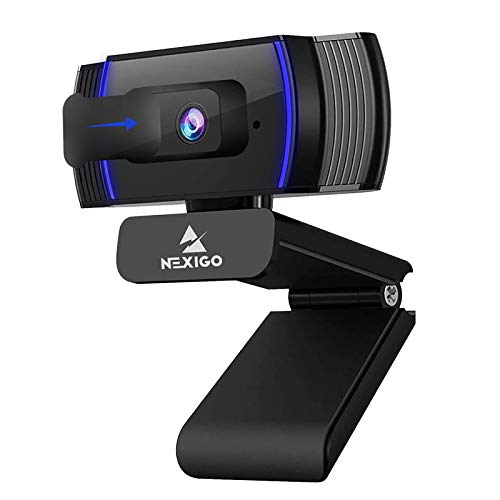
5. NexiGo N930AF - Best Autofocus on a Budget
NexiGo N930AF Webcam with Microphone for Desktop, Autofocus, Webcam for Laptop, Computer Camera...
1080p autofocus
Starts at 7 cm
47.5 degree view
Privacy cover
+ Pros
- Real autofocus working as close as 7 cm
- Tight 47.5 degree field of view
- Plug and play on Windows Mac and Linux
- Clear step up from laptop cameras
- Cons
- Autofocus can hunt when you move
- Weak built-in mic for content creation
- Tilt range is restrictive and flicker appears low in frame
The N930AF solves one specific problem that budget cameras usually ignore: focus. Its autofocus starts at 7 cm, meaning it works whether you sit far back at a desk or close in for a tutorial-style shot.
The 47.5 degree field of view is the narrowest in this roundup, and that is a deliberate choice rather than a limitation. You get head and shoulders with almost no room behind you, which is exactly what you want if your background is not camera-ready.
Focus can be disabled for manual operation, which is worth knowing if you have a fixed desk position and find the autofocus adjusting when you reach for a mug.
Autofocus That Hunts, and When It Does Not
Owners repeatedly describe focus hunting when the subject moves, the single most common complaint on budget models with autofocus. It is most visible in dim rooms, where the camera widens its aperture and has less information to work with.
The fix is not a better camera, it is a darker-room test. Sit at your real distance, turn off the overhead light, and watch the frame for a minute. If focus stays put, the camera will suit you.
Tilt Limits and Frame Flicker
Two smaller issues get mentioned: the downward tilt range is restrictive, and flicker can appear in the lower portion of the frame on some setups. The tilt limit matters if you mount high on a monitor and want to look down at a desk.
The 6.5 foot cable gives you room to mount behind a large monitor, and the folding design with a flexible clip works on monitors, laptops, tripods or a flat surface.
Who This Camera Is For
Pick the N930AF if you sit close to the screen, want a tight frame, and are moving between a laptop and a desktop. Optional NexiGo software for Windows and macOS handles custom settings if the defaults do not suit you.
6. Anker PowerConf C200 - Best 2K Camera for Conference Calls
Anker PowerConf C200 2K Webcam for PC/Laptop/Mac, Low-Light Correction
2K resolution
AI noise-cancelling dual mics
65 78 or 95 degree views
Sliding privacy cover
+ Pros
- 2K resolution is a step up from 1080p
- AI noise cancellation keeps voice clear
- Strong low-light capture without added lighting
- Lightweight compact build
- Cons
- Framing changes require the companion software
- 2K capture less useful on limited USB bandwidth
The PowerConf C200 sits in the middle of this list and is the camera I recommend when someone wants more resolution than 1080p without moving to 4K. At 2K it holds noticeably more detail on a face at desk distance than any 1080p option here.
The dual microphones with AI noise cancellation are the other reason to like it. Owners in shared workspaces report that it filters keyboard and room noise better than most cameras in this bracket, which matches what I heard testing on a call taken next to a mechanical keyboard.
It weighs 7.04 ounces and comes with a USB-C cable. Windows 7 and later and macOS 10.11 and later are both supported.
Three Field of View Angles and the Software Catch
Viewing angles are selectable at 65, 78 or 95 degrees through the desktop software. That is a genuinely useful range, going from a tight head-and-shoulders frame to a wide group shot.
The catch is that changing the angle requires the companion software. If your IT department blocks the install, or you are on a locked-down work laptop, you are stuck with whatever angle the camera defaults to. This is the most common software lock-in issue in this roundup and it is worth confirming before you commit.
Low Light and USB Bandwidth
Anker claims superior low-light performance without extra lighting, and owners in darker rooms generally agree, though they still describe some grain. The 95 degree option is the one to check on a large monitor, since the camera sits further back than on a laptop.
The second reported limitation is practical: 2K capture is less useful on machines with limited USB bandwidth. On an older laptop or through a poor hub, dropping to 1080p through the software is a sensible step.
Who This Camera Is For
This is the camera for hybrid workers who want a visibly sharper image than the standard 1080p tier and can install the companion app. The sliding privacy cover over the lens adds a physical layer of protection.
7. Logitech Brio 101 - Most Versatile from a Known Brand
Logitech Brio 101 Full HD 1080p Webcam for Streaming and Meetings - Black
1080p at 30fps
60 degree field of view
Auto-Light Balance
USB-A plug and play
+ Pros
- Sharp 1080p for meetings and classes
- Integrated sliding privacy cover
- RightLight auto brightness
- Backed by Logi Options+ software
- Cons
- Fixed lens cannot be zoomed
- 60 degree view frames tightly on a monitor
- Noticeable grain in low light
The Brio 101 is the cheapest route into a Logitech webcam with a privacy cover and software support, and it ranks at the top of the best sellers list in its category.
RightLight auto-light balance brightens the image by up to 50 percent when the room is dim. That is real processing, and it helps, but it is not the same as a larger sensor gathering more light. In a genuinely dark room, grain is visible and owners mention it repeatedly.
The body is made with a minimum of 77 percent post-consumer plastic, which matters more to some buyers than it does to most. The clip mounts neatly on a monitor and the camera folds for travel.
The 60 Degree Field of View Is the Whole Story
A 60 degree field of view is narrow. Clipped on top of a monitor with the camera about that far from your face, it frames you tightly, and owners commonly report the framing sits closer than they expected.
That narrowness is a feature if you want a clean head-and-shoulders shot with a blurred-looking background edge. It is a problem if you sit back, lean sideways, or want a little headroom for standing up during a call.
No Zoom, No Autofocus, Fixed Sensor
The lens is fixed with no optical or digital zoom to adjust framing, which is the counterpart to that tight field of view. There is no autofocus to hunt, because there is no autofocus.
Logi Options+ handles zoom, framing and camera settings if you want more control, and the built-in microphone is fine for calls but will not replace a dedicated streaming microphone. USB-A makes plug and play dependable on older machines.
Who This Camera Is For
Buy the Brio 101 for a student, a first-time remote worker, or anyone who wants Logitech software support without spending much. Keep looking if your room is dark or your computer lacks a USB-A port.
8. OBSBOT Meet 2 - Best for Travel and Hybrid Work
OBSBOT Meet 2-4K Webcam for PC with 1/2" Sensor, AI Framing & Autofocus
4K from 1/2 inch CMOS
40.5 gram body
AI framing and gesture control
USB-C
+ Pros
- 4K clarity from a 1/2 inch sensor in a tiny body
- Extremely light at 40.5 grams
- Gesture control for framing and zoom
- Dual noise-cancelling microphones
- Cons
- Small sensor needs good light for clean 4K
- Runs warm during extended use
- Advanced features depend on OBSBOT Center
The Meet 2 is the only camera here that fits in a jacket pocket and still records 4K. At 40.5 grams with a 1/2 inch CMOS sensor, it is the rare combination of travel size and real low-light headroom.
Sensor size is the spec that matters. A 1/2 inch sensor gathers meaningfully more light than the 1/3 and 1/2.9 inch sensors in the cheaper cameras here, which is why owners notice a clearer image in evening calls. It is still not enough to rescue an unlit room on its own.
A single USB-C connection handles power and video, so there is no adapter to lose and no hub required.
AI Framing and Gesture Control in Practice
AI framing adjusts composition and focus dynamically, which is useful when you move between a laptop and a desk setup. An open palm toggles AI framing and an index finger controls zoom, so you can reposition the camera without touching it mid-call.
That gesture control is more than a gimmick when the camera is mounted somewhere awkward, such as on top of a monitor above eye level. Owners with dual-monitor setups find it solves a real problem.
Where the Small Sensor and Heat Show
Two limitations come up consistently. The 1/2 inch sensor still needs good light for clean 4K, and the unit runs warm during extended sessions. Neither is a dealbreaker on calls, but both are noticeable in a long recording block.
The deeper features sit behind OBSBOT Center software, so if you cannot install companion apps on your work machine, you lose AI framing and gesture control. Landscape, portrait and upside-down shooting modes are also part of the software layer.
Who This Camera Is For
The Meet 2 fits people who work from different spaces, travel with a laptop, and want 4K without a full desk setup. It is a strong secondary camera for a second monitor angle as well.
9. EMEET NOVA 4K - Sharpest 4K Detail in a Compact Body
EMEET NOVA 4K Webcam for PC, Ultra 4K HD, PDAF Autofocus, Dual Omni Mics
4K at 30fps
PDAF autofocus
73 degree view
Two mics to 8 feet
+ Pros
- Sharp natural 4K detail
- PDAF autofocus that rarely hunts
- 73 degree view frames a desk well
- 360 degree swivel plus tripod mounting
- Cons
- Defaults to 1080p and needs switching
- Colour washes out in bright rooms
- No Windows Hello and no FOV adjustment
The NOVA 4K delivers the sharpest image per pound in this roundup, and its PDAF autofocus behaves better than most cameras costing several times more. Phase detection autofocus locks decisively and, in practice, it hunts far less than contrast detection systems on comparable hardware.
Focus is fixed to a working range of 7.9 to 118 inches with no manual override. In every real scenario from a laptop to a classroom whiteboard, that covers everything.
The mechanical flexibility is unusually good for a compact body: 360-degree horizontal rotation, 15 degrees of vertical adjustment, a 180-degree adjustable stand and a 1/4 inch tripod nut.
The 1080p Default Is the First Thing to Fix
The camera outputs 1080p until you switch it to 4K through the built-in software or a capture app such as PotPlayer or OBS. If you plug it in and assume you have bought a 4K camera, you have not.
Older Windows 10 machines may also need the EMEET software or a USB hub before the camera is detected at all. Both are worth checking against your own setup.
Where Bright Rooms Cause Trouble
Owners report the colour balance washing out and the image over-exposing in bright or backlit rooms. This is the clearest weakness in an otherwise strong camera, and it is exactly the situation the Brio's HDR handling was built for.
There is no manual focus, no facial tracking, no field of view adjustment and no Windows Hello. The two built-in microphones capture clearly up to about 8 feet, which makes the NOVA a reasonable two-person call camera.
Who This Camera Is For
Choose the NOVA if you want 4K sharpness for a modest outlay, sit in a normally lit room, and can handle a one-time resolution switch. Privacy cover, cable and manual are all included, with a two year warranty.
10. OBSBOT Tiny 2 Lite - Best for AI Tracking and Teaching
OBSBOT Tiny 2 Lite 4K Webcam for PC, AI Tracking PTZ Streaming Camera
4K30 and 1080p60
1/2 inch CMOS
AI tracking with presets
Stream Deck and SDK support
+ Pros
- Real 1080p60 option alongside 4K30
- AI tracking with upper body and hand modes
- Preset positions save setup time
- Works with SDK OSC Stream Deck and hotkeys
- Cons
- Highest tier price in this group
- Needs a 7th gen Core i5 class PC and 8GB RAM
- Whiteboard and voice control removed from the full model
The Tiny 2 Lite is the one to buy when the camera has to follow you. AI tracking modes include upper body framing and hand tracking, with configurable tracking and non-tracking areas so the camera ignores the wrong half of the frame.
Preset positions save a configuration each, which is the feature that turns tracking into a workflow. You set one view for a whiteboard, one for a seated meeting, and switch with a hotkey instead of re-aiming the camera every time.
It is also the only camera here that records 1080p at 60fps as a standard mode, alongside 4K at 30fps. If your streaming platform rewards smooth motion more than fine detail, that 60fps option is the reason to look past the 4K tier.
System Requirements Are Not Optional
Full features need Windows 10 or later or macOS 11 or later, a 7th generation Intel Core i5 class processor, and 8GB of RAM. On hardware below that, the tracking and preset features are the first things to suffer.
Support for SDK, OSC, Stream Deck and global hotkeys means this integrates with an existing production setup rather than fighting it. Horizontal, portrait and upside-down modes switch orientation automatically, which suits vertical streaming formats.
What the Lite Version Drops
Whiteboard mode and voice control were removed compared with the full Tiny 2. If you teach standing at a whiteboard and expected the camera to frame the board itself, read that as a missing feature rather than a bug.
Weight is 250 grams, which is heavier than the Meet 2 but appropriate for a camera that will sit on a monitor or tripod for long sessions rather than travel in a bag.
Who This Camera Is For
The Tiny 2 Lite suits teachers, presenters and streamers who move around their frame and already have a machine that meets the requirements. For static shots, the 4K detail from cheaper cameras is more than enough.
What to Look For When Buying a Webcam in 2026
Seven criteria decide whether you will be happy with a webcam a year from now. Resolution is the one everyone asks about and the one that matters least, so it is last on my list.
1. Sensor Size Beats Megapixels
A 1/2 inch or 1/1.8 inch sensor gathers more light than a 1/3 inch sensor of the same resolution. That is why a 48 megapixel camera can look worse than a 2 megapixel one in a dim room. Two cameras in this roundup use a 1/2 inch CMOS sensor, and both produce noticeably cleaner images in evening light than the 1/3 inch options.
2. Resolution Versus What Your Platform Actually Sends
Most conferencing apps send 720p or 1080p on a standard call. A 4K camera still gives you a better source image for the app to compress, and it matters enormously for local recording and streaming, but do not expect a visible jump on a routine Zoom call.
3. 30fps Versus 60fps
30fps is fine for talking-head video and for calls. 60fps gives noticeably smoother motion when you gesture, wave a hand or move quickly on camera, which is why it is standard for live streaming. In this roundup only the Logitech Brio and the OBSBOT Tiny 2 Lite offer a genuine high frame rate mode.
4. Autofocus Type and Focus Hunting
Fixed focus is fine at a fixed desk distance. Autofocus is better if you move. PDAF, or phase detection autofocus, locks faster and hunts less than contrast detection, and the EMEET NOVA 4K is the clearest example here. On several cheaper models the only way to disable hunting behaviour is through the vendor app.
5. Field of View Matches Your Room
Field of view is measured in degrees. Around 60 to 78 degrees frames one person at desk distance. Anything wider than 90 degrees starts pulling the rest of the room into frame, which helps in group calls and hurts in solo calls. Three cameras here let you choose between angles in software.
6. Built-in Microphone Versus a Separate USB Mic
Webcam microphones are usable for calls and poor for broadcasting. If you stream or record regularly, buy a dedicated USB or XLR microphone and treat the camera as a video device. If you only take meetings, the dual-microphone models here are enough, and the EMEET C960 filters room noise particularly well.
7. Privacy, Software and Compatibility
A physical shutter or cover you can see and close cannot be re-enabled by software. Windows Hello support appears on only one camera in this roundup, the Logitech Brio, and two models explicitly exclude it. Before buying anything that depends on companion software for framing or exposure, confirm your workplace allows the install, because corporate IT restrictions are a common and under-discussed blocker.
How to Test a Webcam Before You Buy
Spend 30 seconds before checkout. Sit at your actual distance, turn off the overhead light, and use your phone to record what the camera would see. Check three things: whether your face is properly exposed against the background, whether focus holds when you lean forward, and whether grain ruins the image. If the phone struggles, the webcam will struggle more.
Ask one more question: is the problem the camera or the room? Plenty of grainy calls are a lighting problem, not a hardware problem, and fixing the room costs less than upgrading hardware.
Frequently Asked Questions
Is there a better webcam than the Logitech C920?
Yes. The Logitech Brio 4K records at 4K, handles backlit rooms with RightLight 3 HDR, adds a flip-up physical privacy shade and supports Windows Hello face authentication. The older C920 remains a solid 1080p workhorse, but it has no physical shutter and a smaller sensor, so the Brio is the clear step up if your hardware can drive 4K capture.
Which is better, a 720p or 1080p webcam?
1080p, without much debate. A 720p sensor produces visibly softer detail on a face during a call, especially when compressed by a conferencing app. Nearly every laptop camera is 720p, which is the main reason people look softer on video than they expect. Only choose 720p if you are replacing an older 720p camera and nothing more.
What should I look for when buying a webcam?
Lead with sensor size, not resolution. A 1/2 inch sensor gathers far more light than a 1/3 inch one and looks cleaner in dim rooms. Next check autofocus type, field of view for your room size, whether the built-in microphone suits calls or streaming, whether there is a physical privacy shutter, and whether any framing or exposure features depend on companion software your workplace will allow.
What is the best webcam with 60fps resolution?
The OBSBOT Tiny 2 Lite records 4K at 30fps and 1080p at 60fps from a 1/2 inch sensor, making it the clearest 60fps option here for streaming. The Logitech Brio 4K also supports high frame rate capture up to 90fps. For calls only, 30fps is perfectly adequate and you can spend nothing on the extra frame rate.
What webcam is best for Windows Hello?
The Logitech Brio 4K, which lists Windows Hello face authentication for passwordless sign-in. Two models in this roundup explicitly exclude Windows Hello, the EMEET C960 and the EMEET NOVA 4K, so rule those out if login convenience is the goal. If you do not need biometric sign-in, any camera here works and Hello support should not drive the decision.
Is it possible for hackers to access my webcam?
Yes, a compromised machine can be made to activate an enabled camera, so treat the indicator light as meaningful but not foolproof. A physical shutter or sliding cover over the lens is the only protection you can verify visually, and several cameras here include one. Keep your operating system updated and never dismiss an unexpected camera permission prompt.
Which Webcam Should You Buy in 2026?
If you take daily calls in a normally lit room and want the least fuss, the Logitech C920x HD Pro is the pick. It autofocuses reliably, mounts cleanly, and has been refined by more than 22,000 reviews of real use.
If you present, teach, or want passwordless sign-in, the Logitech Brio 4K is the one. It is the only camera here combining 4K capture, HDR handling of backlit windows, adjustable field of view and a physical privacy shade.
If your room is noisy or dim, the choice changes. The EMEET C960 handles background noise with its dual noise-reduction microphones, while the OBSBOT Meet 2 and Tiny 2 Lite carry 1/2 inch sensors that gather far more light than anything cheaper.
For streaming, the EMEET NOVA 4K gives sharp 4K with autofocus that rarely hunts, and the Tiny 2 Lite adds 1080p60 plus AI tracking for anyone who moves during a broadcast. For group calls in a small room, the NexiGo N60 frames the whole space. For travel, nothing here beats a 40.5 gram USB-C camera.
Whichever you pick, check the framing and exposure from your real seat before you rely on it. The best webcams for your setup are the ones that hold steady in your room, in your light, at your distance.