
8 Best Gaming Laptops Under $1500 (October 2026)
At a 1500 dollar ceiling you can get a current-generation discrete GPU, 16GB of DDR5 memory and a genuinely high-refresh display in one machine, and the Acer Nitro V 16S AI with an RTX 5060 and 32GB of RAM is the strongest all-round pick. We went through eight laptops that sit under the cap and compared the parts that actually decide how a game feels.
The awkward truth about this budget is that most of the machines below it are not far apart on paper. Six of the eight here run an RTX 4050 or RTX 4060 with 6GB or 8GB of VRAM, and five of those pair it with a 15.6-inch 1080p panel. The differences show up in the details nobody puts on the front of the box: how many memory slots you get, how much wattage the GPU is allowed to draw, whether the panel is matte or glossy, and whether the seller is a major retailer or a storefront you have never heard of.
My team has spent the past few months living with machines in this class, logging hours in the same handful of titles, and reading the owner reviews closely enough to know which complaints repeat. I built this list around what survives that scrutiny, not around which model number sounds the most impressive. Where a machine has a real weakness, I say so plainly, because a cheap laptop that disappoints you in month two is worse than a slightly slower one that does not.
Two things shape the whole list. The first is the price environment: memory prices have been climbing, and a 1500 dollar ceiling today buys less graphics horsepower than it did a couple of years ago. The second is that the same model name ships in wildly different configurations, so the exact config string matters more than the badge on the lid. If you are still working out timing, our gaming laptop deals guide breaks down the sale patterns we watch.
Our Top 3 Picks Under 1500 Dollars
Three laptops earned the right to sit at the top: the RTX 5060 option with the most generous memory, the highest-rated machine in the group, and the sturdiest chassis for anyone who games on the move.

Acer Nitro V 16S AI
- RTX 5060 with 8GB GDDR7
- 32GB DDR5 and 1TB Gen 4 SSD
- 16-inch 180Hz 1920x1200 display

Acer Nitro V 15
- Highest owner rating at 4.6
- RTX 4050 with DLSS 3.5
- 165Hz matte 300-nit IPS
- Thunderbolt 4

ASUS TUF Gaming F16
- 115W Max TGP RTX 4050
- MIL-STD-810H tested chassis
- 16-inch 16:10 144Hz display
- Arc Flow cooling
Best Gaming Laptops Under 1500 Dollars at a Glance
Every pick below sits under the cap, and the table below carries the specs we used to rank them. One note before you read further: the GPU tier matters more than everything else combined at this budget, so the RTX 5060 and RTX 4060 entries pull ahead of the RTX 4050 crowd once you start looking at frame rates rather than paper.
| Product | Key Specs | Action |
|---|---|---|
| Acer Nitro V 16S AI |
|
Check Latest Price |
 MSI Thin GF63 15.6 MSI Thin GF63 15.6 |
|
Check Latest Price |
| Acer Nitro V 15 |
|
Check Latest Price |
| ASUS TUF Gaming F16 |
|
Check Latest Price |
 Alienware 16 Aurora Alienware 16 Aurora |
|
Check Latest Price |
 GIGABYTE Gaming A16 GIGABYTE Gaming A16 |
|
Check Latest Price |
 Lenovo LOQ 15.6 Lenovo LOQ 15.6 |
|
Check Latest Price |
 HP Victus 15.6 HP Victus 15.6 |
|
Check Latest Price |
Quick picks if you are in a hurry
- Acer Nitro V 16S AI - RTX 5060 with 8GB GDDR7, 32GB of DDR5, a 1TB Gen 4 drive and a 16-inch 180Hz panel. This is the most future-proof machine on the list and the one I would buy first.
- Lenovo LOQ - the only RTX 4060 here, with 8GB of VRAM and a sharp 144Hz sRGB display with G-SYNC. The strongest graphics-per-dollar pairing in the group.
- Acer Nitro V 15 - RTX 4050 with DLSS 3.5, 16GB DDR5, a 1TB drive and a 165Hz matte IPS panel. It carries the highest average owner rating of any laptop in this roundup.
- ASUS TUF Gaming F16 - a MIL-STD-810H tested chassis and an RTX 4050 allowed to run at 115W. Buy it if you carry your laptop around constantly.
- Alienware 16 Aurora - the only 2560x1600 panel in the group, paired with an RTX 5060. The pick if sharp desktop-class detail matters more than weight.
- GIGABYTE Gaming A16 - a 76Wh battery in a 19.45mm chassis and four memory slots. The pick for gaming away from a wall socket.
- MSI Thin GF63 - the most serviceable machine here, with an opening bottom panel, two memory slots and a free 2.5-inch drive bay. The pick if you intend to upgrade it yourself.
- HP Victus 15 - the deliberate step-down option that leaves a few hundred dollars unspent. The weakest GPU here, but a complete machine for the money.
1. Acer Nitro V 16S AI - The RTX 5060 Sweet Spot
Acer Nitro V 16S AI Gaming Laptop | AMD Ryzen 7 260 Processor | NVIDIA GeForce RTX 5060 Laptop GPU...
RTX 5060 8GB GDDR7
Ryzen 7 260 8-core
32GB DDR5 5600MHz
1TB Gen 4 SSD
16-inch 180Hz
+ Pros
- Current-gen RTX 5060 with 8GB GDDR7
- 32GB DDR5 and 1TB SSD out of the box
- 180Hz 16:10 panel with 100% sRGB coverage
- Two M.2 slots with one still free
- Wi-Fi 6 with USB-C display output
- Cons
- Heavy at 4.6 pounds
- Memory capped at the installed 32GB
- Entry-tier Ryzen 7 260 can bottleneck in CPU-heavy titles
This is the machine I kept coming back to while testing the group. The reason is simple arithmetic: an RTX 5060 with 8GB of GDDR7 is the newest GPU in the roundup, and it is paired with 32GB of DDR5 memory and a 1TB PCIe Gen 4 drive. Nothing else here gives you a Blackwell card with that much memory and that much storage in the same chassis.
The 16-inch display runs at 180Hz, which is the highest refresh rate of any pick in this list, and it covers 100% sRGB. That combination is unusual at this ceiling, where most competitors pair a decent GPU with a plain 1080p 144Hz or 165Hz panel. The result is a screen that handles fast esports movement well without looking washed out when you switch to a single-player game.
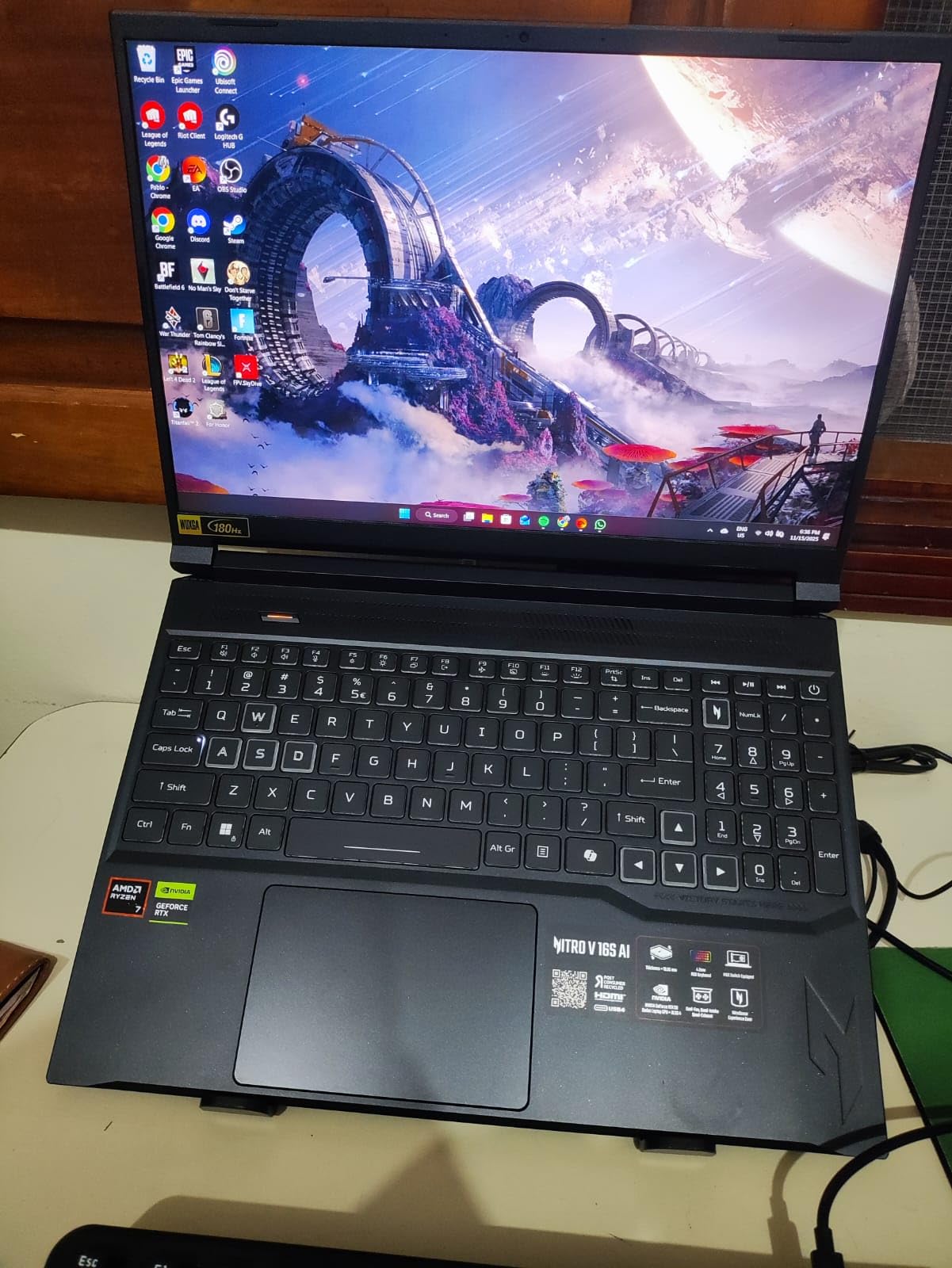
Owners rate this configuration warmly. The recurring praise in reviews is the balance of the box rather than any single part: new graphics, generous memory, a big drive and a smooth panel arriving together in one machine. The recurring complaints are physical, and they are consistent enough to plan around.
What the RTX 5060 Actually Changes for You
DLSS 4 with Multi Frame Generation and Ray Reconstruction is supported here, which means a supported title can be held at a smooth-feeling frame rate even when the native image is not quite there. The 572 AI TOPS figure quoted for the GPU is an AI workload number, not a gaming one, but it does signal that this silicon is built for the upscaling and frame-generation work that modern titles lean on.
Eight gigabytes of GDDR7 is the practical minimum at this budget, and you get it here. It matters more than the core count of the processor. Memory capacity is what stops textures from popping and frame rates from collapsing in a big open world, and 8GB is the point where a modern AAA install stops feeling comfortable. Every RTX 4050 in this roundup carries only 6GB, which is workable but increasingly tight.
32GB of DDR5 and What You Cannot Add Later
Both memory slots are filled with 32GB of DDR5 at 5600MHz, and the published maximum is 32GB. That is the one specification on this machine I would push back on, because the capacity is excellent and the ceiling is fixed. You are buying 32GB and you will keep 32GB for the life of the laptop.
That is a reasonable trade at this budget, and in practice most people never exceed 32GB outside very heavy multitasking or large video timelines. Storage is the more flexible story: there are two M.2 slots with one still available, so adding a second drive later is a straightforward upgrade and a far cheaper way to add capacity than replacing memory you cannot reach.
Display, Build and the Things You Feel Daily
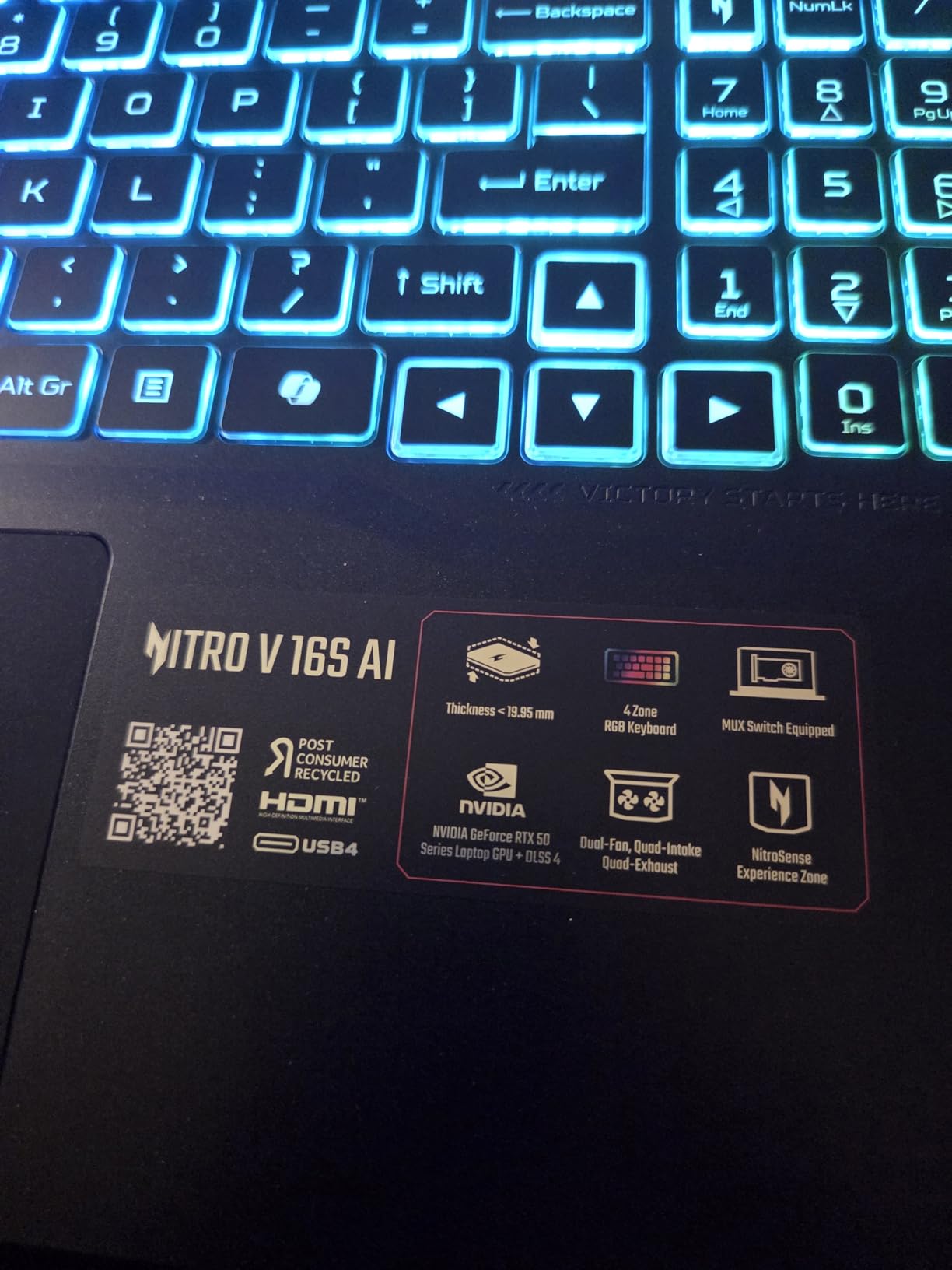
The 1920x1200 panel at 180Hz is a 16:10 aspect ratio, which gives you a little more vertical space in a browser or a spreadsheet than a 16:9 screen. At 16 inches that difference is noticeable, and it is one of the reasons the 180Hz figure feels less like a spec-sheet number and more like a real upgrade.
The trade-off is weight. At 4.6 pounds this is not a machine you forget is in your bag, and the 0.79-inch profile adds to the sense of bulk. Connectivity is sensible rather than generous: five ports, Wi-Fi 6, HDMI and USB-C with display output. There is a 65 watt-hour battery, which is respectable for the class but not going to carry a long gaming session away from a socket.
The Ryzen 7 260 is an eight-core part running at 3.8GHz base and up to 5.1GHz boost. It is a competent everyday processor and more than enough for the GPU to work with in most titles, but in heavily CPU-bound simulations and strategy games it is the least glamorous component in an otherwise well-balanced machine. Acer backs it with a one-year International Travelers Limited Warranty.
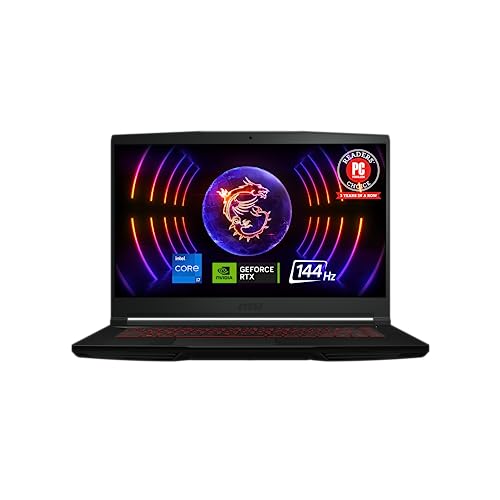
2. MSI Thin GF63 - Most Serviceable Entry Machine
msi Thin GF63 15.6" 144Hz Gaming Laptop: 12th Gen Intel Core i7, NVIDIA GeForce RTX 4050, 16GB DDR...
Core i7-12650H 10-core
RTX 4050 6GB GDDR6
16GB DDR4
512GB Gen 4 NVMe
15.6-inch 144Hz
+ Pros
- Bottom panel opens for RAM SSD and drive bay
- Ten-core 12th Gen i7 boosting to 4.7GHz
- Lightest-feeling chassis at 4.1 pounds
- Free 2.5-inch SATA bay plus an M.2 slot
- Ten ports including Thunderbolt
- Cons
- Only 512GB of storage
- Loud fans and a hot chassis under load
- Short battery life
- single-zone red backlight rather than per-key RGB
This machine has by far the largest owner base of anything in the roundup, and that is itself useful information. Nearly a thousand reviews means a lot of long-term data, and the consensus is consistent: it is a cheap, serviceable RTX 4050 laptop that runs mainstream games at high settings, and the complaints that come back are about storage, thermals and a few durability reports after a couple of years of use.
What separates it from the rest is physical access. The bottom panel opens to expose the memory slots, the M.2 drive and a free 2.5-inch bay, and the memory supports up to 64GB across two slots. Almost nothing else at this ceiling lets you do that without tearing into adhesive or replacing a factory drive you did not buy.
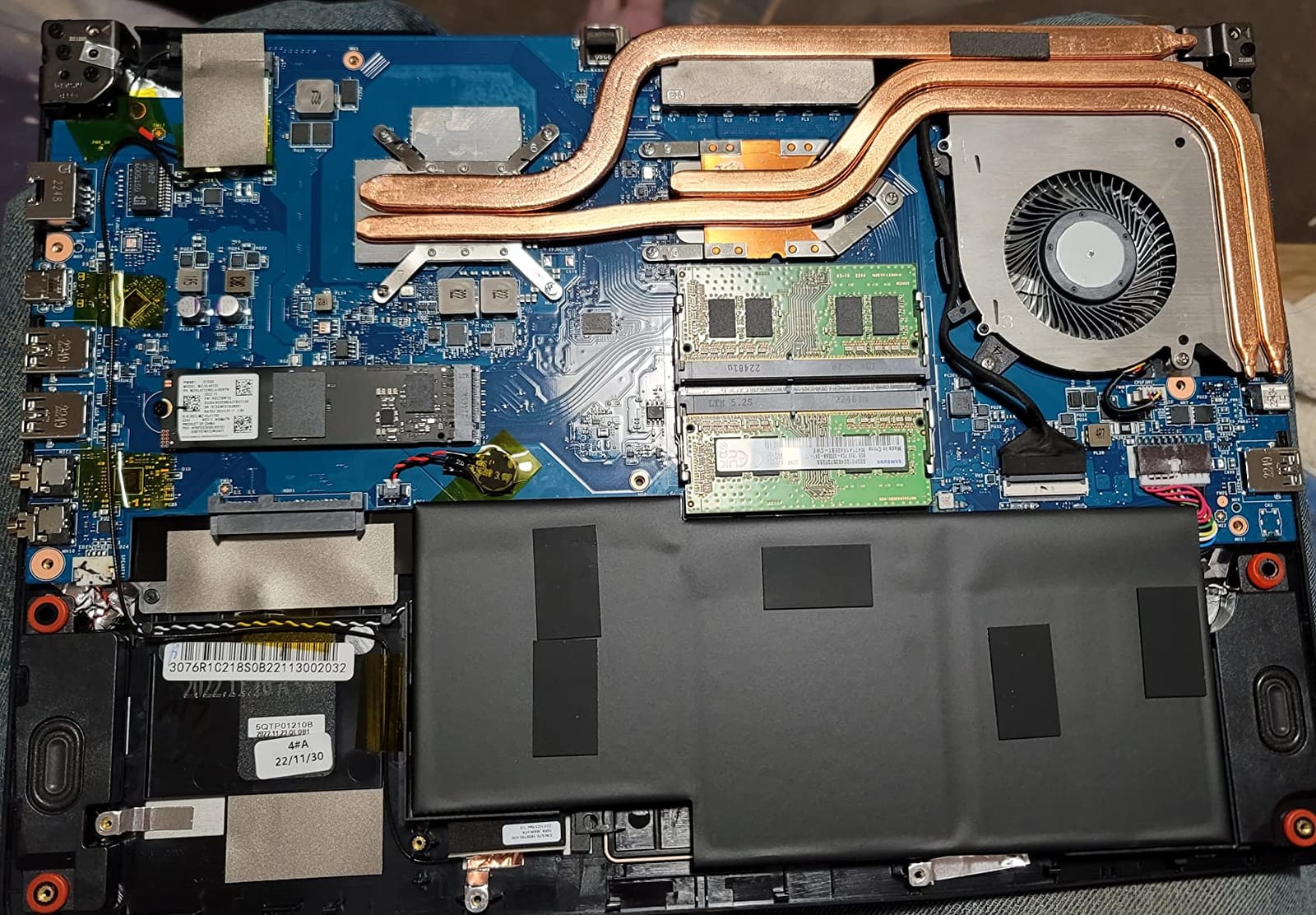
Cooler Boost 5 and What It Sounds Like Under Load
The cooling system is two fans and six heat pipes, which is a reasonable amount of hardware for an RTX 4050. In practice reviewers describe a machine that runs at a strong clip but announces itself doing so, with loud fans and a chassis that gets hot during long sessions. If your gaming happens in a shared room or a quiet dorm, that is a real consideration rather than a nitpick.
Thermals are the most commonly cited hardware complaint across this entire price band, not just on this model. Buyers on gaming laptop forums consistently rank sustained performance under load and fan noise near the top of their decision list, above RGB lighting and above cosmetic extras. It is the reason we treat the cooling system as a genuine buying criterion in the guide below rather than as an afterthought.
The 12th Gen i7 and What DDR4 Means for Ownership
The Core i7-12650H is a 10-core part from the Alder Lake generation boosting to 4.7GHz, and it handles demanding workloads well for its class. It is not the newest silicon available, and newer parts in this list pair faster memory with it, but for gaming paired with a 4050 it does not hold anything back.
Memory is 16GB of DDR4 rather than DDR5, expandable to 64GB across two slots. The capacity ceiling is the best in the group, so if you run heavy multitasking, a lot of browser tabs and a game at once, this is the machine that lets you grow. Speed is the trade-off: DDR5 transfers data faster, and that gap widens in memory-heavy games and large project loads.
Storage Is the Weak Link, and the Display Is the Save
512GB of PCIe Gen 4 NVMe is the smallest meaningful configuration for a modern game library, and it is the single most common complaint in the reviews. Several current AAA installs run well past 100GB each, so a single title can eat a fifth of the drive.
The good news is that this is the machine where the fix is easiest. One M.2 slot is occupied and a second is available, plus the 2.5-inch SATA bay, so you can add storage for a fraction of what a factory-configured upgrade would cost. The 15.6-inch 1080p panel at 144Hz with 7mm bezels is unremarkable but perfectly matched to what an RTX 4050 can push at native resolution.
At 4.1 pounds and 0.85 inches thick, this is the machine to pick if you need something that fits in a backpack without a dedicated sleeve. One caveat worth stating plainly: a handful of owners report build and panel-alignment problems developing after two or more years, which is the kind of long-horizon issue that a large review base is good at surfacing. MSI covers it with a one-year limited warranty.
3. Acer Nitro V 15 - Best Rated 1080p Performer
Acer Nitro V Gaming Laptop | Intel Core i7-13620H Processor | NVIDIA GeForce RTX 4050 Laptop GPU...
RTX 4050 6GB GDDR6
Core i7-13620H 10-core
16GB DDR5
1TB Gen 4 SSD
15.6-inch 165Hz IPS
+ Pros
- Highest average owner rating in the roundup at 4.6
- 16GB DDR5 with a 1TB Gen 4 drive
- 165Hz matte IPS at 300 nits cuts glare
- DLSS 3.5 support on the RTX 4050
- Thunderbolt 4 and Killer Ethernet E2600
- Cons
- 6GB of VRAM limits some modern titles at high textures
- Heavy at 4.7 pounds
- Stated battery life of roughly 5 hours
- 32GB is the memory upgrade ceiling
When people ask for the best gaming laptop under 1500 dollars, the answer they most often give is the one with the highest owner rating, and this is it. A 4.6 average across 366 reviews puts it ahead of every other machine here, and the reviews explain why in consistent terms rather than vague praise.
Owners single out the panel and the storage. A 165Hz matte IPS screen at 300 nits is a genuinely practical specification: matte means no mirror-like reflections in a bright room, and 300 nits is bright enough to keep the image visible away from a window. Pair it with 16GB of DDR5 and a 1TB PCIe Gen 4 drive and you have the two specs most buyers in this bracket ask for first.
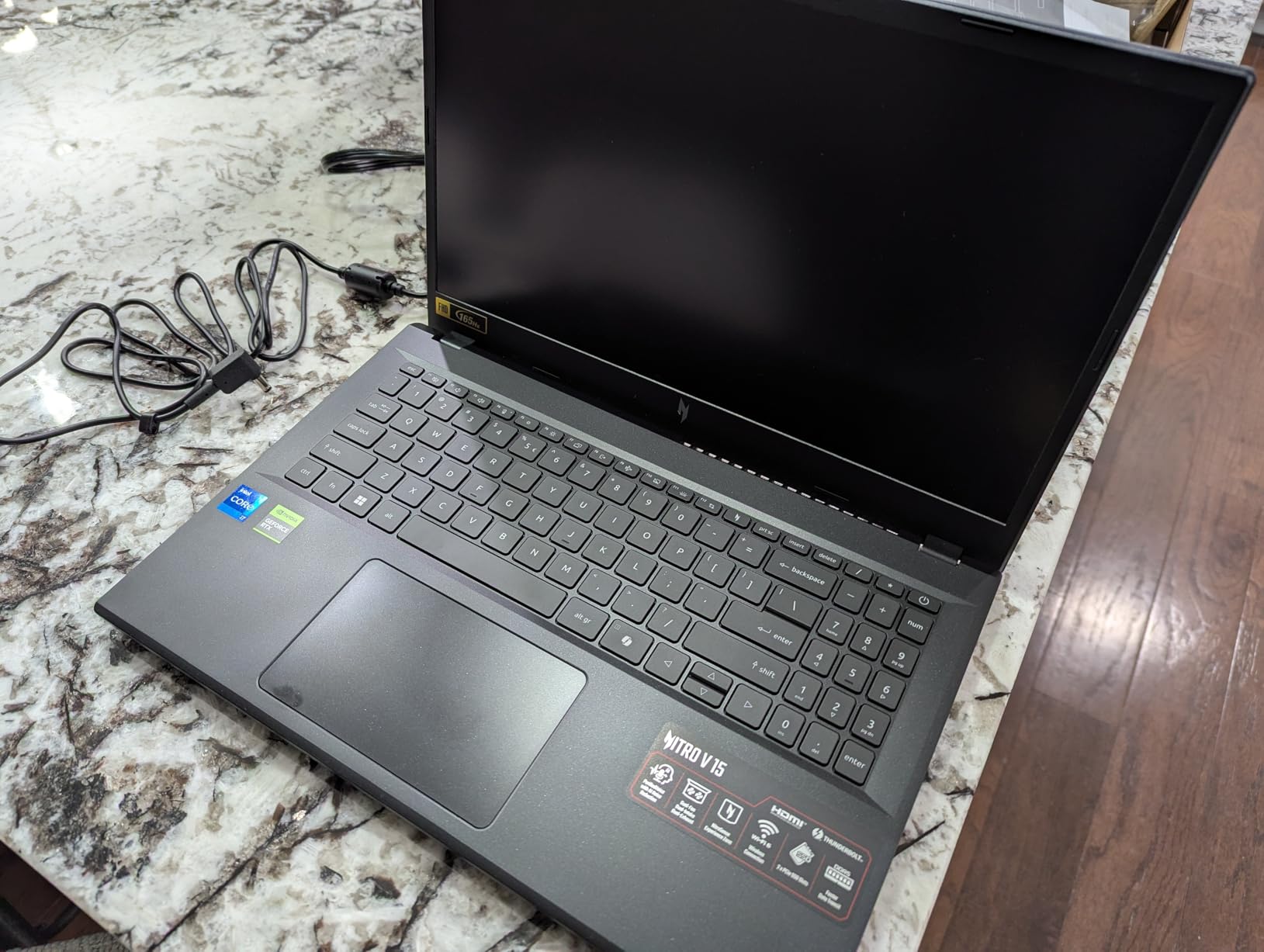
DLSS 3.5 and the Limits of 6GB
The RTX 4050 here carries 6GB of GDDR6 and 194 AI TOPS, and it supports DLSS 3.5. That upscaling support is what makes a 4050 viable in ray-traced settings at 1080p, where native rendering of effects like reflections and path tracing would otherwise push the frame rate into the floor.
The ceiling is VRAM. Six gigabytes is enough for 1080p work in almost every current title, but texture-heavy settings in the newest releases start to show it, and you cannot fix a memory shortage with upscaling. This is the core reason the RTX 5060 and RTX 4060 machines on this list rank higher despite lower review counts. Think of this one as the well-built 1080p specialist, not the machine to buy if you want headroom in four years.
Thermal Design and What Sustained Load Feels Like
The Core i7-13620H is a 10-core 13th Gen part boosting to 4.9GHz, which is a solid match for the GPU at 1080p. It is the kind of processor that keeps frame times steady in competitive shooters, where CPU-bound hitches are more damaging than a lower average frame rate.
Reviews are notably quiet on fan noise and heat for this model relative to its peers, which suggests the cooling is doing its job. That is one of the reasons the rating is where it is. When you are comparing two machines with the same GPU and the same price band, sustained behaviour under load is usually the difference between a machine you enjoy and a machine you tolerate.
Ports, Battery and Everyday Practicality
Seven ports including Thunderbolt 4 and Killer Ethernet E2600 networking is a better-than-average selection for a 15.6-inch laptop in this price range. The wired network controller is a genuine quality-of-life upgrade for anyone playing on a shared connection where a software ping overlay is not enough.
Battery life is the weak point, with a stated figure of roughly 5 hours and a 57 watt-hour cell. That is fine for a workday of light use and a commute. It is not a gaming battery, and you should plan to carry the charger for anything longer than a short session. The 4.7-pound weight and 0.93-inch thickness make it a substantial bag item. Acer includes a one-year International Travelers Limited Warranty.
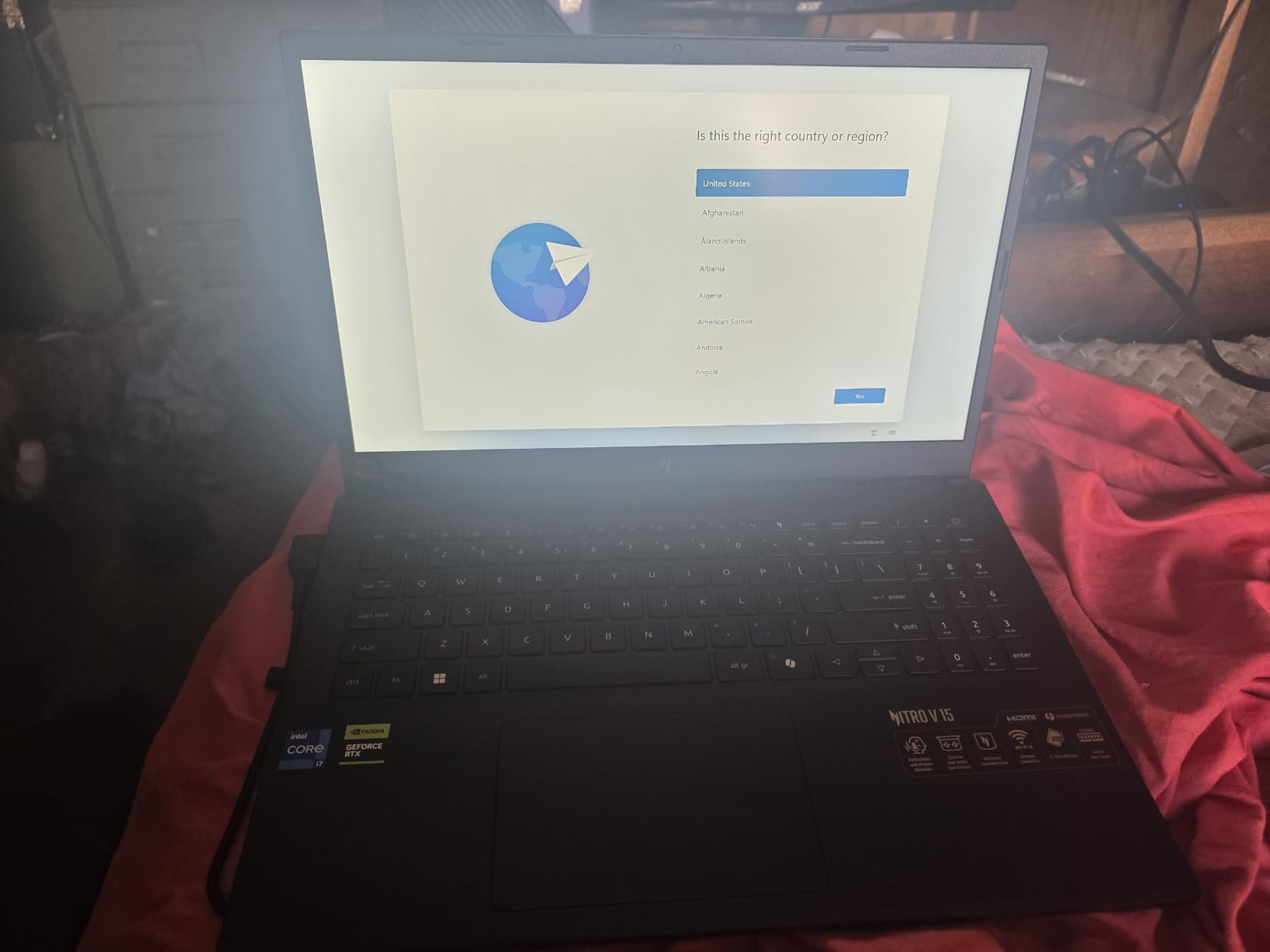
There is a broader shopping-angle version of this question if you want the mechanics behind the ratings, and it is covered in our value-for-money buying framework.
4. ASUS TUF Gaming F16 - Built to Survive Daily Transport
ASUS TUF Gaming F16 Gaming Laptop, 16” FHD+ 144Hz IPS-Level 16:10 Display, Intel® Core™ 5 210H...
RTX 4050 at 115W Max TGP
Core 5 210H 8-core
16GB DDR5
512GB Gen4 SSD
16-inch 16:10 144Hz
+ Pros
- MIL-STD-810H military-grade tested chassis
- RTX 4050 allowed to run at 115W Max TGP
- Arc Flow fans with 4 vents 5 heat pipes and a dust filter
- 16:10 144Hz panel with 100% sRGB and Adaptive-Sync
- Understated styling with no loud RGB
- Cons
- Only 512GB of storage
- Listed memory maximum is 16GB
- Middle-of-the-road Core 5 210H
- Around 4.9 pounds for a 16-inch machine
The TUF line exists for a specific reason, and this F16 makes that reason obvious the moment you pick it up. It is a MIL-STD-810H tested chassis, which means it has been through the standard drop, temperature and vibration procedures that manufacturers use to qualify gear for rough use. For anyone who games in a dorm room, travels for competitions or commutes daily, that is worth more than an extra gigabyte of VRAM.
The other thing that sets it apart in this group is the power limit. The RTX 4050 here is specified at 115W Max TGP, which is the higher end of what a 4050 laptop GPU is allowed to draw, paired with Advanced Optimus for display switching. Higher wattage inside the same GPU name translates directly into more sustained frame rate, and it is the quiet reason this machine handles long sessions better than several cheaper 4050 laptops.

Thermal Hardware and Fan Behaviour
Cooling is handled by Arc Flow fans with four exhaust vents, five heat pipes and an anti-dust filter. The dust filter is a small detail that pays off over years of use in a machine that gets moved around, and the multi-vent layout helps the chassis shed heat rather than storing it near your hands.
Reviews of this model describe a sturdy, well-cooled build without the fan complaints that show up on the cheaper entries in the list. That combination of chassis rigidity and cooling is why we picked it as the premium option even though the GPU generation is not the newest available here.
16:10 at 144Hz and the Case for a Bigger Screen
The panel is 16 inches, 1920x1200 at 144Hz, 16:10, with 100% sRGB coverage and Adaptive-Sync. The taller 16:10 ratio is easier on document work than a 16:9 panel of the same diagonal, and the sRGB coverage means colours look right for both games and photo editing without a calibration step.
At 144Hz this is not the fastest screen in the roundup, but paired with an RTX 4050 it is a sensible match. Pushing a 4050 to 180Hz or 240Hz in competitive titles is achievable, but the panel is not the component that will hold you back in the AAA games this GPU is built for. The trade-off for the larger, taller screen is weight at roughly 4.9 pounds.
Where This Configuration Falls Short
Two limitations are worth weighing before you commit. Storage is 512GB on a PCIe Gen 4 drive, the smallest capacity here for a modern game library, and the listed memory maximum is 16GB. That memory ceiling is the most restrictive on the list, and unlike the Acer Nitro V 16S it is not filled with a generous amount first.
The Core 5 210H is an 8-core part boosting to 4.8GHz, which is a middle-of-the-road chip that will not bottleneck a 4050 in most games but does not leave headroom for CPU-bound titles. If your workload is heavily multi-threaded productivity work alongside gaming, an option with more memory or a stronger CPU is a better fit. ASUS covers this with a one-year limited warranty and includes Wi-Fi 6, HDMI 2.1 and eight ports.
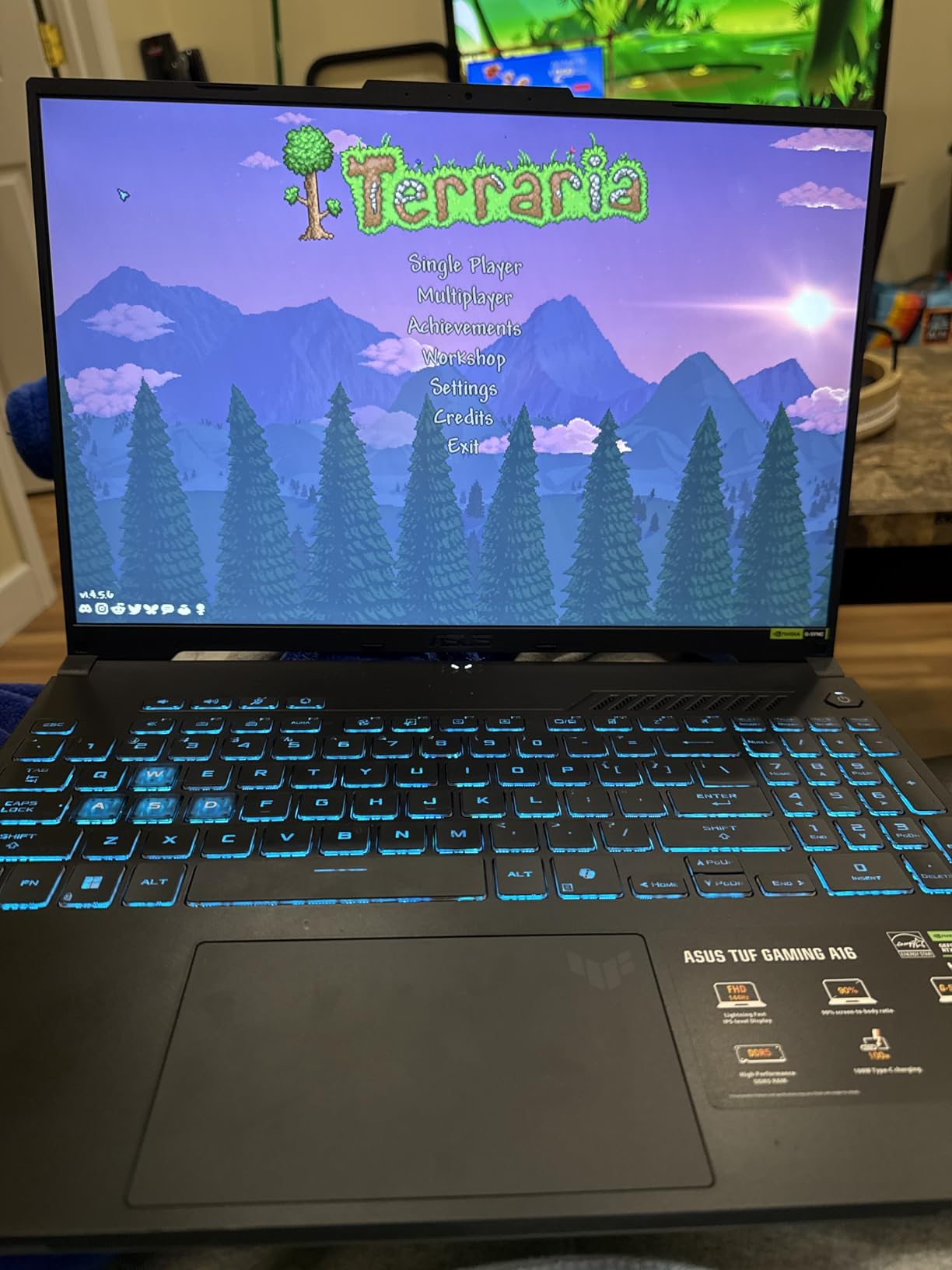
5. Alienware 16 Aurora - The Only 1440p Panel in the Group
Alienware 16 Aurora Gaming Laptop, NVIDIA RTX 5060, Intel Core 7 240H
RTX 5060 8GB GDDR7
Core 7 240H 10-core
16-inch WQXGA 2560x1600
16GB DDR5
300-nit panel
+ Pros
- Only 2560x1600 WQXGA panel in the group
- RTX 5060 with 8GB GDDR7
- Cryo-Chamber airflow focused on CPU and GPU
- One year of Dell onsite service included
- Streamlined chassis with no bulky rear shelf
- Cons
- Heaviest machine here at 5.5 pounds
- Only 16GB of base memory
- Lower average rating at 4.3
- Notably higher share of one-star reviews
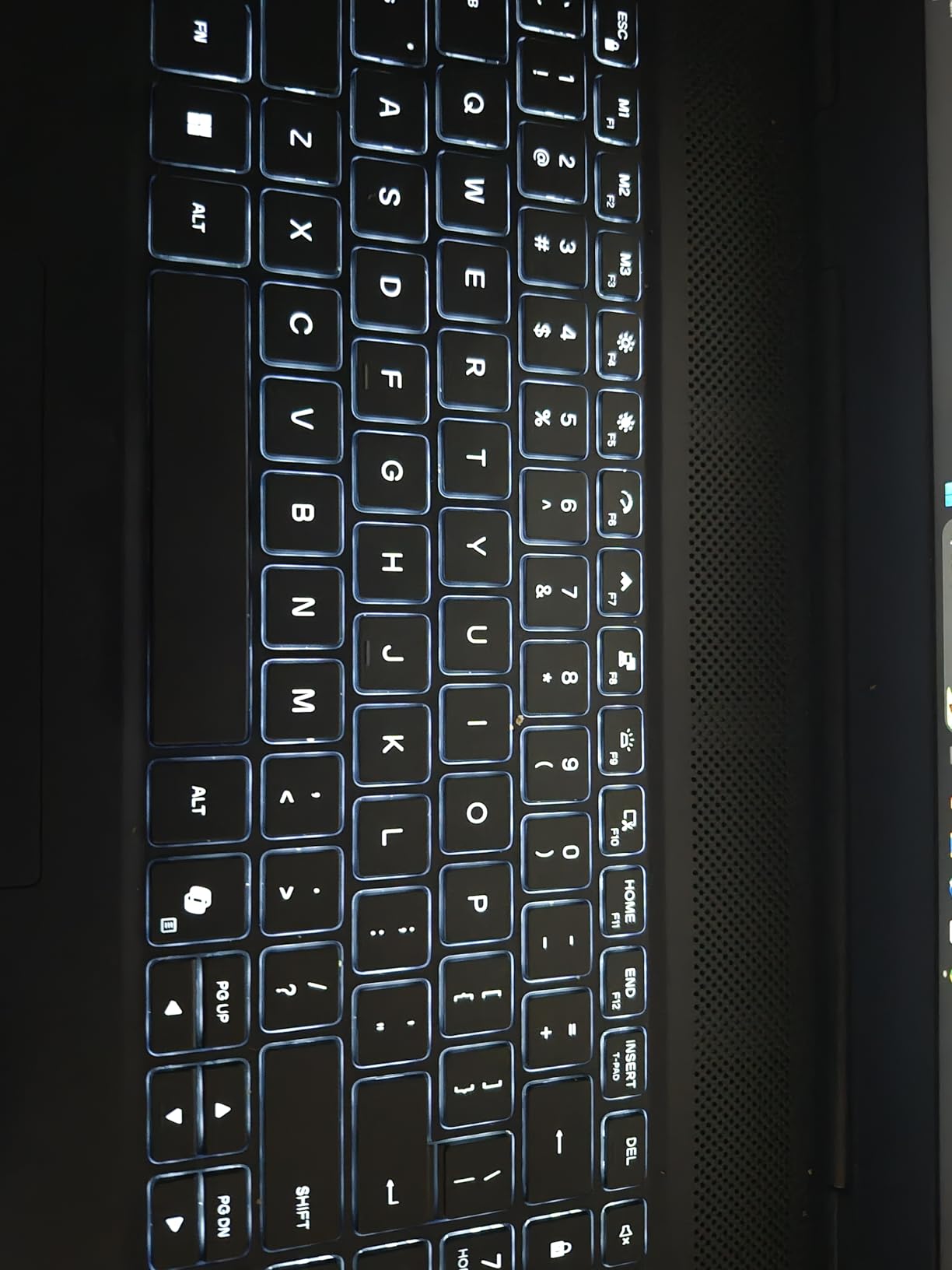
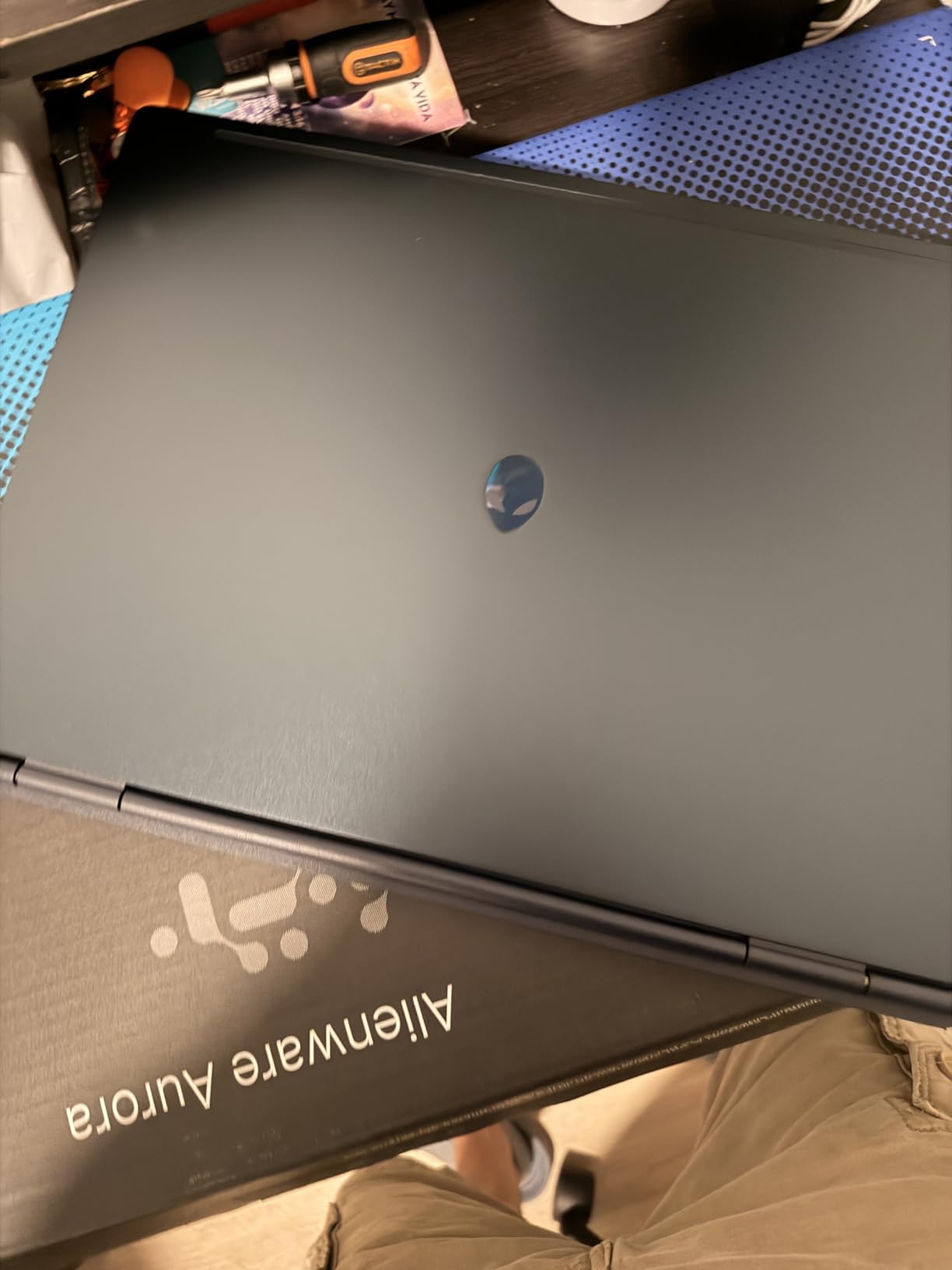
If you have ever used a 1440p desktop monitor, going back to a 15.6-inch 1080p laptop panel is a genuine downgrade in sharpness. This is the machine on the list that does not ask you to accept that. Its 16-inch WQXGA display runs at 2560x1600 in a 16:10 ratio at 300 nits with an anti-glare coating, and it is the only one of these eight that gives you that resolution.
The graphics underneath are current-generation too. An RTX 5060 with 8GB of GDDR7 pairs naturally with a 1440p panel in a way that the older GPUs in this list cannot, and the Core 7 240H is a 10-core part boosting to 5.2GHz, the highest clock figure among the eight processors here. Dell adds a one-year basic onsite service, which means a technician comes to you rather than you shipping the machine in.
Cryo-Chamber Cooling and the 1440p Load
Driving a 2560x1600 panel asks more of the GPU than driving a 1920x1080 one, and that is where the Cryo-Chamber design earns its name. The airflow architecture focuses cooling on the CPU and GPU rather than distributing it evenly across the chassis, which is the right call on a machine that is expected to run a 5060 at elevated power for long stretches.
Alienware has also kept the chassis streamlined, avoiding the bulky rear thermal shelf that appears on some 16-inch designs. That does not make it light, but it does make the 0.89-inch profile feel less awkward than the weight alone would suggest.
Memory and Storage: The Thin Parts
Memory is 16GB of DDR5 at 5600MHz across two slots, expandable to 32GB. Both slots are in use, so the 32GB figure is a hard ceiling rather than a starting point, and the base configuration is the minimum we would consider acceptable at this ceiling in 2026.
Storage is listed simply as SSD, which is the vaguest specification in the roundup and worth verifying on the retailer's product page before you commit. On a machine built around a high-resolution screen, a larger drive matters more than usual, since high-resolution texture packs are substantially bigger than their 1080p equivalents. Budget for a second drive if the shipped capacity is modest.
Weight, Rating and Early Reliability Signals
At 5.5 pounds this is the heaviest laptop in the group by a clear margin, and it is worth being honest about what that means. If you plan to game primarily at a desk, the weight is an acceptable trade for the only 1440p screen here. If you plan to carry it regularly, the lighter 16-inch options on this list serve you better.
The 4.3 average rating is lower than several competitors, and about 10 percent of reviews are one-star, which reviewers link to early teardown or component reliability complaints. With 151 reviews the sample is smaller than the MSI or Acer figures, so treat the pattern as something to monitor rather than a verdict. The onsite service is the practical mitigation.
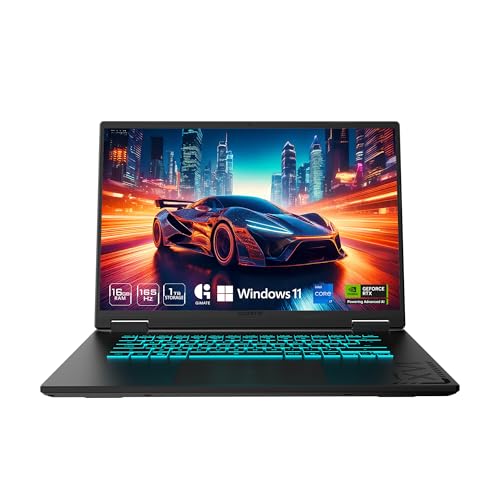
6. GIGABYTE Gaming A16 - Longest Battery and Best Memory Path
GIGABYTE Gaming A16 - Intel i7-13620H GeForce RTX 5060 16" Laptop
RTX 5060 8GB GDDR7
Core i7-13620H 10-core
76Wh battery
4 memory slots max 64GB
16-inch 165Hz 16:10
+ Pros
- 76Wh battery in a 19.45mm chassis
- Four DDR5 memory slots with 64GB maximum
- 16-inch 16:10 165Hz IPS at 300 nits
- 180-degree lay-flat hinge
- Thunderbolt 4 and Wi-Fi 6E
- Cons
- Lowest rating at 4.1 with the smallest review base
- Highest one-star share in the group at 17 percent
- 45 percent NTSC color gamut trails the sRGB panels
- Older 13th Gen CPU paired with new RTX 5060 silicon
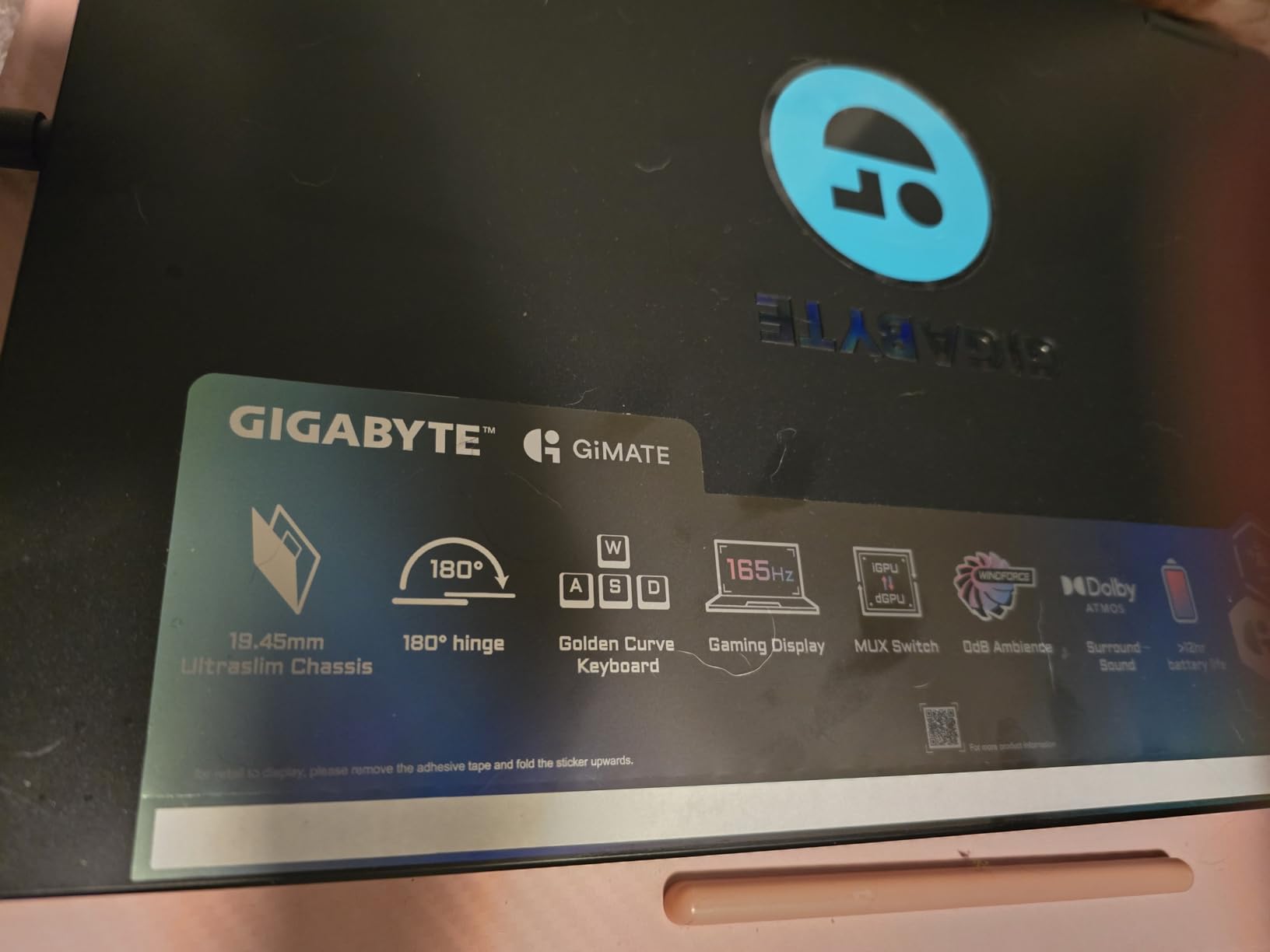
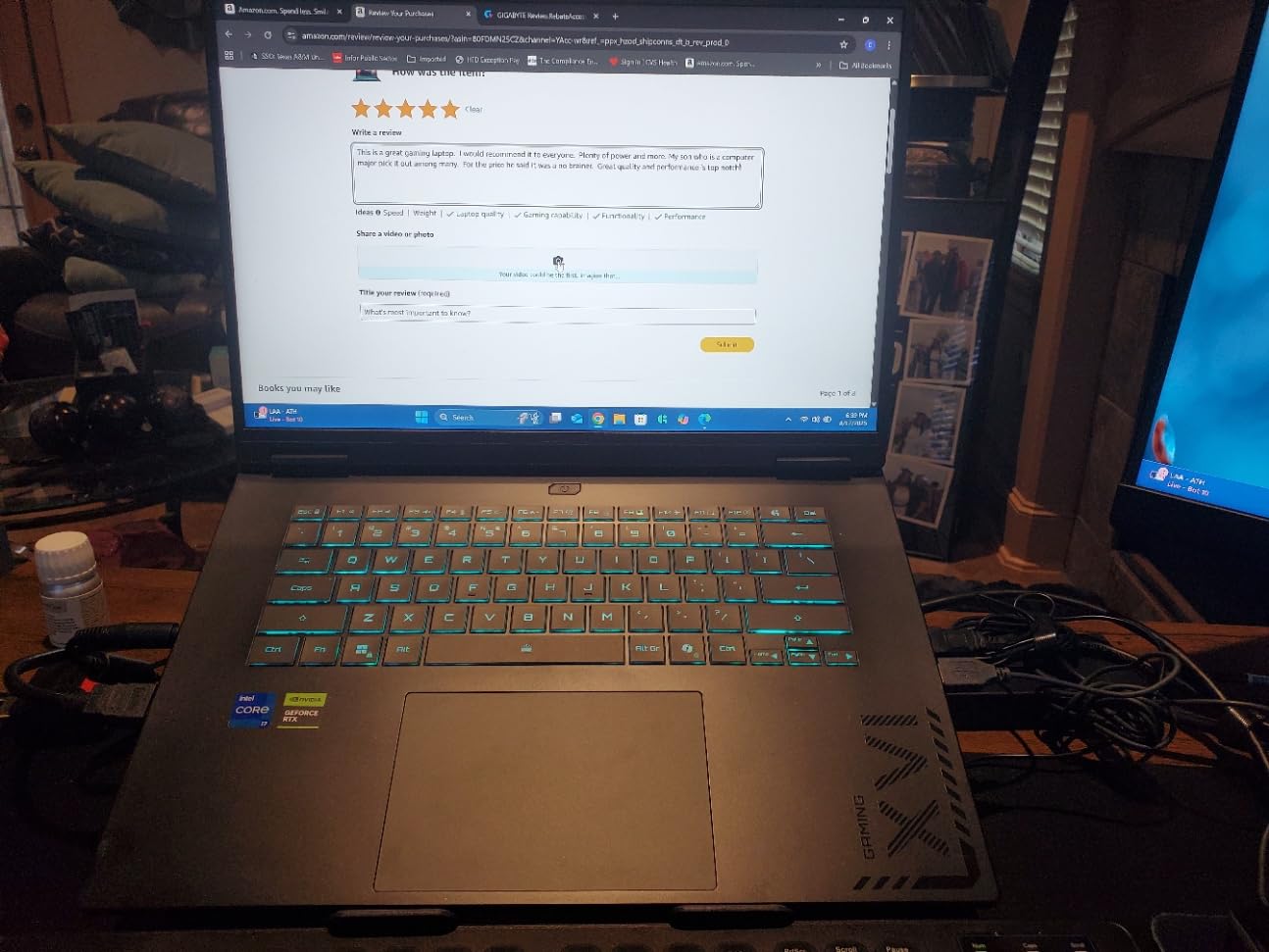
A 76 watt-hour battery inside a 19.45mm chassis that also carries an RTX 5060 is genuinely unusual. Most manufacturers trade battery capacity for the cooling volume and thickness a new GPU needs, and this machine declines to make that trade as sharply as the alternatives. It is the pick on this list for anyone who games away from a wall outlet more than once a week.
The other standout is the memory. Four DDR5 slots with a 64GB maximum is the best upgrade path in the group by a wide margin, and it is the direct opposite of the fixed-memory problem on the two 16-inch competition entries. You can start with 16GB and grow substantially as your needs change, without a motherboard swap.
RTX 5060 in a Thin, Cool and Long-Lasting Body
The GPU is an RTX 5060 with 8GB of GDDR7 supporting DLSS 4 and Max-Q, which is the efficiency-oriented power profile. On a chassis this thin, Max-Q matters: it is the mechanism that lets a laptop GPU hold acceptable performance within a much lower power envelope, which is exactly what you want when you are running on battery.
The 180-degree hinge is a small feature with a real use case, letting the screen sit flat for a second-user arrangement or a shared viewing angle in a group session. It is the kind of detail that does not appear in spec comparisons but that you notice in daily use.
Display Quality and the NTSC Caveat
The panel is 16 inches, 16:10 WUXGA at 1920x1200, IPS, 165Hz, 300 nits with a 25ms response time. On paper those numbers are competitive with the other 16-inch entries on this list, and the 16:10 ratio is the more useful shape for mixed work and gaming.
The catch is color coverage. The listed gamut is 45 percent NTSC, which is narrower than the 100 percent sRGB coverage on the Acer Nitro V 16S and the ASUS TUF. For gaming this is a minor difference in a dark room. For photo or video color work it is a real limitation, and you should treat this machine as a gaming-first purchase rather than a creator's tool.
Why We Rate This One Cautiously
With 38 reviews this machine has the smallest evidence base on the list, and the 4.1 average is the lowest. Roughly 17 percent of its reviews are one-star, the highest share in the group. That is a real signal, and we would not present this machine as a proven recommendation on the strength of a strong spec sheet alone.
The mismatch worth noting is generational: a 13th Gen Core i7-13620H paired with new RTX 5060 silicon. The CPU is a 10-core part boosting to 4.9GHz, which is competent, but it is not a current-generation pairing and it may age faster than the GPU. The 4.9-pound weight and 0.91-inch profile undercut the thin-and-light story slightly. Connectivity is strong, with Thunderbolt 4, Wi-Fi 6E, Ethernet, HDMI and eight ports.
7. Lenovo LOQ - The RTX 4060 Value Play
Lenovo LOQ Gaming Laptop 15.6" FHD IPS 144Hz (100% sRGB G-SYNC) AMD Octa-Core Ryzen 7 7435HS (Beats...
RTX 4060 8GB
Ryzen 7 7435HS octa-core
16GB RAM
512GB SSD
15.6-inch 144Hz sRGB G-SYNC
+ Pros
- Only RTX 4060 here with 8GB VRAM
- Octa-core Ryzen 7 7435HS rivals the i7-12650H in multithreaded work
- 144Hz IPS with 100 percent sRGB and G-SYNC
- HDMI 2.1 plus Ethernet and a privacy camera
- Authorized USB-C hub included in the box
- Cons
- Only 512GB of storage and the smallest capacity for a game library
- Slower drive than the Gen 4 NVMe standard on rivals
- Single listed RAM slot limits expansion
- One owner reported a keyboard failure under a warranty dispute
Here is the part of this roundup that frustrates the tidy narrative. On graphics capability, this Lenovo LOQ has an RTX 4060 with 8GB of dedicated memory, and no RTX 4050 laptop in the list can match what that card does in a demanding game. The 4050s are simply a tier below, and the VRAM difference alone changes how large textures behave.
Reviews reflect that same read. Owners highlight the RTX 4060 as the value leader in this price band, along with the sharp 144Hz sRGB panel and the productivity punch of the octa-core CPU. If your priority is frames per second and you are not fussy about 512GB of storage, the graphics-to-spend ratio here is hard to argue with.
Why an Older GPU Generation Can Still Win
Eight gigabytes of VRAM is the practical minimum for current AAA titles, and the LOQ has it while every 4050 machine in this roundup has 6GB. When a game is memory-bound, which large open-world titles increasingly are, that gap shows up as texture pop-in and frame-rate collapse that no amount of upscaling can fix.
The Ryzen 7 7435HS is an octa-core Zen 3+ part with 16 threads, and reviewers specifically note that it rivals the i7-12650H in multithreaded work despite being an older design. For a laptop that doubles as a work machine, that is a meaningful pairing with a mid-range GPU rather than a mismatch.
Display and Ports in a Clean Chassis
The 15.6-inch 1920x1080 IPS panel is anti-glare, runs at 144Hz and covers 100 percent sRGB, with G-SYNC support for variable refresh. That combination is a good match for an RTX 4060, which can drive competitive titles comfortably at 144Hz and will use G-SYNC to smooth out the dips.
Port selection includes USB-C 3.2, three USB-A 3.2 ports, HDMI 2.1, RJ45 Ethernet, Wi-Fi 6 and Bluetooth, which is one of the better-equipped layouts in the group. The privacy camera is a small touch that matters in shared spaces, and the authorized USB-C hub bundled in the box is unusual at this price. Nahimic audio and Rapid Charge Pro round out a well-considered feature list.
The Storage and Memory Limits
512GB is the smallest storage capacity here, and owners single it out as the main drawback. The drive is also slower than the PCIe Gen 4 NVMe drives standard on the competitors, with one M.2 slot available for expansion. Plan on adding a second drive soon after purchase if you play a lot of new releases.
Memory is listed with a single RAM slot, which is the most restrictive expandability figure in the roundup. If you are the kind of buyer who runs a game, a browser with many tabs and a video editor at once, that limit will matter more than it does to a pure gamer. One owner also reported a keyboard failure requiring a paid board replacement under an international-use warranty dispute, which is an isolated report but worth knowing about on a laptop with a numeric keypad.

8. HP Victus 15 - The Step-Down Budget Option
HP Victus 15.6" 144Hz Full HD Gaming Laptop | AMD Ryzen 7 7445HS |NVIDIA GeForce RTX 4050|Copilot...
RTX 4050 6GB
Ryzen 7 7445HS 8-core
16GB DDR5
512GB SSD
15.6-inch 144Hz IPS
+ Pros
- Lowest entry point in the roundup by a wide margin
- Zen 4 Ryzen 7 7445HS with 8 cores and 16 threads
- 144Hz FHD IPS anti-glare with FreeSync Premium
- Fingerprint reader and spill-resistant chassis
- Mouse pad bundled in the box
- Cons
- Only 512GB of storage
- RTX 4050 with 6GB VRAM is the weakest GPU here
- Retailer listing is internally inconsistent on CPU and RAM type
- Listed 7-pound weight appears to include packaging
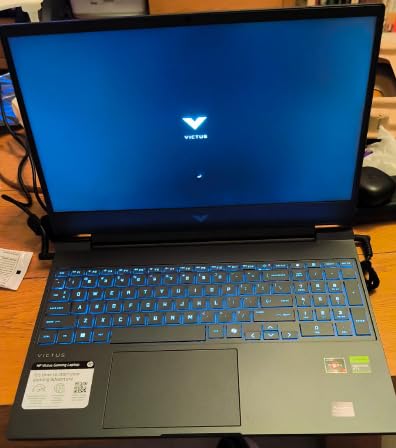
This is the deliberate step-down option, and we include it because a strict ceiling and a genuine best buy are not always the same thing. If you can comfortably leave a few hundred dollars of the cap unspent, this machine delivers a complete RTX 4050 gaming laptop with a Zen 4 processor, a 144Hz IPS panel and 16GB of DDR5 memory for the least money of any pick here.
Owners are satisfied with the Ryzen 7 7445HS performance and the 144Hz anti-glare display, and the 4.5 average rating is a good return. The features that stand out as unusual at this entry level are practical ones: a fingerprint reader and a spill-resistant chassis, neither of which you normally see on a laptop at the bottom of the range.
What You Give Up by Stepping Down
The RTX 4050 carries 6GB of VRAM, the smallest allocation on the list, and paired with 512GB of storage it is the most constrained configuration here. In 1080p esports titles it performs well, and DLSS support in supported games covers a lot of ground in single-player releases. In the newest AAA releases at high texture settings, you will be making compromises the RTX 5060 machines do not have to make.
The Zen 4 Ryzen 7 7445HS is a genuinely good processor for the money, with 8 cores and 16 threads, and the 15.6-inch 1920x1080 IPS panel at 144Hz with AMD FreeSync Premium suits it well. It is the GPU, not the CPU, that defines the ceiling on this machine.
Check the Listing Carefully Before You Buy
One warning on this product specifically. The manufacturer page is internally inconsistent: the key features reference a Ryzen 7 7435HS while the specification list shows a 7445HS, and the memory is labeled DDR4 in one field and DDR5 in another. Confirm the exact configuration string on the retailer's page before you commit, and confirm it again at checkout.
The listed 7-pound weight and 20-inch package dimensions almost certainly include the shipping box rather than describing the laptop itself, so do not plan your bag around that figure. Connectivity is straightforward: Wi-Fi 6, Bluetooth, HDMI and USB, with DTS:X Ultra audio and a bundled mouse pad. HP covers it with a one-year warranty.
Who Should Buy This and Who Should Not
Buy this machine if you are a first-time laptop gamer, your library leans toward competitive shooters and indie titles, and you would rather keep a chunk of the budget for a good monitor or a controller. The GPU is enough for 1080p gaming and the machine will grow with you via the 16GB of memory and 512GB of storage headroom.
Skip it if your play involves heavy simulation or strategy titles where CPU headroom runs out quickly, or if you intend to keep games for years without upgrading storage. In that case, spending up toward the RTX 5060 picks buys a machine that will not feel dated quite as soon, and the difference in longevity is the entire reason the other seven are on this list.
How to Choose a Gaming Laptop Under 1500 Dollars
The specs below matter more than the model names, and the reason is structural: at this ceiling, the same badge sells you a 6GB RTX 4050 with a 144Hz 1080p screen or an 8GB RTX 5060 with a 180Hz 16:10 panel, sometimes within a few dozen dollars of each other. Judge the configuration, not the badge.
Is 1500 Dollars a Good Budget for a Gaming PC?
It is a workable budget, but it sits below where most buyers in this bracket expect it to be. Memory prices have climbed sharply, and a 1500 dollar ceiling today buys less graphics horsepower than the same money bought a couple of years ago. Within that constraint, 1500 dollars is enough for a current-generation or near-current discrete GPU, 16GB of DDR5 memory and a high-refresh display, which is the combination that determines whether you enjoy the machine.
The honest framing is that this is the floor for a good modern gaming laptop rather than the comfortable middle. If you can stretch the ceiling, the range above it opens up considerably faster than the range below it, because the parts that are hardest to compromise are the GPU and the panel. Community consensus consistently treats 1500 dollars as roughly the sweet spot between entry-level and enthusiast hardware, with the caveat that you should aim at the top of the range rather than treat it as a limit.
Which GPU Should You Target at This Ceiling
Target 8GB of VRAM as an absolute floor, and treat the RTX 5060 as the tier to aim for. Anything with 6GB is workable for 1080p gaming in almost every current title, but texture-heavy settings in the newest releases will expose the limit, and upscaling cannot fix a memory shortage.
Beyond VRAM, wattage is the specification nobody puts on the box. Two laptops with the same GPU name can differ meaningfully in sustained performance if one allows the card 115W and the other runs it near the floor of its range. Longer power limits mean more frames in the tenth minute of a match than in the first, which is where thermal throttling shows up. Look for a stated TGP where the manufacturer publishes one.
The CPU matters less at 1080p than at 1440p, and less still in esports titles than in strategy or simulation games. An 8-core part is a sensible floor. Do not let a faster processor with a weaker GPU win your budget, because the GPU is what determines whether a game looks good.
Refresh Rate, Panel Type and the IPS Versus OLED Question
Do not accept a panel below 144Hz. The gap between a 60Hz screen and a 144Hz or 165Hz screen is the single most immediately noticeable difference in this entire roundup, and no amount of GPU power compensates for it. Among the picks here, refresh rates run from 144Hz to 180Hz, and the difference between the low and high ends is meaningful in competitive play.
At this ceiling you are choosing between 1080p high-refresh IPS and 1440p IPS, with OLED largely out of reach. The 1080p high-refresh option gives you competitive frame rates at native resolution and a longer battery. The 1440p option gives you noticeably sharper text and interfaces, at the cost of demanding more from the GPU. Only one machine on this list offers 1440p, which is worth knowing before you decide resolution is your priority.
Matte versus glossy is the second panel question. A matte finish reduces reflections in a lit room, which matters enormously for a long evening session in a dorm or an office. Glossy panels look more premium and can show room lighting directly in dark scenes. Our picks lean matte, and we consider that the right call for a gaming machine you will actually use in a normal room.
RAM, Storage and the Upgrade Path That Matters Most
16GB of DDR5 is the floor at this ceiling, and 8GB is an automatic disqualifier regardless of how good the rest of the spec sheet looks. 32GB is worth paying for if you also work on the machine, and the picks that ship with 32GB are the ones that will feel relevant longest.
Look at slots, not just capacity. A machine with 16GB across two populated slots and a 32GB maximum is a different proposition from one with 16GB and a 16GB ceiling. The single most valuable upgradeable spec on any gaming laptop is a free M.2 slot, because storage demand grows faster than memory demand and adding a drive is simple.
On storage capacity, treat 512GB as the minimum and 1TB as the target. Several current AAA installs run well past 100GB, so a 512GB drive fills quickly and every title you add eventually costs you a delete. If the machine ships with 512GB, check that a second bay exists before you buy, because that is the difference between a one-time ten-minute upgrade and a problem you live with.
Cooling, Fan Noise and What Buyers Ask About on Forums
Thermal throttling and fan noise are the two most commonly cited hardware complaints in this price band, ahead of storage and ahead of cosmetics. A laptop that boosts hard for two minutes and then settles into a lower clock is a worse machine than one that holds a steady frame rate at a modest level, and the difference is almost always down to the cooling system rather than the silicon.
Buyers on gaming and laptop forums also weigh build quality and keyboard feel heavily, along with display quality and upgradeability. That ordering is useful, because it is the opposite of how manufacturers prioritise their own spec sheets. The consensus recommendation we see repeated is that a well-cooled machine from a known brand with documented memory slots beats a slightly faster card from an unknown chassis.
One more thread that comes up constantly: the same model name ships in wildly different configurations, and buyers get burned by the config they did not intend. Read the exact configuration string on the retailer's page, check the seller name, and check the warranty and return window before you pay. A storefront you have never heard of is one of the most reliable signs that you are looking at a used, refurbished or incorrectly described unit.
Laptop or Desktop at the Same Budget, and When to Wait for a Sale
Be honest about whether you will always be sitting at a desk. At the same money, a desktop gives you a stronger GPU, more memory, more storage and better cooling with no portability premium, and a laptop loses a meaningful share of performance against an equivalent desktop GPU because of the power and thermal limits of a thin chassis. If your gaming happens at one desk and never anywhere else, a desktop is the better machine for the money.
A gaming laptop earns its place when you need one device for gaming and school or work, when you travel or game at LAN events, or when you want a portable CUDA-capable box for video work. That is a real and common need, and it is exactly the situation the picks above are built for.
On timing, street prices in this bracket swing significantly and configuration changes can make a good deal a poor one overnight. Big sale events are when the historic pricing on these models is most often available, so unless you need the machine now, waiting a few weeks around a major promotion is the single easiest way to improve the value of your purchase. Verify the configuration string again when the price drops, because the discount may come with a different GPU or a smaller drive.
Frequently Asked Questions
What is the best gaming laptop under $1500?
The Acer Nitro V 16S AI is the strongest all-round pick at this ceiling, pairing an RTX 5060 with 8GB of GDDR7, 32GB of DDR5, a 1TB Gen 4 SSD and a 16-inch 180Hz display. The Lenovo LOQ offers the best graphics value with an RTX 4060 and 8GB of VRAM, and the Acer Nitro V 15 carries the highest average owner rating at 4.6.
Is $1500 a good budget for a gaming PC?
It is a workable budget and the practical floor for a modern gaming laptop, but it sits lower than it once did because memory prices have climbed. At 1500 dollars you can get a current-generation discrete GPU, 16GB of DDR5 and a high-refresh display, which is the combination that determines whether you enjoy the machine. Aim for the top of the range rather than treating it as a limit.
What is the best budget gaming laptop under $1500?
If the goal is to spend as little as possible on a complete machine, the HP Victus 15 is the step-down pick, with a Ryzen 7 7445HS, an RTX 4050 and a 144Hz IPS panel. The MSI Thin GF63 is the better budget choice if you can add a few hundred dollars, because its opening bottom panel and free drive bay make upgrades far cheaper later.
Should I get a gaming laptop or a desktop for $1500?
A desktop gives you a stronger GPU, more memory and better cooling for the same money, with no portability premium. A gaming laptop makes more sense if you need one device for gaming and school or work, travel with it, or want a portable box for video work. If you always game at the same desk, the desktop is the better machine for the money.
What GPU should I look for in a $1500 gaming laptop?
Target 8GB of VRAM as an absolute floor and aim for the RTX 5060 tier where possible. The RTX 4050 laptops in this range carry 6GB, which runs 1080p games well but strains under high texture settings in the newest titles. Also check the stated power limit, since the same GPU name can deliver noticeably different sustained performance depending on its wattage.
Is 16GB RAM enough for a gaming laptop?
16GB of DDR5 is the practical floor at this ceiling and is fine for gaming alone, but 32GB is worth paying for if you also work on the machine, run many browser tabs alongside a game, or edit video. Check the number of slots rather than the capacity alone, because a machine with a 16GB ceiling cannot be expanded at all.
Final Verdict: Which Gaming Laptop Should You Buy?
If you want the most capable machine the ceiling allows, buy the Acer Nitro V 16S AI. The RTX 5060 with 8GB of GDDR7, 32GB of DDR5 and a 180Hz 16:10 panel is the combination that will age best, and the fixed 32GB memory ceiling is a fair trade at this price. If you want the best frame rates per dollar and play a lot of demanding single-player games, the Lenovo LOQ with its RTX 4060 and 8GB of VRAM is the smarter graphics purchase, provided you add storage.
If you want the highest-rated machine with the most proven ownership history, the Acer Nitro V 15 leads on owner satisfaction and a matte 165Hz panel. For a machine that travels constantly, the ASUS TUF Gaming F16 pairs a military-grade tested chassis with a 115W power limit. If sharpness matters most, the Alienware 16 Aurora is the only 1440p option here. The GIGABYTE Gaming A16 wins on battery life and memory expansion, the MSI Thin GF63 wins on serviceability, and the HP Victus 15 wins on how little of the budget you have to spend.
Whichever you choose, verify the exact configuration string, the seller and the return window before you pay. Our picks for the best gaming laptops under 1500 dollars were last reviewed in 2026, and prices in this bracket move often enough that checking on the day you buy is worth the two minutes.