
12 Best Ergonomic Keyboards for Wrist Pain (October 2026)
Wrist pain after a long day of typing is not a mystery. Your hands point forward, your forearms lie flat on the desk, and every keystroke asks your wrists to hold a bent-back angle for hours at a stretch. That is wrist extension, and combined with forearm rotation it is the single most common reason people search for the best ergonomic keyboards for wrist pain. I have spent the last several months putting curved, split, and fixed-split boards through full workdays, and what follows is the shortlist I would hand to a friend who could not finish a day without aching.
Two things up front. First, an ergonomic keyboard reduces strain, it does not treat a diagnosed case of carpal tunnel syndrome or repetitive strain injury. If you have numbness that wakes you at night, weakness in your grip, or pain that has not improved after a few weeks of changes, see a clinician. Second, the mouse is very often the real culprit, because a flat mouse forces the forearm to rotate palm-down and drags on the same tissue. We have covered that side of the problem in more detail in our pain support guide.
The other thing nobody tells you is that wrist posture is a three-part problem, and each keyboard in this roundup solves a different piece of it. Wrist extension is the bend-back angle. Forearm pronation is the palm-down rotation. Ulnar deviation is the sideways angle your hand takes as you reach toward the mouse or the arrow keys. A board only helps if it addresses at least two of the three, and that is the filter I used here rather than counting features or chasing fancier switches.
Every pick below was evaluated on how well it holds the wrist neutral, how it behaves over a full working day, and whether it still felt tolerable after the adaptation period. I have skipped the gaming-shaped boards that dominate most roundups, because a stiff actuation force and an aggressive keycap profile are not a wrist-care strategy. I also included a keyboard and mouse set, since a keyboard-only fix disappoints a lot of people. The same careful approach applies to the wider problem of load-bearing joints and support gear, which we looked at in our piece on wrist supports for snow sports.
How We Evaluated Keyboards for Wrist Pain
We weighted pain relief at 40% of the score, because a board that does not relieve load is a gadget. Comfort and wrist support carried 25%. Build and durability accounted for 15%, adaptability 10%, and value 10%.
- Pain relief (40%) - how far the layout moves the wrist toward neutral, and whether it addresses rotation as well as extension.
- Comfort and wrist support (25%) - palm and wrist support quality, key well shape, and whether support can be adjusted as you adapt.
- Build and durability (15%) - chassis stability, materials, key action over time, and warranty length.
- Adaptability (10%) - how many ways the board can be repositioned, splayed, or tented.
- Value (10%) - what the board delivers for the money you spend, including whether accessories like tenting legs or a numpad are extra.
One piece of outside evidence worth knowing: Consumer Reports lab testing reported that entry-level boards scored materially worse than pricier models, which lines up with what we saw in the basic membrane wave boards at the bottom of this list. We did not score price, but we did score build, and it showed.
Our Top 3 Tested Picks for Aching Wrists in 2026
The short version: the Logitech Ergo K860 is the board we recommend to most people, the Perixx is the one we recommend to people who want real split geometry cheaply, and the Logitech Wave Keys covers small desks.

Logitech Ergo K860
- Pillowed memory foam wrist rest
- Curved split keyframe
- Tilt legs at 0 -4 and -7 degrees
- Wireless multi-device

Perixx PERIBOARD-512B
- One-piece split layout
- 4.2mm key travel
- Curved stepped key rows
- Wired USB

Logitech Wave Keys
- Compact wave shape
- Memory foam palm rest
- Bluetooth Easy-Switch
- Ergo-certified design
Comparing All 12 Ergonomic Keyboards Side by Side
Every board in this roundup, with the geometry and support features that determine how it treats wrist pain.
| Product | Key Specs | Action |
|---|---|---|
| Logitech Ergo K860 |
|
Check Latest Price |
| Perixx PERIBOARD-512B |
|
Check Latest Price |
| Logitech Wave Keys |
|
Check Latest Price |
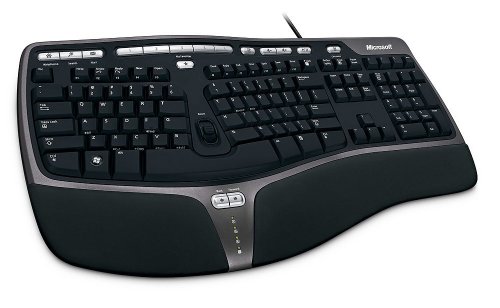 Microsoft Natural Ergonomic 4000 Microsoft Natural Ergonomic 4000 |
|
Check Latest Price |
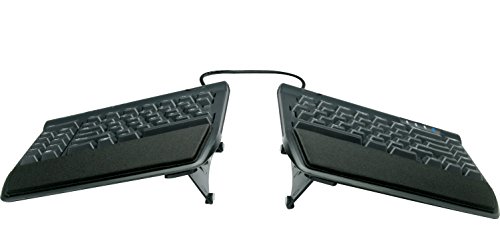 KINESIS Freestyle2 KINESIS Freestyle2 |
|
Check Latest Price |
 Arteck Split Ergonomic Arteck Split Ergonomic |
|
Check Latest Price |
 Microsoft Surface Ergonomic Microsoft Surface Ergonomic |
|
Check Latest Price |
 ULSOU Keyboard and Mouse Combo ULSOU Keyboard and Mouse Combo |
|
Check Latest Price |
 Microsoft Natural Keyboard Elite Microsoft Natural Keyboard Elite |
|
Check Latest Price |
 TECKNET Wireless Ergonomic TECKNET Wireless Ergonomic |
|
Check Latest Price |
 Kensington Pro Fit Ergonomic Kensington Pro Fit Ergonomic |
|
Check Latest Price |
 EAYBLLY 2.4G Wave Keyboard EAYBLLY 2.4G Wave Keyboard |
|
Check Latest Price |
1. Logitech Ergo K860 - Pillowed Memory Foam Support With Three Tilt Angles
Logitech Ergo K860 Wireless Ergonomic Split Keyboard with Wrist Rest
Curved split keyframe
Memory foam wrist rest
Tilt legs at 0 -4 -7 degrees
Bluetooth or USB receiver
+ Pros
- Pillowed memory foam rest carries real forearm weight
- Curved split frame reduces wrist bending
- Quiet laptop-style scissor keys
- Three tilt angles for sitting and standing
- Pairs to three devices via Logi Options+
- Cons
- F-keys share a row and need the Fn toggle
- Runs on two batteries rather than USB-C
- Sparse in-box documentation
The K860 is the board I put in front of people who say they want relief but have no interest in learning a layout. It is a one-piece curved keyboard, not a true split, and it does not tent, so it will not fix severe pronation on its own. What it does do is put a deep, pillowed memory foam rest under the full length of both palms, which is where most of the actual load transfer happens in an office.
That is the honest framing of this pick. It removes a large share of the extension load and a modest share of the rotation load, and it does so with almost no adaptation cost. Reviewers with typing-heavy workloads and diagnosed carpal tunnel commonly report the wrist rest as the reason they kept the board. The keyframe is curved and sloped rather than flat, so the hands sit in a shallower V than on a standard board, which also reduces ulnar deviation when you reach for the arrow keys.
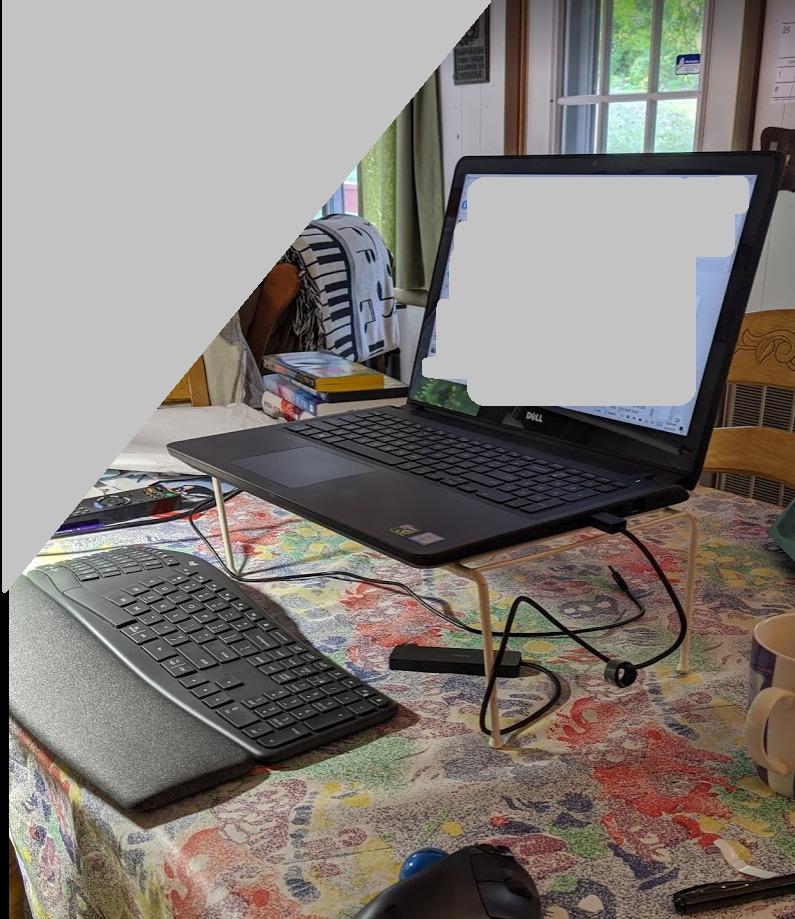
How the memory foam rest actually carries the load
Logitech's own claim is 54% more wrist support and 25% less wrist bending against its previous generation, and the mechanism is straightforward: the rest is a raised, scalloped platform the same height as the front row of keys, so the heels of your hands rest on foam instead of hovering while the fingers do all the work.
Two practical notes. The rest is permanently attached, so you cannot lower or swap it, which means you should test it at your actual desk height before committing. And the foam is memory foam, which means it takes the shape of your hands over the first weeks, then keeps it, which is exactly what you want from a support surface.
Negative tilt: the feature most people miss
The flip-out feet offer 0, -4 and -7 degrees. Negative tilt tips the keyboard so the far edge is lower than the near edge, which reduces wrist extension further rather than adding to it. Most people sit at 0 or -4 degrees and never need the steepest setting.
If your desk is high, or if you work standing, the -7 degree option is worth knowing about, because a tall desk plus a positive-tilt foot is the classic recipe for aching wrists. The Graphite model is also built with 71% certified post-consumer recycled plastic, which does nothing for your tendons but is worth knowing if you shop on sustainability.
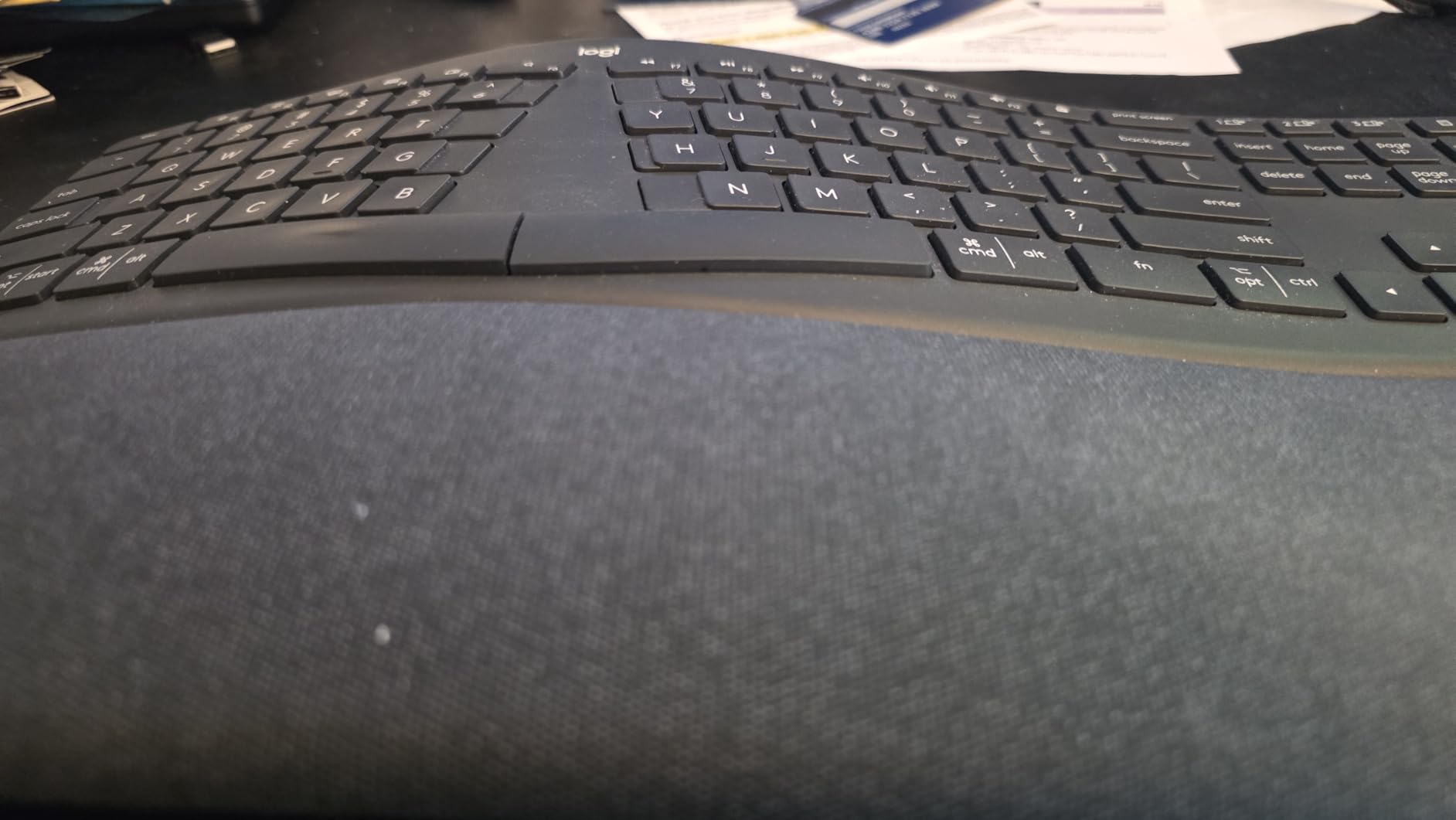
Switch feel, connectivity and the Fn compromise
These are quiet, low-travel scissor keys, not mechanical. That is a genuine advantage for a wrist-pain buyer, because a low-force key lets you type with less finger effort, and it is another advantage on a shared desk or a call. It also means you give up the tactile bump and the ability to swap switches, which is the main reason some typists still steer toward split mechanical boards.
Connectivity is a USB receiver or Bluetooth, and Logi Options+ handles pairing to three hosts plus battery notifications. The compromise is the Fn layer: the F-keys and media row share space, so switching layers takes a modifier press, and the in-box documentation is thin on explaining it.
Who should skip it
Skip the K860 if you already know that forearm rotation is your main problem, or if you want mechanical switches, or if you share a desk and need a board with a latching Fn instead of a momentary one. It is also not the smallest board on this list, so measure your desk depth first.
For anyone whose pain is a general ache rather than a specific diagnosis, this is where I would start. The adaptation cost is close to zero, the support is genuinely well built, and it is the one board on this list that reviewers consistently describe as helping existing wrist trouble.
2. Perixx PERIBOARD-512B - The Best Split Layout Most People Will Actually Keep
Perixx PERIBOARD-512B Wired Ergonomic Keyboard - Split Keyboard, Wrist Rest, Natural Typing - Wired...
One-piece split layout
4.2mm key travel
Curved stepped rows
111 keys, wired USB
+ Pros
- Split layout genuinely reduces wrist bending
- Long tactile key travel rated to 20 million keystrokes
- Stepped curved rows cut fatigue
- Sturdy build
- Works with Linux and Windows out of the box
- Cons
- No programmable function keys
- Odd arrow Home End cluster takes weeks to learn
- Indicator LEDs are hard to read
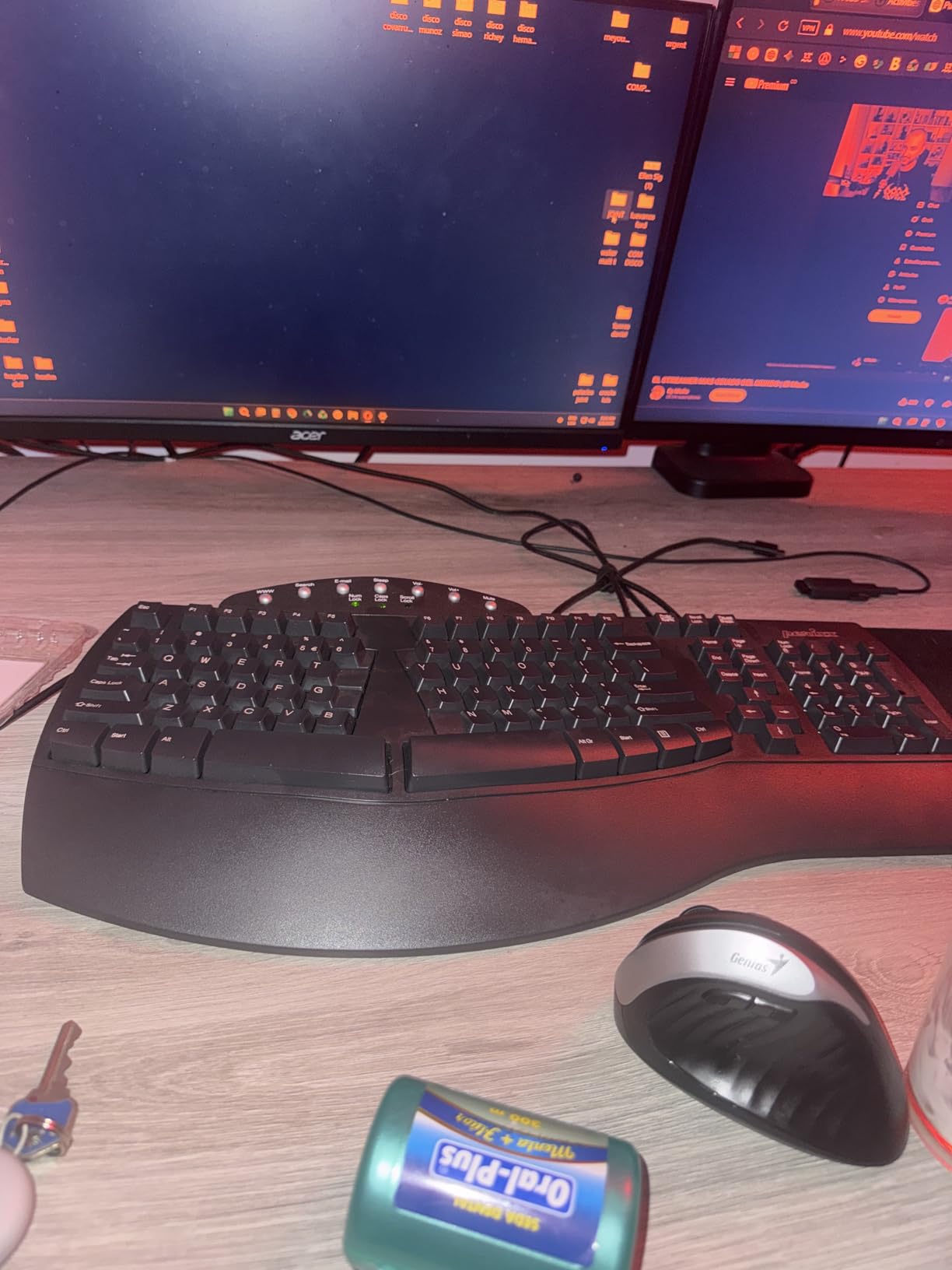
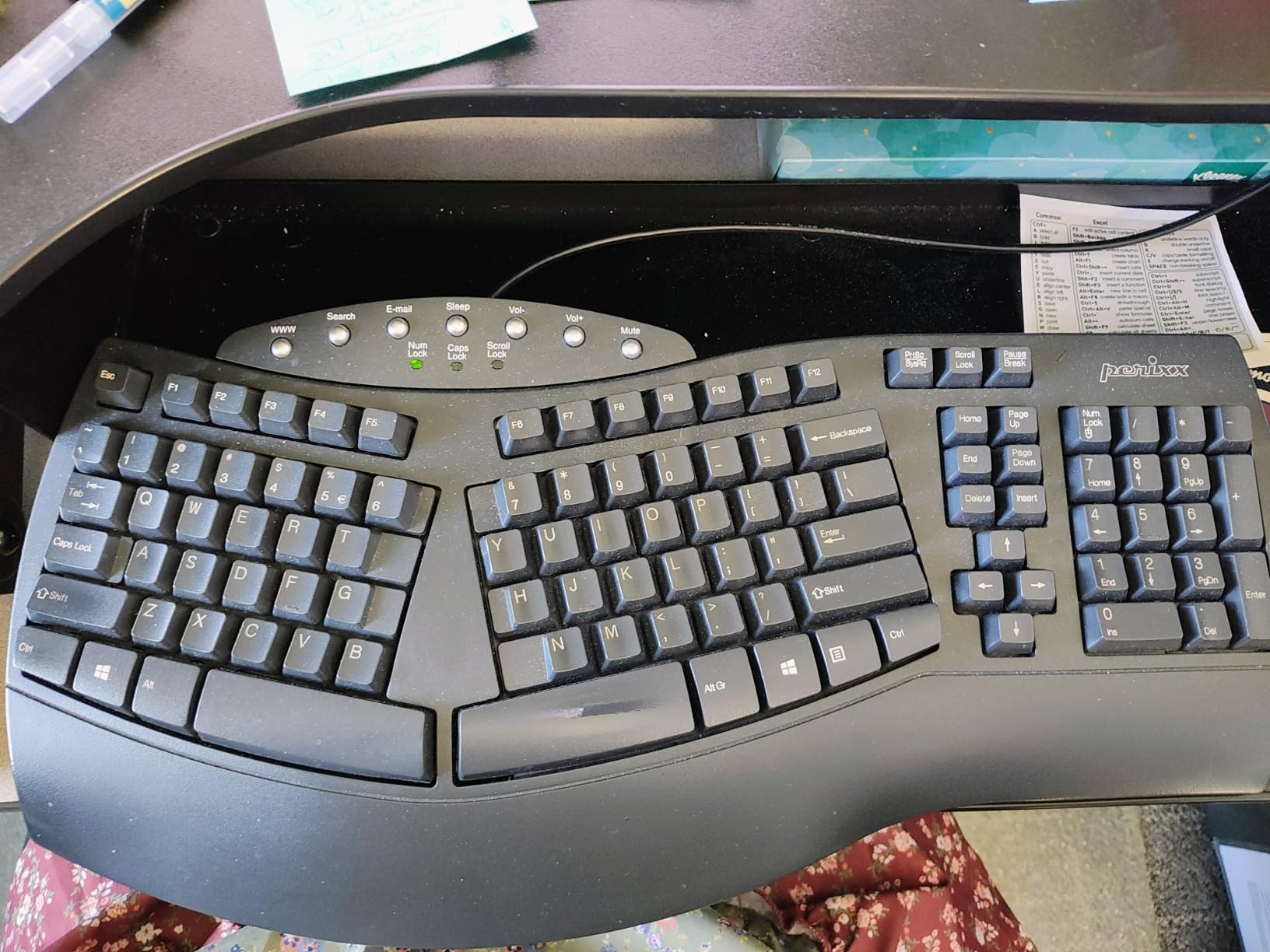
With close to ten thousand reviews averaging 4.4, the Perixx is the most-proven board in this roundup, and for good reason: it is a one-piece board with a real split keyframe, which means you get most of the rotational benefit of a split without any of the two-board desk management. It has become the default replacement for anyone who wanted a Microsoft Natural-style layout and could not find the original at a sensible price.
The mechanism is the split itself. Keys are divided into a mirrored left and right zone with a gap down the middle, so each hand approaches at an angle closer to its own natural line. That reduces both forearm pronation and the sideways ulnar deviation of a flat board. It cannot tent, so the forearms still rest palm-down, but on a desk that is all most general-ache complaints need.
Key travel and why it matters for sore hands
This is a membrane board with 4.2mm of travel, which sounds modest until you type on it. The travel is long and the break is tactile, so your fingers get clear confirmation that a key went down without you having to press hard.
That combination is why the Perixx shows up in the recommendations of people with existing hand and wrist problems. A short-travel board invites you to press harder, and heavier pressing loads the tendons in your forearm, which then loads the wrist. The rated keystroke life of 20 million strikes also means it is not a board you replace every year, which matters more to your wrist than any spec sheet.
The step and the curve, explained
Rows are stepped and curved rather than flat, so your fingers travel along an arc instead of a straight line, and each row sits at a slightly different height. The keycaps themselves are curved with flatter tops, which increases the surface your fingertip contacts.
Both details are unglamorous and both work. The combination is closer to a sculpted surface than a flat grid, and it means your hand does not have to stretch to reach the corners of the home row. Combined with the split, that is three separate angles of relief, which is why we rate it above the flat-with-a-rest boards further down the list.
The learning curve, in real terms
Most users adapt within one to two weeks, and the pain and clumsiness that shows up on the inner ulnar side of the wrist during those two weeks is the adaptation period, not a sign the board is wrong. It passes for nearly everyone, but it is the single most repeated complaint in every forum thread we read on this topic.
The other recurring gripe is the top row. The silver buttons above the number row are not programmable, so if you are used to launching apps from F-keys, you will want to remap in software. The arrow and Home, End, Delete cluster is condensed and unusual, and the indicator LEDs sit at an angle you will not see without leaning back.
Who should skip it
Skip it if you need true tenting, if you want hot-swappable mechanical switches, or if you cannot accept a rearranged navigation cluster during your first fortnight. It is also a wired board, so plan your cable route before you commit, and note that it is a full-size design at nearly 19 inches wide.
For most people reading this who are in discomfort and want the biggest geometry improvement available, this is the correct answer. It has the highest review volume in the roundup and one of the highest ratings, which is meaningful when you are dealing with something you will use eight hours a day.
3. Logitech Wave Keys - Compact Wave Shape For Small Desks
Logitech Wave Keys Ergonomic Wireless Keyboard with Palm Rest - Graphite
Compact wave shape
Memory foam palm rest
Bluetooth Easy-Switch
101 keys, membrane
+ Pros
- Wave shape centres hands wrists and forearms
- Memory foam palm rest spreads pressure
- Compact 14.8 inch footprint
- Easy-Switch across three devices
- Ergo-certified against ergonomist criteria
- Cons
- Compact layout drops some function keys
- Membrane feel is soft rather than crisp
- Battery claim assumes saver mode
The Wave Keys is the smallest board in this roundup, and for a lot of desks that is the deciding factor. It is 14.8 inches wide against nearly 19 inches for the Perixx and close to 20 for the Microsoft Natural, which is the difference between a board that fits in front of you and one that forces you to pull your mouse closer to your body. Pulling the mouse in is itself a wrist fix, so the footprint matters more than it looks.
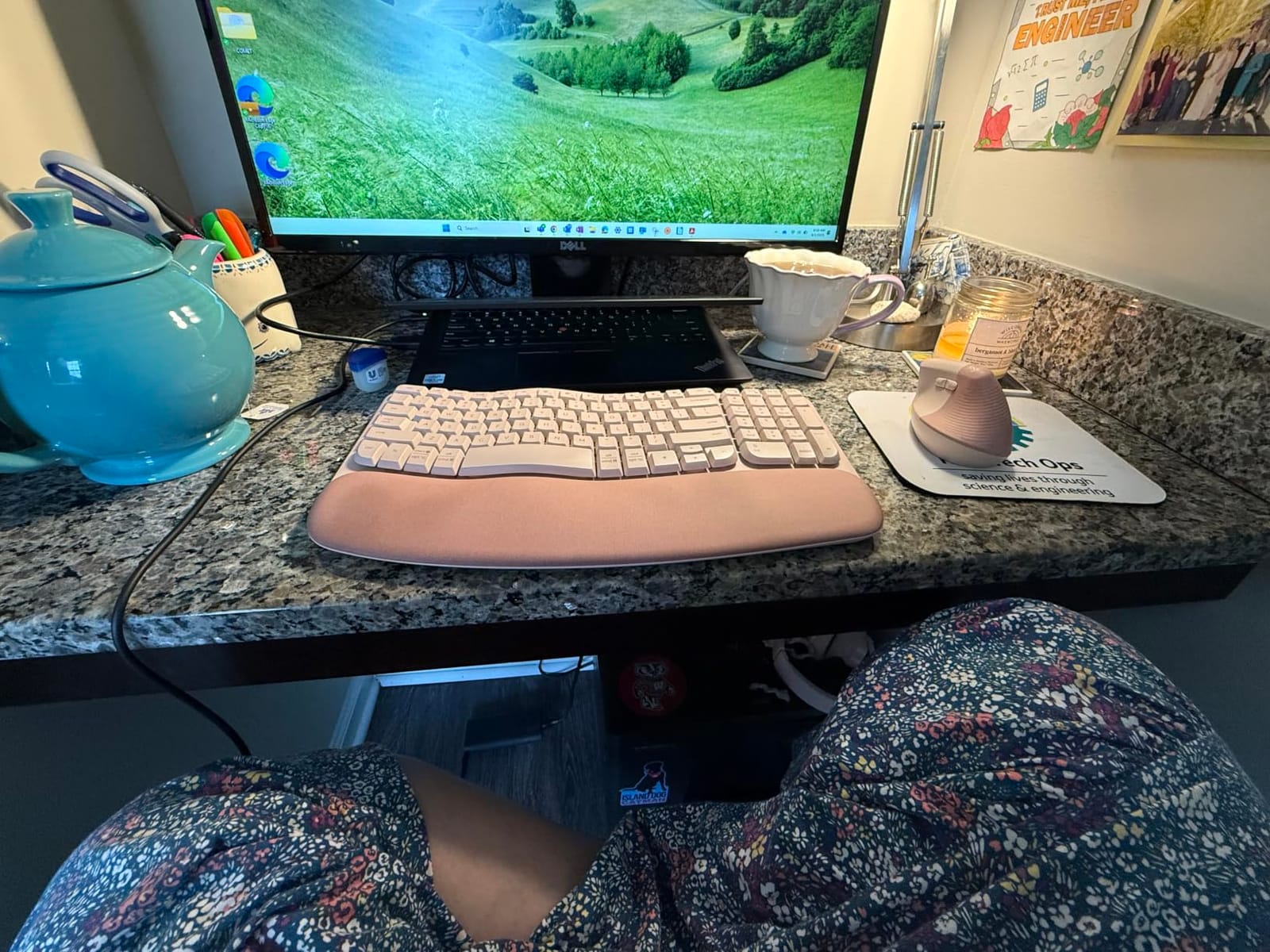
The geometry is a wave, not a split. The key field rises in the middle and dips at the edges, so your hands sit in a shallow valley with your forearms supported. This is a smaller intervention than a split, and on this list it sits below the split boards for pure pain relief, but it also has almost no adaptation cost, which for a first-time buyer is worth a lot.
What a wave layout does and does not fix
A wave board reduces extension because the middle of the board is elevated, letting the hands sit level instead of angled upward toward a flat field. The dipping edges reduce the reach distance to the number row and the arrow keys, which helps ulnar deviation a little.
What it cannot do is anything about forearm pronation. Both halves are still one rigid piece at one angle, so your forearms still lie palm-down. If your pain is on the thumb side and improves when you rotate your hand palm-up, a wave board will only partly help and a split or tented board is the real answer.
The memory foam palm rest
The rest is cushioned with memory foam and sits level with the front row of keys, which is the same basic idea as the K860 in a smaller package. It is not detachable and not adjustable, so the desk-height fit matters.
One of the most common pieces of bad advice about palm rests is to rest the wrist crease on the edge of the pad. That presses directly into the carpal tunnel area, and a lot of people who think a wrist rest made things worse made that exact mistake. The support belongs under the heel of the palm, above the crease, and the rest of the wrist should be free to move.
Wireless switching and battery life
Easy-Switch links up to three devices across Bluetooth and the Logi Bolt receiver, and Logi Options+ handles shortcuts and battery alerts. The quoted battery life is up to three years, but that figure assumes power-saver mode and light use; if you leave backlighting and heavy typing in the mix, plan on replacing the two batteries sooner.
The key action is membrane, and that is the honest trade-off here. It is quiet, which is a genuine plus for a shared office, but the feel is flatter than the scissor keys on the K860 or the 4.2mm membrane on the Perixx. If you are a heavy typist who cares about feedback, spend the extra and go up a board.
Who should skip it
Skip it if your pain is nerve-related or if you have already tried a padded flat keyboard without relief. The compact layout also drops some dedicated keys and compresses the function row, so if you rely on a full number pad or a top-row macro, check the layout against your habits first. It lists Windows as its supported platform, so check macOS compatibility before you commit.
For a student desk, a hot-desking setup, or anyone who wants a palm rest and a wave shape with a short learning curve, this is the pick. It is the lowest-friction entry on the list.
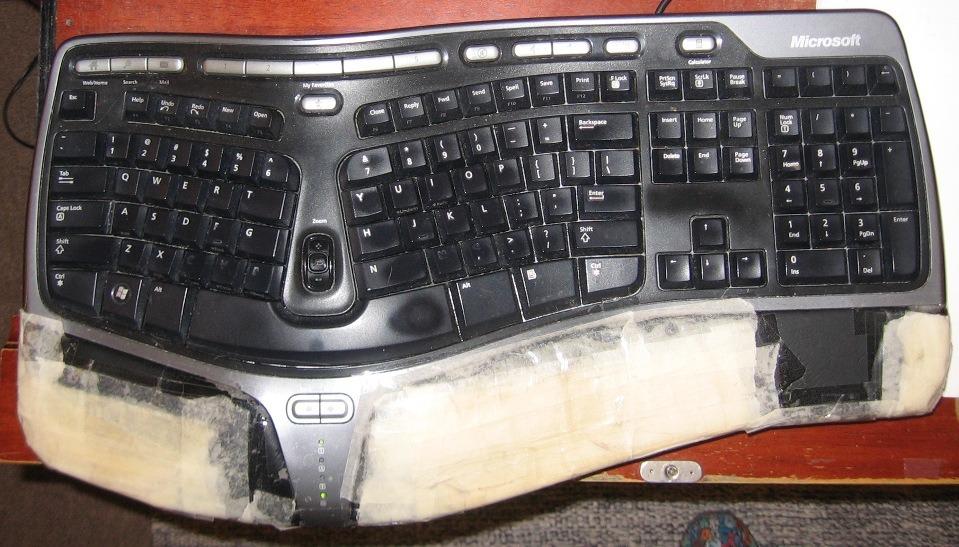
4. Microsoft Natural Ergonomic 4000 - The Benchmark Split Board With a Palm Lift
Microsoft Wired Natural Ergonomic Keyboard 4000, Retail
Split ergonomic layout
Cushioned palm rest
Palm lift for neutral angle
Three-year limited warranty
+ Pros
- Split design encourages natural hand wrist and forearm positions
- Cushioned palm rest supports a neutral wrist
- Palm lift holds a relaxed angle
- Long-standing reference design
- Three-year warranty
- Cons
- Very large desk footprint
- Palm rest surface degrades and sheds
- Deep key travel suits few people
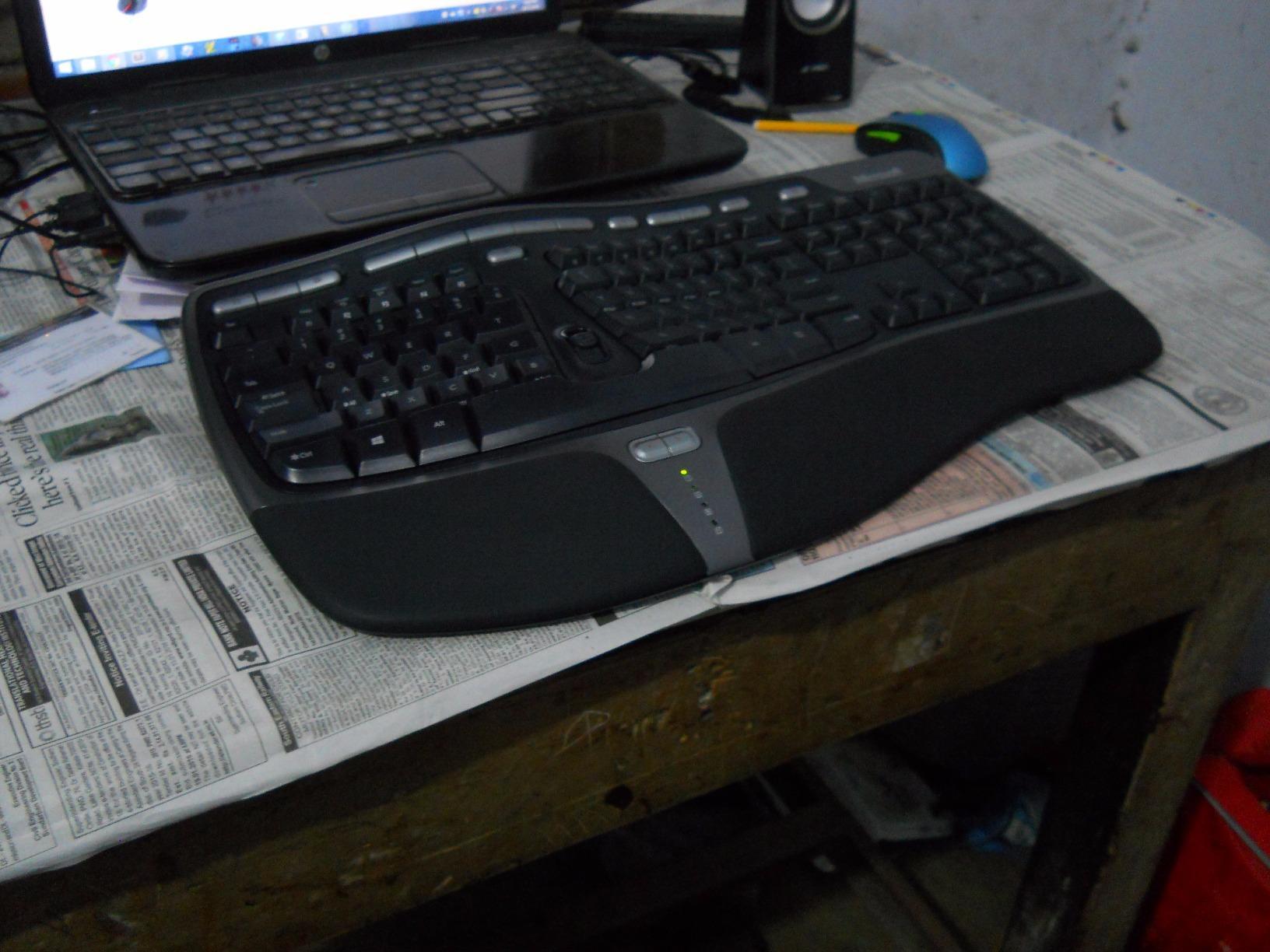
This board has been on desks for longer than most of the other products here combined, and it is still the reference design that reviewers compare everything else to. The split keyframe is the same idea as the Perixx, the cushioned palm rest does the same job as the K860's foam, and the base sits at a raised height with an integral palm lift so the wrists sit level rather than angled up from the desk surface.
That last point is the part people miss. Most ergonomic boards sit at desk height and rely on a rest to compensate. This one raises the whole typing surface, which reduces the angle between your forearm and the back of your hand, and that is where a lot of the extension relief comes from. It is a genuinely different approach from the flat-and-padded boards.
The palm lift is the real feature
A palm lift is a raised platform in the middle of the chassis, between the key field and the desk, that supports the heel of the hand at a higher point than the desk surface. Because the hand is supported higher, the wrist does not have to extend backward to clear it.
That is a cleaner fix than padding because it changes the geometry rather than cushioning the symptom. The trade-off is desk space, and this is a large board at close to 20 inches wide and 10 inches deep. On a small desk it will push your mouse out to the side, which can create a new ulnar deviation problem, so it is worth checking your desk depth before you order.
Key travel and the palm rest surface
Key travel is deep and the switches are tactile-mechanical, which gives clear feedback and suits people who type heavily and fast. It is the opposite of a low-profile board, so if you prefer a laptop-style feel, this is not it.
The palm rest is the weak point over time. Reviewers consistently report the cushioned surface degrading and shedding with years of use, and unlike the K860, it is not easily replaced. If you buy this board expecting to keep it for a decade, expect a rest refresh somewhere in the middle. Media keys for music and video control sit along the top, which is a small convenience most flat boards lack.
Who it suits and who it does not
This suits people with a deep desk, a preference for high-profile keys, and no need for wireless or cross-platform switching. It is wired and Windows-focused, which is fine for a fixed office machine and limiting for anyone who moves between a laptop and a desktop.
Skip it if your desk is small, if you need Bluetooth, or if you are sensitive to key noise, because deep mechanical-style travel is not quiet. Also skip it if a padded, shedding surface would bother you, because you will be living with it for years.
As a long-term fixed-machine board with a big desk, it remains hard to beat. The layout has had twenty years of refinement, which is its own argument.
5. KINESIS Freestyle2 - Adjustable Splay And Tenting In One Board
KINESIS Freestyle2 USB-A Ergonomic Keyboard w/ VIP3 Lifters for PC (9" Separation) (KB820PB-US)
Modules rotate and separate 9 inches
VIP3 tenting at 5 10 or 15 degrees
Integrated palm supports
Low-force membrane keys
+ Pros
- Splay and tenting adjust to your own forearms
- Low-force keys reduce finger fatigue
- Standard Windows layout with cut copy paste
- Embedded numeric keypad
- No drivers needed
- Cons
- Backspace and Delete are the same size and adjacent
- Fn key latches on rather than holds
- Adhesive palm pads feel thin
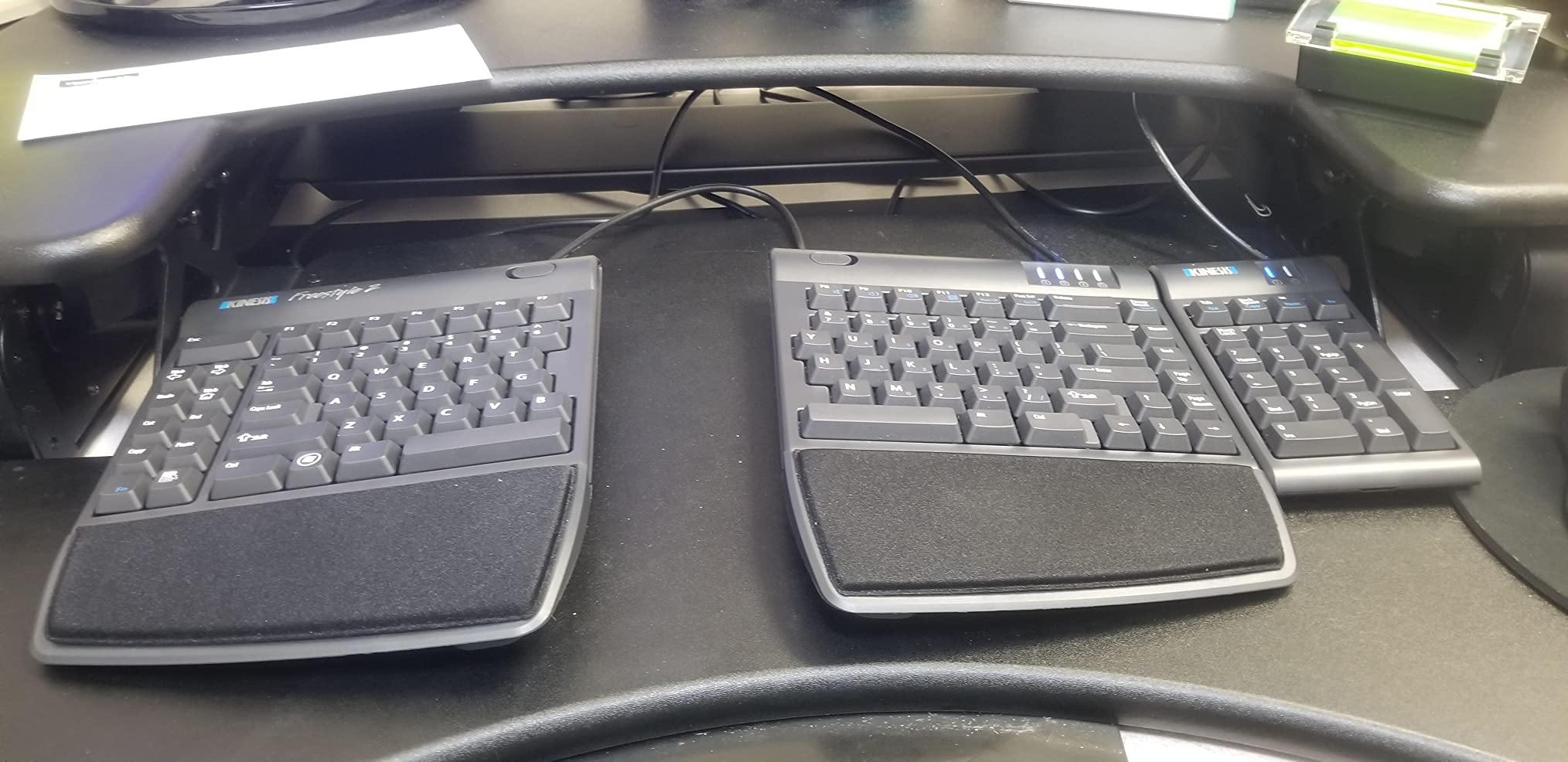
This is the most adjustable board in the roundup, and the only one that lets you change the geometry of the keyboard itself rather than just the angle of the feet. The two key modules rotate outward and slide apart, with separation up to nine inches, and the included VIP3 accessory tents them at 5, 10 or 15 degrees with integrated palm supports.
That combination is the strongest answer here to forearm pronation. Splaying the halves lets each hand approach at its own angle, and tenting lifts the inner edges so the forearms can fall into a more level, palm-inward position. Forum users who have already been in pain consistently point to tenting, rather than a wrist rest, as the step that finally resolved their symptoms on a board that had not fixed it.
Choosing your splay and tent angle
Start at 5 degrees of tenting and a moderate separation, work for a day, then increase. Going straight to 15 degrees on day one is the fastest way to make a good board feel broken, because a steep tent changes your whole arm position, not just your wrists.
The number that matters most for most people is separation. Nine inches is a genuine shoulder-width splay, which is the right setting if you sit at a wide desk and your pain comes from reaching. Tenting is the right setting to change first if the pain is on the thumb side of the wrist, because that is a rotation symptom.
Low-force keys and the embedded numpad
Low-force membrane switches need very little actuation, which is a real plus when your forearms are already sore, and they are quiet enough for a shared workspace. Feedback is tactile, so you get confirmation without heavy travel.
The embedded numeric keypad is unusual and genuinely useful for spreadsheet work, and the layout otherwise keeps a standard Windows arrangement with dedicated cut, copy, paste and undo keys. It is a plug-and-play USB board with no drivers, which matters if you move between machines or run a non-Windows system.
The key-placement problems to know about
Backspace and Delete are the same size and sit next to each other, which produces mis-hits until muscle memory adapts, and the Fn key on one module latches on after a press rather than requiring a hold, so it stays active and can turn shortcuts into number-pad input unexpectedly. The B key position on one module is unconventional.
These are real friction points and they are the reason this board is not number one. The adhesive palm pads that come in the box are also thin and papery, though the integrated palm supports on the VIP3 accessory are the part that actually does work. If you need a numeric keypad, note that the separate add-on unit is sold independently.
Who should skip it
Skip it if you type fast, need precision around Backspace and Delete, or dislike modifier keys that change state. It is also a large footprint with a tenting accessory attached, so give it a wide desk. Conversely, if you have tried a wave keyboard and a flat board with a rest and neither helped, this is the most adjustable thing you can buy short of going to a full columnar board.
6. Arteck Split Ergonomic Keyboard - Rechargeable Split Comfort With A Small Footprint
Arteck Split Ergonomic Keyboard with Palm Rest, 2.4G USB Wireless Keyboard
Split layout with cushioned wrist rest
Scissor-switch keys
Rechargeable lithium battery
2.4G nano receiver
+ Pros
- Split design relaxes wrists and forearms
- Cushioned palm and wrist support
- Scissor keys register crisply
- Rechargeable battery lasts about six months
- Plug-and-play nano receiver
- Cons
- No dedicated Page Up Home or End keys
- Small flush arrow keys
- Spacebar is loud
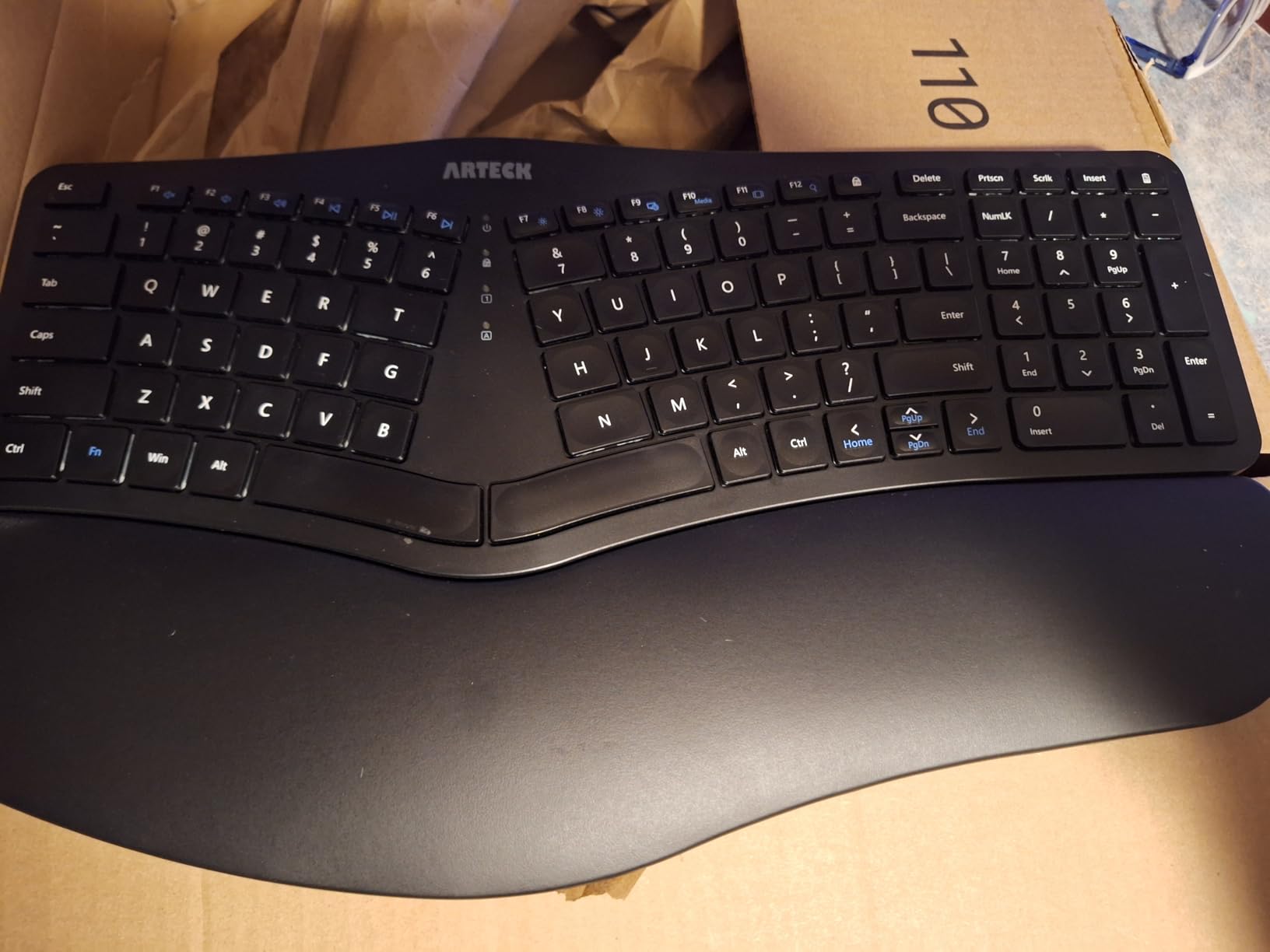
The Arteck is the board we would put in front of someone who wants split geometry, wants to be wireless, and does not want to spend much. It is a one-piece split board with a cushioned wrist and palm rest, scissor-switch keys, and a rechargeable battery that runs roughly six months on two hours of daily use.
It is narrower than the Perixx and the Microsoft Natural, at 16.5 inches, which makes it a better fit for a mid-size desk. The split is genuine rather than decorative, so each hand approaches at an angle closer to its own line, which reduces pronation and the sideways reach of a flat field.
Scissor-switch feel and quietness
Scissor switches are the mechanism underneath the keycaps on most laptop keyboards, and they give a short, consistent, low-force action. The advantage for a wrist-pain buyer is that you do not have to press hard, and the travel is short enough that your fingers are not held in a raised position for long stretches.
It is not silent, though. The spacebar in particular is reported as noticeably loud and clacky, which is worth knowing if you are on a shared desk or on frequent calls. If noise is your main constraint, look for a board with silent switches, because scissor boards at this level of the market do not carry them.
The compressed layout, in detail
This is where the compromises are. There are no dedicated Page Up, Page Down, Home or End keys, so those functions live behind the Fn modifier. The arrow keys are small, flush and easy to miss, which matters more than it sounds because arrow keys are exactly where ulnar deviation shows up.
Reviewers who came from a full-size board notice the compression for a week or two. It is manageable, but if you use navigation keys and function keys constantly, the Perixx or the Kensington further down this list will serve you better. Large hands can also find the smaller field cramped.
Wireless setup and battery
The 2.4GHz nano receiver stores in a slot at the back of the keyboard, which is the correct place for it, unlike the combo board later in this roundup where it lives on the mouse. There is no software to install and no pairing step, which is a real advantage for a shared or borrowed machine.
The rechargeable lithium battery gives about six months per charge based on two hours of daily use, and a USB-C charging cable is included along with a 24-month warranty. That is a better ownership story than disposable batteries, and it removes the low-battery mid-task panic that we have seen with battery-only boards.
Who should skip it
Skip it if you rely on Home, End or Page Up keys, if noise matters, or if you have large hands. It is also a Windows-oriented board, so check your platform before ordering. If you want a stronger rotational fix than a one-piece split can give, step up to the KINESIS above.
For most buyers, though, this is the most complete wireless split package in its class, and the rechargeable battery removes the main objection to wireless ergonomic keyboards.
7. Microsoft Surface Ergonomic - Alcantara Palm Rest For Surface Laptops
Microsoft 3RA-00022 Surface Ergonomic Wireless Keyboard,Gray
Natural arc and slope
Double-cushioned Alcantara palm rest
Bluetooth Low Energy
Designed for Surface Pro 4 and Book
+ Pros
- Natural arc and slope promote neutral posture
- Soft double-cushioned Alcantara rest
- Bluetooth range up to 32 feet
- Clean design that matches Surface hardware
- Cons
- Layout optimized for Surface not standard desktops
- Alcantara palm rest wears and stains
- Bluetooth 4.0 interface without modern device switching
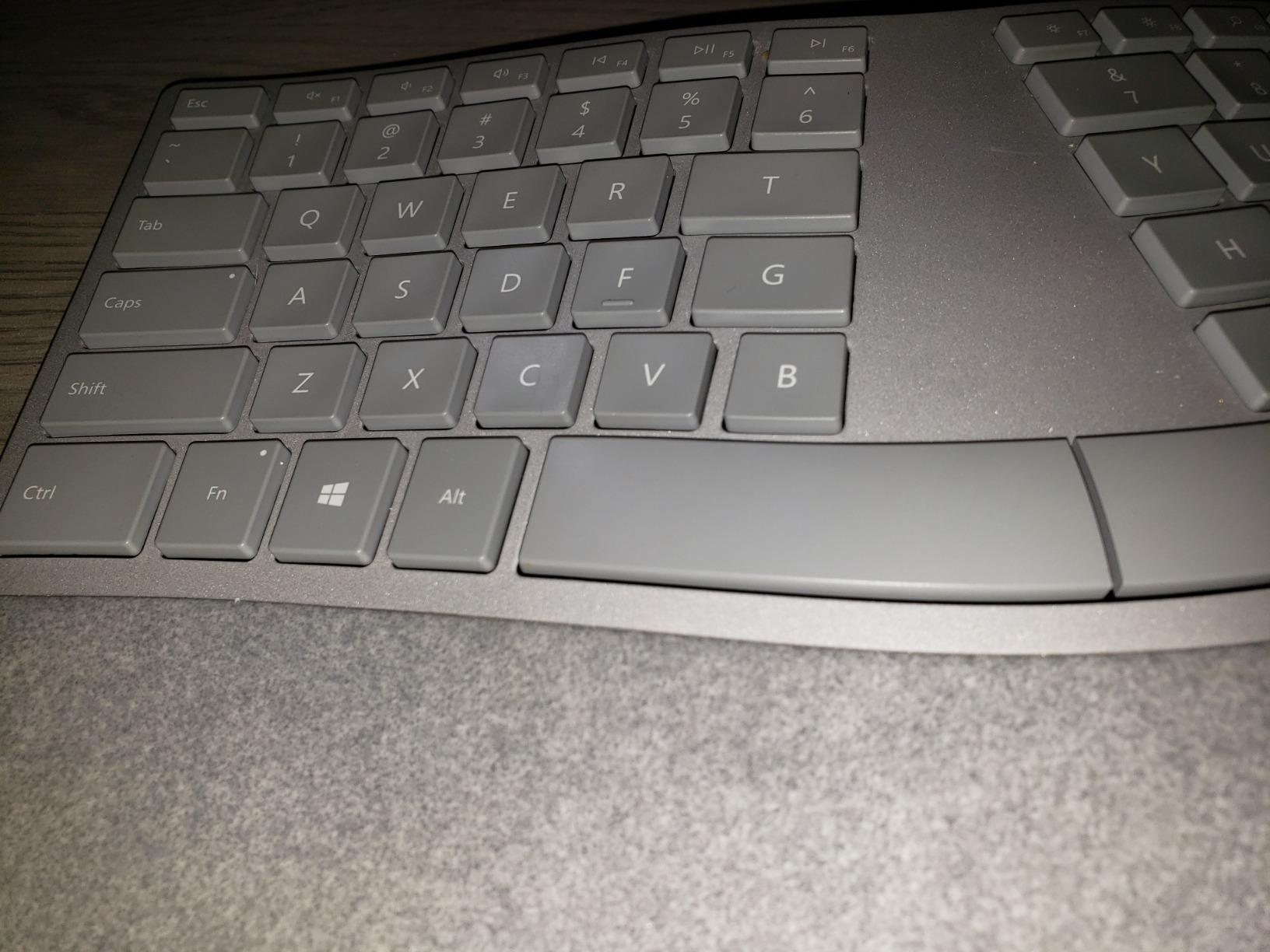
If your machine is a Surface, this is the ergonomic board designed for it, and that device-specific optimization is both its whole point and its main limitation. The profile is a natural arc and slope, meaning the key field curves and tilts rather than sitting flat, and the palm rest is double-cushioned and covered in Alcantara, which is a suede-like fabric.
The arc works the same way a wave layout does, raising the centre of the board so the hands sit level, and the slope tilts the whole surface back toward you. Both reduce extension. Neither addresses pronation, so this is a partial fix, and it is best thought of as a comfortable Surface-native alternative to a split board rather than a substitute for one.
The Alcantara palm rest, honestly assessed
Alcantara feels considerably better than plastic or coated foam under a palm. It is soft, warm and slightly grippy, so your hands do not slide as you type, and the double cushioning gives it a depth that most integrated rests cannot match.
The problem is durability. Reviewers report that the material wears and stains over time, and because it is bonded to the chassis you cannot replace it. If you are someone whose palms sweat or who works long shifts, expect visible wear in a couple of years. The same caveat applies to the Microsoft Natural 4000 further up, though that one is foam rather than fabric.
Surface-specific layout and connectivity
The key layout is tuned for Surface devices, with a function row arrangement that does not match a standard desktop PC, so muscle memory from your laptop keyboard is an advantage but a conventional desktop keyboard is not. The listed switch type is mechanical, and it is a full 104-key arrangement.
Connectivity is Bluetooth Low Energy 4.0 and 4.1 with a range up to 32 feet, which is more than enough for a desk. What it lacks is modern multi-device switching, so there is no quick three-host toggle like the Logitech boards. It is also first-generation hardware designed for the Surface Pro 4, Surface Book and Surface Studio generation, so confirm your device is supported.
Who should skip it
Skip it if you are not on a Surface, if you need to hop between a laptop and a desktop quickly, or if you want a stronger rotational fix than an arc and slope can provide. The warranty is one year, which is the shortest on this list, so factor that in against the wear concern.
For a Surface user who wants a comfortable board that matches the hardware and removes the built-in keyboard's angle problems, it does that well. For everyone else, one of the Logitech options will serve better.
8. ULSOU Keyboard and Mouse Combo - Fixes The Rounding Motion Of The Mouse Too
Wireless Keyboard and Mouse Combo, 2.4G Ergonomic Wave Keys(Black)
Wave keys with integrated wrist rest
Contoured wireless mouse with 3-level DPI
Single 2.4G receiver for both
104-key full size
+ Pros
- Wave layout and wrist rest relieve wrist strain
- Adjustable stand sets typing height
- Matching contoured mouse included
- One receiver links both devices
- Reliable 33-foot 2.4GHz signal
- Cons
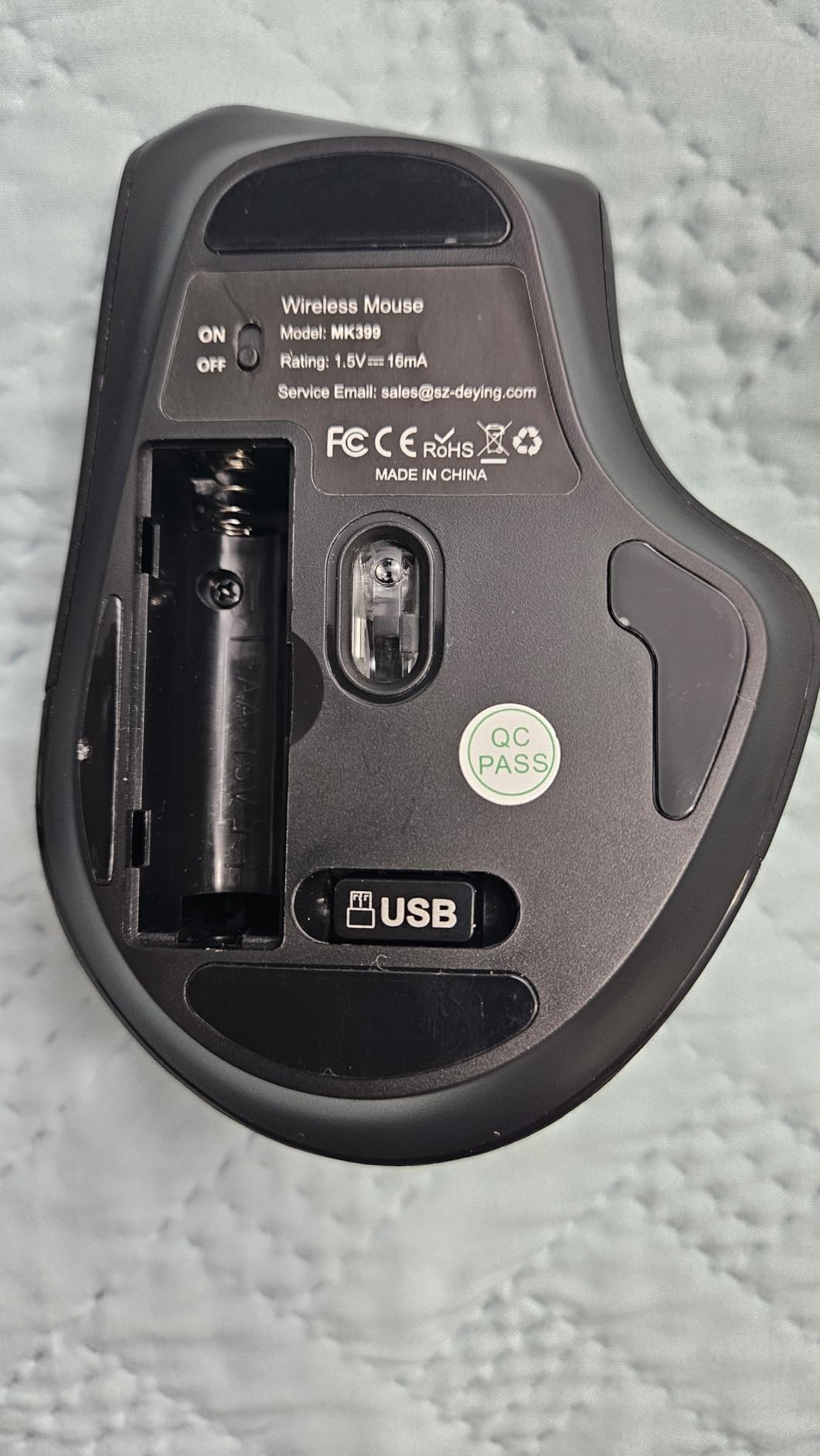
- Receiver stored on the mouse is easy to lose
- Mouse contour is shaped for one hand
- Membrane keys feel soft
Every forum thread on this topic eventually turns to the mouse, because a horizontal mouse forces the forearm to rotate palm-down and drape over a bump, and that strains the same tissue a keyboard is supposed to be protecting. This combo is the only pick here that addresses both halves of the setup in one purchase, which is why it earns a place despite a middling rating.
The keyboard is a full-size wave layout with an integrated wrist rest and an adjustable stand that sets the typing height. The mouse is a contoured wireless design with 3-level DPI adjustment and forward and back buttons, shaped to the curve of the hand rather than the flat, claw-style forms many people default to. It is not a true vertical mouse, and we will not pretend otherwise, but it is a genuine improvement over a flat shell for reducing the pronation force on your forearm.
Why a keyboard-only fix disappoints so many people
If your pain is on the thumb side of the wrist and you travel distance to reach a flat mouse, no keyboard will solve it. The keyboard is only responsible for half your workday's hand posture. This is the single most common reason people report that a genuinely good ergonomic board did nothing for them.
A contoured mouse reduces the grip and the reach, and it is a meaningful step short of a full vertical or trackball mouse. It is not a cure for pronation the way a tented split board is, and the mouse in this bundle is shaped for one hand, which matters for left-handed users. But it does address the co-cause, which almost nothing else in a keyboard roundup does.
One receiver, two devices, and where it lives
A single 2.4GHz receiver links both the keyboard and the mouse with a 33-foot signal, or you can run them separately. The most common complaint is embarrassingly simple: the receiver is stored on the back of the mouse, so if you replace the mouse you lose the keyboard too, and it is easy to misplace in a drawer.
Each device takes one AA battery, and both sleep automatically, with the keyboard sleeping after 30 seconds of inactivity and the mouse after 15 minutes. Batteries are not included, which is worth budgeting for. The keyboard and mouse switch between Windows and macOS layouts with a Fn combination, and the keyboard works on Windows XP through 11, Mac and Chromebook.
Who should skip it
Skip it if you already have a good keyboard and only need a mouse, or if you are left-handed and want a matched set. The wave geometry is a partial fix, so if your pain is rotation-driven, upgrade the keyboard to a split or tented board and keep this bundle for the mouse. The key action is membrane and the typing feel is soft, so heavy typists should test before committing.
If you are starting from scratch and want the biggest single improvement to a full desk setup for the least effort, this is the pick. Fixing both input devices at once is worth more than perfecting one.
9. Microsoft Natural Keyboard Elite - Firm Wrist Rest For People Who Hate Soft Padding
Microsoft Natural Keyboard Elite
Firm sloped wrist rest
Pop-up legs for extra lift
Near-traditional layout
Wired via USB or PS/2
+ Pros
- Firm sloped rest supports without soft sinking
- Traditional layout familiar to longtime typists
- Keys keep their action over decades
- Pop-up legs add about an inch of lift
- No setup required
- Cons
- Insert Delete Home End and arrows in odd positions
- No multimedia or volume keys
- Keys are loud especially the spacebar
This is the one board in the roundup whose support surface is deliberately not soft. The wrist rest is firm and sloped, moulded into the chassis rather than added as padding, and it does not compress under your palms. For some people that is the whole point: soft foam lets the heel of the hand sink, and a sinking support can leave the wrist at a worse angle than no support at all.
The rest of the geometry is a raised, split key field on a sloped platform, with pop-up feet that add roughly an inch of lift under the front. That height is what reduces extension here, and it does so by changing the angle rather than cushioning it.
Who this board is really for
It is for medical transcriptionists, court reporters, long-form writers and developers who have used one board for decades and do not want to relearn anything. The layout is close to a traditional PC arrangement, with dedicated function keys and the familiar alphanumeric block, which is the lowest adaptation cost of any board here.
The community around it is loyal for a reason. Reviewers note that the keys keep their action over decades of use, which is a durability claim none of the membrane boards in this roundup can make. If you type eight hours a day and expect a keyboard to last, that matters.
The navigation cluster, honestly
Insert, Delete, Home, End and the arrow keys are not in their standard positions, and there is a latching behavior on the modifier that can surprise you. There are also no multimedia or volume keys, which is a real omission in 2026 for anyone who controls music or calls from the keyboard.
The keys are loud. For a shared office or an open plan floor, that is a genuine drawback, and it is the main reason this board sits where it does in the ranking despite its long-term strengths. The chassis can also rock slightly at one rear corner with the legs retracted, a small build-quality quirk.
Who should skip it
Skip it if you work in a quiet-critical environment, if you need media controls, or if you are particular about standard navigation key positions. It is wired, Windows-oriented, and it is a white plastic board that will not match a modern dark desk. There is also no wireless option and no cross-platform layout switching.
If a soft padded rest has never worked for you, this is the board that makes sense. The support is geometry rather than cushioning, and that is the more durable approach to wrist relief.
10. TECKNET Wireless Ergonomic - Four Devices And Four Tilt Stages
TECKNET Wireless Ergonomic Keyboard Rechargeable, 2.4G+Bluetooth Ergo Cordless USB Computer...
Split curved layout
Dual-density memory foam wrist rest
Four tilt stages
Bluetooth 5.0 plus 2.4GHz, four devices
+ Pros
- Split curved layout supports neutral wrist posture
- Dual-density foam spreads pressure evenly
- Connects to four devices
- Rechargeable and usable while charging
- Four tilt stages for seated and standing
- Cons
- Non-standard arrow key placement
- Bluetooth sometimes needs a second tap
- Build feels lighter than the Logitech boards
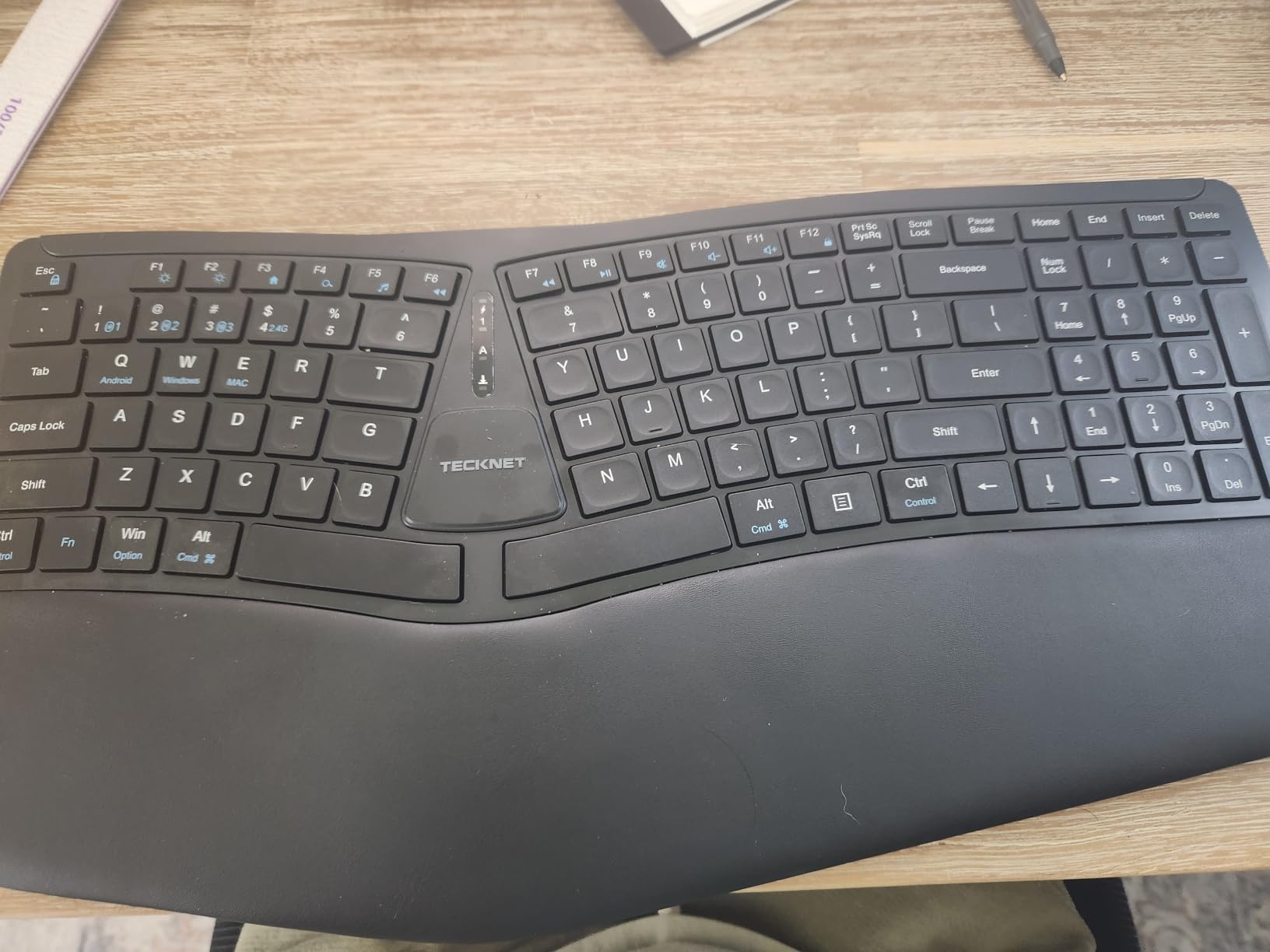
The TECKNET is the most connected board here, pairing to up to four devices at once, and it does so on a split layout with curved keys and a dual-density foam rest. If your workday moves between a work laptop, a personal laptop, a tablet and a desktop, the connectivity is the reason to pick it over the Arteck above.
Geometrically it sits between the wave boards and the true split boards. The keys are split and curved to follow the arc of the fingers, which reduces both the sideways reach of a flat field and the central extension angle. The four-stage tilt at 0, 1.2, 3 and 6.2 degrees is finer-grained than anything else on this list, which makes it easy to find the angle that matches your desk height.
Four-stage tilt and why granularity matters
Most boards offer two or three positions. Four finer stages mean you can usually find a setting that puts your forearms close to level instead of forcing a choice between a setting that is too flat and one that tilts too far back.
Note that all four stages are positive tilt, which raises the far edge. For wrist pain, a small negative tilt is often more comfortable, and you can approximate that by raising the back of the board with a riser or placing it on a stand. If your pain is sensitive to extension, do that before you assume the board is not helping.
Dual-density foam and multi-device switching
The rest uses a high-density base with a slow-rebound memory foam top layer and a stain-resistant fabric cover, which is a sensible combination: the base stops the slow collapse that ruins soft rests, and the top layer gives a little give. Pressure is spread more evenly than on single-density foam, which reduces the concentrated load on the heel of the palm.
The 500mAh rechargeable battery takes four hours for a full charge and runs up to 200 hours of use, and you can charge over USB-C while typing, so you are never offline. Bluetooth 5.0 remembers three paired devices and the 2.4GHz dongle adds a fourth.
Where it falls short
Bluetooth pairing sometimes needs a second tap to reconnect, which is the most common real-world complaint. The arrow keys sit in a non-standard position near Shift and Enter, so expect the same navigation adjustment period as the other split boards. Some owners also report keys loosening or failing relatively early, and the chassis feels lighter and less solid than the Logitech and Microsoft boards.
Registration extends the warranty, so do that. The build is the weakest part of this package, and it is the reason this board sits below the K860 despite a similar feature set.
Who should skip it
Skip it if you type in the dark and need backlighting, since none is listed, or if you need switch options or a full aluminium chassis. If you need genuinely strong rotational relief, move up to a tented split. For a hot-desking setup with several devices and a mixed standing and sitting routine, it is hard to argue with.
11. Kensington Pro Fit Ergonomic - Straight Layout With Spill-Proof Keys
Kensington Pro Fit Ergonomic Wired Keyboard- Black (K75400US)
Built-in cushioned wrist rest
Reverse tilt support
Quiet low-noise keys
Wired plug and play
+ Pros
- Built-in wrist rest supports neutral alignment
- Quiet soft keys reduce hand fatigue
- Spill-proof keys meet MIL-STD-810H testing
- Familiar straight layout with standard keys
- Wired design needs no pairing
- Cons
- Key legends can fade within months
- Wrist pad is narrow and firm
- Small square keys increase mis-hits
The Kensington Pro Fit is the only straight-layout board in this roundup, and that is deliberate rather than lazy. Some people with wrist pain need a normal typing position and a support surface, and forcing a split or a wave onto them makes things worse. This board gives you a conventional keyboard with a built-in wrist rest and reverse tilt, which is a much smaller intervention.
It also has the cleanest compatibility story here. It works with Windows, macOS and ChromeOS, needs no batteries and no pairing, and works on ChromeOS, MacOS and Windows out of the box. If you are replacing a keyboard in an office and cannot change how machines are set up, that simplicity is worth a great deal.
Reverse tilt: the least-known feature on any board
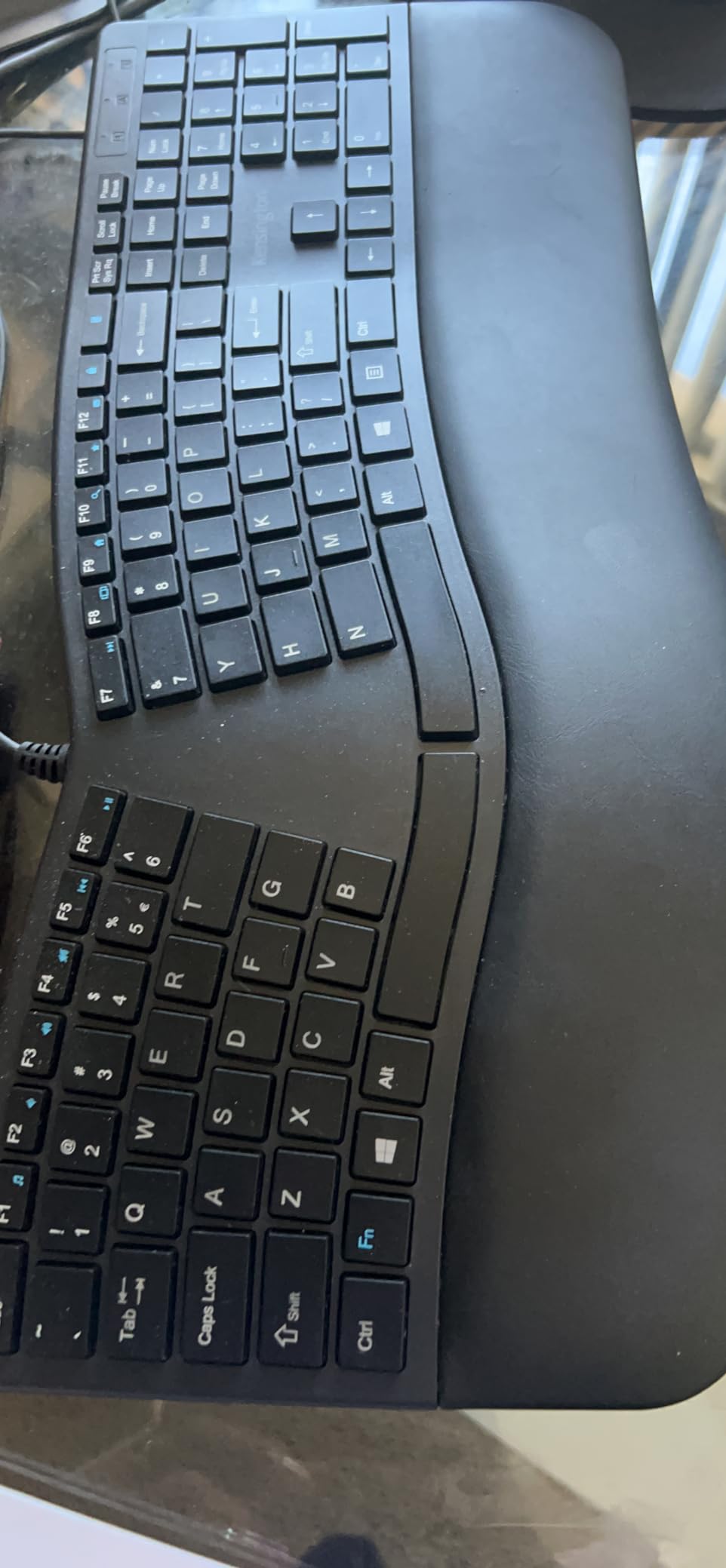
Reverse tilt is negative tilt with a different name. Instead of raising the back edge, the keyboard slopes down away from you, so the far edge sits lower than the near edge. This reduces wrist extension, which is the single most common source of typing-related wrist discomfort, and it does so without changing the layout you already know.
It is a low-cost, high-value feature that most flat boards with padded rests cannot offer, because padding does not change the angle. If your pain is a general ache after a long day and you are not ready to relearn a layout, this is the mechanism to prioritise.
Spill-proof keys and durability caveats
The keys meet MIL-STD-810H Method 504.3 fluid contamination standards, which means they are rated to keep working after a spill drains out rather than dying immediately. For a shared desk, a clinic counter, a workshop or a kitchen office, that is a genuine advantage, and it is the reason this board is on the list at all.
The durability caveat is the key printing. Reviewers report legends fading or wearing off within months of heavy use, which is a printing issue rather than a mechanical one, so the keys still work but become harder to read. The wrist pad is also narrower and less cushioned than the competition, and the small square keys reduce tactile orientation, which produces more mis-hits than the larger keycaps on the boards above it.
Who should skip it
Skip it if your pain is rotation-driven, because a straight layout with a negative tilt will not address pronation at all. Skip it if you work in dim conditions and need backlighting. The tight spacing around the right arrow key also makes it easy to hit Insert by mistake, which is an annoyance in spreadsheet work specifically.
For a straight keyboard with a genuine ergonomic mechanism, spill resistance and zero setup, this is the pick. It is a stepping stone for people who need relief without a learning curve, and for a lot of mild wrist ache that is genuinely the right size of solution.
12. EAYBLLY 2.4G Wave Keyboard - Memory Foam Rest And A Phone Holder
EAYBLLY 2.4G Wireless Ergonomic Keyboard, Full Size Wave Keys with Memory Foam Wrist Rest & 7.28in...
Wave-shaped curved keys
3-layer memory foam wrist rest
7.28 inch device holder
104 keys with number pad
+ Pros
- Three-layer memory foam rest eased long-session soreness
- Quiet soft keys are easy to push
- Phone and tablet slot is genuinely useful
- Full-size layout with number pad
- USB-C adapter included for Mac
- Cons
- Durability problems within months for some units
- Closer wave key spacing needs practice
- Phone slot is narrow for large phones with cases
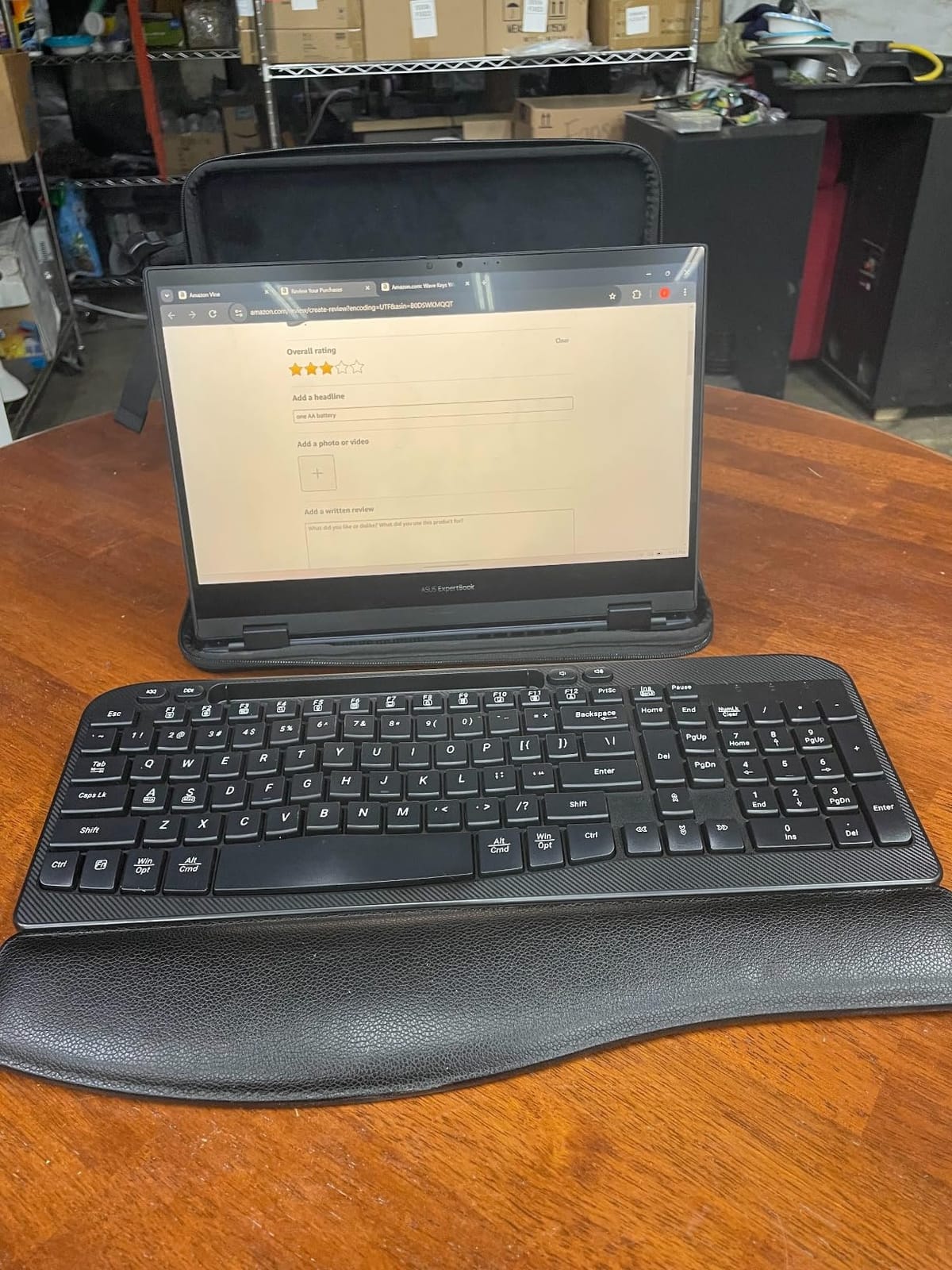
The EAYBLLY is a full-size wave keyboard with a three-layer high-density memory foam rest, a 7.28-inch device slot in the upper right, and a USB-C adapter so it works with Mac and Chrome OS as well as Windows. Reviewers report that the rest genuinely reduced wrist soreness over long typing sessions, which is the primary claim and the reason it is here.
The wave shape is a partial fix, closer to the Logitech Wave Keys than to a split board, so it will not address pronation. What it adds over most wave boards is a full number pad and function row, so nothing from a conventional layout is lost, which makes it an easier transition than a compact board.
The phone holder, and why it is not just a gimmick
On a wave board, the raised centre section leaves an awkward flat area at the top right. Putting a device slot there is genuinely useful for people who take video meetings, follow a class or read messages while typing, because it lifts the screen to roughly eye-adjacent height and removes the need to crouch the neck toward a laptop.
It is a secondary ergonomic benefit, and neck and shoulder strain is a bigger reported problem than wrist strain in most office populations, so it is worth something. The caveats are that the 7.28-inch slot is still narrow for a large phone in a thick case, and you need a stable surface for the keyboard to stop the phone wobbling while you type.
Tilt legs, wireless and the phone-as-keyboard case
The legs offer two positions at 8 and 12 degrees, which is positive tilt and therefore adds to extension rather than reducing it. If you buy this for wrist pain, use the lower setting or the flattest position, and if extension is your main symptom, put a riser under the back edge instead.
Connectivity is 2.4GHz wireless with a range up to 33 feet and no driver installation, plus an auto sleep mode. It runs on one AA battery, which is not included. The USB-C adapter is the part that makes it cross-platform, since the receiver itself is a USB-A dongle and modern laptops often lack that port.
Durability is the real concern
This is where the reviews split. The comfort praise is consistent, but a real share of owners report keys sticking or failing to register correctly within months, and printed legends that begin to fade relatively quickly.
Water resistance and a splash-proof structure are listed, which is a plus. Wave-style closer key spacing also needs some practice before touch typing is accurate, so expect a short adjustment period.
Who should skip it
Skip it if you are on a warranty-sensitive schedule or type hard enough to worry about switch longevity, and skip it if your pain is rotation-driven. If you want the same wave geometry from a better-documented brand, the Logitech Wave Keys is the safer choice. If you want the device slot, this is the only board here that has one.
How to Choose an Ergonomic Keyboard That Fits Your Pain
Matching geometry to symptom is the most useful thing you can do before buying, because the four layouts fix different problems and the wrong one will leave you disappointed.
Match the layout to your symptoms
General wrist ache after long typing sessions, with fatigue rather than sharp pain, responds well to almost anything on this list, and a wave board with a memory foam rest is a reasonable start. Wrist extension, which feels like a tight line across the top of the wrist when you straighten your hand back, responds to negative tilt, a raised typing surface, and any of the split boards.
Tendonitis and repetitive strain injury symptoms, meaning soreness along the thumb side of the forearm and wrist, are usually a rotation problem. That is the case for a split board and, ideally, tenting. Carpal tunnel symptoms, meaning tingling, numbness or night-time waking, need a split or tented board for the typing load, but you should be under medical care for the nerve side, because a keyboard reduces load and does not treat nerve compression.
Arthritis in the hands needs low activation force and short travel more than any particular layout, so a membrane or scissor board such as the Logitech Wave Keys or the Arteck is easier on stiff joints than a mechanical board. Small hands do best on a compact board, which is exactly the Logitech Wave Keys. The Kinesis, ULSOU and EAYBLLY bundles are the picks for people who have never seen a mouse that is not flat or whose desk is crowded.
The four geometries, explained
Wave or curved one-piece boards raise the centre of the key field and dip the edges. They reduce extension and shorten reach, cost almost nothing in adaptation, and do nothing for rotation. The Logitech Wave Keys, the Kensington Pro Fit and the EAYBLLY are in this group.
One-piece split boards separate the keys into mirrored zones on a single chassis. They reduce pronation and ulnar deviation without asking you to manage two separate pieces of hardware. The Perixx, the Microsoft Natural 4000, the Arteck and the TECKNET are here, and for most people this is the sweet spot between relief and disruption.
Adjustable split boards add splay and tenting on top of the split. Splaying widens the angle between halves to match your shoulders, and tenting lifts the inner edges to reduce pronation further. The KINESIS Freestyle2 is the adjustable example on this list. Fully columnar boards stack keys in vertical columns with thumb clusters and take the geometry furthest, but they are not in this roundup and they carry the steepest learning curve of any option.
Tenting and negative tilt in degrees
Tenting is the angle between each half and the desk surface, and it is the adjustment forum users most often credit for eliminating pain. Typical ranges start around 5 degrees, land between 10 and 20 degrees for most people, and go to 45 degrees for enthusiasts who spend all day typing. If you have real pain, tenting is worth more than any amount of padding.
Negative tilt lowers the far edge of the keyboard so the surface slopes down away from you, which reduces extension. The Logitech K860 offers it at three positions and the Kensington uses it structurally. Positive tilt, which raises the far edge, adds to extension and is worth avoiding if extension is your symptom, which is why the TECKNET and EAYBLLY tilt feet need to be set to their lowest position.
Switch choice and how much force matters
Switch actuation force is a wrist variable that most roundups ignore. A stiff switch asks you to press harder with your fingers, and that force travels through the finger flexors, into the forearm, and finally into the wrist. For sore hands, low-force membrane or scissor switches are the safest starting point, and the Perixx and the Arteck are good examples.
Silent switches are worth considering if you share a desk, work in a call centre or take frequent video calls, because noise forces you to type harder and flinch away from the keys. The EAYBLLY is the only board here listing a silent switch model, and the Kinesis, Arteck and Logitech boards are quiet in a different way, through travel and feel rather than switch design. Give it a week in a real room before you buy, because online reviews understate how loud a board is at your actual desk.
What the adaptation period actually looks like
Days one to three are the worst. Expect slower typing, more errors, and often a transient ache on the inner, ulnar side of the wrist. This is your muscles learning a new angle, not damage, and it is the single most repeated complaint from people switching to a split board.
Days four through ten, the errors start falling and the ache usually stops being noticeable. Do not reduce your typing volume during this phase, because low-practice weeks are what create the lasting clumsiness. If you can, keep your old board on the desk and swap back for the most demanding two hours of the day.
Days eleven through fourteen, most people report pain dropping to a background level and productivity returning. Forum users moving from a flat board describe a one to two week productivity dip and near-universal willingness to push through it once the pain eased. Almost nobody goes back after that point. Do not sell your old keyboard until you are through this period.
Do keyboard wrist rests actually work?
A palm rest helps when it supports the heel of your hand above the wrist crease, keeps the hand level with the keyboard, and stops the wrist from extending to clear the keys. A rest that sits too high, too low or too hard acts as a pressure point on the carpal tunnel area, and that is where a lot of the bad reputations come from. Rest the palm, not the crease, and let the wrist move freely.
Beyond that, a rest is the weakest of the interventions here. It reduces load but it does not change forearm rotation, so if your pain comes from pronation, a rest alone will not do it. Tenting and a split change the geometry, which is why those boards rank above the pad-heavy wave boards on this list.
Beyond the keyboard: desk height, mouse, breaks and stretching
The keyboard is one of four inputs you control, and fixing only one of them is why people end up disappointed. A numbered plan that works better than any single board:
- Set your desk and chair height first - elbows at roughly 90 degrees, shoulders relaxed, feet flat. A keyboard cannot compensate for a desk that is too high.
- Set the keyboard flat or at negative tilt - not the reverse. Test with your palms down and your wrists in line with your forearms.
- Support the palms, not the wrists - if the rest presses into the crease, lower it or remove it.
- Add tenting or move to a split - this is the step that addresses rotation, and it is the one people skip.
- Fix the mouse - move it closer, keep it at the same height, and consider a contoured or vertical mouse. This is often the actual cause.
- Take breaks on a timer - short pauses every 30 minutes, longer stretches every hour, and change position rather than sitting locked.
- Stretch the forearms and wrists - gentle, held stretches, not bouncing, and never through sharp pain.
- See a clinician if pain persists - numbness, weakness, night pain or symptoms lasting more than a few weeks need a professional assessment, not another keyboard.
If the pain is coming from a sport or a specific activity rather than a desk, our guides on wrist supports for snow sports and grip ergonomics for long-handled tools cover the same neutral-position principles for different movements.
Frequently Asked Questions
What is the best ergonomic keyboard for wrist pain?
The Logitech Ergo K860 is the best overall ergonomic keyboard for wrist pain because its curved split keyframe and pillowed memory foam rest carry palm weight and reduce wrist bending with almost no learning curve. For rotation-driven pain, a splayed and tented board such as the KINESIS Freestyle2 goes further. A keyboard reduces strain, but it is not treatment for diagnosed carpal tunnel syndrome.
Which ergonomic keyboard is best for carpal tunnel syndrome?
For carpal tunnel symptoms, a split or tented keyboard reduces the load that aggravates the wrist, and the KINESIS Freestyle2 is the most adjustable option because splay and tenting up to 15 degrees cut forearm rotation. The Microsoft Natural Ergonomic 4000 is a strong fixed alternative with its raised palm lift. Tingling, night pain or grip weakness still needs medical assessment, since a keyboard does not treat nerve compression.
How to stop wrist hurting when using a keyboard?
Adjust your chair and desk so your elbows sit at roughly 90 degrees, set the keyboard flat or at negative tilt, support the heel of the palm rather than the wrist crease, and keep the mouse at the same height and as close as possible. Add tenting or move to a split board to address forearm rotation, take short breaks every 30 minutes, stretch gently between sessions, and see a clinician if pain persists.
Do keyboard wrist rests actually work?
A wrist rest helps when it supports the heel of the hand above the wrist crease and keeps the hand level with the keys, because that stops the wrist extending to clear them. A rest that sits too high or too firm presses into the carpal tunnel area and can make pain worse. A rest also does nothing about forearm rotation, so rotation-driven pain needs a split or tented layout rather than more padding.
What are the downsides of using ergonomic keyboards?
The main drawback is the adaptation period, which usually runs one to two weeks of slower typing and occasional inner-wrist soreness as your muscles learn a new angle. Split and columnar layouts also reposition the arrow, Home and End keys, which annoys fast typists for weeks. Beyond that, tenting and palm accessories are often sold separately, and some boards are loud or lack wireless and cross-platform support.
Which Ergonomic Keyboard Should You Buy for Wrist Pain?
If your pain is a general ache and you want the least disruption, the Logitech Ergo K860 is the one to buy. Its memory foam rest and negative tilt do most of the work and nothing about the layout will slow you down.
If you want real split geometry and you are willing to spend two weeks getting used to a new navigation cluster, the Perixx PERIBOARD-512B is the stronger fix, and it has the deepest review history of anything here. If your desk is small or you are just starting out, the Logitech Wave Keys covers the wave shape in a compact footprint.
If your pain is on the thumb side of the wrist, that is a rotation problem, and you should skip every board on this list that cannot splay or tent. Go with the KINESIS Freestyle2 and start at 5 degrees. If your desk is large and you want a fixed, long-term board with a raised typing surface, the Microsoft Natural Ergonomic 4000 remains a safe reference design. If the mouse is part of your problem, the ULSOU combo is the only pick here that treats both sides of the desk at once.
Whichever you choose, give it a full fortnight at your normal typing volume before you judge it, keep your old keyboard nearby, and remember that no keyboard fixes a diagnosis. The best ergonomic keyboards for wrist pain in 2026 are the ones that get your wrist neutral, keep your mouse close, and stay on your desk for years.